Buy anything from 5,000+ international stores. One checkout price. No surprise fees. Join 2M+ shoppers on Desertcart.
Desertcart purchases this item on your behalf and handles shipping, customs, and support to Thailand.
🎧 Elevate your podcast game with pro sound, zero hassle!
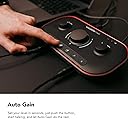
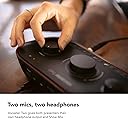
The Focusrite Vocaster Two is a compact, USB-powered podcasting interface featuring two XLR mic inputs and two headphone outputs with Show Mix. It offers over 70dB gain range, Auto Gain for instant level setting, and Enhance presets to bring out the best in any voice. Designed for hosts and guests, it includes easy mute functionality and integrates seamlessly with PC software, making it the perfect all-in-one solution for professional-quality podcast recording on the go.


| ASIN | B09ZGT64RV |
| Audio Input | XLR |
| Brand | Focusrite |
| Brand Name | Focusrite |
| Compatible Devices | Personal Computer |
| Compatible devices | Personal Computer |
| Connectivity Technology | USB |
| Connectivity technology | USB |
| Customer Reviews | 4.5 out of 5 stars 340 Reviews |
| Frequency Response | 20 KHz |
| Frequency response | 20 KHz |
| Global Trade Identification Number | 00815301001379 |
| Included Components | Vocaster Two USB Cable A-C |
| Item Dimensions D x W x H | 11.3D x 22.5W x 5.1H centimetres |
| Item Type Name | Audio Interface |
| Item Weight | 830 g |
| Manufacturer | Focusrite |
| Manufacturer Part Number | MOAC0002 |
| Maximum Sample Rate | 24000 KHz |
| Model Number | AMS-VOCASTER-TWO |
| Number of Channels | 2 |
| Number of channels | 2 |
| Operating System | Windows |
| Product Warranty | 3 year warranty. |
| Supported Software | Focusrite |
| Supported software | Focusrite |
| UPC | 815301001379 |
| Unit Count | 1.0 count |
E**I
Excellent all-rounder for podcasting and content creation
I’ve been using the Vocaster Two for about 8 months now, and it’s been flawless. At first, I thought I needed the bigger box version, but this actually has everything I need for podcasting. The loopback feature works great for recording audio from my laptop, and I can easily connect a mobile via Bluetooth or a TRRS cable to bring in guests. It has dual mic inputs, headphone outputs, and even a camera output, which is super handy for streaming or filming setups. Auto gain and mute functions make it quick to work with, and overall, the sound quality is clean and reliable. The only minor downside is that the surface collects dust quite fast, but that doesn’t affect performance. Pros: ✅ Solid audio quality and reliable performance ✅ Great connectivity (loopback, Bluetooth/TRRS, camera out) ✅ Compact and powered via USB ✅ Auto gain and mute make it beginner-friendly Cons: ❌ Gets dusty quickly on the surface
A**X
Very good, user friendly
Very good audio interface. Very simple to use. Simplistic design. Nice choices of presents to use.
P**P
Solid build and unmatched quality
Vocaster hub is perfect for my needs and has ample gain to drive my Logitech blu Sona, software support is great and has many presets to suit the needs of wider voice types
D**.
Great sound quality & easy to use
The Vocaster is a nice device and found it simple to use however it works well with my personal Mac & Windows pc but not with my work pc. I purchased this to work with my work computer but it won't work with it in the way I want. I can't get it to connect to the usb 2 port on my work computer, I have a usbc to usbc cable and it works but that port has noise so not great. I know the usbc port is has noise because I tested it with two other microphones and also one of the other microphones (old Zoom H5) gave clean sound on the usb2 port but not on the usb3. This Vocaster worked well on my other computer but I purchased it for use with my work computer as I spend too much time cleaning up poor audio on my work computer and was hoping this would help resolve this issue.
K**N
A fine little audio interface for podcasting; it's almost a mixer
I've been using a Rodecaster Pro for the past year for my podcasts, but it was overkill. The main reason I bought it was for the flexibility of using Bluetooth if I ever have guests on the phone (which has only happened once, and we used a different workaround), and for the easy muting, faders, etc. I also very much liked the on-board processing, which made the Rode PodMic I was using sound much better than it is. But it took up a lot of space on my desk, so I just got a Focusrite Vocaster, which has two inputs, Bluetooth, and a bunch of other useful features. It's about 1/6 the size of the Rodecaster Pro, and it's bus powered, so there's one less cable to worry about. I'm quite satisfied with it, but its on-board processing is very limited. I've gone back to using my Rode Procaster microphone, which I had switched away from, because it's big, and it needs the even bigger shock mount. In any case, there's a single-input version of the Vocaster, and the dual-input version also has Bluetooth, and this is a fine little device for simple podcasts. (Mine are all one or two hosts and one or two guests, all remote.) I'm very satisfied with this, and the software that comes with it lets you control levels on different channels (6 in total). I don't mix with it - I record with Audio Hijack and edit in Logic - but it's certainly sufficient for those who do want to make a live mix.
P**S
A Podcasters' Dream Bit of Kit
If you are using a Shure microphone, you can use this without a cloudlifter. I was using the Yamaha AG06 and had to crank up the input volumes to max. But not the Vocaster. I loved it so much, I purchased one for my daughter so I could record without her nicking my gear! :-) If you're a podcaster, this is all you need. The Yamaha AG06 has plenty of bells and whistles but I never used them and deciding which input channel to use was often confusing. No confusion with this audio interface.
F**S
Perfect novice podcasting interface
You just can’t go wrong with this, value for money is better than any other podcasting interfaces. The build quality is great, the connectivity is stable and solid all round, the software and hardware is very good, the weight is insanely light, the size to travel is right on target, super happy.
M**S
Almost too simple.
I purchased this to simplify my video call/streaming setup. I really like the look and size of it. It also boast plenty of connectivity options. I was previously using a Zoom H4N PRO in interface mode and the Voicemeter software to manage audio routing. Voicemeter (while good and free) requires way too much setup and additional plug-ins to get working correctly. I'd seen plenty of good reviews on the Vocaster one and Two, so when I saw this retailing for under £100 I thought it was more than worth it. When I plugged it in it worked immediately after installing the vocaster hub software. I love the additional Bluetooth and aux inputs on the Vocaster Two. The mic gain also seems to be very clean. I previously had an inline mic booster connected to my Rode Podmic but the Vocaster Two doesn't seem to need it. So far, most applications I use, work just fine. However, when trying to use this device with OBS things get a little complicated. I I'd seen it was possible to route all the audio channels as devices but this feature is not found in the vocaster hub. It's in an additional piece of software, I didn't even know had been installed.I eventually found it sitting in the system tray on Windows 11. To make matters worse, when you activate all the individual channels, the host and guest mic share a 2 channel input making them mono signals. I found myself having to route everything back through voicemeter and then to OBS in order to get things functioning correctly as VM can turn a mono into a stereo signal. Maybe I'm missing something but I was hoping to cut out VM completely. I also wish there was a little more customisation of the effects presets which, for the most part, sound ok out of the box. The addition of a noise gate would also be extremely helpful. This device was made for simplicity and it makes getting started with it very easy. You don't need to know anything about sound recording to get started ,it will even set your gain levels for you with its auto gain feature. However, should you want get a little more advanced with your audio routing, all of its intuitiveness goes out the window. Took me ages to figure out how to use the two loop back channels. Great product but just be sure this is what you want before purchasing. The Focusrite scarlett 2i2 maybe a better choice.
G**N
Super Scheda Audio
Questa scheda audio che ho acquistato per curiosità è davvero sorprendente. Ero possessore di una scarlet focusrite terza generazione, dopo aver usato questa scheda per le mie live e per la produzione di contenuti su YouTube, sono rimasto sorpreso dalla qualità audio, dall'hardware molto bello esteticamente è funzionale, Dal software molto efficace e pratico semplice da usare. Oltretutto costa meno della metà di una Scarlett focusrite. Un prodotto da avere per chi crea contenuti anche come seconda scheda audio. Molto contento dell'acquisto la consiglio a tutti.
V**A
Zwei Mikros in unmittelbarer nähe
Mein Mann und ich haben unser Setup nebeneinander stehen. Früher mussten wir uns immer gegenseitig Muten wenn einer im Talk reden wollte. Nun haben wir mit dem Vocaster Two die beste Lösung für uns gefunden. Beide Mikros anstecken und Zack - Doppelungen gehören der Vergangenheit an.
B**.
Kolay kullaniliyor
Ürün cok kolay kullanımlı, ve içindeki preampler güçlü, her türlü mikrofon ve kulakligi calistirabiliyor yazilimida guzel.
J**B
Great Sound, Easy Setup, and Packed With Useful Features
I recently picked up the Vocaster Two, and I’m genuinely impressed. The sound is smooth and clear, noticeably better than I expected, especially since I had been using the Podcaster Duo before this. This little box surprised me in the best way. Setup & Layout Everything on the Vocaster Two is easy to find and well-labeled. The XLR jacks are clearly marked “Host” and “Guest,” which keeps setup simple. The left and right outputs for speakers or monitors are straightforward and clean. There’s also a 48V phantom power button for mics that need it, a TRRS input so you can plug your phone directly in, and even a line-out for your camera, which gives you clean audio straight into your footage with no syncing needed later. That alone saves a ton of time. The Bluetooth pairing is effortless—hold the button, connect, and the clarity on phone calls is surprisingly good. The USB-C port handles both power and computer connection, and the companion software is easy to use. It also has a physical power button, which seems small but matters when you’re managing multiple devices. Smart Features The controls are simple to navigate. There are separate mic mute buttons for host and guest, and the Auto Gain button is a standout feature. You talk for about 10 seconds, and it sets the level perfectly. This makes it extremely beginner-friendly, even for someone not familiar with audio equipment. Build Quality The body is plastic but feels rugged and solid. The top surface looks nice but is definitely a fingerprint magnet. The only design choice I’m not thrilled about is the headphone jacks in the front. Because of the angle, the plug sticks out slightly. Not a deal breaker, just something to note. Portability One of my favorite features is that it can be powered from an iPhone or iPad with USB-C. That makes it very portable and handy for recording away from the studio. Price I purchased mine for $59, but I’ve noticed the price on Amazon fluctuates a lot. Sometimes it climbs to around $99, and I’ve seen notes that the original retail was around $200. My suggestion: Check back often. The price drops come and go, and catching it on sale is worth it. Even at $99, I’d still say it’s worth the money. Bottom Line This isn’t meant to replace something like the Rodecaster, but it doesn’t have to. The Vocaster Two is excellent at what it is: a clean, easy, reliable audio interface with smart features and great sound quality. I would definitely recommend it.
O**O
Fantastic little unit. Would buy again.
Fantastic unit! Love that it has bluetooth for calls, and independent controls for host and guest1. Amazing to use. I wish the PC software has a record function - maybe it will in the future. Also wish they had an affiliate program.
Trustpilot
1 month ago
1 week ago