Buy anything from 5,000+ international stores. One checkout price. No surprise fees. Join 2M+ shoppers on Desertcart.
Desertcart purchases this item on your behalf and handles shipping, customs, and support to Thailand.
🎧 Elevate your podcast game—pro sound, zero stress, total flex.
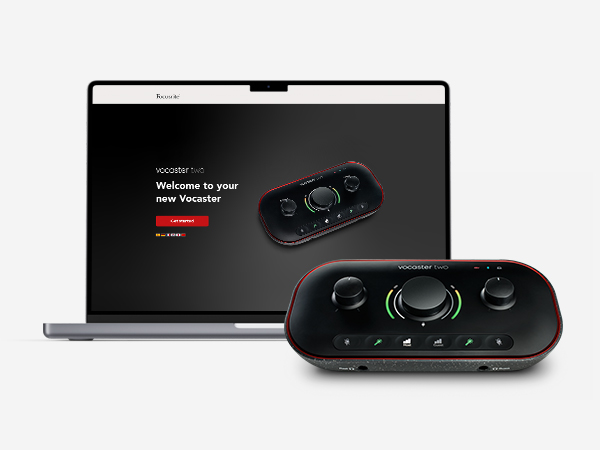
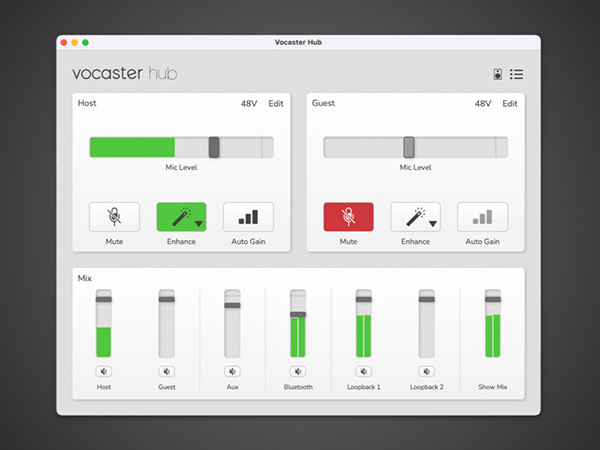
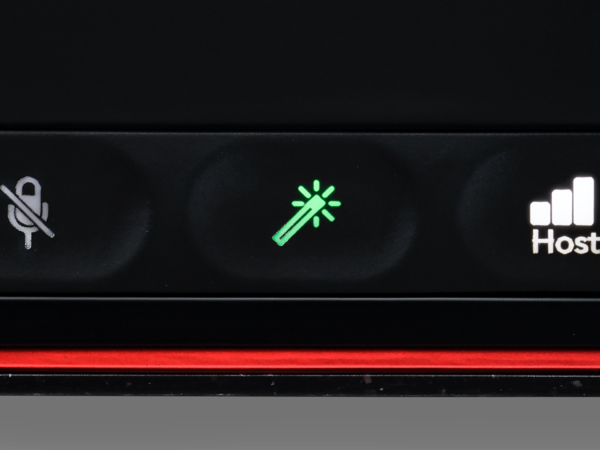
The Focusrite Vocaster Two is a compact, USB-C powered podcasting interface featuring two premium XLR mic inputs and headphone outputs, delivering broadcast-quality sound with over 70dB gain. It includes smart Auto Gain and Enhance presets for instant vocal clarity, Bluetooth phone connectivity, and direct camera audio output. Designed for portability and ease, its recycled plastic body supports Mac, Windows, and iOS, making it the ultimate tool for professional podcasters and content creators seeking studio-grade audio on the go.


| ASIN | B09ZGT64RV |
| Audio Input | Microphone |
| Best Sellers Rank | #1,740 in Musical Instruments ( See Top 100 in Musical Instruments ) #18 in Computer Recording Audio Interfaces |
| Brand | Focusrite |
| Brand Name | Focusrite |
| Compatible Devices | Microphone, Personal Computer, Tablet, Headphones, Smartphone, Studio Monitors, Camera, Bluetooth |
| Connectivity Technology | USB |
| Customer Reviews | 4.5 out of 5 stars 818 Reviews |
| Frequency Response | 20 KHz |
| Global Trade Identification Number | 00815301001379 |
| Included Components | Vocaster Two, USB A-C Cable |
| Item Dimensions D x W x H | 4.45"D x 8.84"W x 1.99"H |
| Item Type Name | Audio Interface |
| Item Weight | 1.8 Pounds |
| Manufacturer | Focusrite |
| Manufacturer Part Number | MOAC0002 |
| Maximum Sample Rate | 24000 KHz |
| Model Number | AMS-VOCASTER-TWO |
| Number of Channels | 2 |
| Operating System | Mac OS, Windows OS, iOS |
| Supported Software | All audio recording software |
| UPC | 815301001379 |
| Unit Count | 1.0 Count |
| Warranty Description | 3 year manufacturer. |
J**B
Great Sound, Easy Setup, and Packed With Useful Features
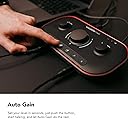
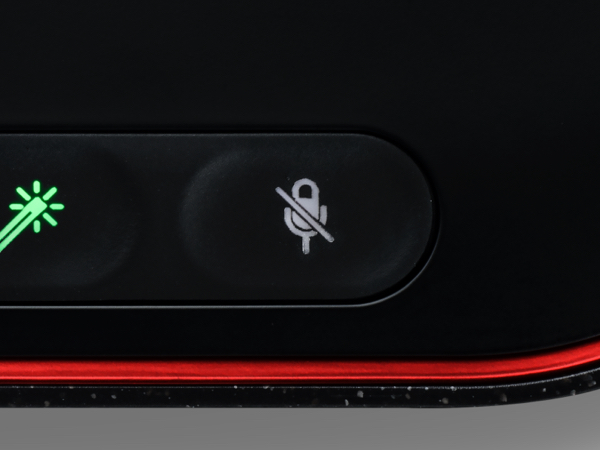
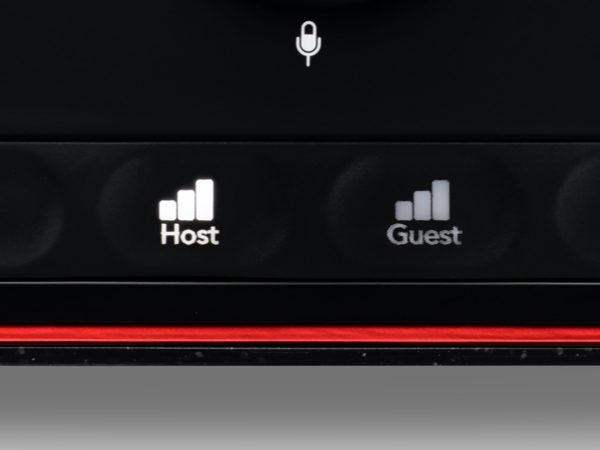
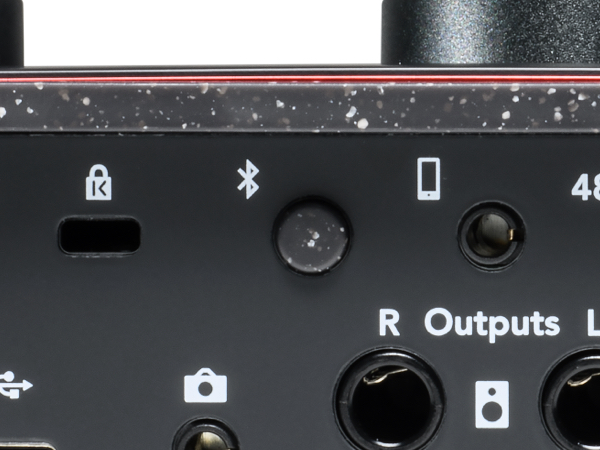
I recently picked up the Vocaster Two, and I’m genuinely impressed. The sound is smooth and clear, noticeably better than I expected, especially since I had been using the Podcaster Duo before this. This little box surprised me in the best way. Setup & Layout Everything on the Vocaster Two is easy to find and well-labeled. The XLR jacks are clearly marked “Host” and “Guest,” which keeps setup simple. The left and right outputs for speakers or monitors are straightforward and clean. There’s also a 48V phantom power button for mics that need it, a TRRS input so you can plug your phone directly in, and even a line-out for your camera, which gives you clean audio straight into your footage with no syncing needed later. That alone saves a ton of time. The Bluetooth pairing is effortless—hold the button, connect, and the clarity on phone calls is surprisingly good. The USB-C port handles both power and computer connection, and the companion software is easy to use. It also has a physical power button, which seems small but matters when you’re managing multiple devices. Smart Features The controls are simple to navigate. There are separate mic mute buttons for host and guest, and the Auto Gain button is a standout feature. You talk for about 10 seconds, and it sets the level perfectly. This makes it extremely beginner-friendly, even for someone not familiar with audio equipment. Build Quality The body is plastic but feels rugged and solid. The top surface looks nice but is definitely a fingerprint magnet. The only design choice I’m not thrilled about is the headphone jacks in the front. Because of the angle, the plug sticks out slightly. Not a deal breaker, just something to note. Portability One of my favorite features is that it can be powered from an iPhone or iPad with USB-C. That makes it very portable and handy for recording away from the studio. Price I purchased mine for $59, but I’ve noticed the price on Amazon fluctuates a lot. Sometimes it climbs to around $99, and I’ve seen notes that the original retail was around $200. My suggestion: Check back often. The price drops come and go, and catching it on sale is worth it. Even at $99, I’d still say it’s worth the money. Bottom Line This isn’t meant to replace something like the Rodecaster, but it doesn’t have to. The Vocaster Two is excellent at what it is: a clean, easy, reliable audio interface with smart features and great sound quality. I would definitely recommend it.
A**K
Honestly, great value and amazing audio interface.
Great audio interface! I recently decided to upgrade my mic setup, and I needed a cheap audio interface that was also good quality. Ended up finding this one for 39.99, so pretty much an absolute steal. I absolutely love the quality of this interface. First of all, it was bigger than I was expecting it to be, but that wasn't a big deal. It was really simple to just plug it into my computer and plug my XLR from my mic to the interface. Controlling the gain this is super much easier, as it has color indicators that allow you to see if it's the perfect level or if it's too loud and needs adjusting. The only downside I would say about this is that if you are using a condenser microphone, the 48V phantom power setting turns off every time you power the audio interface off. Honestly, not a big deal. With the click of a button it can be activated again. One other that's amazing about this interface is that it uses a 6.3 mm headphone jack rather than a standard 3.5 mm jack. For a lot of people this might be a downside, but tbh for me it was not. I have the beyardynamic dt990 pros, and those headphones have the option of either using the 3.5 mm jack or it comes with a 6.3 mm jack accessory. Id prefer to use the 6.3 mm jack because it's more durable and overall I believe provides a more stable connection. I also have a mixer that I use with a set of dj turntables, and those also use a 6.3 mm headphone jack. It's really nice to be able to easily switch between using my headset for the audio interface and connecting to the mixer for my dj system rather than having to constantly screw on and off the 6.3 mm jack accessory that came with my headset. Overall I love this audio interface, I would recommend buying RIGHT NOW if you are tight on a budget.
B**N
Easy, affordable and really good quality
I am starting into voiceover work so getting better mics than my old Yeti Nano. Off of USB and into the XLR world! Wait.... I need power too. The Vocaster One fit the bill nicely. Not only in quality and ease of use, but also without hitting my pockets hard. The gain is really clean, but this does depend on the noise floor of the mic you have hooked up to it. I do have a Dynamic and a Condenser mic I use. I have been playing between both of them the last couple of days and the Vocaster gives both of them a great sound. The auto gain is a nice feature but I do set it manually. The software fx (free download the software from Focusrite website) are a nice touch to quickly to change your tone quickly and you can customize the eq on each of them to dial it in. My Dynamic does not use it but my Condenser loves the Phantom Power built into the Vocaster. Loving this unit and can't wait for more practice time or even recording.
J**T
Great Device - Bad USB Cable
The device is a great addition to my PodMic setup. The One provides plenty of power with 70 amps. The software is decent, although I found it very restrictive. I'd like just a few more options to set a sound floor to eliminate typing noise, or a couple additional EQ options. In terms of simplicity, this device does it! Plugging everything in, installing the software and you're off and running. If you're just starting out podcasting, this is likely a bit too much of an investment, but if you're going to XLR from a USB mic and still don't want to spend thousands, this is it. There was a QC passed sticker that was included in the box. The USB cable was DOA and I thought at first the whole device was bad. I have plenty of USB cables these days, but still a pain to get under the computer desk over and over to troubleshoot. Not worth a return just for that, but still a pain. Other Thoughts: I recommend buying a longer USB cable for desktop setups. The cable provided is extremely short. The cable length will make it difficult to get the One away from your other cables. DO NOT put this device near a KVM, USB Hub, mouse & Keyboard USB cables, or any other powered cable. The interference will affect your sound, even on high end XLR cables.
S**Y
Reliable and powerful for such a simple device.
This is a basic audio interface but it’s all I need as a solo content creator. I just plug in my XLR microphone, turn on the 48v phantom power, hook up my headphones and then connect it directly to my computer via the provided USB cable. It gives a great boost to microphones that need it, like Shure. I’ve been using it for months now and it’s completely reliable. Recommended.
J**R
A most !!! Thrust me on this one !!
This is the best audio interface hands down, I have the rode line of interface ( rode caster and the Xtream one ) and this one does the job with no problem has the power to lift the shure mb7 and for the price I think is a still , the material is high , if your looking for a solo recording interface this is the one !!
M**S
Such a professional sound! Love the simplicity and versatility of this!
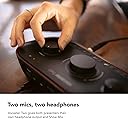
Focusrite Vocaster Two - Podcasting Interface - 5 Stars! The Focusrite Vocaster Two is a game-changer for podcasters / YouTube videos! Its compact and lightweight design makes it incredibly portable, perfect for recording on the go or in tight spaces. With two mic inputs and two headphone outputs, it easily accommodates both host and guest, ensuring that everyone sounds great. Features like Auto Gain and Enhance simplify the recording process, adjusting levels automatically for optimal sound quality. The mute function is a fantastic addition, giving hosts control over the flow of conversation. Overall, the Vocaster Two combines user-friendly functionality with professional-grade audio performance, making it a top choice for any podcasting setup! Highly recommended!
S**P
Hardware Good - Software Drives Me Bonkers
Context: I bought this in 2023, writing review in 2026. I an on a Mac, starting with intel and then to M1. I have owned 2x Scarlett 2i2's and thought the Vocaster had some appealing features. The BIGGEST problem I have with this this item is the software. Yes, it has a button for power to the unit as well as a button phantom power for each input. It also has a physical mute button. Bonus for this as some audio interfaces don't have this. Very handy to have speakers on and mute the mic to prevent feedback. Great. Back to software. It has some preconfig settings you can use to tweak your sound a bit. Another plus. Some of these things are great and very handy, but it's like saying Windows is great operating system even though you get a blue screen of death every few days. The software often hangs and is unresponsive. I have to power the device off and back on, or force quit it...for no reason, it just stops responding. I honestly can't believe nobody else complains about this. (if you're the only one having the problem, YOU may be the problem -sure). I use the software to enable/disable out put to monitor speakers or headphones, and would be awesome if the software was solid. "Why don't you upgrade the firmware?" Because Focusrite says 'don't do this unless you're in a dire situation', my interpretation. Frankly, I don't know if the software has ever seen an update. (dude complains and doesn't know if there is a software update - yes because I threw it in a closet shortly after I purchased it, but decided to give it another chance a year later, which would inevitably get me a new update if there was one available - and guess what - same issues). Now check out the photo I attached that highlights the CPU usage for the software! Ree dick u lus. If you get this and your have a problem moving your mouse around smoothly it's because this software is jacking up your resources. I don't write a ton of reviews, but this one has been burning inside me for months. Grab a 2i2 and leave this one behind. It's not worth the equivalent of a blue screen of death.
E**I
Excellent all-rounder for podcasting and content creation
I’ve been using the Vocaster Two for about 8 months now, and it’s been flawless. At first, I thought I needed the bigger box version, but this actually has everything I need for podcasting. The loopback feature works great for recording audio from my laptop, and I can easily connect a mobile via Bluetooth or a TRRS cable to bring in guests. It has dual mic inputs, headphone outputs, and even a camera output, which is super handy for streaming or filming setups. Auto gain and mute functions make it quick to work with, and overall, the sound quality is clean and reliable. The only minor downside is that the surface collects dust quite fast, but that doesn’t affect performance. Pros: ✅ Solid audio quality and reliable performance ✅ Great connectivity (loopback, Bluetooth/TRRS, camera out) ✅ Compact and powered via USB ✅ Auto gain and mute make it beginner-friendly Cons: ❌ Gets dusty quickly on the surface
M**É
Excelente Solução para Podcast Solo
Excelente solução para Pidcasters pequenos,a qualidade da gravação é excelente, funcionalidade também além de vir com um software traz acesso a DAW Hindenburg. O Material e construção são excelentes,atingi uma qualidade excepcional no meu Podcast com ele.
P**Y
Amazing!!!
I'll keep this short & sweet - do not hesitate to buy this if you want a simple, effective, quality way to record your vocals into your laptop. Quick set-up (with the software download), great software included. I work as a both a music artist and a hypnotherapist so recording my voice is really important. I use this for recording online hypnotherapy sessions and it's fantastic. I really like having the physical buttons and controls on the desk next to my laptop. All of this for such a great price. Don't bother researching it for hours on end - just grab one of these.
N**E
Einsteigerfreundlich, für Stimmaufnahmen und Podcasts
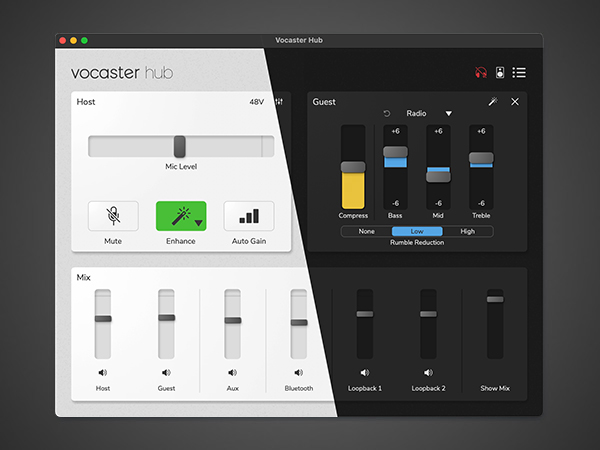
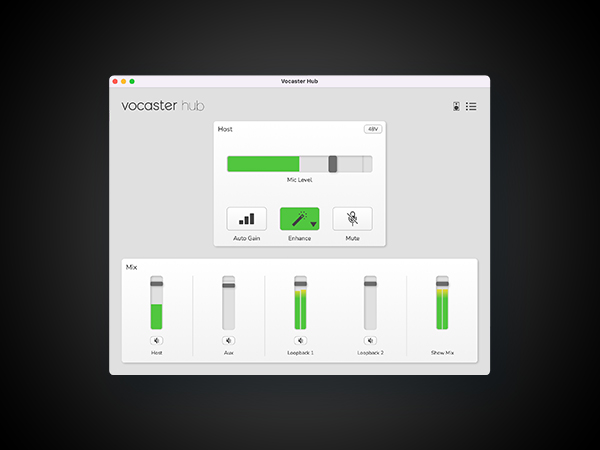
Mit dem Focusrite Vocaster One liefert der Hersteller ein hervorragendes Audio-Interface ab, das sich klar an Einsteiger und all diejenigen richtet, die alleine beispielsweise Podcasts oder Videos aufzeichnen wollen. Das Gerät selbst ist sehr einfach in der Handhabung und schnell einsatzbereit. Vorteil im Vergleich zu vielen anderen Lösungen in diesem Preisbereich sind die berührungsempfindlichen Tasten, mit denen man das Gerät schnell stummschalten und aus- oder einschalten kann. Gerade letzteres bieten nur wenige Interfaces in diesem Preissegment. Das Vocaster One richtet sich an all diejenigen, die schnell und einfach loslegen wollen, ohne sich zu sehr in die Materie hineinzufuchsen. Einfach anschließen, Mikrofon verbinden und los geht es. Aktuelle Firmware-Updates haben die Anpassungsmöglichkeiten in der Software Vocaster Hub zudem stark verbessert. Hier kann man in einem virtuellen Mischpult verschiedene Kanäle wie Mikrofon, Loopback oder Bluetooth feinjustieren. Positiv hervorzuheben ist zudem der PreAmp (Verstärker), der mit 70 dB sogar anspruchsvolle Mikrofone befeuert. Hinzu kommen praktische Funktionen wie Auto-Gain, mit dem das Interface die perfekte Lautstärke ermittelt (mit genügend Spielraum für laute Geräusche) und die verschiedenen Klang-Presets, mit denen sich die Ausgabe an die eigene Stimme anpassen lässt. Wer nicht viel herumprobieren, sondern schnell und einfach loslegen möchte. Ist mit dem Focusrite Vocaster One sehr gut bedient. Für blutige Anfänger gibt es bei der Einrichtung zudem etliche Tutorial-Videos, die sämtliche Optionen im Detail erklären. Klanglich gibt es zudem ebenfalls nichts zu beanstanden - mit 24 Bit / 48 kHz bietet das Interface zwar nicht ganz so viel, wie manch ein Konkurrent, für Stimmaufzeichnungen ist das aber mehr als ausreichend. Gerade zum mittlerweile reduzierten Preis ist das Gerät nicht nur für Neulinge im Bereich Podcasting oder Streaming eine absolute Empfehlung. Wer jedoch Musikinstrumente aufzeichnen will, sollte sich mangels Anschlüssen aber besser anderweitig umschauen.
A**E
Muy buena interfaz pero ojo con el cable
La interfaz funciona como debe, la tengo con un at2020 y 0 problemas, los diales se sienten bien, esta bien construida y se escucha bien tanto la entrada como la salida con los audífonos solo ojo con el cable qué trae, es de muy mala calidad y la pc no detectaba la interfaz con este, consideren comprar uno de una marca confiable para usarlo
Trustpilot
2 weeks ago
1 day ago