Buy anything from 5,000+ international stores. One checkout price. No surprise fees. Join 2M+ shoppers on Desertcart.
Desertcart purchases this item on your behalf and handles shipping, customs, and support to Thailand.
🚀 Elevate your Raspberry Pi projects with a touchscreen that’s as sharp and responsive as your ambition.
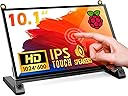
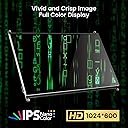
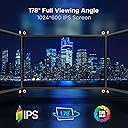
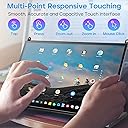
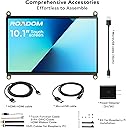
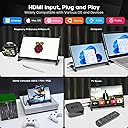
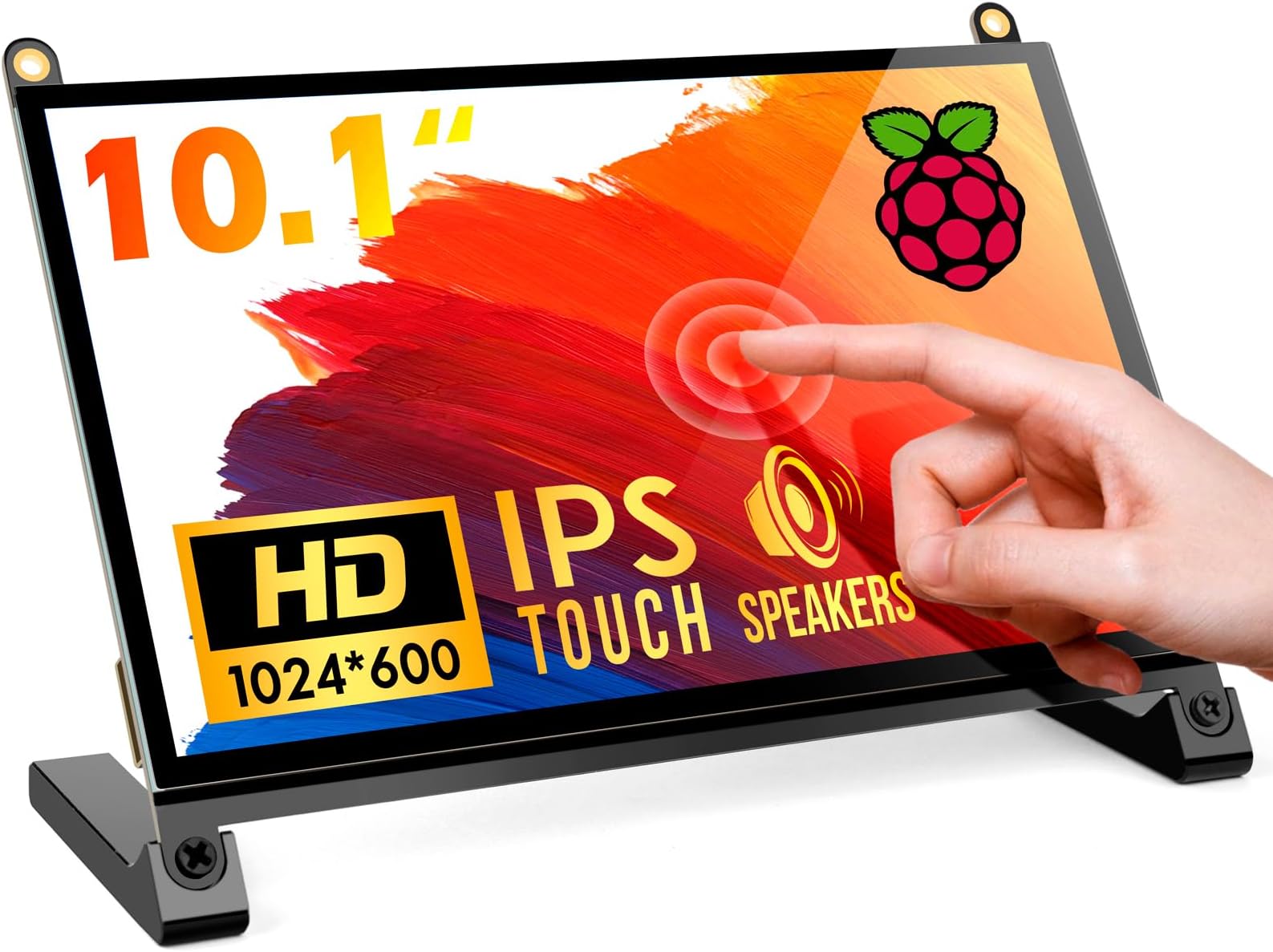
The ROADOM 10.1’’ Raspberry Pi Touchscreen Monitor features a crisp 1024×600 IPS display with a wide 178° viewing angle and 5 ms touch response. It supports multi-touch gestures without drivers, includes dual built-in speakers, and offers HDMI connectivity compatible with Raspberry Pi 5/4/3/Zero and other devices. Designed for easy assembly and clean cable management, it’s perfect for professionals seeking a sleek, versatile display solution.


| ASIN | B09XDK2FRR |
| Additional Features | Built-In Speakers, Glossy Screen, Touchscreen |
| Aspect Ratio | 16:9 |
| Best Sellers Rank | #11,263 in Electronics ( See Top 100 in Electronics ) #385 in Computer Monitors |
| Brand | ROADOM |
| Brightness | 300 lm |
| Built-In Media | ROADOM 10. |
| Color | Black |
| Color Gamut | 45 |
| Compatible Devices | Raspberry Pi devices, some game consoles, and devices with HDMI output |
| Connectivity Technology | HDMI |
| Contrast Ratio | 700:1 |
| Customer Reviews | 4.3 out of 5 stars 1,465 Reviews |
| Display Resolution Maximum | 1024 x 600 Pixels |
| Display Technology | LCD |
| Display Type | LCD |
| Hardware Connectivity | HDMI, Micro USB 2.0 Type A |
| Has Color Screen | Yes |
| Image Contrast Ratio | 700:1 |
| Is Electric | Yes |
| Item Dimensions D x W x H | 5.6"D x 9.2"W x 0.3"H |
| Item Weight | 0.92 Kilograms |
| Manufacturer | ROADOM |
| Model Name | ROADOM Raspberry Pi Screen 10.1’ Touchscreen Monitor |
| Model Number | [ROADOM Model Number] |
| Mounting Type | Desk/Wall Mount |
| Native Resolution | 1024x600 |
| Number of Component Outputs | 1 |
| Pixel Pitch | 0.118 |
| Refresh Rate | 60 Hz |
| Resolution | FHD 1080p |
| Response Time | 5 Milliseconds |
| Screen Finish | Glossy |
| Screen Size | 10.1 Inches |
| Screen Surface Description | Glossy |
| Specific Uses For Product | Gaming |
| Total Number of HDMI Ports | 1 |
| Total USB 2.0 Ports | 2 |
| Total Usb Ports | 2 |
| UPC | 616908984962 |
| Viewing Angle | 178 Degrees |
| Voltage | 5 Volts |
H**Y
Solid choice
I am using it with raspberry pi zero 2w. There are a few things that can be improved but overal still good. I wish the hdmi cable was a right angle cable. The touch cable is kind of short. It is long enough for normal raspberry pi series but it is short for zero series. Other than that, the viewing angles are acceptable. Easy to setup. Works right away. Touch screen works right away.
J**N
Great Product for Engineer and DIYer
This product works exactly as expected. Good quality, portable, easy to use, and worth the price. Very satisfied with my purchase!
D**N
Great little screen for a great price - check out the one with a stand though
Disclaimer: I received this product for free from ROADOM. TLDR: Love the screen, hate the cable it comes with. Recommend to pay the little extra for the one with the stand. Pro: -Great price -Great Screen -Good Features -Great customer support Con: -Bit amateur feeling compared to the stand version -Micro-USB cable instead of USB-C (the stand version has USB-C) -That stupid HDMI ribbon cable! To start, I like the screen. I previously purchased the ROADOM screen with stand, and was contacted by ROADOM after speaking with their customer support from the previous purchase. Their support is amazing, so you can't go wrong there. This screen is super simple, works like a charm, and looks super clean. The touch feature worked perfectly out of the box, and the instructions get the job done. It even has blue color removal built-in for eye comfort! I connected a RPi4b, so I used their included micro-hdmi cable. This is where they lose me. I HATE this ribbon cable so much. It's not that bad and it works, but god I just hate it. The screen that comes with the stand has a much better, stronger cable that connects directly to the HDMI port on the screen (see third photo). I suppose this means I could connect a second device into the HDMI port while having the pi connected, but the HDMI port is disabled while the ribbon cable is connected, so there's no real reason. Ultimately, it feels more...'raw' compared to the screen with the stand. That feels like a product, and this feels like a hobbyist's device. Don't get me wrong, I have plenty of that with all my RPi's, but I just like the stand version more. I'll use this for a dashboard RPi on my counter, to display weather and whatnot. It'll serve nicely for years.
D**N
Fantastic screen, even more fantastic with the extra cables included. Great value
This is a great little screen. After reviewing a few different options for panels, I decided on the 1024x600 resolution instead of the official Pi screen (800x480). This display wasn't the least expensive, but was reasonably priced and had great reviews. Some of the earlier reviews commented on the extra cables sent later. The package I got had all the extra cables included, and they are fantastic for providing a clean interface (just power) and cable management. I plugged it all in, and powered it up and eventually (with 10min of troubleshooting, see below) got it up and running. Some pointers: - I initially powered the Pi from a spare USB port on my computer, and powered the display from the Pi. The display initially flickered on with the Raspberry Pi logo, and the Pi booted, but the display remained black. I could see on the bottom of the display that the backlight was trying to power on, and per the instructions (Q1 Screen shows no signal), it recommended using the power supply provided. Sure enough, separately powering the screen made it work. A bit more tweaking, I am now powering the Pi with the power supply provided, and using the Pi to power the screen through the GPIO pins (and included connector) and it works great. - I also had a bit of display flickering where it looked like the resolution was struggling; after reseating the provided HDMI flat cable into the display connector, it cleared up, and everything works great. There were a few comments that the provided HDMI flat cable had to twist to connect to the Pi HDMI output; I laid mine down flat on the display PCB, with a 90 degree twist that was tucked under the Pi HDMI connector, and it's clean and unobtrusive. - The Pi Display resolution in preferences is set to "Default - preferred monitor settings, and using the Touchscreen display menu (buttons are on the back of the display), and information setting, it is showing 1360x768 @ 60Hz, even better than the advertised 1024x600 resolution - The touchscreen was plug-and-play; I plugged the provided connector into the display and the other end into one of the Pi's USB ports, and it just worked. Other notes - the display stand is nice aluminum, not plastic. Overall, a fantastic product, well thought out and well put together, great value
D**S
A Perfect 7'' Touch Display for Any Raspberry Pi Build
The ROADOM 7’’ Raspberry Pi screen delivers way more than expected. The IPS 1024×600 panel is bright, sharp, and stays perfectly clear from any angle. Touch response is smooth and instant, making it feel like a true mini‑tablet experience. The built‑in speakers are surprisingly loud for their size, and HDMI plug‑and‑play compatibility means zero driver headaches. Works flawlessly with my Pi 5 and Pi 4. A fantastic upgrade for any DIY project or portable Pi setup.
K**L
Good Screen, but construction quality is poor
So, I got this for a Raspberry Pi 4 as a basis for a super versatile machine I can take anywhere and use with just a battery pack and the touch screen if necessary. The pros are it is a good quality screen which works as advertised. The single full-size HDMI out allows me to connect it to any HDMI monitor. I am pleased with the performance and sound. The sound is what would be expected for such little speakers. I like the controls on the back. I have put a micro USB B on/off switch into the power port to keep from having to detach and re-attach the power connector over and over to power cycle my Pi. It is cheaper to replace a little switch than a whole screen when the USB B port wears out from constantly plugging it in and removing it. The primary issue I am having with it is the screen itself comes apart super easy. There is a glass panel over the screen which is mounted to an aluminum bezel, which fits over an aluminum tray in which the rest of the screen components sit. The glass keeps coming out and some of the internal components of the screen are held in only by the tray, and they slide out. I have tried to get the rather tiny clips to work, but until now, it comes apart with normal handling if I am not super careful. I will eventually figure out a way to clip it in place externally, but until then this is a quality issue.
X**X
Actually Quality Tech
Can't wait for it to be used for future projects that I have going. The screen size is really nice, big enough for any project you have going on. The response rate is also really quick, following with quick connectivity as well. Really neat quality for the price they are offering. 👍
E**A
"No Signal" on TWO separate and identical monitors in March 2025
"No signal" sums-up my experience with this unit. Item wont work with any HDMI sources that I plug into it, tried multiple HDMI cables, multiple power cables, multiple power adapters (including of course the items that came with the unit). Purchased my unit in March 2025. Super annoyed, but I liked the design of this monitor so I tried to exchange it for another identical unit; expecting the new replacement unit to work and that my first purchase was just a fluke...no, the second identical replacement unit also not working!... "No Signal" is all I see, and then it powers off. When thru instructions and documentation, checked all ribbon cables to ensure they were seated nicely...nothing helps, no sign of shipping damage or broken PCB. First unit reads on the PCB board that it was assembled on Dec 6 2024, and the 2nd replacement unit says assembled on December 13, 2024...they must have had a bad run in manufacturing in December of 2024.... How the manufacturer is still not yet aware of a bad batch considering how many units Amazon shows they've sold this month surprises me, or perhaps the manufacturer is aware of bad units and just hasn't proactively replaced the units in the Amazon inventory and would rather customers have to waste time and money dealing with replacement units and exchanges...all of which is frustrating. I went and purchased a similar designed monitor from a competitor and it works perfectly fine, but the frustrating thing with that other unit is it has no power button. I really WISH that these units that I purchased would have worked; they feel and look like good quality, and I really like the power/menu/up/down buttons on the back of the unit, and this monitor is thinner than the competitor model that's working just fine for me. If either of these units worked properly then I would have been really pleased with them. Unfortunately I have to return both of these units now and wait for the refund, which doesn't make me a happy camper. One unit not working isnt great, but understandable, two units from two separate purchases both being bad and on different manufacturing dates is not cool. I'm an IT engineer by profession and I know what I'm doing, I'm not just some n00b that is making some mistake on my end.
Trustpilot
5 days ago
1 month ago