

Desertcart purchases this item on your behalf and handles shipping, customs, and support to Thailand.
🖋️ Elevate your digital note-taking—because your ideas deserve the best.
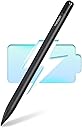
The Metapen Stylus Pen M1 is a premium digital pen designed for Microsoft Surface and select devices, featuring a rapid 40-minute Type-C fast charge, up to 300 hours standby, and 1024 pressure sensitivity levels. Its ergonomic aluminum body with a cone-shaped tip ensures precision and comfort, while palm rejection and dual magnets enhance usability. Ideal for students, professionals, and creators seeking smooth, lag-free writing and drawing with extended battery life.


| ASIN | B0B1CS1XK2 |
| Battery Average Life Standby | 300 hours |
| Battery Description | Lithium-Ion Polymer, Lithium-Ion |
| Best Sellers Rank | #2,759 in Cell Phones & Accessories ( See Top 100 in Cell Phones & Accessories ) #47 in Styluses |
| Brand | metapen |
| Charging Time | 40 minutes |
| Color | Classic Black |
| Compatible Devices | Tablets, Laptops |
| Compatible Tablet Computer Models | HP 7 Plus, HP Pro 8, Kobo Elipsa 2E, Kobo Libra Colour, Kobo Sage, Microsoft Surface 3, Microsoft Surface Duo, Microsoft Surface Go, Microsoft Surface Pro 11, Microsoft Surface Pro 3, Microsoft Surface Pro 8, Sony Tablet S |
| Customer Reviews | 4.4 out of 5 stars 5,842 Reviews |
| Enclosure Material | Aluminum |
| Item Weight | 12 g |
| Manufacturer | metapen |
| Material | Aluminum |
| Mfr Part Number | ME-MPP712 |
| Minimum Required Operating System Version | Windows 10 |
| Model Number | ME-MPP712 |
| Number of Batteries | 1 Lithium Metal batteries required. (included) |
| Number of Packs | 1 |
| Pressure Sensitivity | 1024 levels |
| Unit Count | 1 Count |
E**.
Incredible support makes up for a minor defect
I was really excited to use this active stylus pen for my Surface, and right out of the box, it worked beautifully—super smooth writing, great pressure sensitivity, and it felt awesome in the hand. Unfortunately, a couple of days in, it suddenly stopped working entirely and wouldn't register on my screen. I reached out to customer support, and I have to say, they are absolutely incredible. There was no endless back-and-forth or hassle; as soon as I told them what happened, they immediately shipped out a brand-new replacement pen, which arrived in no time and has been working flawlessly ever since. While it was a bit disappointing that the first one broke so quickly, a company that stands by their product like this is rare. Highly recommend for the peace of mind alone!
B**A
Very good and quick customer care
The pen worked amazingly for a while but after a month it didnt turn on or charge. I decided to reach out to customer support and they were quick to respond and help. They sent me a replacement in a matter of hours. Kari helped me and was very understanding and helpful. The pen comes with replacement tips and a charger, it does not scratch the tablet and runs smooth. The battery life is also long and laster for a month, I used it almost everyday for my classes. Would recommend this product and if there are any problems dont hesitate to reach out to customer support!
-**-
works with the kobo libra colour
I bought this for the Kobo Libra Colour, and it's perfect. It has a good battery life. The buttons are different from the official kobo stylus, but it's not hard to remember how to erase vs how to highlight. I also bought a case for my kobo that has a stylus strap, so the stylus never gets lost in my bag.
A**R
Great for the price!
This works and connects to my laptop easily! I don’t love the way it feels on the screen compared to some others, but that’s a minor thing for me. For the price it is amazing. Very affordable and it works!
R**N
Worth it for kobo
For the price, this is a solid little device. I got my kobo specifically for the annotation and journal aspect, and this stylus is doing amazing. Sure its not as flashy as the kobo name brand stylus but for the price it's worth it. I now am able to transfer my growing recipe book to my kobo, along with my daily journal and reading log. It's super easy to use. I have also accidentally yeeted it off my kobo once while unloading groceries (used my kobo as my grocery list so that was awesome) and its definitely a tough cookie. I've used it for about 24hrs now on one single 10 minute charge and it's still going strong. Definitely worth it
A**X
Great
It came quick. I was a little skeptical at first by it works great! Smooth writing, both in cursive and regular!
K**G
Should Be a 5 Star Product
This thing is hard to rate. I bought this looking for a replacement for a lost Microsoft Slim Pen 2. For its intended purpose - writing on a Surface - it works very, very well: It's accurate, the tip moves nicely over the screen, and it's comfortable to hold. In short, it's a pleasure to use - oh, and it's also priced at a fraction of the cost of an official Microsoft pen. On these merits alone, this is a 5-star purchase, and I would highly, highly recommend this product. However... It features no "shortcut button". If you've never used an official Microsoft stylus, and if you've never really used the shortcut button, you will likely never miss this feature. For me, though, I really like being able to invoke the snipping tool or Microsoft Journal with just a click or two. Perhaps you are not as lazy as I am. The next gotcha is that this pen doesn't conform to the form-factor of Microsoft's offerings, meaning that storage will likely be a challenge - especially if you tote your Surface all over the place like I do. It seems like I will probably lose this pen in short order. And then, with that storage challenge in mind, there's the worst tradeoff of all: No strong magnetic fields. That's right, per the user's manual that comes with this pen, this thing can't be stored near strong magnets - which means... You actually can't store it with your Surface? Anybody who owns a Surface knows that the things are essentially giant rare earth magnets. What the heck?! Which leaves me torn. Ultimately, I've decided to give this thing just 3 stars. YMMV
I**Y
Budget Stylus That Punches WAY Above Its Price
Alright, I’ll admit it—I wasn’t expecting much. Stylus pens outside of official Surface gear usually fall into two categories: "barely works" or "kinda okay but dies in a week." But the etapen M1? This thing came in like a dark horse and actually delivers. I paired it with a Surface Pro 7 and a Surface Go 2, and it synced instantly—no weird button combos, no lag, and no awkward calibration drift. It supports full pressure sensitivity, palm rejection, and tilt support—which means whether you’re sketching, annotating, or just trying to take notes without using your finger like a caveman, you’re covered. The build quality is surprisingly premium. It feels closer to the Surface Slim Pen than any off-brand knockoff I’ve used. The matte finish gives you grip without feeling chalky, and the pen tip glides smoothly on the Surface screen without any jitter. What I Like: Instant compatibility with Microsoft Surface line—no Bluetooth pairing needed Palm rejection actually works, which is a huge win for note-taking and sketching USB-C charging = no AAAA battery scavenger hunts Magnetic snap-on to the Surface (depending on model) is a nice touch Comes with replacement nibs and charges stupid fast What Could Be Better: No eraser end—there’s a button for that, but muscle memory had me flipping it like a pencil Doesn’t integrate with Surface Pen settings app (but honestly? I didn’t miss it) If you’re doing ultra-fine digital art, you might want something with more tilt nuance—but for everything else? Killer.
C**Z
So beautiful
Connected so fast and very light weight. I love it
I**N
Very nice, imo
Genuinely really liked it, and I’m quite a picky person. I have to add, I didn’t use it much for drawing or more professional stuff like that.
H**S
Super
Excellent article.
M**Y
bueno, bonito barato
Todo muy bien sin contratiempos, recomendado. Excelente producto, funcionando al 100 con mi kobo libra colour
C**N
Cheap and reliable
Good product ✅
Trustpilot
1 month ago
2 weeks ago