We remain fully operational. Our teams are working around the clock to ensure your deliveries continue safely.

DOWNLOAD THE APP


Copyright © 2025 Desertcart Holdings Limited
DOWNLOAD THE APP





🚀 Upgrade your workflow with speed and reliability that keeps you ahead of the curve!
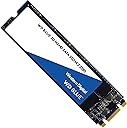
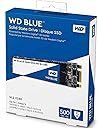
The Western Digital 500GB WD Blue 3D NAND Internal PC SSD combines cutting-edge 3D NAND technology with SATA III interface to deliver up to 560MB/s read and 530MB/s write speeds. Designed for professionals seeking dependable performance, it offers a robust 1.75 million hours MTTF and up to 500TB written endurance. Its energy-efficient design reduces power consumption by up to 25%, making it ideal for extended laptop use. Certified for broad compatibility, this M.2 2280 SSD is a trusted upgrade for faster, smoother computing.


| ASIN | B073SBX6TY |
| Additional Features | SATA III |
| Best Sellers Rank | #1,026 in Internal Solid State Drives |
| Brand | Western Digital |
| Built-In Media | SSD |
| Cache Memory Installed Size | 2 |
| Color | blue |
| Compatible Devices | Computers |
| Connectivity Technology | SATA |
| Customer Package Type | Standard Packaging |
| Customer Reviews | 4.8 4.8 out of 5 stars (12,356) |
| Data Transfer Rate | 750 Megabits Per Second |
| Digital Storage Capacity | 500 GB |
| Enclosure Material | Polyimide |
| Form Factor | M.2 2280 |
| Hard Disk Description | Solid State Hard Drive |
| Hard Disk Form Factor | 2.5 Inches |
| Hard Disk Interface | SATA 3 GB/s |
| Hard-Drive Size | 500 GB |
| Hardware Connectivity | SATA 6.0 Gb/s |
| Installation Type | Internal Hard Drive |
| Item Dimensions L x W x Thickness | 3.94"L x 2.75"W x 0.28"Th |
| Item Type Name | WD Blue 3D NAND 500GB PC SSD - SATA III 6 Gb/s M.2 2280 Solid State Drive - WDS500G2B0B |
| Item Weight | 0.39 Ounces |
| Manufacturer | Western Digital |
| Media Speed | 530 megabits_per_second |
| Model Name | Blue |
| Model Number | WDS500G2B0B |
| Number of Items | 1 |
| Read Speed | 560 Megabytes Per Second |
| Specific Uses For Product | business, personal |
| UPC | 718037856292 |
| Unit Count | 1.0 Count |
| Warranty Description | Western Digital ("WD") values your business and always attempts to provide you the very best of service. No limited warranty is provided by WD unless your WD Product ("Product") was purchased from an authorized distributor or authorized reseller. Distributors may sell Products to resellers who then sell Products to end users. Please see below for warranty information or obtaining service. No warra… |
E**Z
The best SSD M.2 SATA that you can buy for personal use.
Easy to install and the quality is great. It looks just like in the pictures and the compatibility is 10/10. It doesn't get too hot and it works faster than my old factory SSD M.2.
O**S
A really good midrange SSD, if the price is right
Short version Pros: Has a DRAM Cache Decent performance and price for a midrange SSD 5-year Warranty Cons: Non-discounted pricing is atrocious 250G version is not the best deal Long Version As someone who frequently refurbishes old hardware others throw out, I tend to ignore the "midrange" of SSDs. Either I'll buy something ridiculously cheap (like that time when a 128G ADATA SU650 was at $16), or spend <$50 on a 256G NVMe and throw in a budget 500G SSD when they dip under $50 or an old hard drive. Generally I would stay away from the more "premium" SSDs since smaller capacities aren't that good of a deal, and as a student I would prefer to spend less on hardware that I'm not going to use daily. If it is hardware that I either care about or something I use heavily, I'll probably just go for something from Samsung, Micron, or a SK Hynix Gold when Woot puts it on a discount again. This time however, I had a 2012 Macbook Air where the original drive it came with was really showing its age, especially an unresponsive keyboard during login, so I decided I would swap out the drive while doing some overdue maintenance, using a SSD adapter for the 2012 Macbook Air. Compared to the original drive (which I forgot to take a screenshot of the test results), the sequential read performed better, from ~430MB/s to ~490MB/s with little change for sequential write. However, the system was quite smoother (less stutter that was caused by the drive), and even though it doesn't hit the advertised speeds, I'm still very happy with the upgrade. Generally the WD Blue is actually an SSD that I would recommend my friends to buy if they're on a bit more of a budget, just because it's not outrageously priced, the warranty and performance is pretty good from past experience, and it has a DRAM cache which makes it excellent for a boot drive. It's just not something I would buy normally because of the use scenarios I have. Would I recommend it? Yes, as long as you're not paying for more than ~$70 for the 500G version and you're not considering the smaller capacities. >$40 for a 250G SSD is a bit steep, and the only time when the 250G version became a good deal was when one of my friends bought it at $45 each on somewhere that's not Amazon (which is a horrible price), but they accidentally shipped him two drives and they got to keep both.
A**W
Good upgrade for my HP Envy x360 convertable
My laptop came with a 128 GB SSD for Win 10 to run on. I was running out of room, so I upgraded to this 500 GB SSD. Very fair price for the memory, and I went with WD for the brand name rather than some unknown Chinese brand drive. I also purchased a QNINE M.2 to USB 3.0 Adapter to clone my original drive. I used Acronis True Image WD Edition to clone my drive. The software works fine. It says you must have on WD drive connected to the computer to use it. I had no trouble and my original drive is not a WD. My recovery partition was at the end of the 128 GB SSD. I tried other software first because of other reviews I had seen here for the WD drive cloning. Acronis was the only free solution I could find that would allow me to move that recovery partition to the end of the new 500 GB WD drive. I had to set the recovery partition end to the drive end and set the recovery partition size. Then I could make my system partition the maximum size, using the rest of the drive space. Once this was done, I opened up my laptop and swapped the drives. Powered up the laptop, and it just worked. Nothing else to it.
B**N
reliable
used it as my C drive for years, havent had an issue with it. impressive speed.
A**X
Good SSD
Good speed and boot time. I’ve had it for years and haven’t had to replace it!
M**C
God speed and reliability
Good quality SSD. A little pricey but competitively so. Always use a name brand for storage and critical components.
D**D
THE BEST M.2 YOU CAN BUY FOR THE PRICE!
Honestly, at first, i was a bit skeptical about this SSD. I decided to give it a shot and see how fast this thing really is! and boy I can't stress how good this SSD is, first if you want FULL utilization of your SSD speeds download your OS on the SSD and maybe get an extra HDD if you want to store huge files but this boots my pc in less than a 10 seconds! literally turn it on and it INSTANTLY boots into windows the second I put my pin it already got in. would repurchase for a future build. GAMING: Tired of those old loading screens that take minutes and minutes? Well, normally on my HDD games would take minutes and minutes to load but with this it takes seconds! really it's worth every penny.
E**.
Almayı düşünen varsa daha yorumun devamını okumadan ödemeyi gerçekleştirebilir. + Amazon paketlemesi ve kargolaması gayet başarılı. + WD SSD programını indirip kullanım detaylarını izleyebilirsiniz. + Samsung ile arasında büyük bir fark yoktu. İnce detaylar vardı. İkisi de pişman etmez büyük ihtimalle. Aldığım tarihte bu üründe kampanya vardı o yüzden tercih ettim. + M2 Modeldir. + NVME modeli değildir. Kesinlikle böyle bir beklentiniz olmasın. + Özellikle eski masaüstü ve laptoplarda kesinlikle farkını hissedersiniz. Açılış süresini çok fazla etkiliyor. + Yeni donanım kuranlar bunun üzerine depolama yapabilir, sisteminiz destekliyorsa NVME alın kesinlikle çok daha iyi olacaktır. + Eski donanımlar NVME desteklemediği için şansınız bu o yüzden gönül rahatlığıyla tercih edilir. + 2.5 HDD boyutunda olan SSD almak yerine anakart üzerinde M2 soketiniz varsa bunu alın. En azından CD-ROM sökmek ile uğraşmazsınız.
A**R
Lo usé para sustituir un SSD de 256 GB de una lap fabricada en el 2017. El programa de diagnóstico del fabricante me reportaba que el SSD original estaba ya defectuoso, aunque en realidad nunca me falló más que para leer un sector específico. De cualquier manera, aprovechando el cambio quise aumentarle la capacitad de almacenamiento del equipo a 500 GB, pero sin gastar demasiado. Aparte que los SSD SATA III ya son escasos. Y ahora tras el cambio del disco el mismo programa de diagnóstico no me detecta ya ningún defecto, tampoco hubieron problemas de compatibilidad. La caja del SSD WD dice que puede leer hasta una velocidad de 560 Mb/s y escribir hasta 530 Mb/s: en la realidad, en mi lap lo máximo que pude obtener fueron velocidades de transferencia 493 y 413 Mb/s respectivamente. Aunque si comparo con el desempeño de la anterior memoria de marca Micron contra este WD, en teoría el desempeño es 43% mejor. Creo que producto es bueno; funcionó mejor de lo que esperaba inicialmente de hecho; mi única queja sería que el proceso de envío fue algo tortuoso, debido en parte al proveedor y en parte a la paquetería. Yo creo que nunca vuelvo a comprar algo que no sea enviado por Amazon. De eso ya hablaré luego en la evaluación del proveedor "Paguito".
P**J
Bought this item since my old laptop ultra thin 2.5" harddisk (5mm in thickness) is showing a sign that it will end it's life soon, and this type of harddisk is quite hard to find. So I decided to purchase this item and with the help of the adapter, I could upgrade my storage and able to extend the life of my laptop for another years :D
B**O
Ottima qualità e prezzo.
C**R
Bought this SSD (500Gb M.2 Blue) to upgrade a new laptop I had bought, a HP Gaming 15 which only came with a 1tb mechanical drive and was sluggish in Windows, but otherwise the specs were great for a low end gaming laptop. (I5 8300h, 16gb Ram, GTX1050Ti £600 US to UK import). Installation was a breeze, and after booting to the drive and installing the OS the machines responsiveness has increased exponentially. The machine went from 1m15s boot time to around 8s. Windows and apps now open instantly where as from the 1tb mechanical drive it could sometimes take 3-5 seconds to open certain windows or apps. This drive series (Blue) is a great mid range, mid price product designed more towards faster random read/write performance than the WD Green series which is more designed towards power saving and efficiency. Both have similar large file transfer speeds but the Blue edition have much quicker random read/write speeds which is more beneficial in an OS environment. If you need balls to the wall performance then the Black series is the one to go for, albeit with an increased price tag. These current series of blue M.2 drives have also just been replaced with newer quicker line of products carrying the same product names, but again at an increased cost. For price / performance these Blue series drives hit the sweet spot especially for boot drives where you'll be storing your operating system.
Trustpilot
1 month ago
5 days ago