Buy anything from 5,000+ international stores. One checkout price. No surprise fees. Join 2M+ shoppers on Desertcart.
Desertcart purchases this item on your behalf and handles shipping, customs, and support to Thailand.
โ๏ธ Stay cool, stay ahead โ because overheating is so last season!
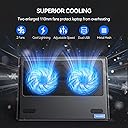
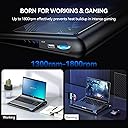
The TECKNET Laptop Cooling Pad is a lightweight, ergonomic cooling stand designed for 12"-16" laptops. Featuring two adjustable 110mm fans with speed control, a durable metal mesh surface for optimized airflow, and extra USB ports for connectivity, it effectively reduces heat buildup during intense use. Its portable design and quiet operation make it ideal for professionals and gamers seeking reliable laptop cooling anywhere.


| ASIN | B00Y1CNDES |
| Best Sellers Rank | 1,621 in Computers & Accessories ( See Top 100 in Computers & Accessories ) 8 in Laptop Cooling Pads |
| Brand | TECKNET |
| Brand Name | TECKNET |
| Colour | Blue |
| Cooling Method | Air |
| Cooling method | Air |
| Country of Origin | China |
| Customer Reviews | 4.3 out of 5 stars 11,799 Reviews |
| Enclosure Material | Metal, Plastic |
| Global Trade Identification Number | 05060274478696 |
| Item Dimensions L x W x H | 36L x 27.9W x 4.5H centimetres |
| Item Weight | 640 Grams |
| Item weight | 640 Grams |
| Manufacturer | TECKNET |
| Manufacturer Part Number | 78696 |
| Material | Metal, Plastic |
| Model Number | N5 |
| Number of Fans | 2 |
| Product Warranty | 1 Year Warranty Against Manufacturer Defects |
| Product dimensions | 36L x 27.9W x 4.5H centimetres |
I**S
Laptop cooling pad - ยฃ20 price for ยฃ200 performance
Can I just say that this is an amazing thing for twenty-odd quid. It's an angled frame rather than a squishy pad - it only arrived yesterday and I'm already sold on it. You could burn your finger on the base of my Dell if you weren't careful, but now? It is so good. It's powered by the laptop USB port and comes with a cable - you connect the cable to the laptop and to the pad and you're good to go. I lose a USB port for the duration but I rarely use them now anyways so it's not a problem for me. There's a tactile wheel which you turn to turn it on - the cable powers two fans which sit immediately underneath a vented metal base. Don't worry about the base getting on - everything is kept so cool, even on the lowest fan speed which is more than enough for my Dell. More speed? Just turn the wheel and the fans increase their speed. A slight fan noise but have you ever owned a noise-less fan when it's operating - and actually, I find the gentle fan whirring gives me reassurance that everything's being kept cool. The purchase was risk-free being Free Returns, but this isn't going back - and FWIW, I wouldn't go back to using a laptop without one. Before, when the Dell was getting hot, I used to muddle through but there was a noticeable drop in performance with responses lagging and ... it just wasn't working right. Now, I can work in bed if I wanted and I know that despite the cumbersome shape of the duvet and whatever else on the bed, the pad is going to keep things cool. If you're reading this because you've a laptop overheating problem, personally speaking? Try this, and if it goes back because it doesn't solve your problem, then I'll be totally shocked.
S**B
Didn't work until I tried to create a pressure chamber
Elephant in the room first - coolers that just blow air at the base of your laptop don't work very well. To see why, flip your laptop over to look at the base. About 10% of the surface area of your laptop's base will be vents, meaning 90% of any air blown at it will just hit a wall and go around the outside of the laptop. And that is what happened initially with this cooling pad with my Acer gaming laptop (Predator Helios 300 model number PH315-55, RTX3080, i7-12700H) - no noticeable temperature reduction over and above just lifting the laptop off the table by the same amount as this cooler. Bah! A bit of Googling revealed that most laptop coolers don't work because of this reason. Any temp drop actually comes from the cooler creating more clearance at the base. The few coolers that work seal the base of the laptop onto the cooler (via a foam seal) so that airflow cannot escape. This creates a slight high pressure around the base of the laptop, making it easier for your laptop's fans to draw in air. This in turn creates better airflow... and cooler temps. Worth a try. I had some PVC door draught excluder lying about (search for it on Amazon via its ASIN - B0BXP1MDGZ). I stuck this around the edges of the cooler's grille so it would be airtight against the Acer's base and waddaya know, it worked! The thing about recent CPUs is that they all run hot and will easily reach their throttle temp (for my i7, that is 92C - easily reached during gaming). With the TEkNet cooler plus my pressure chamber mod, the laptop never reaches 92C, instead topping out at about 88C. A 4 degree change is not much, but it is enough for the laptop to maintain 100% performance without throttling, so that has to be a win. The other thing is if you put this cooler on a flat surface, you block about half the airflow because no air comes in from the underside (airflow is now from the sides only). Raise the back by about 2cm and it works better. My RTX3080 laptop used to hit the mid 80s on the GPU, but with the draught excluder and the 2cm gap, I can leave it rendering for hours (Flux and stable diffusion AI) and it never gets past the high 60s, which is desktop level airflow. Even better that I don't have to raise the laptop fan speed from default to do it, raising the life of the laptop, and lowering the laptop fan noise (small laptop fans make more noise than the larger fans in this cooler). So, full marks if you are prepared to make a change or two (and less than half the price of the pressure chamber coolers - such as the KLIM Everest - if you follow my tip!). As useless as every other cooler if you are not prepared to do this. Oh, and throttlestop is also your friend (and it is free). For laptop Intel 12 series and above, the CPU package TDP is rated for about 45W, but the chip is typically allowed to peak much higher - 130W(!), causing cores to often hit their throttle limits This is fine for most applications, but not games - as any CPU that hits its throttle limit is probably getting hot doing a lot of work managing an important game process, and throttling it momentarily causes a micro-stutter. Set the power limit to 45-55W via throttlestop to avoid these throttle-bounces.
H**S
Excellent piece of kit
Not too sure why I am updating this - not even sure it's still available but going through my profile came across this review from 6 years ago! (I write in June 2023). The amazing thing is I am updating it using my Alienware laptop which is on my lap, been kept cool by the same cooling fan! Its a little battery now, and taken apart completely, any easy matter, once or twice to fully clean the fans. Fantastic piece of kit. Good company. Excellent piece of kit. I have an old Dell, 6420 I5. A workhorse and still going strong. However, like a number of Dell laptops, it can get pretty hot. But no longer with this cooling pad. I am one of those strange creatures that actually use their laptop on their laps - I have the heat marks on my thighs to show for it. Thus, I was looking for something small and light. with only the tiniest of forwarding tilts. This thing ticks all of these as you can see in the pictures. More importantly, it works and works well. In addition, it is incredibly quiet, incredibly so, Yes, you can hear the fans in a very quiet room, but only just. It is USB powered, however, it has another USB in/out port at the back which means you don't lose a port. on your laptop. Handy. Not sure what the none slip material is but it works very well. One thing though, my laptop is 14.5 inches .and fits perfectly side to side. A larger laptop would sit slightly over the edge at either side. Not a major issue but one you should be aware of. From back to front, however, there is about two inches of free space. And odd design decision but in no way problematic. I noted a few reviewers commented on the smell that they found it had - a plastic smell, I am very sensitive to smells and have not noticed this, Unsure if it was a previous bad batch or they have changed the design, but mine is great, Overall, highly recommended. I have, however, only had it less than a week. If things change I will update this review accordingly.
M**K
Expectations exceeded. Useful addition for my MacBook.
# TLDR Iโm pleasantly surprised and impressedโthis is the best cooling laptop support Iโve found for my specific needs. A MacBook Air can get hot during short bursts of high CPU/GPU usage, and this pad effectively reduces temperature. # PROS 1. Lap-friendly design: Smooth, rounded edges and corners create an understated, comfortable aesthetic. 2. Effective airflow: Measurably reduces heatโfor example, on a fanless 15" MacBook Air, the battery temperature drops by 4โ4.5ยฐC in minutes. 3. Dual power options: USB-A and USB-C portsโmy first cooling pad with USB-C support! 4. Adjustable fan speed: The dial feels solid and offers a useful range of speeds. 5. Sturdy build with acceptable noise: Fans run smoothly and quietly at lower speeds; even at maximum, the hum is manageable. # AREAS FOR IMPROVEMENT 1. LEDs: While the blue lighting might help some users visualize airflow, I find it unnecessary. 2. Airflow optimisation: I added rubber feet to lift the pad slightly, creating more space for airflow. Integrating this feature would be ideal. 3. Slip prevention: No front tab, which could cause the laptop to shift. Adhesive silicone pads are a good workaround. 4. Intake design: Air enters from the bottom and sides, but blocking the bottom (e.g., on a couch) limits effectiveness. # CONCLUSION It is very easy to recommend this laptop cooling padโitโs practical, well-made, and genuinely useful. Well done, TeckNet!
C**G
Bye bye overheating problems - Reduces system temperatures by as much as 18ยฐC
TeckNetยฎ Laptop and Notebook Cooling Pad 2 Fans Laptop Cooler fits 9"-16" I ordered this little cooling pad around 3 weeks ago because my 5 year old laptop was on its last legs and had started to overheat continuously. It was overheating to the point where the laptop would shut itself down regularly during usage in order to prevent damage to the internals such as the CPU etc. I purchased this cooling pad with the 2 fans as I wanted a small form factor - something that wouldn't clutter my work desk unnecessarily and look big and ugly. I also bought this one as I figured that a cooling pad with more fans might run noisier. I'm very impressed with this one though. It's performed exactly as I wanted it to. The design is relatively minimalist and it doesn't elevate the laptop to an uncomfortable typing position compared to other cooling pads which I have seen. It also looks less ugly. Ideally, I wouldn't want one at all, but hey, my laptop is overheating so I've got a need for it. As regards the noise, you do hear an audible hum when the cooler is switched on in a quiet room but it's definitely not anything intolerable and I don't find it too distracting while I'm working on papers etc. Most importantly though, the cooling pad works. It improves air flow under and around the laptop and therefore reduces both internal and surface temperatures. Using this has helped significantly with my laptop's overheating problems. In fact, since using this, I haven't had any system crashes due to overheating so it's proved very effective for me. Out of curiosity, I actually decided to test how much this cooler actually reduces the temperatures of my laptop to see how effective it is. I did this by installing a neat piece of software which measures the temperatures of all of the laptops internal components including both cores of my dual core CPU and that of my GPU. As shown by the little graph which I've included, I found that the cooler helped drop the temperatures of both CPU cores by as much as 10-12ยฐC when I powered it on for around 5 minutes or so. I also found that the temperatures got lower; the longer the cooler was powered on. So after being switched on for around 15 minutes, the cooler helped to reduce the CPU temperatures from an uncomfortably high 96-98ยฐC to a much safer 80-82ยฐC. 5 Stars from me. It's minimalist and sleek as far as cooling pads go, it's not too loud and it does a good job of reducing system temperatures and preventing those dreaded systems crashes. My laptop now performs a lot more smoothly. Plus it's cheap too - What more could you want!
M**Y
Almost perfect but simply too small for the intended laptop size.
A good unit but sadly it is too small for my 15.6" laptop (Lenovo Legion 5P). It fits but only just. The feet are right on the edge of the platform and go beyond the grippy bump to prevent the laptop sliding down, or if pushed right to the back of the platform, perilously close to going off the edge at the rear. There needs to be extra space on all sides of the platform surrounding the unit (a safe zone) but there is isn't. This unit is more suited to a 13 or 14" laptop - 16" not so much. If it were down to me I would block the underside of the fans at the very underside of the unit because the side intake is more than enough for cool air circulation. All the underside vents achieve is pulling up dust from material surfaces (including blankets, tables, etc) or people's laps and directing it at the intake vents of your laptop. This is still a good unit though. And to those moaning about fan power... if you have excessive fan speed you will negatively disrupt the intake of air going into the underside of the laptop and as a result you could end up with worse temperatures, this is precisely why gentle fan speeds are better. Another thing to take into account is that not all laptops are designed the same. Some laptops have no exact intake vents below their fans, some have restricted airflow or weird channel designs. Due to these design differences some laptops may cool better with this pad than others - that is not a fault with this laptop cooling pad or cooling pads in general. Tecknet, I am a fan of your products and have been buying them for years - excellent products, well thought out and for great prices (as well as great frustration free packaging), but please make this exact model (with two fans, not three) but a few inches bigger!
H**R
Does the job, almost perfect
Bought for my 13" MacBook Pro which gets uncomfortably hot at times - too hot to be on bare skin as I usually use the laptop on my knees. The Cooling pad is made of a metal skin with a mesh section to allow the two internal fans to do their task. The good news is that they work fine and cool the laptop really well, although I must say that I do not really need the fan on as the gap created between laptop and my legs is sufficient in itself to keep me cool and to stop the laptop overheating. The fan itself can be run as a variety of speeds and is quiet and unobtrusive in use. The only thing that stops it getting a full 5 stars is that when the pad and laptop is on my lap it is usually on an angle and the laptop slips towards me. There are two friction pads to help with this but I think it could do more. I don't think this is an issue if the laptop is used on a table as the laptop would lie flatter and therefore not slip. Over all the pad does its job well and is used daily, however I will be looking for some additional rubber pads or similar to help with the slippage issue.
L**E
Great design, light enough and works !
Really really satisfied with this purchase. As I will be travelling soon I needed a Laptop cooler that wasn't too heavy, flat enough and would work on top of my lap without digging in my skin and this just check everything I was looking for. I even find it kind of cool. When I opened my amazon package I was delighted to see how neatly packaged the cooler was. I guess most people probably don't care, but when I see that I can't help but have a positive feeling about the product inside. Indeed this Cooler is exactly what I was looking for, it felt sturdy, was thin and "flat" on both side which is really important when packing for traveling. You don't want your clothes getting stuck on metal or on the blades of the fans. My MSI 15.3" laptop left and right sides goes a tiny bit past the cooler so I do wonder about the 16" inch statement. It has a rubber band on the bottom part of the cooler, 4 rubber feets to keep it steady on a table and finally 2 really convenient USB ports behind the cooler with a on/off switch. I used a software to measure my laptop temperatures and I took a screenshot of before and after (around 7 hours later) using this laptop cooler. Although I usually do play games, this time I didn't so the temperatures you see are only from normal chrome/firefox browsing + usual skype, excel stuff. Anyway as you can see it does work as overall my laptop temperature lost around 8 celcius. Right now I'm even feeling chilling breezes coming from the sides of my laptop on my lap as I type. To be honest, I'm actually considering using this to cool myself for my trip in Asia in two months ... Keep in mind that the efficiency of the laptop cooler do depend on the fan placement of your laptop. It would obviously work better if the Laptop cooler's fans were directly opposed to the fans of your laptop. All in all, great buy, I hope it will be sturdy enough to last me a few years, if not I will just buy one again (or maybe the 1.5 + 0.5 years warranty will cover this) as it is not really that expensive.
A**X
Good
It works. But there is a quirk: it has both USB and USB-C sockets for power input, but it only works if you either connect it USB to USB or USB-C to USB-C. Strangely, but it doesn't work if you connect USB socket to USB-C output of the laptop (MacBook Pro), it just doesn't powers up. Everything else is good, the fan is very quiet, the LED light is not annoying.
S**L
STILL WORKING 2018 to 2022-- AWESOME.
EDITED -- 02-01-2022 -- It is still working and I use 8 hrs per day every day. THIS IS SUPER ITEM. SO I EDITED THIS AND GIVING 5 STARS. Yes, Fan On/Off switch is not working. As I had problem as described in my first review below. OLD -- I purchased it on 5th Jan 2018. I am regularly 6 hours monday - friday user of this on my regular same table. It worked till now 9th Sep - Approx 8 months. Today it stopped without any damaged from my side. It better to purchase low price same product than this if THIS KIND OF HIGH PRICE products also even not work for 1 year at least.
H**E
ุฌูุฏุฉ ููู ุชุตู ูู ุณูููุง ุณูุก
ููุงุณู ุบุจู ุชุตู ูู ุณูููุง ูุตูุฑ ููุฌุจุฑ ุงูู ุณุชุฎุฏู ุนูู ุงุณุชุฎุฏุงู ูุง ู ู ุทุฑู ูุงุญุฏ ููุง ุชูุงุณุจ ูู ุงููุงุจุชูุจุงุช ููุตุฑ ุงูุณูู ู ูุชุฑุถ ุณูู ุทููู ููููุง ูุงุจู ููุทู ุจุงูุฏุงุฎู ุญุณุจ ุงูุญุงุฌุฉ ููุตู ููุทุฑููู ุงูุงูู ู ุงู ุงูุงูุณุฑ ู ูุงู usb
Z**T
USD girisi sorunlu
Guzel sogutuyordu yandaki USB girisi gevsedi artik calismiyor.
B**D
I wouldn't call it silent, but does the job.
Not the greatest quality, the thinnest and cheapest plastic used. I like the gaps on the side to allow air in if the bottom is blocked. Not as quiet as my 5 year old cooler master pad...
Trustpilot
1 week ago
2 weeks ago