We remain fully operational. Our teams are working around the clock to ensure your deliveries continue safely.

DOWNLOAD THE APP


Copyright © 2025 Desertcart Holdings Limited
DOWNLOAD THE APP


Buy anything from 5,000+ international stores. One checkout price. No surprise fees. Join 2M+ shoppers on Desertcart.
Desertcart purchases this item on your behalf and handles shipping, customs, and support to Thailand.
💡 Elevate Your Cooling Game with ARCTIC!
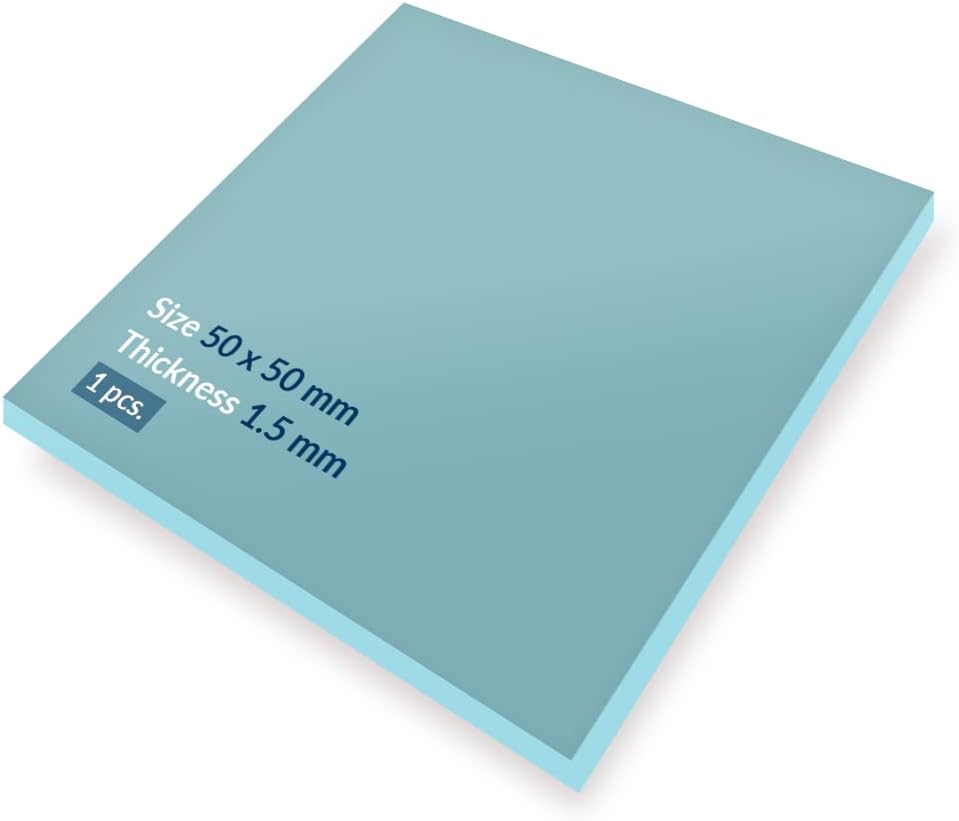
The ARCTICTP-2 (APT2560) is a high-performance thermal pad measuring 50 x 50 x 1.5 mm, designed for optimal heat conduction and easy installation. With a low hardness rating of 80 Shore 00, it effectively bridges gaps and uneven surfaces. Safe to handle, this pad is non-adhesive and free from metal particles, making it ideal for both professionals and DIY enthusiasts. Operating within a temperature range of -40 to 200 ℃, it’s a reliable choice for various applications.








| ASIN | B00UYTTMNI |
| Are Batteries Included | No |
| Best Sellers Rank | 70,811 in Computers & Accessories ( See Top 100 in Computers & Accessories ) 1,022 in Fans & Cooling |
| Brand | ARCTIC |
| Colour | Blue |
| Customer Reviews | 4.6 4.6 out of 5 stars (1,565) |
| Date First Available | 25 Mar. 2015 |
| Guaranteed software updates until | unknown |
| Item Weight | 10 g |
| Item model number | EF-ME-15854 |
| Manufacturer | ARCTIC |
| Operating System | / |
| Product Dimensions | 5 x 0.15 x 5 cm; 10 g |
| Series | ACTPD00003A |
L**N
Good quality and really does make a change!
These Thermal Pad are really useful when it comes to laptop. Reduced the temperature by 10c. Thank you.
F**E
very good
very good
O**R
Great to stop VRM Thermal Throttling on XPS 15 Laptops
I bought this to improve the performance on my XPS 15 9560 laptop. This laptop is powerful, but there is a slight design fault. The VRMs on the laptop have no cooling capacity (no thermal pads or heatsinks). When you use the laptop at high load for a long period of time, the CPU and GPU temperatures may be cool, but the VRM temperatures can become really high (as high as 95C!). When this happens the laptop will thermal throttle, lowering its clock rates and reducing performance. I followed an online guide and stacked 3 of the 1.5mm thick 6W thermal pads ontop of eachother on three of the hottest VRM chips, such that the thermal pads touch both the VRM and the aluminium back panel of the laptop. This essentially turns the laptop's back panel into a giant heatsink for the pads. Since doing this mod, (as well as reapplying thermal paste) my laptop no longer thermal throttles, meaning when I play video games my frame rate doesn't randomly shoot down after about 20 minutes of gaming. Overall these did exactly what I bought them for. They were a little expensive and there are cheaper alternatives from other brands, but I wanted to be sure they were compressible enough to still allow the back panel to fit properly.
A**U
Getting rid of laptop heat
I bought this for my Dell XPS 15 9550 laptop to get rid of the heat . The laptop is a few years old now and recently I opened it to replace the thermal paste and also to use this ARCTIC Silicone Based Thermal Pad (1.5mm) to spread the heat to the heat pipes better. Its a great job compared to the thin pads that Dell shipped with the laptop. Only downside is the relatively small size of the pad, I would have probably ordered a second to get everything done.
J**Y
Sticky where they need to be
Don't have any idea how effective they actually are but they're easy to use and are from a good company, so you'd hope they're effective ...
M**A
Great thermal reduction
I used this to replace the pads on a second hand rx 580. It's easy to cut to size and place due to the stick back plastic being double sided.
M**L
Value for money
Works well. I used it to replace thermal pads in my old Dell laptop as it was overheating a bit on the old ones. Now with the new pads it works as a charm.
D**S
Another fantastic Arctic product
These were a brilliant replacement for the pads in the old PS3. They contributed to fixing mine which had the yellow light of death. Hopefully my PS3 will last a good few more years
V**E
Bonjour absolument novice aux caractéristique necéssaire et suffisante pour mon utilisation,je n'ai pas hésiter peut etre à tort à acquérir ce que d'autres avis rassurent,et le prix et la rapidité et disponibilité était bon pour moi,depuis je constaste avec un regard novice que les chiffres caractérisques de ce produit sont de grande qualité ,alors parfaitement adapté mais avec du recul je pense 1mm m'aurait suffit,j'ai découpé de maniére aproximaive à l'aide facilement d'une pointe propre en 16 petits morceaux,je n'avais pas prévu de les changer mais les originaux me parraissé disons bien degradé,en complément à la base je souhaitais juste nettoyé et procéder au changement de pate,elle aussi acquise de la meilleure qualité possible toujours selon les avis ,test et caractéristiques que j'ai pu relevées,peut etre ma configuration ne nécessite pas forcément de tels caractéristiques mais au final malgrés une dépense nonnégligeable je suis heureux de constaté que le résultat est parfait et la prochaine fois si besoin je prend ce modele en 1mm cette fois sans preter trop attentions aux autres je pense tellement premiere experience parfaite,merci
H**N
It’s doo the his job
L**N
Das Pad kann man sich so groß abtrennen wie man es braucht und mehrere Chips hiermit versorgen. Es ist etwas härter und eher knetartig, im Gegensatz zu den meisten Pads, die Herstellerseitig vorverbaut sind. Die Leistung ist aber gut, die Temperatur bleibt recht gleichmäßig und der Lüfter vom Laptop heult nicht mehr so laut auf. Habe es für ein Laptop verwendet, um die Pads von Chipsatz und Grafik zu erneuern, für den Prozessor habe ich eine andere geeignete Leitpaste verwendet. Für ältere Geräte die schon mal viel Hitze entwickeln, lohnt sich diese Prozedur durchaus, aber ungeübt kann man dabei auch ordentlich was kaputt machen. Wer allerdings ohnehin alles zerlegt und aufbereitet, sollte die Pads dringend erneuern (sowie die CMOS Batterie natürlich) und diese hier sind dafür ein gute Wahl, ein paar Euros nur für ein weiteres, langes Leben eurer Hardware!
P**N
I put it in the refrigerator for 20 minutes and then cut it with an Exacto knife. Most of my cuts were clean but there was a little tearing like the heat tape was dried out. I also wished it was a bit more sticky so I could ensure placement where I wanted. Since the back cover of the XPS15 sat on the tape, the tape stayed in place and worked perfectly for transferring heat and cooling my computer. Previous to the heat tape, my XPS15 fan would run on high, even when no applications were open. I had tried loading a previous BIOS and running ThrottleStop to undervolt my processor but this wasn't enough to keep my XPS15 quiet. I put the XPS15 away and decided to write it off as a bad purchase. Several weeks later, I installed the heat tape. I now use the XPS15 every day for work. I don't work it too hard. I connect to other computers with MSTSC. If I run a video, the fan will start after a couple of minutes. But the noise is nothing like what it made prior to the heat tape and without any applications running at all. Note: the amount of heat tape was just enough for me to cover the chips that were running hot. I didn't have any left over. If you are in doubt, you might consider buying two of these. If you are reading this, you probably suspect that have a use for heat tape. Maybe it will help you too. At the very least, it is a very cheap experiment. For me, it made my favorite laptop usable again.
A**H
I had bought the MX4 thermal paste for my MacBook and wanted something to go into my HP x360 convertible laptop. This thermal pad was the perfect solution as the laptop has a passive cooling system. After applying I right away noticed that the system was less warm to touch than before and also the performance of the laptop was significantly improved!! I highly recommend this for smaller net books and laptops. For performance intensive systems the paste by Arctic should be good enough! Remember the Arctic silver is used only when you plan to overclock the cpu/gpu or else the normal MX4 is sufficient. Cheers :)
Trustpilot
2 months ago
2 weeks ago