Buy anything from 5,000+ international stores. One checkout price. No surprise fees. Join 2M+ shoppers on Desertcart.
Desertcart purchases this item on your behalf and handles shipping, customs, and support to Thailand.
🎬 Capture every moment, twice as fast, effortlessly.
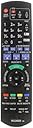
The Panasonic DMR-EX97EB-K is a sleek black DVD recorder with Freeview HD featuring dual tuners that allow simultaneous recording of two programs. It boasts rapid response times for electronic program guide navigation and disc tray operation, plus direct playback of media from external hard drives. With smart series recording and live TV pause/rewind, it’s designed for the busy professional who demands seamless, reliable content capture and playback in full 1080p HD.


| ASIN | B015341TLG |
| Analog Video Format | PAL |
| Audio Output Mode | Surround |
| Best Sellers Rank | 5,481 in Electronics & Photo ( See Top 100 in Electronics & Photo ) 1 in DVD Recorders |
| Box Contents | Manual, Player, Remote |
| Brand | Panasonic |
| Brand Name | Panasonic |
| Colour | Black |
| Compatible Devices | Monitor, Projector, Television |
| Connectivity Technology | Super-Video, SCART |
| Connectivity technology | Super-Video, SCART |
| Connector Type | HDMI |
| Connector type | HDMI |
| Customer Reviews | 4.3 out of 5 stars 678 Reviews |
| File Format | ISO, JPEG, MPEG-2, MPEG-4, AVCHD |
| Item Dimensions L x W x H | 21L x 43W x 6H centimetres |
| Item Type Name | DVD recorder with Freeview |
| Manufacturer | Panasonic |
| Manufacturer Part Number | DMR-EX97EB-K |
| Media Type | DVD |
| Media type | DVD |
| Model Name | DMR-EX97EB-K |
| Model Number | DMR-EX97EB-K |
| Number of Channels | 10 |
| Other Special Features of the Product | 3D Streaming |
| Resolution | 1920x1080 |
| Special feature | 3D Streaming |
| Supported Audio Format | MP3 |
| Surround Sound Channel Configuration | 2.0 |
| Total HDMI Port | 1 |
| Video Encoding | MPEG-2 |
| Video Output Resolution | 1080p |
A**E
Does a good job
Excellent machine, near perfect. One minor niggle is that the surprising good series record feature does not cope perfectly with episodes that are transmitted back-to-back... it records the first, and then looks at the schedule to find the next episode which started a few seconds earlier and so you miss the first 10 seconds or so (for broadcasts that start exactly on time). You can of course do a manual recording of the pair, or a single recording of each (it will record two programmes simultaneously), but you have to remember to set it up again every week. You can copy recorded programmes to a DVD, but only those recorded off air. It will play external HDDs or flash memory sticks recorded off other set top boxes, but it won't allow them to be transferred to DVD. Copying to DVD takes about as long as the original programme, but you have to remember that whilst doing this it will not record anything, so you might miss a recording (it's OK once the DVD is written, you don't have to do anything for it to continue recording as normal). The first time I did this, it found and recorded a repeat episode automatically, but the second time, it completed the DVD part way through the episode set for recording, and it just recorded the last half. Things I like about it... You can edit a programme title (I use this to add the episode number to the title); it groups all episodes of a series in one "folder"; you can manually group episodes too; it will record radio programmes (I recently set it up to record 12 hours, and it split it into an 8 hour and a 4 hour file - I haven't tried a long TV recording yet); The remote has buttons for controlling my (Sony) TV (on/off, volume, channel and source); It is very easy to set up a recording from the epg screen (and it checks for HD and series options).
L**P
Great for dvd archivers (my only negative doesn’t have wi-fi like tick box says it does)
I ended up buying this dvd recorder as my toshiba one died after 15 years. It was easy to set up and it’s great to be able to record one channel while still watching another channel,you can also record two shows at once but you then have to watch one of the channels your recording. Setting time records is easy but i have to admit i had to look up how to edit out footage i don’t want from my recorded footage but once learned it’s easy enough.i have yet to copy footage from the hdd drive to dvd-r but looks easy enough. If like me you tend to hold onto footage of your favourite celebs on interview shows or your favourite shows that probably won’t ever get a official dvd release.This is a great way to do it. My only complaint is the tick box on the description page says this model has wi-fi yet it doesn’t.
P**Y
Excellent product with some limitations
I bought this to replace an earlier Panasonic DVD recorder which failed. I can play back all the discs recorded earlier, including ones not finalised. As others have noted, you can't record from an external device onto DVD as there are no suitable inputs. There are quite a lot of copy operations which it won't let you do. (My old Panasonic had about four times as many sockets, and could copy from the inputs to DVD.) The only sockets are: Back Figure-of-eight socket for the mains cable RF in and out (RF link cable for TV provided) HDMI (2 metre cable provided) Ethernet - only of use to update the firmware over the Internet AFAIK Front USB 2.0 This is useful to transfer files to the HDD from a USB stick or USB HDD. You can also 'register' the HDD with the box, enabling you to extend the internal HDD space, but, since you have to leave the front flap down, this is rather inconvenient. Files copied from USB to the HDD can't be burnt to DVD, apart from some camcorder files (AVCD format), and those may not be playable on other DVD players. The manual is rather 'techy' which has the advantage that all the functionality is covered, but it's rather difficult to understand. The PVR functionality is excellent, with two tuners supporting Freeview HD. Programmes can be edited to remove the adverts and then burnt to DVD. There are "manual skip" buttons, forward 60 seconds and back 10 seconds to skip adverts of recordings, but response is very slow, as is returning to play from pause.
A**R
A good recorder
A good item
N**L
Another Terrific Panasonic
I purchased this machine a few months ago to replace an old Toshiba that had died after some 15 years. It's very similar to Panasonic's standard HDD recorder (which I also have) but with the DVD recorder/playback facility. So I had an advantage, so to speak, of familiarity with their functions. I would echo what others say here-don't worry too much about the incredibly complicated handbook-just start using the thing! As regards the DVD recording facility, I merely went onto the internet and found some simple instructions there and printed off the page for reference. But, after a relatively short time, I found the process quite intuitive and idiot-free (and I'm late '70s!). Some reviewers have made negative comments about the need to HDD record programmes first before they can be DVD recorded. I would disagree. I find the fact that the programme is there recorded ready on the HDD is very helpful and avoids all the stress of "live" DVD recording. And one can also select more than one item from the List facility and then the machine merrily transfers them onto the DVD disc. This is very useful, for example, when recording episodes of a TV series. Another comment...the old Toshiba DVD recorder required you to "finalise" discs after the recording had been made-a long process fraught sometimes with drama. The Panasonic asks you before you start recording whether finalisation is required, and then finalises at the same time-brilliant! I love the machine-if it lasts another 10 to 15 years, I'll be happy!
T**M
PANASONIC DMR-EX97 DVD RECORDER
I purchased the Panasonic DMR-EX97 in June 2016 as it seemed the best of the bunch. The hand book is 84 pages - don't be put off, this is a mine of information and is worth reading several times to get yourself accustomed to the functions you will use. If you are not into Editing Video, Copying CD, DVD, or Photos; Pre-setting up to 32 Programmes within a month in advance -- move on, it's fully explained when you are ready. I thought I would be clever in the initial setup and use the original cables from my defunct LG to save time. Big Mistake! I spent over an hour trying to sort out 'poor signal', 'no signal' 'check arial'. Up and down from the loft; last resort, use the cables supplied in the box. The result was immediate, problem solved. (as far as I was concerned the old cables were OK) While you have the unit out, make a note of the Serial Number, I had already put the unit in it's slot before realising this. Setup contains good security with Owner Id and Pin Number required. Same for Parental Control. Auto Tuner up and running in several minutes. Picture and sound very good,(Samsung TV) remote takes a little patients, but no problems. Unit has a double-tuner to record two programmes at once, recording and playback of CD, DVD, HDD, USB no problem. There are several methods of Programme Timer/ Record, all easy to instigate, particularly using the Guide on the remote. At the end of the Manual is a very good Trouble Shooting Guide, well worth reading. Network Connection on setup if needed. Most used tab on the remote is the Function menu, it's all here. An excellent buy.
P**S
It was easy to set up
I purchased this item approximately 6 weeks ago. It was easy to set up. I especially appreciated the ability to re number the channels and to position them in the tv guide, to suit my personal preferences. The operation for recording and viewing tv programmes is easy to understand and straightforward to use. The recorded picture quality is excellent, even on the Standard Definition channels. Both HD and SD recordings are the best I have ever come across. If, for any reason, you want to save or create more hard drive space you can convert any or all of your recordings to a variety of lower quality options in either HD or SD. Most of them are either very good or acceptable. The ability to connect via USB is really useful. You can connect an external hard drive for greater recording space, or you can use it to copy your favourite videos, music or photos, making these items instantly available whenever you want them. All in all a superb machine. I could not give it 5 stars even though I believe I have got excellent value for money from my purchase. Why? From my perspective, the time lag between pressing a remote button and something happening on screen, is longer than it should be. For me however, the pros far out way the cons and I can honestly say I am delighted with my purchase.
E**E
Disappointed
To say I am somewhat disappointed in an understatement. As someone who already owns two Panasonic Recorders (DMR EX78EBK – HDD/DVD) and (DMR EX99 VEBK - HDD / DVD / VHS) I thought I knew what to expect from this model. However, I was not expecting that they would have changed the format of how you view the recorded programmes. Instead of the ‘tile’ effect (6 boxes in a horizontal mode – stacked 3 above and 3 below) of the older models where you were able to see the programmes recorded listed in an easy to see and read format , they have changed this to a ‘list’ format, meaning that you have to keep scrolling up and down to find what you are looking for. The light writing on a grey background does not help someone to read easily what is on the screen either. There are several things that I find ‘irritating’ about this model, the major one being that irrespective of which format you choose to record in, the remaining time left to record constantly shows it to be in DR 133h 27m – (it does decrease incrementally – but still not easy to gauge what recording time you have left). I switched off the DR and then I changed the recording format to EP (extended play) and the time remaining should have shown somewhere around 300 hours for this model. When I rang Panasonic to query why this was, they told me that that is the way this particular model has been configured and cannot be changed. Although once recorded, the programme does save as EP, there is still no clue as to how many hours you actually have left (surely a design fault!). I am now left trying to guess how many hours recording time I have left. Unless I keep a pen and paper handy and write down all my recordings and keep a running total of hours used, I will remain in the dark! When I asked if I changed it to a different model, would that solve this problem, I was told that all the newer models show the time in this way. Not very useful to the user! Its plus points are that is has a twin tuner and will record two programmes at the same time, whilst you are viewing a third. The other thing I like is that you can delete whilst it is in recording mode, and you can also look at the programme guide – something that you cannot do on my other two machines. Once they are recording, you cannot do any ‘housekeeping’ by deleting programmes or searching the guide until you either cancel the recording or wait until the programme you are recording ends. As I have been told by Panasonic that even if I returned this one for another model, I would get the same, reference showing the time remaining, I wonder if it is worth the bother to send it back. As someone who has sung the praises of the other two machines, I cannot say the same for this. If this is your first purchase of this kind of machine, then you wouldn’t know any different. However as someone who knows the merits of the other two models I have, this one is taking some getting used to. The functionality is very fast and excellent recording, however, is that enough – I don’t know yet. My message to Panasonic – yes I understand that times move on and things change / improve. However, don’t change a format just for the sake of change when in reality you have not improved anything – merely frustrated those that had a good experience with your previous models and their set-up. I have been using this machine for a little over a week now and would I have bought it if I had known this in advance – probably not. For any ‘new buyers’, It is an excellent product for a first time user who has no advance knowledge or expectations. Panasonic DMR-EX97EB-K DVD Recorder with Freeview HDD and 500 GB HDD
R**I
Ottimo acquisto
Ottimo acquisto peccato che le istruzioni duano tutte in inglese ma il venditore mi aveva contattato per informarmi....cmq ce l ho fatta ed è ottimo
C**O
Rapporto qualità/prezzo.
Sostituire un precedente dvd recorder LG, che era andato in avaria irreparabile
C**N
se è utilizzabile
Il prodotto non è tarato per l'Italia quindi non è utilizzabile ed ho provveduto alla restituzione
Trustpilot
3 weeks ago
1 week ago