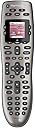
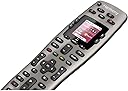
🎯 Master your media kingdom with Harmony 650 — one remote to rule them all!
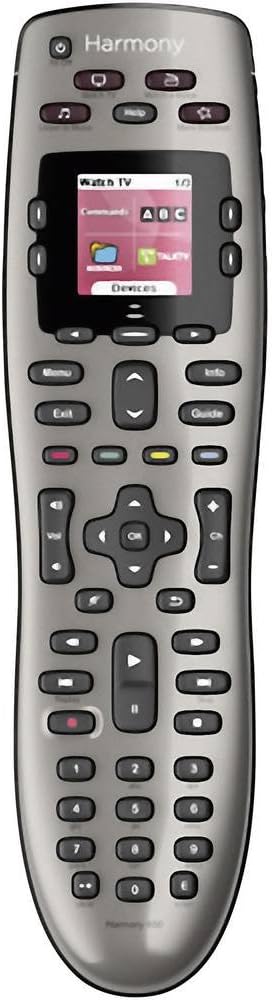
The Logitech Harmony 650 is a universal remote control designed to replace up to five remotes, featuring a colour smart display with intuitive icons and backlit buttons. It supports over 6000 brands and 225,000 devices, ensuring broad compatibility. Setup is streamlined via guided online software for Windows and Mac, and one-click activity buttons simplify multi-device control. Powered by AA batteries, it offers a premium, clutter-free entertainment experience tailored for the modern connected home.


| ASIN | B00IRUS6K6 |
| Battery Types | 2 x AA or 2 x AAA batteries |
| Best Sellers Rank | 42,863 in Remote Controls (Electronics & Photo) |
| Brand Name | Logitech |
| Button Quantity | 22 |
| Colour | Grey |
| Compatible Devices | Audio/Video Receiver, DVD/Blu-ray Player, Set Top Box, Television |
| Compatible Television Models | Roku 43R4A5R, Roku 50R4A5R, Roku 55R4A5R, Roku 55R6A5R, Roku 55R8B5, Roku 65R4A5R, Roku 65R6A5R, Roku 65R8B5, Roku 75R4A5R, Roku 75R6A5R, Roku 75R8B5, Samsung GQ65Q800TGTXZG, Samsung QE50QN94AATXXU, Samsung QE55LS01TAUXZG, Samsung QE55LS03AAUXXC, Samsung QE55LS03BGUXXU, Samsung QE55LS03RAUXZG, Samsung QE55LS03TAUXXC, Samsung QE55QN700ATXXU, Samsung QE55QN700BTXXU, Samsung QE55QN85AATXXC, Samsung Q… |
| Controller Type | Button Control |
| Customer Reviews | 4.2 4.2 out of 5 stars (5,529) |
| Global Trade Identification Number | 05099206051560 |
| Item Weight | 0.18 Kilograms |
| Manufacturer | Logitech |
| Manufacturer Part Number | 2229250 |
| Maximum Number of Supported Devices | 8 |
| Maximum Range | 10 Metres |
| Model Name | Harmony 650 |
| Model Number | 915-000229 |
| Network Connectivity Technology | IR Wireless |
| Number of Batteries | 2 AA batteries required. |
| Product Features | Learnable |
B**.
Great piece of kit
I’ve had this for about 6 months now & feel like I’m able to give a decent insight into it & share my findings. With a compatibility list that should meet the needs of any user there’s no denying its use & purpose of cutting down on remote controls, initial setup is simple but fine tuning will need to be done on the app (Android & iOS) or I found it easier to do all my set-up on the pc app. Getting the remote set-up & all your devices synced will take some time & be ready for some frustrating moments when adding “activities” from my experience it wouldn’t change the selection on my LG tv when needed & failed to turn on my Xbox One X but after a few tweaks & re-syncs I managed to get the kinks ironed out. The remote is responsive & the touch screen is an essential when adjusting lights, favourite channels etc. It has a nice weighted feeling to it but you’d expect that from a premium product that is essentialy £200 for a remote control! I’ve had no issues with any of my devices (4K LG tv, Virgin, Xbox One X, Phillips Hue, Nvidia Shield, Nest & Smart Home switches) some devices will have a much more of a customisable functionality when compared to others but you can edit the remote buttons or touch screen to liking in the app. Remote holds its charge really well in my home (with 4 children & my wife constantly changing channels & lights) I generally dock it when playing a movie just to keep it topped up. I’ve had no need to use the IR blasters as the hub is in direct line of sight to the remote but I’m sure they work just as well. Is this remote worth the price tag??? If you’ve only got a few devices then I’d say no but once you factor in lights, switches & multiple other home entertainment devices then I’d say yes definitely! The customisation & ease of use (once set-up) will make movie nights considerably less frustrating when your hunting for the volume control or pause button.
M**A
Once you get past the learning curve, it's good but flawed
TL;DR: There is a learning curve. Things aren't quite as intuitive as they could be. Some functionality might not meet every requirement. You can't use smart devices that are dependent on things such as the Smart Life app. Alexa integration mostly works, with some minor issues. Those complaints aside, this is a really helpful device that can simplify your set up if you're already stuck with multiple remotes. It has a wide range of compatibility with set top boxes, TVs, soundbars, A/V receivers, games consoles and other devices. Personally, I'm mostly happy with it and it is already my primary method for controlling my TV, Sky box, Xbox and Fire Stick. To understand how this works, you need to keep Harmony's cold, hard robot-logic in mind. The Harmony Hub aims to track what's currently on and what's currently off. If you begin an Activity, it will turn on all devices needed for that Activity, and turn off devices not currently required. What this means is that if, for example, you add an Activity such as "Sky Movies" to automatically load the Sky Cinema on-demand page but don't add your soundbar and TV to that Activity, it will assume they're not needed for that Activity and turn them both off. When first getting to grips with this, it can be confusing or illogical. It can't guess what you need for an Activity, so it relies on what you tell it you need. Therefore, if you add an Activity for which you would logically only begin when certain devices are already on, it doesn't understand this and will turn them off unless you tell it you need them on. If Harmony doesn't know something is on, for example, if you've already switched your TV on and then try and start an Activity that requires the TV, it's going to turn your TV off. All of this might sound a bit confusing, and to be honest, it can be but it's not too bad once you get to grips with it. If you make a mistake when setting up an Activity and forget to include something that needs to be 'on', then you can just hit 'Re-Run Activity' in the app, add the device(s) that you need to be on, and fix it that way. You don't need to delete and rebuild an activity from scratch, fortunately. The initial setup is an absolute pain - or it was, in my case. Harmony bugged out on several occasions. Eventually it worked, but be prepared for some frustrations. For me, the Hub didn't go automatically into pairing mode, the remote didn't start syncing, the app claimed there had been an error - but finally, it worked. Before you set up, the Harmony Hub can only connect to 2.4Ghz WiFi. If you have different SSIDs set up for different WiFi bands, you'll need your phone to be connected to the 2.4Ghz band as well. This is also the case for when you access the app from your phone in the future to add, edit or reorganise Activities. When you finally get it set up and are properly acquainted with how it works, then yes, it will simplify your setup. It can echo the functionality of a whole heap of remotes. I have Activities set up to turn on Sky, turn on Sky and jump straight to my planner, or Sky Cinema, or Sky Box Sets. I have an activity to turn on my Xbox One, or Fire Stick. On some Activities, I've even set it up to change settings automatically on my soundbar. It's very convenient but to get the full effect, and to reduce frustrations, you have to make Harmony your primary remote and controller. Whenever something is already on, and Harmony knows this, it won't turn them off and on again. It'll just skip that command and go to the next one. This means if you've been watching Sky and then want to switch over to Fire TV, you can tell it do that, it'll turn off Sky, keep the TV and soundbar on, and then switch the input to Fire TV. You can also use BlueTooth to allow the remote to control Fire TV. Instructions are given in the app and the pairing is pretty straightforward. Regarding Alexa integration, it works, for the most part. Once you've told Harmony what your TV service is, where you're located and gone through the initial setup, selected favourite channels, etc. you can say, "Alexa, turn on BBC One" and Harmony will turn on your TV, your soundbar, your receiver (eg. Sky Box) and key in 115 for BBC HD (or the relevant channel number). It automatically understands this command comes under the basic 'Watch TV' command, so you can say "Alexa, turn off Sky" (in my case) when you're done, and it'll shut everything back down again. You can also set a default channel for the TV to automatically turn to when Switched On, although I've disabled this. There can be a bit of a delay between Alexa confirming the command and the Activity beginning. Alexa should automatically detect new 'scenes' as they are created, although there may be a bit of a delay. These 'scenes' are your Harmony Hub's activities. I discovered that Activities created before you've linked the device with Alexa will not be found. You can fix this be 'editing' them in the app, saving the edit and then Alexa should discover them. If you have devices that are already Alexa-enabled (such as an Xbox), Alexa can get a bit confused. You might not want to disable the existing integration, because of the added functionality it brings. My suggestion would be to make your Harmony Activity have a different name to the device's regular command. For example, in the case of my Xbox, I've given the activity the name 'Xbox One' so I can say 'Turn on Xbox One' and Harmony will sort it out. If I only give it the name 'Xbox', then Alexa asks if I want to open the enabled Xbox skill. The reason to keep both skills is to maintain the 'launch' function of the Xbox-integration. Have Harmony handle on/off. Have the Xbox skill handle game and app launches. If Play/Pause functionality is important to you via Alexa, it's worth noting that this is a bit hit and miss. Take my Sky box for example. Providing the Sky box was the last thing Alexa interacted with (via Harmony, of course) for a time afterwards, she will follow Play/Pause/Rewind/Fast Forward/Stop commands and send them, but eventually, they will cease to work. I've tried commands such as 'Tell Harmony to Pause' but that doesn't seem to work, as she asks if I want to use the Harmony Second Hub skill. It's simpler to just do it with the remote, to be honest. I may be missing a trick here, but the Internet has yet to provide me with an answer, sadly. I have had issues changing the channel through Alexa to Sky Sports Main Event. She just doesn't seem to get that one, although she has no problems with Sky Atlantic, BT Sport, or any other channel, to my knowledge. When reorganising Activities, reorganising them on the phone does not reorganise them on the remote. You'll need to do them both manually. If you have a lot of devices, you may want to create a 'catch-all' activity to turn everything off. The remote itself is quite nice to use. I've found it offers functions my LG Magic Remote was missing, and I've not yet discovered anything it can't do. You can re-assign the functions of some buttons if you wish, so you can have a single button press to perform an Activity. Not bad. There can be a delay with syncing between the Hub and the Remote, so be aware of this. Where I'd say this device falls short is in it's "sequences" option. This allows you to assign a button on the remote to a series of mimicked commands. For example, you could use a Sequence to carry out all the button presses you'd need to switch the TV's colour options to a particular preset, and then change the soundbar to a different sound preset. This works well, but, adding steps can be cumbersome. It doesn't appear there is an option to simply say "Press Down four times", instead having to add that instruction the number of times. Nor can you copy sequences across from one Activity to another. If you set a sequence for use with your Sky box, for example, you have to re-create the sequence from scratch if you want to use it on your Fire Stick. An oversight, to be honest. If you're looking for complete smart home control, do be aware that there are limited 'hubs' that the Harmony Hub can work with. If you've been buying Smart Life App bulbs, such as myself, they are not going to work with this. You'll need something like a Smart Things hub or a Philips Hue hub to really get the most out of it. That's something I may look at in the future, as I quite like the idea of a 'Cinema' Activity that automatically changes my lights to my preferences, loads up the Fire TV and is ready to watch a movie. Overall, yes, it's a bit of a faff to set up. It's not as intuitive as it could be and there are some missed opportunities, but once I got past the initial issues and understood how it all works, I'm pretty happy overall.
Z**.
Lieferung durch Amazon wie immer blitzschnell und bei einem Preis von 179€ musste ich einfach zuschlagen;) Einrichtung: Die Einrichtung über die App vom Smartphone lief reibungslos ab. Die Harmony elite erkennt Wlan Geräte im Netzwerk recht zuverlässig. Alle weiteren Geräte können mit der Modellbezeichnung problemlos hinzugefügt werden und funktionierte bis auf die Nintendo Switch reibungslos. Das Gute ist ein sofortiger Hinweis wenn keine Kompatibibilität vorliegt. Bei der Switch liegt hier einfach noch keine Unterstützung für Drittanbieter vor also ein hausgemachtes Problem von Nintendo und nicht von Logitech daher auch kein Abzug bei der Bewertung Nach dem Abschluss der Einrichtung und Erstellung einiger Aktionen zur gleichzeitigen Schaltung mehrerer Geräte noch schnell den skill von Amazons Alexa für die harmony aktiviert und Zack konnte ich grundlegende Funktionen per Sprachsteuerung bedienen, echt klasse! So habe ich meinen Smart TV, die soundbar und meinen sky+ pro Receiver per Aktion geschaltet, sobald ich nun Fernsehen an mit harmony sage schaltet mir die harmony über Alexa den Fernseher, die soundbar und den Receiver an;) Funktion und Umfang: Bisher habe ich noch nicht alle Funktionen in Gebrauch und das werde ich sicherlich auch nicht, da die Möglichkeiten sehr groß sind. Was man aber sagen kann ist, dass ich meine 7 Fernbedienungen endlich weglegen kann und nun alles sehr elegant mit der Harmony Steuern kann. Sehr geil;) Verarbeitung und Design Die Verarbeitung ist sehr wertig und wie man es von Logitech gewohnt ist. Das touch Display hilft bei der Steuerung ungemein aber ist anfangs etwas Gewöhnungsbedürftig. Das Design und die haptik hingegen ist sehr gelungen. Die harmony steht in der Ladeschale und die Anordnung der Tasten ist übersichtlich und die Druckpunkte der Knöpfe sind hochwertig und angenehm. Schön ist auch, die gummierte Rückseite der Fernbedienung die eine angenehme Haptik vermittelt und so sicher in der Hand liegt. Alles in allem genau das was ich gesucht habe. Und sehr zu empfehlen. Klar der Preis ist sportlich und war für mich bisher bei 229€ Auch zu hoch aber bei 179€ musste ich zuschlagen wenn man den Umfang betrachtet und die Qualität geht das auch völlig in Ordnung. Würde ich jederzeit wieder kaufen. Was Besseres findet man aktuell auf dem Markt wirklich nicht.
E**C
Heel OK! Jammer dat de productie is gestopt!
P**A
Jest ok działa
G**A
L’expérience acquise au fil des années par Logitech Harmony avec paramétrage par logiciel PC est bien visible sur celle-ci (je possède 2 télécommandes harmony 525 et 555 dont certaines touches étaient de mauvaise qualité mais aussi de part leur conception). Tout a été repensé pour trouver le meilleur compromis entre des touches toutes rétro éclairées, dures et tactiles (paramétrables à souhait, tant au niveau du texte que de commandes à rajouter dans une activité) que l’on peut dérouler comme sur un Smartphone pour une taille d’écran correct avec adjonction possible d’une image de son choix en fond d’écran, donnant un côté plus sympathique. La prise en main est très bonne, elle est munie d’une coque d’aspect à peine granuleux pour éviter de glisser sur une surface lisse. L’emboitement de celle-ci est parfaitement ajusté sur son socle très discret. L’ensemble est du plus bel effet sur un meuble pendant sa recharge. La qualité des touches à l’air d’être bien là . Le logiciel PC, après un temps d’adaptation est bien réalisé, facile d’utilisation . Les activités à régler sont intuitives après avoir rentré tout ses appareils (bien mieux que sur le logiciel utilisé pour mes anciennes harmony). Les mises à jour sont assez rapides avec un suivi du déroulement. Ensuite, vient le test du bon fonctionnement de la télécommande afin de valider si tous les processus se déroulent bien. Si ce n’est pas le cas, la touche aide vous permet de corriger automatiquement certains appareils, notamment en rajoutant jusqu’à 2 déports infrarouges, inclus dans la livraison. Dans mon cas, le hub se trouve dans un meuble spécial audio-vidéo semi-fermé, celui-ci reçoit les ordres de la télécommande et les renvoient aux appareils en Wifi, Bluetooth et infrarouge avec également une autre possibilité que la télécommande envoie directement le signal infrarouge sur l’appareil . En cas de problème de commandes non résolues automatiquement par le hub et la télécommande, vous pouvez accéder dans le menu paramètres au réglage manuel de l’assignation de la télécommande et du hub . En parcourant l’ensemble du logiciel, vous allez découvrir énormément de réglages, d’ajustage comme la sensibilité des touches, le temps de réponse, mettre ses chaines TV favorites que dans une activité (dommage) et bien d’autres possibilités pour votre plus grand bonheur. La télécommande est aussi complète, s’allume, dès qu’on la prend dans la main (très utile le soir) et s’éteint au bout de quelques secondes lors d’inactivité. Deux touches tactiles de chaque côté en bas de l’écran, pour lancer une activité ou un dispositif. Quand vous lancez une activité et que vous avez, par exemple, oublier de mettre une commande de TV dans celle-ci, vous appuyez sur devices, vous choisissez votre tv, utilisez la touche dure ou tactile souhaitée de celui-ci et vous rebasculez sur activités, votre activité en cours qui est en blanc, réapparait, un appui tactile et vous revenez dans celle-ci, très simple et pratique. Vous pouvez aussi faire fonctionner vos équipement sur tablettes et Smartphones, en ce qui me concerne sous Android 7.0 : Asus 10 pouces dernière génération et Samsung J5 (en téléchargeant l’application my harmony dans le Google store). C’est un vrai plaisir d’utilisation, notamment sur la tablette 10 pouces où vous voyez, verticalement, toutes les activités sur votre gauche et vos appareils sur votre droite. Comme dis plus haut, vous pouvez aller chercher une commande d’un dispositif et revenir dans votre activité en cours. Vraiment, une belle réussite, grâce à un excellent travail de la division recherche et développement Harmony de Logitech, secondée par un support technique téléphonique gratuit, compétent, à l’écoute de nos problèmes ainsi que des remarques que nous pouvons leur faire pour l’amélioration de leur produit (pour ma part, je les ai appelé 2 fois : lors de la mise en route, création d’un nouveau compte, association du hub avec livebox et ensuite pour un réglage sur la tablette avec remarque sur les chaines favorites pour une seule activité). Cet ensemble m'a été proposé par Amazon à un prix raisonnable, fin novembre 2017. A conseiller vivement. NB : N’oublions pas que pour fabriquer un très bon produit quel qu’il soit, il faut une très bonne équipe qu’il faut payer à leur juste travail, dans tous les domaines : Services Recherche et Développement avec des années d’études, Fabrication, SAV et Réseaux de ventes, sans être sûr d’en tirer les bénéfices attendus. Le prix n’étant que la conséquence de la demande du marché, qu’il faut intégrer dans son analyse, pour générer des milliers voire des millions de ventes du produit concerné, avant de rentabiliser tous les investissements.
A**I
Prima di comprare quest'oggetto ho letto le recensioni, specialmente quelle meno positive e stavo quasi per rinunciare all'acquisto. In particolare la funzione di auto-apprendimento, che considero essenziale per aggiungere comandi non previsti dalle configurazioni "predefinite" da alcuni veniva riferito come non disponibile, a differenza di quanto lascia intuire il sito Logitech. Per fortuna alla fine ho deciso di rischiare (visto che la cifra non è irrisoria) e, per fortuna, ora sono qui a smentire la maggior parte delle critiche negative. Il telecomando fa esattamente quello che promette, è versatile, pratico, funzionale, semplice da programmare e, soprattutto, completamente personalizzabile in ogni aspetto. Naturalmente compreso l'apprendimento di qualsiasi comando eventualmente non presente, funzione assolutamente presente ed anche di semplice utilizzo (basta puntare il vecchio telecomando verso l'hub quando richiesto e premere il tasto da apprendere). Quelli che si lamentano che "c'è solo l'inglese".... per favore, siamo nel 2017! A parte che tutte le voci possono essere rinominate a piacere. Ma davvero preferiamo le traduzioni fatte con Google? La possibilità di programmare da PC, da smartphone o anche dallo stesso telecomando rende la personalizzazione molto agevole e chi si lamenta dei pochi secondi di attesa per la sincronizzazione dei dispositivi, evidentemente non ha avuto a che fare con un PC appena un po' datato, recentemente, altrimenti avrebbe sviluppato un minimo di pazienza nei confronti delle "attese". Ho letto addirittura di chi diceva di rimpiangere il suo vecchio Philips Prestigo e si lamentava della imprecisione del touch display di Logitech. Trasecolo! Io ho lanciato dalla finestra il mio Prestigo perché non ne potevo più di non riuscire mai a premere un comando solo per volta o a fare acrobazie spingendo a più non posso per far accettare un comando al touch meno responsivo che abbia mai visto. Al confronto il telecomando Logitech è una vera meraviglia! Nessun paragone possibile! Unico vantaggio del Prestigo - se vogliamo - era che, essendo lui stesso a produrre gli impulsi ad infrarossi, potevi portarlo ovunque (anche in altri locali) per pilotare dispositivi distanti. Questo qui non è possibile perché è l'hub a pilotare e non lo puoi portare in giro. Nel caso dovresti comprare uno o più hub supplementari. Però, almeno, con l'Harmony non hai la necessità di tenere costantemente il telecomando puntato verso i dispositivi da pilotare e questo è molto comodo. Ho letto che qualcuno si lamenta della latenza dei comandi, pur sapendo che sono liberamente modificabili. Si tratta semplicemente di una necessità per chi ha televisori (come il mio) che dopo il "power on" hanno bisogno di diversi secondi prima di essere pronti ad accettare ulteriori comandi. Se non ci fossero queste latenze non sarebbe possibile programmare sequenze di azioni perché i comandi caduti nella fase di latenza non avrebbero esito. "Sì ma non si può scendere sotto i 500 millisecondi! Inaccettabile!!" Non possiamo aspettare neanche mezzo secondo per comando? Ma non siate ridicoli! In conclusione l'unico punto negativo su cui concordo è che il prezzo è effettivamente un po' elevato per la tipologia di articolo ma, dopo un ragionevole periodo di prova, posso dire di essere completamente soddisfatto e che lo ricomprerei ad occhi chiusi. Forse si sente un po' la mancanza di un manuale che aiuti a comprendere tutte le funzionalità del software in modo organico (non mi piace l'idea di dover scorrere necessariamente la lista delle FAQ sul sito Logitech per capire le varie funzionalità , un manuale fatto come si deve, anche elettronico, sarebbe preferibile). A parte queste minime pecche confermo il mio giudizio: funziona e anche molto bene. Consigliatissimo EDIT: ho scoperto che è possibile istruire il software ad utilizzare il telecomando per pilotare i dispositivi emettendo lui stesso i segnali infrarossi invece dell'hub (anzi, per ogni dispositivo si può indicare da quale emettitore debba essere pilotato scegliendo tra l'hub, gli estensori di segnale, oppure il telecomando stesso). Quindi anche l'unica mia perplessità (vedi sopra) viene a cadere perché posso portare il telecomando in ogni stanza della casa e pilotare veramente qualsiasi cosa. Ancora meglio di quanto pensassi! Aggiornamento 1 dicembre 2017: Con l'ultimo aggiornamento del software è stata aggiunta anche la lingua italiana, ora non ci sono più motivi per lamentarsi!
Trustpilot
1 month ago
2 months ago