📞 Stay connected like a boss—landline power, mobile freedom!
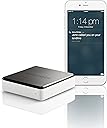
Invoxia Voice Bridge lets you place and receive landline calls directly on your smartphone, using your existing landline number. Compatible with iOS and Android, it supports up to 5 devices simultaneously and integrates seamlessly with your phone’s contacts, ensuring professional communication wherever you are.


| ASIN | B00VEJBKJQ |
| Answering System Type | Digital |
| Box Contents | Voice Bridge, 1 Manual, 1 ethernet cable, 1 telephone cable RJ11, 1 PSU 110/220V (Fr/US/UK), 1 Phone Adaptor FR/UK/DE/US 1 cable RJ45 |
| Brand | invoxia |
| Brand Name | invoxia |
| Colour | Black/White |
| Compatible Devices | Available on iOS (iOS 8 and above) & Android (currently in public beta) |
| Conference Call Capability | basic |
| Customer Reviews | 3.7 out of 5 stars 879 Reviews |
| Dialer Type | Single Keypad |
| Dialler type | Single Keypad |
| Enclosure Material | Plastic |
| Global Trade Identification Number | 07611425995784 |
| Is there Caller ID | No |
| Item Dimensions | 13 x 7 x 28 centimetres |
| Item Type Name | Voice Bridge - Landline on Your Mobile |
| Item Weight | 58 Grams |
| Item dimensions L x W x H | 13 x 7 x 28 centimetres |
| Manufacturer | invoxia |
| Manufacturer Part Number | invoxia |
| Material | Plastic |
| Model Number | VOICE BRIDGE ETH-PSTN |
| Multiline Operation | Multi-Line Operation |
| Phone Talk Time | 200 Hours |
| Power Source | Corded Electric |
| Power source | Corded Electric |
| Recording Capacity | 18 Minutes |
L**R
Great product, 5 star now Android wrinkles have been ironed out.
Summary: Connect this little box to your phone line (as if it were another phone), by Ethernet to a port on your home network router, and to power (USB power wall-wart supplied). Install an app on your iOS or Android smart-phone (or tablet), and then you can use the app to make outgoing calls on your land line, and take incoming calls (which ring on your smart-phone via the app as well as your land line phones). The remarkable thing is that this works even while you are away from home, as long as you have Internet access on your smart-phone (by mobile network or WiFi). Even with the smart-phone in sleep, the app is still alive in the background and wakes on an incoming call. THE GOOD: this product works brilliantly on iOS (in my case an iPad Pro Mini, but presumably any iPad or iPhone except the iPad is hard to hold to your ear!). Now works on Android too* (see below). * When purchased, the app for Android was still under development and only worked with some phones, in my case not with a Samsung Galaxy A3(2016). I was assured it worked with some smart-phones, and the developers said they are working hard to make the product compatible with all Android phones. As of February 2017, having requested access to the beta software testing, with my Android phone now on beta software version 5.2.1, my phone pairs with the Voice Bridge unit (when it wouldn't using 5.1.9), and I was able to place an outgoing call from my home WiFi network and from outside. I was having trouble picking up incoming calls though, and after discussion with the developers I was advised to disable power saving for the VoiceBridge app (Settings.. Battery.. App power saving), after which it has been working fine. Top marks to Invoxia, who seem very willing to help. If you find it's not compatible with your phone, contact them to see whether there is a software update available. THE BAD: there isn't any. It's a great product at a great price. TO BE AWARE OF: I found the product injected a noticeable hum or buzz on the phone line (although not apparent to external callers) when connected to my BT HomeHub4 or a Thomson TG585 router. This is not the case when a Netgear DGND3700 router is used, and I do not understand why there would be a difference. TO BE AWARE OF: In the previous version of this review, I queried the mechanism by which "On the Go" (ie connected via the Internet rather than the home WiFi) works. In their comment to this review, the developers say there is a server, using encrypted communications. This raises the question of what happens if for some reason Invoxia cease to be - presumably it will then only work at home and not On the Go (which is my reason for purchase). However, that said, this is one of only a very few options available. BONUS: I actually use the Voice Bridge downstream of a trueCall call filtering unit (intercepting or allowing through calls based on their caller-ID), and it works fine (only calls authorised to ring the home phones make it through the trueCall, and therefore I don't get nuisance calls to my VoiceBridge app either).
B**8
Innovative product let down by infinitesimal product and customer support
My initial experience with Voice Bridge was very positive. It is reasonably easy to install, surprisingly intuitive product that provides, assuming you have fast internet connection on both sides, quite good quality of phone calls. Alas, same cannot be said for app that is essential to use the gadget, and that is full of bugs, temperamental and overall unreliable, more so with time, and for the product and customer support that were bad to begin with but with time are getting worse and worse, at this stage to the point that after more than a month, other than acknowledgement of receipt of my request, nothing was communicated - so one is left high and dry with limited internet resources and no way to contact the support, as they are not replying to requests submitted on the web page. Pity, for the company obviously has capacity to create interesting products, but not to turn them into fully functional products ready for standard production, so everything is in beta testing phase, which is not good for a product that you pay for. I hope Invoxia will sort out the issues, but do not feel confident it will be any time soon, provided they still exist in a couple of years.
M**E
Can be very handy.
This is a great idea and seems to work very well. I don’t have a phone at home so all calls go through to my mobile. Very easy to set up but calls do seem to have a very loud echo and you can hear yourself repeat everything which is very annoying so you wouldn’t want to have to long a conversation. I vary rarely used my home phone so it just a way of receiving any important calls you might need to pick up while not at home.
M**D
Buy it - It just works!!!!
I wonder why we still have a landline? We pay the rent on a landline because we have BT fibre broadband and for whatever reason just keep the landline that we have had for a couple of decades going. Our two grown children think it is very last century! We have 4 Bang & Olufsen DECT cordless land line phones which were state of the art 20 years ago but are looking very geriatric now and the expensive batteries keep failing. The volume is not good and the user interface is awful. The calls have no clarity and frankly we could hardly hear what anyone was saying and the caller ID is pretty well useless because we only have about 10 numbers programmed into them. We no longer use the B&O answer machine that came with our system and we spend 6 months of the year abroad and therefore no-one apart from close friends or the bank ever ring us on our land line. Enter Voice bridge!!!!! I always wonder if tech stuff is going to work when I buy it. Often the promises never quite make it to reality and it takes far longer than you think to set it up. Voice Bridge is easy. It really is. It sits in a cupboard next to our router and incoming BT line. We have Apple iPhones and the system works flawlessly. It's like getting four extra home phones and it rings wherever you are, whatever country you are in if you are on WIFI/4G. The voice quality is crystal clear. My one bugbear is that the selection of ring tones is horrible. Note to Invoxia - please sort that on the next update. Then we might ditch the B&O phones. One other thing to mention is that the house phones ring once before the system rings on the iPhones attached to voice bridge which I think is reasonable as the system will always have a slight delay
B**D
Could be good but let down by phone App.
My landline phone has terrible quality of voice. I hoped this would help and to some extent it did. It's easy to set up and get working, I have an Android Pixel 3 and my partner and iPhone 8. We installed the corresponding apps and was initially impressed by the quality and loudness of sound through the app. However, problems became apparent the more we used it. A lot of the times the app doesn't ring and hence I miss calls but what is worse is that when I'm on a call I can never be sure it won't drop out. I even take the trouble to get closer to the WiFi AP so that I have full signal strength due to the worry of it dropping the call, however, this appears not to help. It could be a good product and is exactly what I'm looking for, however, it is let down by the quality of the app and quality of the system, it really needs far more testing and quality control.
T**S
Useful and easy to set up.
I bought and fitted this for a disabled friend, who spends most of their time with their mobile and their landline phone on or near them - this was an idea so they could just use one phone. I must say, for this it works really well. Their mobile takes and receives calls no problem and the quality is perfectly acceptable. It is not crystal clear, but it is good enough to have a conversation over without any issue. It set up really, really easily. Just followed the instructions, plugged it into the broadband router and power socket, used the app on their phone and it all just worked! great job. It is pretty expensive though. The actual box is surprisingly small, and easily hidden out of sight. If you have a need this fills then I would recommend it to anyone. We never used it away from the wifi network, so I do not know how it works outside the home.
L**.
[Updated] Day one: so far, pretty good
Updated 20200602: Downgraded from 4 to 2 stars after using for a while (~2 months) because: Occasionally (twice so far) need to factory reset device and reconnect both Android phones to it as they simply wouldn't connect. App hasn't been updated since Feb 2019 to fix issues such as displaying completely wrong number when calling/answering; randomly enters the dialled number during an established call when selecting menu options ("press 1 for..."); app doesn't 'ring' like the phone - it doesn't unlock the device or bring up a dialog to answer the call when the line is ringing so you have to go find the app after unlocking; app keeps ringing for 5-10 seconds if you answer the landline from another phone; easily confused about what a 'home' wifi network is and even when connected to one won't let you manage certain settings if it thinks you aren't on the home network; just not a good experience and feels like an incomplete beta. Device has today held the line open for an entire day, resulting in callers getting the busy signal. Why? I have no idea. No UI so no way to debug. Call quality is sometimes really bad and echo-y, enough to make it useless. Original review: This is (currently) a day one (20200331) review of the hardware and the Android app. I wanted to be able to use my landline (receive and make calls) from my Android phone. After some mostly fruitless faffing about with a Raspberry Pi and a SwitchPi hat, I gave up and found this little device. There are mini PCs running Asterisk, but they are at a much higher price point (£400+) than I was willing to pay for the functions I wanted. Unfortunately I cannot port my landline number to a VoIP service, so this is the next best thing. I have one landline and two Android devices to connect to the Voice Bridge, a OnePlus 6 and a Moto G7 Plus, both running Android 10. Connecting the first device was simple enough - download the Voice Bridge app from Play store, run through the wizard, done. The second device couldn't discover the bridge until after a few presses of the button on the back of the unit - it's entirely possible I didn't hit the button hard enough, but the blue LED on the front will start to pulse when it's in discovery mode. The initial call had a LOT of echo at the beginning, but it only lasted a few seconds, and hasn't been anywhere near that bad since. This is not to say that calls are echo-free, but for the most part it is not enough to be distracting. So far with a few test calls and two real ones, it's mostly performed as I hoped - pretty good! Having both devices on the same landline call is a useful feature, as is the intercom function. I have managed to crash the app (and maybe the Voice Bridge) by initiating a call and walking outside of the wifi network range - my phone app crashed and wouldn't restart without almost immediately crashing again, requiring a phone reboot to resolve, although the other two parties on the call were OK for about a minute afterwards. I believe the Voice Bridge rebooted, but as I was outside on a 4G connection I can't prove that, though I was able to re-establish comms to the base from outside of my wifi network after the call ended and my phone finished rebooting. Definitely not a seamless network switch, but then it also never advertised that as a feature. Speaking of wifi, the Voice Bridge is NOT an access point - it MUST be plugged into both your landline and your router (as well as micro USB power, the PSU in the box is rated at 0.5A output) in order to function, it cannot wirelessly connect to your network. The box includes a plethora of phone adapters and a multi-lingual quick start guide. Inside the app is where you set the country of the line the Voice Bridge is connected to, presumably to ensure it recognises ringing correctly. The app is okay, but not stellar. It does not work well with highly scaled fonts, and feels 'clunky'. For example, there is no progress indicator when 'discovering' the base station, so you don't know if it's really doing anything when sat on the discovery page during setup (it is, and the base will appear). When it receives a call, it doesn't light up the phone's display, or bring itself to the front to answer the call after you unlock your device, you have to load the app or access it from the permanently-displayed notification bar icon. The app shows a base station firmware version, but neither it nor the support site offer any indication of what the current version is or how to update it (this is IMPORTANT for an internet-facing product!!). The manufacturer's homepage mentions other products, for tracking cars/pets/bikes/keys, but not the Voice Bridge, and doesn't have a clear Support link (some of the UK English site and support articles also contain snippets of French). It feels like the Voice Bridge is a second-class citizen, a discontinued product that may become unsupported at any time. Having said that, so far as least, it's doing the job. The real test will be a few weeks down the line, if it stops working and I need to contact support - going by their response to one-star reviews, I'm quite hopeful it will be a good experience. 4 out of 5 because the niggles are relatively minor (to me) and it's doing what I wanted, so far! I suspect the problems will occur with the app rather than the Voice Bridge hardware, when I am not at home, but as we're in the middle of the COVID19 lockdown, I won't be able to test this for a while.
D**S
Useless Software App Makes System Useless
A good idea but abysmal software (for iPhone). Manufacturer support contacted but no response beyond an automated "Your request has been received and is now in the hands of our support team." - so they are useless. So issues and no support (i.e. no commitment to rectify) I've had to return the thing and search out an alternative. Major Issues • On hang-up, locks-up (or drastically slows) everything on iPhone (probably using all CPU time) so End button does not work. Eventually managed to kill app and everything else then resumed working OK. You can't even turn the phone off. Happens every time (certainly on incoming calls). • When missed call, no "counter badge" on home screen icon to indicate you've missed anything • In notifier screen, touching alert automatically answers call (so you can't decline nuisance calls) • Every time app takes foreground it reverts to Home screen, even though app left in a different display (I find the Home screen particularly useless and dangerous as you only have to touch an entry and it immediately calls that number ! (and I pay for landline outgoing calls - so expensive)). This is really really annoying if you e.g. had just found a contact, switched to another app to check and then back into VoiceBridge and it immediately switches back to the Home screen. Scream. • Far far too easy to call a number from the Home or Recents screen. Get finger slight badly positioned in the circled "I" button and you are immediately calling that number over the PSTN line (even at 01:00am). Also, many have free mobile calls and pay for PSTN calls so this shortcoming costs money. I'd have implemented a setting "Confirm before making a call" so that you have existing behaviour or a 2nd confirmation depending on user preferences. • After you have answered and ended an incoming call you get a notification (and a beep) telling you you have "You have answered a call from xxxxx on your fixed line" - something you already know as you answered it, talked, etc - well seeing as you answered, talked then spent several minutes trying to kill off a locked-up app, you already know about the call! Other issues of lesser importance • When phone in Airplane mode, details of a previous call still gives the option to "Call using Cellular" - not a massive is.sue but shows the complete lack of care (and quality) in the app. There are few apps as "thrown together" as this app. So many poor design and poor implementation details. It needs a lot f work by developers familiar with iOS and familiar with small screen apps (which is quite a specialist area).
Trustpilot
2 months ago
2 weeks ago