🚀 Elevate your entertainment game with NVIDIA SHIELD TV – where speed meets stunning visuals!
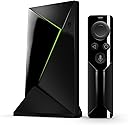
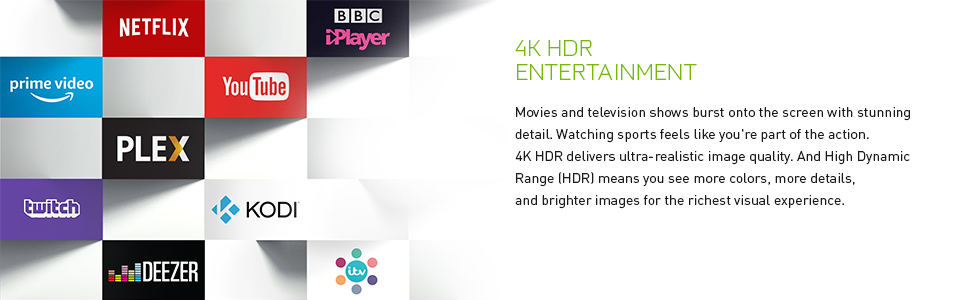
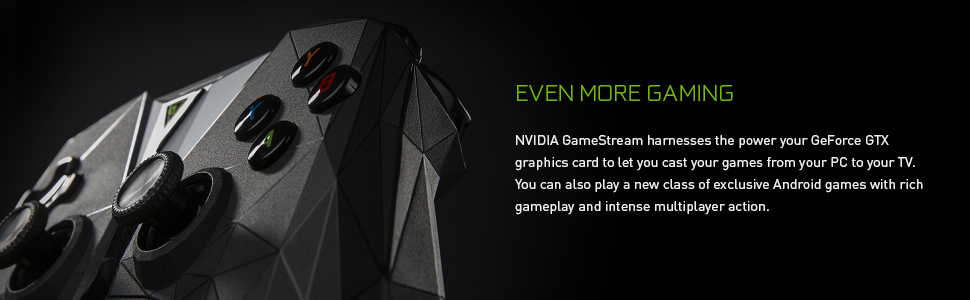
The NVIDIA SHIELD TV with Remote is a compact, high-performance streaming device featuring 4K HDR and 1080p support, powered by a robust NVIDIA processor and 3GB RAM. It delivers 3x faster streaming than competitors, supports advanced Android gaming and GeForce NOW cloud gaming, and offers the most comprehensive search across 100+ streaming apps, making it the ultimate media and gaming hub for the modern home.


| ASIN | B075TBK232 |
| Best Sellers Rank | 136,426 in Electronics & Photo ( See Top 100 in Electronics & Photo ) 1,234 in Streaming Clients |
| Brand | nVidia |
| Brand Name | nVidia |
| Colour | Black |
| Compatible Devices | Television |
| Connectivity technology | HDMI , USB |
| Connector Type | HDMI |
| Connector type | HDMI |
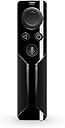
| Controller Type | Button Control, Remote Control |
| Customer Reviews | 4.6 out of 5 stars 1,455 Reviews |
| Form Factor | TV Box |
| Global Trade Identification Number | 00812674021874 |
| Item Dimensions L x W x H | 6.6L x 6.6W x 9.6H centimetres |
| Item Type Name | Nvidia SHIELD TV (16GB) + Remote |
| Item Weight | 250 Grams |
| Manufacturer | Nvidia |
| Manufacturer Part Number | 945-12897-2505-100 |
| Memory Storage Capacity | 16 GB |
| Model Name | 945-12897-2505-100 |
| Model Number | 945-12897-2505-100 |
| Network Connectivity Technology | HDMI, USB |
| Number of Items | 3 |
| Other Special Features of the Product | Advanced Voice Search" or "Superior Viewing |
| Product Warranty | 1 year |
| RAM Memory Installed | 3 GB |
| Resolution | 4k |
| Special feature | Advanced Voice Search" or "Superior Viewing |
| Supported Internet Services | Netflix, Hulu, Amazon Prime Video |
| Supported Internet services | Netflix, Hulu, Amazon Prime Video |
| UPC | 812674021874 |
| Video Codec | H.264, H.265/HEVC |
| Video Output Resolution | 3840x2160 |
D**R
Probably the best 4K TV device for the money!
It's incredibly fast and the interface is always instantly responsive. It has support for everything I use, Netflix, Amazon Instant Video, ITV, BBC, YouTube as well as the added bonus of Chromecast so you can stream videos from your computer/laptop/phone via Chrome to the Shield in an instant top! It's also technically Android TV so it includes the Play Store app where you can install various other games and apps that you cna out on most phones, there are some that don't support the shield though. I purchased the Shield with only the remote and I use an Xbox One wireless controller with it for GeForce Now, Gamestream and Android games. I've had zero issues with the Xbox controller and the Nvidia Shield remote is also brilliant however the touch sensitive volume control is pretty awful. It's not so bad if you're just controlling the volume of the shield but after configuring it to control my LG sound bar volume it's really unresponsive, two simple up and down buttons would be much better. You also often raise or lower the volume by accident by simply handling the remote. At the time of writing this review the shield also includes the GeForce Now free beta which I understand will later become a paid subscription. This allows you to play supported PC titles you own on Epic, Uplay and Steam on the Shield but actually streamed to the Shield from a dedicated system maintained by Nvidia. This allows you to play games like the Resident Evil 2 remake, The Division 2 and other recently released AAA titles in 4K resolution at frame rates well above what the latest PS4 and Xbox 4K consoles are capable of due to the fact GeForce Now is powered by the latest Nvidia hardware. The only negative about GeForce Now is the input delay but a solid high speed Internet connection helps to greatly reduce this although it's still noticeable, more so in games that require precision and speed, such as multiplayer shooters. I also use the Nvidia Gamestream feature to stream games over my local network from my desktop PC housing an Intel i9 9900K and a 2080 Ti. There are downsides, such as being limited to the resolution of the monitor connected to your desktop PC, in my case its not 4K. Input lag is hardly noticeable in comparison to GeForce Now because you're only streaming from your local network. My desktop PC obviously offers better performance than GeForce Now so I'm able to sit downstairs playing F1 2018 on my Xbox controller in 1080p with over 300 fps. The future of Gamestream is a little uncertain as various forums and communities are under the impression Nvidia are throwing their everything into GeForce Now. All in all, the Shield is brilliant. It's a wicked TV box, a great gaming solution and even more so if you're strictly a PC gamer. If you go the console route you have repurchase games you already own in PC and with the Shield you don't. Sorry for the long review but I must add thst in my opinion devices like the Shield are the future of affordable small factor gaming. At the time of writing the PS5 was just recently announced and lists a 3rd generation Ryzen with an AMD graphics solution capable of 8K gaming and this is rumoured to release in 2020. The only affordable GPU capable of truly playable 4K gaming at good graphics settings right now is the 2080 Ti and they retail at £1000+. Theyre also unlikely to drop in price in the next 6-12 months and AMDs new 7nm process has resulted in rumours of cards equivalent to the 1080 Ti/2080. Unless the PS5/Xbox next gen is going to be retailing at over £1000 its still going to struggle with 4K at 60 fps, especially with stuff like Ray tracing. This makes the Shield and devices like it much more affordable in the future because it costs a fraction of the price and has the power of £3-4K of hardware streaming games directly to it.
J**N
Simply the best?
Up until now, I have had to keep togglign between different devices to be able to stream all my stuff, due to limitations of individual devices. For example, a Chromecast, great as it is, will not/cannot support Amazon Prime Video (due to the Google/Amazon war). On the other hand my Fire TV stick no longer supports youtube due to the same war between the above! Neither of the above can play from my NAS as an SMB drive (not uPNP), without some serious hacking around, and still are not perfect, and even then have poor support for lossless formats such as DTS MASTER/DOLBYHD, and atmos, if supported seems only via Dolby Digital Plus. My WDTV, which although handles my NAS well, does not support any modern streaming services such as netflix, does not support 4k, and has not been updated since 2015, is effectively eol. My Samsung tv, despite being 4k and HDR, has almost no support for HDR in its Youtube or Netflix apps, only on its Amazon prime app. Plus its Google Play app, does not support 5.1 DD output!!! Its local streaming support is also not great, thoguh it does support H265 playback. My blue ray player has different issues, and doesnt suppport H265 (which i use extensively more my own personal home video archives) The PC on a stick was good for steam game streaming, but awkward for anything else. The point being, I was getting fedup switchign between different devices based on what I wanted to watch (add to the fact I also have Sky). After a bit of research, i finally bit the bullet and bought the Shield, and I really havent look back since. This is an absolutely fantastic device that does EVERYTHING it says on the tin. - a real Android TV device, that is fully supported and frequently updated - an extremly powerful NVidia Tegra processor (same as the one on a nintendo switch), which is cabable of very good application and graphics perfromance. - 2 USB 3 ports, and one Ethernet port. - snappy decent performance - perfect Netflix/Amazon Prime/ Google Play/ BBC iPlayer playback via real android apps, not HTML apps. far better perfromance, as well as fully featured, including 4k UHD, HDR, ATMOS on both Netflix, Prime and Google Play Movies service - Brilliant Kodi support (just download the official android app from the google play included, or download some optimized forks). Also able to bitstream out Dolby True HD/ATMOS/DTS Master, etc. - can load android APKs - Recently recieved an update to enable DD 5.1 output from youtube if the content contains a DD5.1 stream (bit rare at the moment) - Brilliant game streaming from my PC Upstairs to the TV downstairs, usign either Steam or Nvidia streaming, and also supports Geforce live, where games are streamed from nvidias own datacenters. - Althoguh i use an XBOX one controller for gaming, connected via bluetooth to the shield, I have heard good things about NVidia's own Shield game controller. - Brilliant HDMI control, can both switch on and switch off my tv and my onkyo amp, as well as setting correct inputs on both when turned on or off, no device I have does this as well and as flawlessly as this device. - Google Assistant built in. All in all I have now got rid of all my other external devices (Except my sky box and my Blu ray player, for obvious reasons!) and this has if there are any downsides, they are: -price... thoguh that is only initially when compared at face value to other streamers including the Apple TV. When you actually look at what this thing is capable of, it suddenly becomes REALLY good value, and the others actually feel like less value. Look at it another way, they others may be cheparer, but when you need to buy multiple streamers versus one they may actually start working out more expensive. - when using a wireless keyboard, you need to use an USB extender cable for the USB radio tranciever, otherwise the USB port can intefere with the wireless single from the transciever, though I have heard this is common with many USB 3 ports, on many devices - also do not place next to the Sky Q box!, it seems the two when places directly next to each other, inteferes with the blutooth remotes for each devices, causing lag.
V**S
Easy to set up
Although the price is almost 2 or 3 times what a normal TV box costs (firestick or xiaomi MI box)so it's normal that I find it by far the best in the market. Even despite the fact that the release date is old. That shows the power of this box. You do pay 3 times more, but you get 5 time more quality, so I think it paid off. Super fast with everything. Voice recognition is really good. Works perfect with the 4k. The box is smaller that I thought. Which is perfect. The remote control is good but what is really good is that I can control the box with my LG oled remote control, so this means with one I can control everything. Makes everything connected and a super smooth to operate. So when I turn on the TV, I can go directly to what I was watching on YouTube or Netflix or kodi, which btw, works so fast and smooth and it was the main reason to buy. Kodi.
N**.
The best Android TV experience
This is by far the best Android TV experience you can have right now. It has support for all major VOD platforms (Netflix, Amazon Prime, Hulu, HBO etc.) and after 3+ years it still receives frequent updates by Nvidia. Everything feels snappy and responsive thanks to the Tegra X1 processor. Also, I cannot *not* mention the GeForce Now platform. Provided that you have a decent Internet connection you can stream pretty much every recent tripple A titles you own on Steam, Uplay and even Battle.net. I have a 50 Mbps line and for the vast majority of time, everything works perfectly with minimal lag. Some games are even free to play (for the moment - since GeForce Now is in beta), such as Tomb Raider, Batman: Arkham City, Spec Ops: The Line, Bioshock Remastered, Saints Row IV and many more! Most probably Nvidia will charge for the service as soon as it leaves beta. It's worth mentioning that if you have a rather recent Nvidia GeForce graphics card (GTX 650 and later) you can stream pretty much any game you own from your PC to Shield through LAN. I've tested it and it works very good, as long as you make sure to use wired connection both to your PC and Shield.
R**Z
Incomplete unit
I like the slim design and the style of the remote. Quality of the shield is great and the user interface is easy to understand. The quality of this unit is great, but to me it feels slightly incomplete, for this I have removed a star. To explain further, I feel as though there isn't enough support for things like NowTV and other popular apps. I think there should even be an option to browse the web. I can do most things on my Shield TV as on my PS4. I feel as though technology is advancing faster then there are uses for it, like 4k t.v. but no content. The remote feels well made and has weight to it. The buttons have a good smooth click and feel well made. The only downside for the remote is the volume sliding, it's extremely unresponsive, choppy and slow. Overall I have grown to like this unit, works well with Netflix and prime video.
J**E
Fantastic, will buy another one soon.
After trying a few Android boxes, which are slow and have difficult interfaces, I was about to give up. However, many people recommended the shield, so I have give it a shot. First of all it is nicely packaged, has a premium feel to it. Easy to setup, particularly if you have an android phone. The interface is excellent, very rapid and responsive. The Play store is restricted, this is because developers have to customise their apps specifically to be used on a TV. If you own/have owned Android boxes, you'll appreciate how clunky it is to use apps such as netflix or Facebook. It's not a fun experience. This is not the case when using apps via nvidia shield. If there are apps which aren't available in the store, it takes 5 minutes to install Google chrome and download the APK. You may find with some apps they will not work easily with the remote or controller, however you can purchase a cheap wireless computer mouse and it'll work fine. Other than that, I have installed my favourite VPN, so I can view the majority of decent Netflix regions. Rarely, if there's something not available on Netflix, I have Kodi as a back up. This is everything I wanted out of Android TV and after the disappointments of previous boxes, I can say using something as smooth and easy as Nvidia Shield has been fantastic.
O**L
Superb !
This is the best Android box in the Market! I used to have a couple of innexpansive Chinese box before and in the long run they were a nightmare to use with awful remote controls, slow wifi reception etc.. But this is just perfect. Great design, very responsive , connects quickly to wifi, powerfully gaming system that can stream PS4 level games, works wonderfully with media apps like Netflix. Remote is perfect! I have absolutely not a bad word to say about this amazing piece of kit. If you are looking for a smart box, go for this one, miles better than an apple TV or any Android box out there.
L**G
Great user experience
Didn't work from the start....amazon sending a replacement will update then Got this just 4 days after my first dud so fair play to amazon for getting it to me so quickly. I had a good android box until I got this on offer during black friday and whilst I thought I had something decent before this....I really didn't. There is no comparing this to any type of android box, it simply blows it out of the water. It's that easy to use that I even plan on getting one for my mum and that's quite a statement let me tell you! Tv is flawless on this machine with no stuttering whatsoever. Quick and very easy to use, no going back to anything else now I'm afraid.
O**R
Rundum Sorglos Streaming für Filme, Musik und Spiele
Ich habe mich für das SHIELD TV entschieden um zwei Streaminggeräte zu ersetzen: - Google Chromecast (leider gibt es keine Unterstützung von Amazon Prime Video) - Amazon Fire TV mit seiner Fernbedienung und Benutzeroberfläche Letztlich hat es mich gestört zwischen beiden Geräten hin und herzuschalten und SHIELD kann beides. Der Preis von 160EUR ist durchaus gerechtfertigt wenn man bedenkt was beide Geräte einzeln kosten: Chromecast Ultra (79EUR) + Amazon Fire TV 4K (80EUR) ----- Kurzbeschreibung: Pros: + sehr schnelle Leistung auch für Android Spiele + 4K und HDR Support + breite Streaming Unterstützung: Netflix, Amazon Prime Video, YouTube, Spotify, Amazon Prime Music, Google Play Music, ARD, ZDF, Prosieben, 7TV usw. + eingebauter Chromecast für Screen-Sharing und Google Home + gute Fernbedienung, nur ein paar mehr Knöpfe wären noch schöner + PS3/PS4 und Xbox Controller werden direkt unterstützt + Game Streaming aus der Cloud (NVIDIA GeForce Now) funktioniert reibungslos + Game Streaming über PC im Netzwerk (NVIDIA GameStream) funktioniert reibungslos + Game Streaming über PC im Netzwerk von Stream klappte auf Anhieb, inklusive des Startens von nicht-Steam-Spielen wie z.B. Emulatoren (CEMU) + Game Streaming über PC im Netzwerk von Playstation NOW Spielen soll gut gehen (nicht getestet) Cons: - Google Assistant leider nur in Englisch - PS3 Controller Bug, Steuerkreuz hängt etwas, aber das Problem lässt sich umgehen - beim Wechsel in den Standby kommt es zu einem lauten Knacken Fazit: Ich bin wirklich nicht leicht zufrieden zu stellen und habe keine Lust lange an irgendwas rumzufummeln. Dieses Gerät hat mich völlig überrascht, denn fast alles funktionierte auf Anhieb. Die kleinen Kritikpunkte werden hoffentlich noch über Updates behoben, aber rechtfertigen keinen ganzen Stern Abzug. Daher 5 Sterne und absolute Kaufempfehlung! ----- Ausfuehrliche Beschreibung: 1. Android TV Android TV kommt in einer recht aktuellen Version daher (Nougat mit Sicherheitsupdate von letztem Monat) und hat alles was man braucht: Netflix, Amazon Prime Video, YouTube, Spotify, Amazon Prime Music, Google Play Music, ARD Mediathek, ZDF Mediathek, Prosieben, 7TV usw. Die Benutzeroberfläche läuft extrem schnell und flüssig. So schnell startet Netflix auf keinem meiner Geräte. Jedes Android Spiel dass ich gestestet habe lief absolut ruckelfrei. 2. Chromecast Im Netzwerk gibt sich das Gerät wie ein normaler Chromecast aus, agiert aber bei Weitem intelligenter (Cast for Android TV). Verbindet man sich zum Beispiel über Netflix oder YouTube mit einem normalen Chromecast, dann startet auf diesem eine kleine "Web App", die das Streaming übernimmt. Das SHIELD allerdings erkennt, dass es eine eigene Netflix und YouTube App installiert hat und nutzt stattdessen diese zum Streaming. Das hat den Vorteil dass man dann mit der SHIELD Fernbedienung die Steuerung des Streamings übernehmen kann. Wenn keine passende App installiert ist, dann verhält sich das SHIELD wie ein normaler Chromecast. 3. SHIELD Fernbedienung: Die Fernbedienung ist gut. Ich hatte keine Verbindungsprobleme oder verzögerte Eingaben (Distanz ca. 4m). Sie hat etwas weniger Tasten als die Fire TV Fernbedienung und ist daher etwas weniger komfortabel. Extrem praktisch ist aber die Lautstärkeregelung über eine vertikale Touch-Leiste. Alleine deswegen würde ich sie jederzeit der Fire TV Fernbedienung vorziehen. Das Mikrophon funktioniert einwandfrei, auch aus einiger Entfernung. 4. Game Streaming: Für Game Streaming hat NVIDIA den eigenen Streaming-Client "NVIDIA GameStream" vorinstalliert. Er tut was er soll. Spiele-Computer mit aktueller NVIDIA Grafikkarte im gleichen WLAN werden sofort automatisch gefunden und man kann direkt Spiele starten. Streaming-Bitrate und Auflösung werden automatisch angepasst. Bei mir läuft das Ganze meistens bei 1080p@60fps. Der Router ist ein etwas höherwertiges Model von TP-Link und steht ungefähr 8m weit weg. Der Input-Lag (Eingabe->Übertragung->Rendern->Übertragung->Anzeige) ist kaum wahrnehmbar und dürfte bei deutlich unter 50ms liegen. Für Rennspiele, Assassins Creed, GTA usw. keine beeinträchtigende oder gar spürbare Verzögerung. Der Streaming-Client von NVIDIA unterstützt Cloud und lokale Streaming: 4.1 Cloud Streaming "NVIDIA GeForce Now" Die Spiele werden auf den NVIDIA Servern gerendert. Mein Ping betrug 14ms, das Spielerlebnis war gut. Kein installieren, keine Grafikeinstellungen, keine Updates, stattdessen: einfach Spiel auswählen und starten. Der erste Monat ist kostenlos, danach kostet es 10EUR pro Monat. Einziges Manko, die Spielauswahl is noch sehr begrenzt. 4.2 Lokales Streaming "NVIDIA GameStream" Bei lokalem Streaming werden die Spiele auf einem Windows-PC mit NVIDIA Grafikkarte gerendert, der sich im gleichen Netzwerk befinden muss, und dann auf das SHIELD gestreamt. Ein NVIDIA Tool scannt automatisch die Festplatten nach Spielen und zeigt sie auf der SHIELD an. Startet man ein Spiel auf der SHIELD startet am PC automatisch der Spiel-Client (Origin / Uplay / Steam / Rockstar Social Club) und dann das Spiel. Muss man irgendwie eingreifen (wegen Updates oder ähnliches) kann man den Controller als Maus verwenden und muss nicht extra zum PC laufen. Man kann über den Client auch direkt Steam im Big Picture Modus starten und dort Spiele auswählen. Das ganze besonders praktisch, da man zur Steam-Bibliothek auch nicht-Steam-Spiele hinzufügen kann. So zum Beispiel auch Emulatoren wie CEMU. Außerdem soll es auch möglich sein Playstation NOW relativ unkompliziert über den PC zu streamen, was ich allerdings noch nicht ausprobiert habe. 5. Playstation 3 Controller Support: Als Controller werden der SHIELD Controller, der Playstation 3/4 Controller und der Xbox Controller nativ unterstützt. Ich habe nur einen Playstation 3 Controller getestet. Das Bluetooth-Paring beim PS3 Controller ist denkbar einfach: kurz mit dem USB-Kabel anschließen und schon sind sie gepairt. Bis auf die Lautstärkeregelung kann der Controller die Fernbedienung komplett ersetzen. Das gesamte Android System kann damit gesteuert und das Streaming von Spielen gestartet werden. Einziger Wermutstropfen: Das PS3-Steuerkreuz hängt mit dem "NVIDIA GameStream" Client (nur jede 2. oder 3. Eingabe wird erkannt). Das nervt bei manchen Spielen gewaltig. Das Problem kann man aber umgehen wenn man den "Moonlight Game Streaming" Client installiert und verwendet. Dieser hat diesen Bug nicht und funktioniert genauso wie der NVIDIA Client, mit der Ausnahme, dass die Benutzeroberfläche optisch etwas weniger ansprechend ist. Ich hoffe NVIDIA behebt diesen Bug in seinem Client bald. 6. Google Assistant: Der Google Assistant ist derzeit nur in der englischen Version verfügbar (also wenn ich das System auf Englisch stelle). Mit dem Assistant kann ich mein Smart Home steuern (z.B. Phillips HUE Lampen), allerdings dann nur auf Englisch "Lights out". Stellt man das System auf Deutsch, dann hat man nur die einfache Google Suche. Mit dieser kann man aber auch nach dem Wetter fragen, die Länge der Golden Gate Bridge nachschlagen oder Filme/Schauspieler/Genres in den Streaming Apps suchen. 7. Google Home Integration: Das Zusammenspiel mit meinem Google Home Mini ist ein Traum: "Hey Google, spiele Tagesschau auf dem Fernseher" oder "Hey Google, starte Netflix auf dem Fernseher" weckt die SHIELD aus dem Standby auf, diese schaltet den Fernseher über HDMI ein und dieser wiederum macht meine Soundanlage über den optischen Ausgang an. Das alleine ersetzt schon einige Fernbedienungen. Man hat beim Essen keine Hand frei und kann trotzdem die komplette Wiedergabe steuern. "Hey Google, Fernseher stop" beendet die Wiedergabe und nach einiger Zeit geht die SHIELD in den Standby und in Folge dessen alle anderen Geräte auch wieder aus. Einfach Klasse!
F**O
Ottimo prodotto - Il miglior BOX per il vostro TV!
Premessa: ho comprato la Shield per sfruttare il TV 4K OLED della Panasonic (modello TX-55EZ950E). Sono interessato principalmente a Kodi e nel corso del tempo ho usato Kodi (con OpenELEC e LibreELEC) su Raspberry Pi 1, su Raspberry Pi 2 e su ODROID C2. L'ODROID C2 supporta il 4K ma non supporta l'HDR, questo il motivo principale che mi ha orientato a prendere la Shield. Inoltre, rispetto a LibreELEC, con la Shield essendo Android abbiamo a disposizione molte più applicazioni oltre a Kodi. La Shield è velocissima, Kodi e SPMC girano benissimo, fluido, riproduzione sia 1080p che 4K e 4K HDR magnifica (ovviamente per non avere lag e scatti collegatela via cavo Ethernet e non via WiFi)! Non lagga, non si blocca, tutto OK anche via NAS in rete (usando SMB/Samba). Supporto HDMI-CEC perfetto, col telecomando della TV puoi controllare la Shield (se il TV lo permette). La Shield, praticamente, supporta tutti i formati audio ad oggi esistenti (via HDMI passtrought in bitstream) e tutti i codec video (Dolby Vision a parte). Prestate attenzione che la Shield, fortunatamente, supporta l'audio multicanale (detto volgarmente surround) via HDMI passtrought, quindi significa che se il vostro TV lo supporta o se la Shield è connessa ad un AVR (sintoamplificatore) potetevi godevi l'audio multicanale. Ho notato però che se abilitate l'audio multicanale dal menù impostazioni della Shield e NON avete un TV o un amplificatore compatibile (quindi che supporta solo stereo) alcune applicazioni come Netflix e Amazon Video vanno a scatti e sembra che la Shield abbia problemi ma non è così. Ovviamente le impostazioni audio devono rispecchiare il vostro setup!! Se non avete un TV troppo evoluto che potrebbe supportare l'audio multicanale o non avete un AVR dovete impostare la Shield per utilizzare l'audio Stereo e non surround, così facendo non avrete problemi. Applicazioni che ho provato e che funzionano benissimo: Kodi 18 PLEX Netflix Amazon Prime Vide DAZN TIM Vision YouTube OpenVPN Ci sono "box" anche più economici ma la Shield è il TOP! Non esitate, non pensateci, prendetela e non ve ne pentirete. La qualità si paga ma poi ripaga!!
�**�
La meilleure Box/stream box ANDROID sur le marché
Bonjour, Cette box sous Android TV est géniale, par contre le problème se trouve comme d'hab avec les exclus sur les applications et les compatibilités, je précise : 📺 Mycanal affiche du 720p contre du 4k sur apple TV 📺 Plex affiche du 4k sans problème en activant le passthrough sur l'appli idoine 📺 Netflix compatible 4k 📺 Amazon prime vidéo compatible 4k 📺 SFR sport (RMC Sport désormais) compatible 4k ⚠️ Bein connect non compatible Shield (encore mieux) Niveau normes vidéos matériels : compatible 4K HDR, HLG sur 10 bits (BT 2020), non compatible Dolby Vision (Apple TV 4K oui...) Niveau codecs vidéos : décode le h265/h264, VP9, VC1, MP2 avec en conteneur vidéos MKV, MP4, TS, AVI Niveau codecs audios : compatible Dolby Atmos en passthrough, DTS:X, DTS et ultérieure Voilà, 4 de mes applis préférées sont toutes 4k sauf Canal, et pourtant c'est une des plus importantes. Et ça me soule, parce que l'Apple TV est bien mais j'avais pas forcément envie d'acheter l'Apple TV juste pour avoir Canal en 4k. Car elle a un énorme avantage cette Shield, elle peut faire du stream avec une carte graphique compatible (Nvidia évidemment). Attention, pas toutes les cartes graphiques Nvidia sont compatibles, seulement les plus récentes (voir liste sur le site de Nvidia). Et je peux vous dire que cela marche très bien avec la fonction GameStream 🎮, sur quasiment tout les jeux, même ceux non compatible initialement avec le service. De plus si vous avez un bon débit (fibre à 100mb mini) vous pouvez jouer sur le cloud avec GeForce Now et ça marche plutôt bien. Les manettes Xbox One et PS4 sont compatibles et c'est un gros plus. Évidemment si la fonction stream ne vous intéresse pas vous pouvez vous tourner vers la Xiaomi Mi box qui fait de la 4K pour un prix modique ou, l'Apple TV 4K qui est bien bichonnée par les développeurs d'applications (et ça compte). Mais voilà Nvidia a fait une box très solide, fluide et la fonction stream peut faire tourner la balance dans l'achat (qui n'est pas donné malgré tout). Moi en tout cas j'en suis ravi. 🐍 Le Mamba Noir 🐍
L**E
El jefe de todos los TV Box
Tengo motivos para poner cuatro estrellas a este producto pero tiene tantas ventajas que prefieron poner cinco. Este aparato es un tv box android que conectado a la TV permite ver netflix, prime video, movistar... además de usar plex o kodi. Por otro lado permite jugar a juegos de la tienda de nvidia (un servicio de subscripción para jugar en streaming) o lanzar los juegos desde tu PC de sobremesa (cuya tarjeta de vídeo nvidia tenga esa capacidad) hasta el shield para jugar en la TV. Sin embargo esta versión del SHIELD no cuenta con mando a distancia de juego por lo que está más pensado para las aplicaciones de vídeo. Dispone de wifi, BT, ethernet gigabit, un puerto HDMI, dos USB 3 y un puerto ethernet gigabit. Se echan de menos más puertos USB pero bueno. Por otra parte decir que no hay ningún tipo de retardo en los menús y aplicaciones gracias a sus potentes entrañas. Lo que sí es cierto es que la app de netflix me da unos fallos que nunca me daba cuando lo veía en la PS4, y kodi se queda colgado ocasionalmente al tratar de reproducir desde un disco duro de red. Una característica que fue un sorpresón para mí fue la presencia de un chromecast integrado que va de maravilla y permite lanzar la mayoría de aplicaciones de vídeo (youtube, twitch...) desde móvil o tablet al SHIELD para seguir viendo en la TV. Lo mismo con presentaciones de fotos o imágenes de facebook. El menú inicial es relativamente configurable y ofrece acceso directos a las series que estás viendo o las recomendaciones para las apps que lo soportan (netflix, youtube o twitch por ejemplo). No ofrece tantas posibilidades como un tvbox barato, pero al menos sabes que nvidia no está vendiendo tu información a terceros y la cuenta de google con la que entras a android está segura. El control se hace mediante un minimando (éste no lleva salida de auricular como sí lo hace el que puedes comprar a parte) con cursor y ok, botón atrás, menú, micrófono y volumen. El mando va por WIFI. MUCHO OJO A ESTO, no puedes usar éste SHIELD con mandos infrarrojos puesto que no tiene puerto de infrarrojos. Sí en cambio puedes usar el típico mando Harmony en modo televisión y a través del HDMI-CEC (controlar el shield a través de HDMI con el mando de la TV), que es como yo lo tengo. Sin embargo he de decir que los controles son muy primarios: cursores, ok y salir. No puedes programar botón para subtítulos o canales de audio. Tampoco puedes volver al menú principal salvo que lo hagas con el mando del SHIELD, lo cual es un incordio cuando se cuelga Kodi. Los Harmony más actuales (y caros) o el HUB sí permiten controlar por wifi. Aunque el SHIELD está pensado para usarse con el micrófono que el mando lleva incorporado, lo más eficiente es hacerlo con el control HDMI. Este aparato no se puede apagar, sólo suspender. Por ese motivo con el CEC cuando se cambia de canal o apaga la TV también se suspende el SHIELD. Al elegir el aparato como fuente en la TV, éste se enciende automáticamente. Por cierto, el consumo de energía en espera no es precisamente bajo dado que muchas funciones están disponibles en standby (chromecast, telnet, samba...). El android que tiene este aparato es uno especial que nvidia mantiene y actualiza. Por eso no todas las opciones están disponibles, ni tampoco todas las apps. Por ejemplo no se puede poner TV3 salvo con plugin de kodi. Con todo, este aparato me gusta mucho y no lo cambiaría. Me da mucha seguridad (de protección de datos y de actualizaciones) que sea de nvidia y nivel de rendimiento va de lujo. Un poco incómodo de manejar pero te acostumbras.
J**E
El mejor android TV del Mercado sin ninguna duda tras probar bastantes.
Bueno creo que casi todos lo conoceis no tiene presentacion, si es un producto relativamente caro, en mi caso lo compre reacondicionado despues de una bajada de precio y el estado muy bueno. muy cercano a los 100€ El mejor android tv del mercado, aun quitando la funcion de los videojuegos, es el mas rapido mas potente y versatil que hay de todos al menos lo que he probado. soporte de 4k HDR y practicamente todos, o sino todos los codecs dolby y dts. Ligero, potente y versatil, compatible con gamestream de nvidia y configurando solo un parametro podras controla tu pc en streaming sin lag ninguno desde el salon o cualquier otro punto donde tengas intalado el shield. solamente necesitaras un teclado y raton para manejar tu pc principal como si de manera directa estuviera conectado. VENTAJAS: -STREAM DE VIDEOJUEGOS: solo si dispone de una geforce gtx, tanto juego como escritorio de pc tal como indico arriba, asi como tu biblioteca de steam y otros de fuera de steam tambien. -COMPATIBLE CON LAS PRINCIPALES PLATAFORMAS QUE EMITEN EN 4K. -KODI: Capaz de retransmitir una pelicula leida desde el disco duro en el ordenador desde la otra punta de la casa en un disco duro externo de un tamaño de 80GB la pelicula sin despeinarse. ADEMAS DE TODAS LAS FUNCIONES DE KODI. -EMULACION: emulacion de todo tipo de plataformas para jugar directamente. -COMPATIBILIDAD MANDOS XBOX ONE BLUETOOTH. -CUENTA GRATUITA GEFORCE NOW: al menos 20 titulos algunos AAA para jugar sin coste alguno y sin necesidad de PC a traves de los servidores de NVIDIA. -LIGERO Y PORTATIL: ideal si necesitas un centro multimedia para llevarte en vacaciones. cabe casi en un bolsillo. DESVENTAJAS: -A veces y supongo que por optimizacion, en algunos casos hay que reiniciarlo, pues se queda algo pillado y no retransmite a los 60 hrz por ejemplo en NETFLIX. Con reinciarlo se solventa el problema. Añadir que desde la ultima actualizacion de este mes de agosto de 2019 no he tenido mas ese problema. Por lo que de momento perfecto. -Quizas al principio o al menos para mi es un poco engorroso algunas configuracion y hacer que funcione todo con la estabilidad y calidad que yo requeria. Poco mas que añadir es sencillamente de las mejores compras que he hecho, al final vendi un pequeño pc que tenia en el salon, que pese a ser no muy potente pero si muy actual se le atragantaban los MKV grandes o los UHD. y casi del doble de precio ( hablamos de precio original de ambos ). y este aparatito a podido solventar todas mis necesidades, tanto en calidad de imagen como de sonido asi como de manera independiente o la ventaja de complementar un PC. Sin duda expectante de la nueva version que esta a punto de salir aun mas potente que esta y deseando probarla. y este sin ninguna duda es de estos productos que me quedare hasta el final de sus dias, siendo una persona que practicamente vende todo cuando lo actualiza por algo nuevo. 10/10
Trustpilot
3 days ago
1 day ago