⚡ Print fast, work smart, stay ahead.
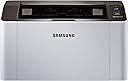
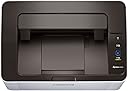
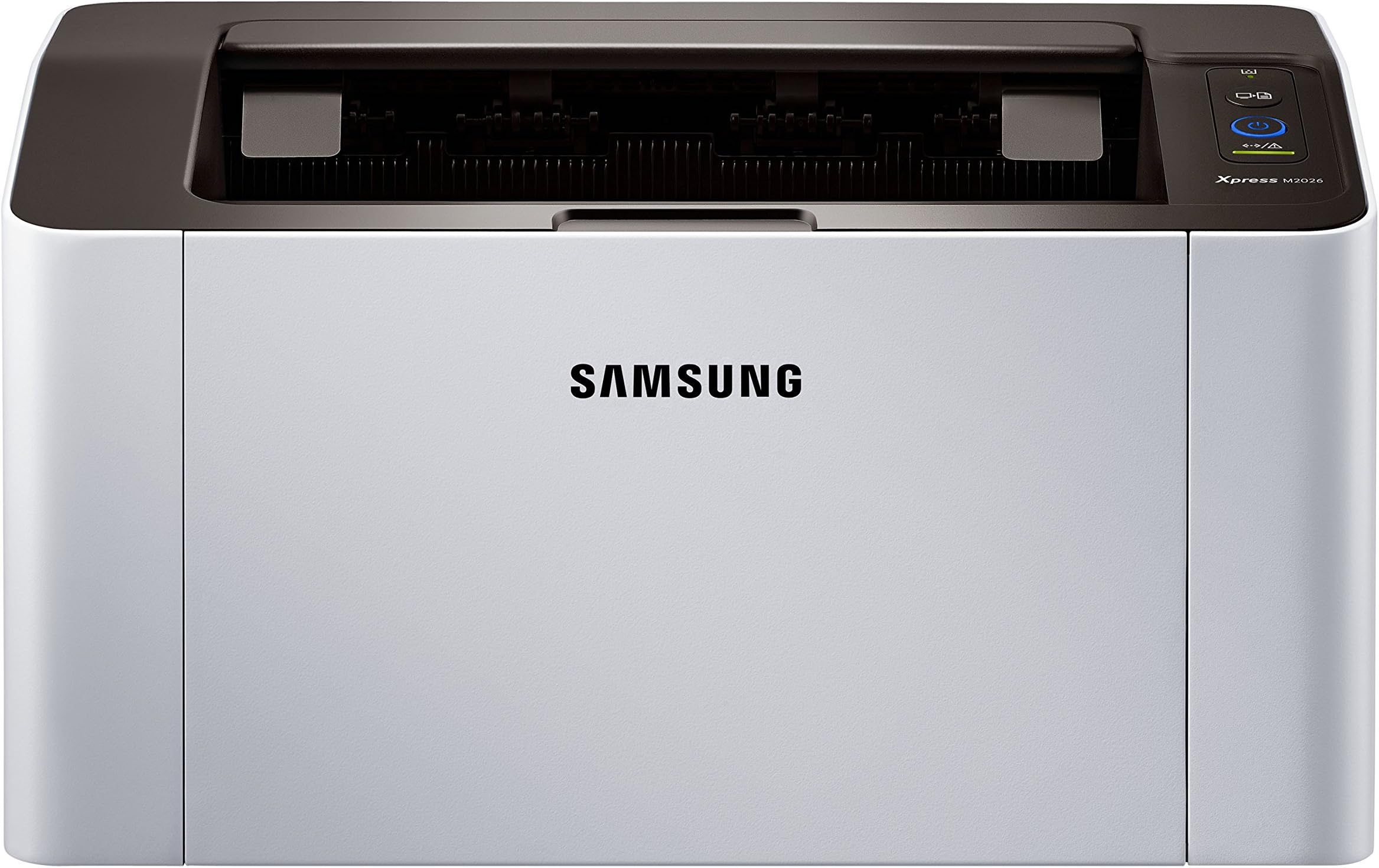
The SAMSUNG Xpress M2026 is a compact monochrome laser printer delivering sharp black-and-white prints at 21 ppm with minimal noise. Featuring a Hi-Speed USB 2.0 interface and a 12-month warranty, it’s designed for professionals seeking efficient, reliable printing in a sleek, space-saving form factor.


| Additional Printer Functions | All In One |
| Asin | B00YU62K3K |
| B W Pages Per Minute | 20 ppm |
| Best Sellers Rank | 142,950 in Computers & Accessories (See Top 100 in Computers & Accessories) 182 in Laser Printers |
| Box Contents | USB Cable, Paper, Input Flag |
| Brand Name | Samsung |
| Color Depth | 1 bpp |
| Colour | Black/White |
| Compatible Devices | Laptops, PC, Smartphones, Tablets |
| Controller Type | Control4 |
| Customer Reviews | 4.5 4.5 out of 5 stars (934) 4.5 out of 5 stars |
| Display Type | LCD |
| Dual Sided Printing | Yes |
| Duplex | Automatic |
| Eu Spare Part Availability Duration | 1 Years |
| Global Trade Identification Number | 00191628508105, 08806086917360 |
| Hardware Interface | USB 2.0 |
| Ink Colour | Black |
| Item Dimensions D X W X H | 13D x 13.8W x 7H centimetres |
| Item Weight | 3.95 kg |
| Manufacturer | Samsung |
| Maximum Copies Per Run | 100 |
| Maximum Copy Resolution Black And White | [High (e.g., 600 dpi or higher)] |
| Maximum Copy Speed Black And White | 20 ppm |
| Maximum Print Resolution Black And White | 1200 dpi |
| Maximum Sheet Capacity | 250 |
| Maximum Supported Paper Size | A4 |
| Model Name | ML-M2026 |
| Model Number | SL - M2026 |
| Model Series | Xpress M |
| Network Connectivity Technology | USB |
| Number Of Drivers | 1 |
| Number Of Trays | 1 |
| Other Special Features Of The Product | • 600 x 600 dpi, • Enjoy a Hi-Speed USB 2.0 interface, • Print with minimal noise levels, • Up to 20 ppm, • Work faster with One Touch Screen Print |
| Output Sheet Capacity | 200 |
| Paper Size | 210 millimeters |
| Print Media | Paper (plain) |
| Printer Output Type | Monochrome |
| Printer Type | Laser |
| Processor Count | 1 |
| Resolution | 1200 x 1200 |
| Scanner Type | Sheetfed |
| Series Number | 2000 |
| Specific Uses For Product | Office |
| Total Usb 2 0 Ports | 1 |
| Total Usb Ports | 1 |
| Upc | 191628388042 191628508105 |
| Warranty Type | Limited |
User
Great for foiling! And much more!
Well I am very happy with this wonderful little mono laser printer but before I go into using it for foiling I have to say as I'd left it until now to post a review I am slightly confused!I got this in February this year for £49.61 through Amazon on Prime.But today there is one third party seller selling one that is 'used-like new' for £270 + £7.14 delivery!So please do be aware. The cheapest I can find it online under the HP label (they took it over) is for £70 and I've found an Ebay seller doing the Samsung version for just over £60.00 so if you want this do research well to find the best price.Right onto my praises for this machine:I'd wanted a laser printer for some time so that I could foil my own designs and when I had another look back in February I was amazed to find one so compact (it fits on the shelf of my workstation alongside my Cannon MG7550) and for such a reasonable cost. Glad that I looked back then now!So how compact it is and how reasonably priced it was were both huge bonus points.But also the quality of the prints for text and the speed and the comparable cost of a print to one done on an inkjet are also huge bonuses.So if you want a printer to do mainly text in black only then this is for you and if you don't use the printer often then it is even better because the toner doesn't dry out like the ink in the inkjets does.So now onto foiling:Well, what can I say? I have it set on high resolution and the 'Clear Text' and Edge Enhancement' set on maximum, with 'Toner Save' set to 'off'. This, I've found produces excellent prints on the 160gsm smooth paper I'm printing on that never seem to fail with foiling, even using my £20 Bonsaii laminator and using a sheet of 80gsm printer paper as the carrier!I do DUST though.Most important.I dust the print itself and the back of the foil and the carrier paper. Then 5 mins after that laminator light says go I feed it through and get better results than I could ever have imagined!Are there any negative points to this printer?NoThe only thing is that there are not adequate instructions to get it set up but there are several videos on YouTube to explain how to go about this and with those it was a doddle.I love this printer.
User
Long Story Short...GREAT PRINTER
Okay, here's the brass tax, the nitty-gritty...Having used an Epson and a Canon - that swallowed up all my ink - I decided to go for something that was economical, powerful, simple to use and a set-up process that a two-year-old could accomplish. Oh...and wouldn't rob me at mouse point and force me to cough up the dosh everytime I wanted to print out a black & white three-line sentence.I opted for the Samsung because I knew of their simplicity (apart from some of their phones but that's for another review).I will not go into the details but my order that arrived was NOT the one I ordered. It was a bleedin' HP that they sent out. An HP I tell ya! It was a genuine office mistake and I cannot fault the seller. It was just one of those things and I am sure I was the first and probably the last. I don't think I'll ever recover from having another colour ink malarkey in my life.I swiftly sent it back and even more swiftly, the seller sent me my replacement. As a small token of apology the company offered me two holidays a year in the Bahamas (six months each stay) and as much beer as I could drink during the World Cup. How nice of them. They will be disappointed when I tell them I don't..............support England :)Meanwhile back to the printer...This printer is superb for household users and after my initial first test it prints smoothly and extremely quick. It literally took me under 30-seconds to set up and it fits snuggly in a wee corner of the room without bothering anyone.I've even given this printer a name. I called him....wait for it....Sammy. I know, I know, groan, groan but what can you do?If anyone is looking to buy a small, fast, clean, easy-to-use, little fuss that produces great results then look no further. This wee Sammy is a beautyBye-bye Epsom, Cannon, HP and all those other brands. Good riddance and welcome wee Sammy.
User
Good basic monochrome laser (NOT WIRELESS)
I bought this printer for bulk printing of black and white text / diagrams (mainly exam papers, meeting minutes and so on) as laser is rather cheaper per page than ink jet. I also didn't wish to pay extra for wireless. Am sure I could turn it into a network printer via my router but haven't figure that out yet. I chose Samsung because I've used a similar model (1510?) before and was happy with it.Comes with a USB cable and installation DVD. Installed easily as a wired (it isn't a wireless printer) once I found my external DVD player for the computer. I think you can download drivers if you don't have a DVD player. (Windows 10 64-bit)After some playing around, found out how to enhance the fainter than I would prefer printing - devices / printers / manage printer / printer preferences or something like that where you can set all text to black which did lead to an improvement..Also played around a bit to find out which way paper goes in and prints out for dual sided printing.- you have to manually insert and initiate the second side by pressing the button above the on/off.Not 5* because the printing is still a little bit faint and as it is the new toner that came with it, not sure why that should be.
User
An excellent little printer for the money
An excellent little printer for the money. Purchased this after giving up on ink jets for plain document printing (95% of the printing I do!) due to issues with print heads and cartridges drying up. This being a laser printer will have no such issues and turns out to be more economic in the long term if you're only concerned with document printing.The print quality from this little machine is fairly decent. Text appears sharp on standard printer paper and the odd monochrome image isn't completely terrible (it's far from photo quality though!). The machine warms up quickly and seems to chew through the pages at a more than reasonable rate. I've not had any issues with paper jams, streaks across the pages or print quality issues in the year or so I've had the machine so it has done fairly well there compared with other printers I've had in the past.The printer is very easy to setup on Windows 10 machines at least, I plugged in a USB cable (I seem to recall having to buy one separately so bear that in mind), switched it on and it was ready to go. No idea what the supplied software does but I've not personally had a need ot use it.All in all, a great little document printer!
User
Simple, no faff, no fuss, cheap printing!
I came from an Epson Inkjet that seriously infuriated me. I am very computer literate and can do most things with technology, but the old printer simply flumoxed me.This Samsung is the best decision I've made in years. It just works. It's much smaller than you think so the footprint is minimal. The printer quality is good and speed more than enough for my needs.I simply plugged into my PC and Windows did the rest. 60 seconds until I did my first print. IT JUST WORKS!If that was the Epson, I'd still be p*ssing around entering my personal details and installing their bloatware.This comes with no CD to install (well mine didn't- Warehouse deal) so an active internet connection might be needed when Windows installs it.I only need black and white prints for letters, labels for parcels and general document prints - this fullfils it all. Highly recommended.
User
They say paper is obsolete, then why do we still buy printers?
I've owned a laser printer before (Brother) and when that one decided to go to printer heaven, I went and bought this Samsung laser printer. Lately, I seem to buy a lot of Samsung products (don't ask me why), maybe I should invest in some of their stocks as well?Anyway, it was delivered quick by Amazon (always good service), and it is a small and dainty printer - smaller than the Brother printer. It was very easy to set up (even though they did not include a printer cable, luckily I have some laying around). I did not install the CD that came with it as Windows 10 just recognised the printer. The printer is not wifi compatible, so if that is important to you, you should buy another model.I've already printed out nearly 200 pages with no signs of the ink running out (unlike many inkjet printers). Even if it does run out, replica toner cartridges aren't expensive.So far I haven't had any problems using the printer. It does emit a slight smell when printing so just open the window.Highly recommended.
User
Great value for money for a basic laser printer
I need a portable printer for occasional use and my last one had died. Whilst there are cheaper ink printer options around they can prove to false economy if one has to keep replacing cartridges because the ink has dried out. The tone doesn't dry out so you get full value for the consumables.Set up with my MacBook was very simple and quick.Print quality is very good and the machine prints quickly. The only drawback is that there is no 'economy' printing option when using with a Mac (there is such an option if using with a Windows PC)Overall, this represents great value for money for what I need this machine forUPDATE14 months on from purchase and I haven't changed my mind on this machine. It's had three outings since i bought it, has performed extremely well and there is still plenty of toner for the next time. My old inkjet printer would have cost me £60 replacing dried out cartridges in the same period so the savings have already paid for the initial purchase
User
Great Product but No USB?
As described. Came quickly, properly and safely packaged. When it's printing it's really quick which I'm pleased with. Even a fully page photo will take seconds, compared with an ink jet which would take about a minute.The only thing I will say, which I think is silly, is that it didn't come with a USB cable. Not being wireless, I assumed I would be able to plug it in straight away, but it didn't come with a cable so I had to wait a couple of days for one!I think that anything necessary to use the printer should definitely come with the product.
User
Pari al nuovo
Giunta in ottime condizioni e nulla lascerebbe pensare trattarsi di un articolo usato. Prezzo buonissimo, pressochè quello che pagheresti solo per il toner
User
kein
prima.danke
User
Petite imprimante
Elle est petite mais pratique et peu faire pas mal de photocopies à suivre, juste comme nous le souhaitions pour une association.Livrée rapidement et très bien protégée, nous conseillons cet article.
User
Calidad y precio.
Bien
User
Presa non adatta agli attacchi italiani.
Una grande perdita di tempo e soldi (il rimborso previsto a seguito del reso è inferiore a quanto pagato per l'acquisto)!!! Hanno spedito il prodotto in Italia senza aver inserito una cavo adatto alle prese italiane: semplicemente geniali!!! Fortemente sconsigliato.
Trustpilot
4 days ago
2 weeks ago