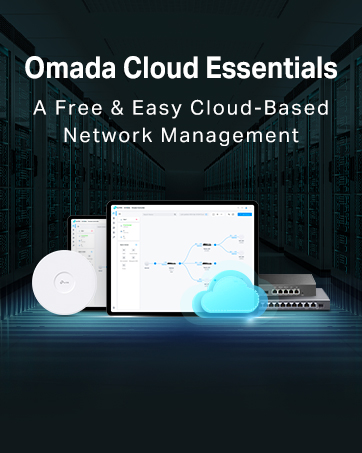
🚀 Elevate your Wi-Fi game—fast, flexible, and flawlessly managed.
The TP-Link EAP225 is a professional-grade dual-band AC1350 wireless access point featuring MU-MIMO technology for simultaneous multi-device connectivity. It supports both 802.3af/at and Passive PoE for versatile power options, and offers centralized cloud management via the Omada app. Designed for easy wall or ceiling mounting, it delivers secure guest networks with up to 16 SSIDs and ensures seamless roaming across coverage zones, making it ideal for modern homes and offices seeking reliable, high-speed Wi-Fi.


| ASIN | B01LRQW0GM |
| Are Batteries Included | No |
| Best Sellers Rank | 1,186 in Computers & Accessories ( See Top 100 in Computers & Accessories ) 1 in Wireless Access Points |
| Brand | TP-Link |
| Colour | red |
| Customer Reviews | 4.6 4.6 out of 5 stars (2,138) |
| Date First Available | 25 Aug. 2016 |
| Guaranteed software updates until | unknown |
| Item Weight | 459 g |
| Item model number | EAP225 |
| Manufacturer | TP-Link |
| Operating System | TP-Link OS |
| Product Dimensions | 18.1 x 20.5 x 3.7 cm; 460 g |
| Series | EAP225 |
| Voltage | 48 Volts (DC) |
| Wattage | 12.6 watts |
| Wireless Type | 802.11a, 802.11ac, 802.11b, 802.11g, 802.11n |
B**E
Perfect
I got this for home use (can be used in any office small and large. First off it arrived in the branded box shown i have used TP link products in the past and i have found these better working the Sky Router than other brands. TPLink AP is a very cost effective option and simple to install with basic DIY and network knowledge. So right out box your meet with the access point which is light weight yet strangely stronger than you think. In the box you get the 1 Access Point 1 PoE Power adapter 1 mounting bracket Instructions No cables provided so you will need to order two cat 6 or above Ethernet cables one from router to PoE and one from PoE to the Access point Fitting was really simple and it honestly tuck me all of 20 mins once i knew where i was fitting. Once fitted i go to running cables around and through trunking to where my access point was. (I would recommend trying it before you mount it to ensure its working) You have two options for accessing the Access Point, first is the App available on apple and google stores or the second through your web browser both solutions are easy even for someone with little IT experience (however if you struggle there is loads of advice on YouTube or google) instructions provided are pretty good also. Once up and running and you have accessed you access point you can clone your main channel or you can do what i have done i have set up several access points for the family and guests as sadly with sky routers you can’t have a guest channel so everyone is connected. The best thing about setting up access for my kids is that i can very quickly disable their access to the internet at certain times (for example bed times etc) i have also set up channel for smart home cctv/ bulbs etc. when setting up access i would strongly recommend you have 2.4Gz and 5Gz running together this easier and allows older devices and new devices to run on same access point without issue. Now the wifi coverage has massively increased i can now get access at bottom of garden also when i pull up where i park car my phone connects straight to the house wifi. At £61.98 at time of review its most definitely worth the price. I have recommended this to my sister who has same issues with wifi in her house and im fitting it next week Highly recommend
G**T
Wifi problems solved
Our house is quite long with internal stone walls which has meant problems in getting wifi to every room. Despite having ethernet cabling and sockets run to various rooms in the house when we had it rewired, I had continued to use powerline adaptors which increasingly suffered from dropouts. I purchased one of these access points along with a Netgear POE switch and two weeks later the difference is huge. The setup couldn't be more straightforward: ethernet cable from BT Hub4 to Netgear POE switch, ethernet cable from switch to wall socket and then ethernet cable from distant socket to the access point. Connect Netgear switch to mains and then download the TP-Link app onto iPad. Connect the iPad to the access point in iPad settings (as if connecting to a new wifi network) using SSID and password printed on the access point and the TP-Link app then finds the access point allowing the user to set first of all a user name and password and then the SSID and wireless key of the BT Hub. I could also have turned off the LED on the unit via the app but after all my previous problems with the powerline adaptors I left it on to glow reassuringly. After a week of flawless performance I bought a second unit which was just as easy to set up and which works just as well. We now have reliable dual band wifi throughout the house with seamless roaming between both access points and the BT Hub. If your house is cabled for ethernet (or if you can run ethernet cabling unobtrusively) this is by far the best way to bring wifi to all rooms in your house. Highly recommend. PS the access point comes with a mains adaptor so you don't have to use a POE switch but it looks much neater to have just the one cable going the access point so it's worth the small extra cost IMO.
N**W
Works really well
This works incredibly well. Was fairly easy to set up BUT it is not in any way wireless it requires an ethernet cable and when its plugged in the cord is short so, for example,.you cant place it further than half way ish up the wall if your.plugs are in normal places Some of the images and adverts have it on the cieling- unless you are rewiring it it, this is not possible It does work well though and, touch wood, has provided me strong signal- just as good as the main WiFi in the house Ive been running a tv, laptop and phone off it at points and its been absolutely fine I think overall a good solid 4 stars is my honest opinion based on the wire situation really It isnt ugly and is a nice size so isnt that noticeable once up..its quite sleek. It is reliable It is funcional It does its job Its a good product Thanks
M**P
Just perfect WiFi AP for my house!
I was looking to upgrade wifi zone in my house. I live it not a big house but other devices i tried struggled with walls and other things. This one is just goes. I have no problem with wifi signal strength at any part of my house. All works perfectly. Every single room, every single corner and even back of my back-garden is covered with Wifi6 signal. Highly recommend this product. App allows you to setup security, access and other important wifi setup options. This item is just perfect for what i need.
R**G
After wrestling with the limitations of the EAP610, switching to the TP-Link EAP635 felt like stepping into another league. I installed two units—one on each level of a 2,000 sqft home—and the coverage has been absolutely flawless. For a device in this price range, it packs a serious punch with enterprise-grade features, seamless integration into the Omada ecosystem, and blazing-fast Wi-Fi 6 performance. Setup was straightforward, and both access points have been rock solid from day one. No drops, no quirks—just fast, stable connectivity across all clients, including smart home devices, streaming setups, and remote work demands. If you're looking for premium performance without the premium price tag, the EAP635 is a standout choice. Reliable, feature-rich, and clearly built to last.
L**A
Produto veio faltando a fonte
D**R
Good
F**I
Ha cubierto mis objetivos Está muy bien y el producto me llego en tiempo y hora. Fabuloso Buena marca, repetiré en ella para este tipo de necesidades
E**E
Funciona muy bien, fácil de configurar
Trustpilot
2 weeks ago
1 day ago