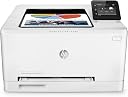
🚀 Print smarter, faster, and wirelessly—because your office deserves the best.
The HP 200 M252dw LaserJet Pro is a compact, high-speed color laser printer designed for professionals who demand quality and efficiency. Offering up to 19 ppm print speed, automatic duplexing, and versatile wireless connectivity including Wi-Fi, NFC, and AirPrint, it delivers crisp text and vivid colors with minimal setup. Its space-saving design and pre-installed toner cartridges make it an ideal choice for busy home offices or small businesses seeking reliable, eco-friendly printing solutions.


| ASIN | B00TON9YK6 |
| Batteries | 1 Lithium Ion batteries required. |
| Best Sellers Rank | 202,730 in Computers & Accessories ( See Top 100 in Computers & Accessories ) 310 in Laser Printers |
| Compatible devices | Smartphones |
| Customer Reviews | 3.9 3.9 out of 5 stars (358) |
| Date First Available | 13 Feb. 2015 |
| Dual-sided printing | Yes |
| Included components | HP LaserJet Pro M252dw (B4A22A) colour laser printer white, HP 201A toner cartridge black (CF400A), quick operation instructions, driver to CD-ROM, power supply, USB cable |
| Ink Colour | Cyan, magenta, yellow, black |
| Item Weight | 12.2 kg |
| Manufacturer | HP |
| Manufacturer Part Number | B4A22A |
| Max copy speed (black and white) | 18 ppm |
| Max input sheet capacity | 150 |
| Maximum Supported Paper Size | A4 |
| Maximum black and white print resolution | 600 x 600 dpi |
| Maximum colour print resolution | 600 x 600 dpi |
| Maximum copies per run | 250 |
| Model Number | Color LaserJet Pro M252dw |
| Number of Items | 1 |
| Power consumption | 375 Watts |
| Print media | Unknown |
| Product Dimensions | 39.2 x 41.2 x 23.6 cm; 12.2 kg |
| Scanner type | Flatbed |
| Sheet size | 210 millimeters |
| Size | Printer |
| Wattage | 375 watts |
M**K
Smaller, faster and well-priced - excellent printer
Having had a long career in IT I've always found HP printers to on the whole be the most reliable and well put together of the many other brands available. Thankfully this extends down into their cheaper more SOHO style machines, not just the more expensive corporate solutions. HP's latest generation have managed to improve in a number of useful ways and this M252DW is a great example - it's smaller than previous generations, quieter, cheaper and yet boasts toner cartridges that manage to yield more pages despite being physically smaller than previous models. Though not the best machine when it comes to printing pictures/photos, as a colour printer for more general/mixed work I've found it to be spot on. It's quick, easy to set up and with the wireless capability can be located more easily around your house/office rather than being tied to a physical network point. I was very impressed with the lack of faffing required with the toners on initial set-up - they come pre-installed in the printer and there is no need therefore for the sometimes messy business of shaking and removing the numerous tabs and seals. Not so long ago a unit this quick with both wireless and full duplex capability would have cost at least 3 times as much, so value for money here is really extremely good in my opinion. When you then also take into consideration the fact that the toners never dry out like ink cartridges do I really don't feel you can beat this printer for overall value for money if you're looking for a dedicated printing solution for non-specialised jobs - for photos it's still hard to beat a good ink jet or dye sublimation printer and so I've also got a Canon Pixma for that. For everything else though this little HP fits my requirements perfectly and I'm expecting a long life from it if it lives up to HP's usual quality and reliability.
J**O
Excellent
Increasingly I am being given large PDF files to read for work and study purposes and my old yet faithful HP1012 could not really cope with the volume and it seemed wasteful to print on just the one side and a lack of colour capability was sometimes problematic. Given how long my previous HP printer has lasted I was keen to keep with the brand and was pleased to find this model was perhaps the cheapest with a duplexer for double sided printing. I looked at multiple other printers but this seemed like the best value. It's certainly larger than I expected about twice the size of the 1012 but much smaller than the colour lasers I've used in the office. The paper tray capacity isn't huge but it's fully enclosed which keeps the paper nice and clean and it's exceptionally fast even when printing double sided. I noticed that a lot of the newer printers don't have a bypass tray which this model does, useful for printing onto envelopes and labels which I do frequently. The user interface on the large touch screen is intuitive and I had the printer connected to my home WiFi network in a matter of moments and my Mac recognised it on the network straight away. The AirPrint functionality works well and requires zero set-up. I've already printed off some e-mails from my iPhone 6 without any bother. Print quality seems superb, black text is crisp with a slight sheen and colours seem vivid and true. The one niggle is that with this being a new model the toner cartridges don't seem to be widely available on the generic market, hopefully that'll change with time. All in all, an excellent machine so far with duplexing at an affordable price.
J**D
Almost 5stars - great compact printer
Almost a 5 star review - let down by a few minor but nevertheless irritating niggles My son started secondary school and suddenly his use of colour inkjet printing shot up - costing me an arm in Ink cartridges... Time for a Laser... It had to be a compact printer to fit in a limited space in my living room. After researching sizes, performance, features etc I settled on this model as the best overall mix of features and size. Pros (in no particular order): 1) size - obviously bigger than my Samsung mono laser - but still one of the smallest Colour lasers I could find with an Ethernet port and usable LCD menu screen. Fits on top of a pedestal will very little overhang. And also not too tall - so does not overwhelm the area. 2) comes with 1500 page black toner and 700 page colour toner - ready installed - so not quite full but enough to keep you going for a while 3) Lots of connectivity options: USB, Wireless, wired, Wifi-Direct (print without joining a network) and NFC - almost all bases covered. 4) decent sized colour LCD screen for changing settings and checking status 5) very low standby power usage (1.7w sleep) and fairly quick to wake when you send a print job 6) Auto duplex printing - love it! 7) Hidden tray - nothing sticking out. 8) Can print on envelopes via separate feed slot 9) Pretty fast print speed - I don't ever feel like I am waiting much 10) decent quality text and nice bright colours. Not tried any photos yet - but I have an inkjet for that. 11) USB & Network connectivity fairly easy to setup and connect. I tried all 4 options - USB, Wifi, Wired and Wifi Direct too. First PC I did the full HP driver install stuff, but for other PCs I just let Windows 10 find and install a Windows 10 driver - which it did painlessly. The only problem with this was that the default Windows10 driver did not have an Auto duplex option. So, I had to install the basic HP drivers to fix that. 12) Really good Embedded Webserver which allows all the settings to be tweaked via Webbrowser 13) Good cloud printing support - allowing me to send print jobs from work to the printer at home. Negatives: 1) Main bug bear : When using Wireless connection, the printer will turn itself fully off after a configured time and this configured time cannot be increased beyond 8hrs. Really, really dumb feature!! Since it only uses 1.7w in sleep mode - why force it to switch off? So, when you least expect, you send a print job but nothing happens, so you then have to get up and turn the printer on and more often that not send the print job again. This can be mitigated in a Wired Ethernet mode - there is an option to delay shutdown on Port activity - which keeps my printer awake/in sleep mode indefinitely. So, I had to switch to Wired mode - which is OK for now but in the long term I am going to hope that HP provides a firmware fix for this - as I will need to move the printer to an non-wired location. And NO - I don't wish to use a HomePlug because that is just another point of failure to diagnose. My 2yr old HP Inkjet is much better with a timed shutdown and wake feature which allows it to turn off at night and awake automatically in the morning. So, why on earth did they not offer the same facility on this newer printer. 2) Changing from USB to Wired / Wireless or vice versa - requires the driver to be re-installed! Why?? In conclusion, this is a great all round printer - with only one main really annoying feature. If you are planning to use wired or have the printer right next to your desk, then I would not hesitate to recommend it.
K**E
La tengo ya más de tres semanas y he de decir que se ha comportado como una campeona y la he utilizado intensivamente. Está conectada por ethernet a un hub y mi Mac la reconoce sin problemas( curiosamente me ha resultado esto mejor que cuando la conecté por usb pero imagino que es cosa de afinar con el driver). Rápida y de gran calidad en las impresiones. También hace impresión a doble cara sin despeinarse. La pantalla que incluye es muy útil para comprobar el estado de la impresora. Para mejorar la calidad de las impresiones es preferible utilizar papel especial laser color, un paquete de 500 hojas de la propia HP como el chp350 está por los 10€ El único pero de las laser color lo conocemos ya casi todos de sobra: el coste de los consumibles cuesta como una impresora nueva. Todavía estoy con los cartuchos de fábrica y en el futuro tendré que valorar si comprar los oficiales (hay packs ahorro pero siguen costando bastante) o tirar de compatibles. Ya veremos. En cualquier caso creo que sigue saliendo más barato que la impresión con chorro de tinta Por el precio que tiene, la calidad de las impresiones y la compatibilidad con Mac la recomiendo
C**C
Diese Rezension bezieht sich sowohl auf dem - Drucker HP Laserjet Color Pro 200 M252dw als auch auf die Tonerpatronen HP 201X, wobei X für mehr Druckkapazität steht - CF400X schwarz - CF401X blau - CF402X gelb - CF403X 403 rot weil man diese Artikeln nur zusammen nutzen kann. ----------------------------------------------------------------------------------------------------------------------------- LASERDRUCKER M252dw gekauft für 175 Euro als Blitzangebot. dw steht für die Netzwerk- und WLAN-Version. Dieser Drucker kann nicht scannen, kopieren oder faxen, hierfür gibt es den M377dw, der wesentlich teuerer ist (z.Z. +156 Euro). Für 80 Euro bekommt man gleich den excellenten Scanner Canon Lide 220. Der M252dw kann sowohl als Netzwerkdrucker über Kabel als auch im lokalen Netzwerk (WLAN) über Funk von beliebigen Latops angesprochen werden. Er bekommt auch eine eigene e-mail-Adresse und kann daher z.B. aus Japan über Handy drucken. Die Installation war bei mir kinderleicht, ich habe folgende Optionen gewählt: -1. Hilfe bei der Einrichtung meiner ersten drahtlosen Verbindung -2. Ja, die drahtlosen Einstellungen von meinem Computer abrufen dann macht das Installationsprogramm alles von Alleine, man muß lediglich gelegentlich die Taste WEITER drücken. Der Empfang ist sehr gut, alles funktionniert perfekt, das Druckbild von farbigen Seiten ist ausgezeichnet, lediglich bei Fotos finde ich die Drucke etwas dunkel, da muss ich wohl Glanz-Laserpapier besorgen. Unser Kyocera FS-C 5200DN macht schon bessere Bilder auf normalem Laserpapier, ist aber eine andere Liga. Für den Preis ist der Drucker mit WLAN, Duplexdruck, Touchscreen, schneller und leiser Betrieb, erstklassige Software etc. ein absolutes Schnäppchen. Ich würde ihn jederzeit wieder kaufen und einem Freund empfehlen. Ein Handbuch war übrigens nicht dabei, auch nicht auf die CD, aber wer braucht das schon. Das Teil zu bedienen ist so kinderleicht wie mit der Gabel umzugehen. Ich habe einige die negativen Rezensionen gelesen. Nur eine von fünf ist ein Fake Rezension, die vier anderen Profile haben schon mehreren Artikeln beurteilt, sind also echt.: Meine Stellungnahe: - unter Beachtung der o.g. Optionen war bei mir die Installation kinderleicht und ich kann von jeden beliebigen Laptop überall im Haus und Garten drahtlos drucken (Win 7 und Win 8, Win 10 habe ich nicht). - der Touchscreen ist zwar klein, aber fast so breit wie das meines Samsung Galaxy S7 Edge, immerhin das Beste Display z.Z. erhältlich. Es ist farbisch, scharf, hell und reagiert super. - Zitat: Im täglichen Gebrauch stört das Display, weil es aus dem Gehäuse herausragt. Das Display ist klappbar, es lässt sich muhelos in das Gehäuse zurückversenken. - Zitat: Das Gerät ist immer in stand-by. Tja, man kann es auch abschalten, dafür ist der Hauptschalter an der Front da ! - Zitat: Das Papierfach ist zu klein und instabil. Ja es ist relativ klein, kleiner aber nicht instabiler als bei unsere Laserdrucker von Kyocera oder Brother. - Zitat: Die Tonerkosten sind gigantisch: ein Nachfüllset kostet mit 377 € fast soviel wie zwei Exemplare dieses Druckers. Ich habe die 3 farbpatronen (original und X-Grösse) für 211,50 als Blitzangebot gekauft, die Schwarze X gibt es regulär für 84,90, macht zusammen 295,40. Reton bietet die 3 Farben in X-Größe für 148 + Versand. Nebenbei gesagt, der kompletten Satz für unser Kyocera kostet rd. 500 Euro. Da ist HP ein Schnäppchen. - Zitat: Als die ersten Druckergebnisse kamen, war ich erstaunt, was für Hieroglyphen auf ein Papier passen. Völlig wirres Kram... Typisch für ein verkorktes Betriebssystem oder fehlerhafte Treiber. Da kann der Drucker nichts dafür. usw. Solche Äusserungen sind entweder unsachlich oder unqualifiziert und spiegeln nicht die Tatsachen wieder die auch von mir und 53 anderen glücklichen Amazon-Kunden erlebt werden. Ich würde sagen: Lassen Sie sich nicht von diese wenigen Einzelfällen beeinflüssen. Der Haken liegt bei den Toner-Patronen. Sie sind qualitativ sehr gut, halten lange, sind kindeleicht zu ersetzen, kleckern nicht, trocknen nicht usw. usw. aber 1 kompletter Satz kostet rd. doppelt so viel wie der Drucker. ------------------------------------------------------------------------------------------------------------------------------ TONER-KARTUSCHEN Der Vergleich zwischen A und X-Modellen ergibt folgendes Ergebnis (jeweils Prime-Preise) A X Mehrpreis € Mehrpreis % Mehrleistung % schwarz 70,99 84,90 13,91 19,59 86,67 Blau 70,99 93,90 22,91 32,27 64,29 Rot 69,99 102,95 32,96 47,09 64,29 Gelb 70,99 100,61 29,62 41,72 64,29 Diese X schwarz CF400X ist am günstigsten, für lediglich 20 % Aufpreis erhält man 87% mehr Seiten. Bei den farbigen rot und gelb ist der Preisvorteil kaum von Bedeutung, für fast 50 % mehr Geld bekommt man etwas über 60% mehr Seiten. Bei blau ist die X echt günstiger, man bekommt für 32% mehr Aufwand diese rd. 60 % mehr Seiten. Die Anzahl de Seiten sind HP-Angaben, sie varieren natürlich je nach Anwendung, sind aber einen Anhaltspunkt. Ich habe für alle 3 farbigen als Blitzangebot insgesamt 211,50 Euro bezahlt, d.h. 87 Euro gespart. Die Schwarze habe ich kostenlos erhalten, aber sie kostet als Blitzangebot um die 70 Euro, dh. dass man mit den Original-Kartuschen im günstigsten fall um 280 Euro liegt und im Normalfall bei 382, also 100 Euro mehr. Bei den A-Kartuschen kommt man auch bei den kostenlon Prime-Versand ebenfalls auf rd. 283 Euro für die gesamte Garnitur. Die einzige vernünftige Aternative mit guten Bewertungen, die ich gefunden habe ist der Patronensatz von Recon mit alle 3 Farben für 148 Euro, aber es riecht verdammt stark nach Fake-Rezensionen, weil keiner der Autoren hat sonst etwas anderes bewertet ! Daher VORSICHT ! Die CF400X schwarz lohnt sich also auf jeden Fall, auch und gerade wenn wenig gedruckt wird. Gerade wenn man ein Paar Wochen mit einem Tintenstrahldrucker nicht druckt, trocknen die Patronen und es enteht eine Schweinerei bei der Reinigung. Beim Laserdrucker spielt die Zeit keine Rolle, der Toner trocknet nicht und der Drucker verträgt velen Monaten Stillstand. Fazit: Unter diesen Umständen und Berücksichtigung der hervorragenden Eigenschaften des dazugehörigen Druckers ist der Preis noch OK, die Qualität Top und die HP201X (CF400X) verdient die vollen 5 Sternen.
Y**D
Ancien ingénieur en informatique grand systèmes, je connais donc ce monde et HP est un constructeur de grande qualité; toutefois je précise n'avoir jamais travaillé chez HP. Un petit souci lors de l'installation en wifi car j'ai plusieurs pc en réseau à la maison. A la fin de l'installation j'ai laissé un commentaire un peu amer sur le protocole d'installation ( le driver est unique pour différents modèles d'imprimantes et donc fait près de 200 méga, imaginez devoir recharger ce programme plusieurs fois lorsqu'on habite dans un région ou Internet roule tranquillement à 2 mégas les beaux jours. C'est au minimum agaçant ) sans donner aucune information sur mes connaissances informatiques. Le lendemain j'ai reçu un mail de HP me disant avoir ouvert un dossier d'intervention et me donnant le numéro du support à appeler, avec une précision supplémentaire, ils avaient déjà analysé le problème et remarqué qu'un de mes pc avait un problème logiciel (registre), ce que je savais. Je les ai appelé (peu d'attente pour avoir le support ce qui est rare!) par courtoisie, pour les rassurer. Voila ce que j'ai constaté et ceci sans aucune pub pour HP, mais je considère essentiel le support constructeur pour le client . Petite précision la qualité d'une imprimante laser et de celle-ci en particulier est largement supérieure aux modèles jet d'encre, et ce modèle de base répond aux besoins d'un particulier à un prix très abordable. Toutefois je trouve trop chers les toners d'origine, malgré la capacité d'impression de 1500 ou 2500 pages (de mémoire).
D**E
Ottima stampante laser a colori fronte retro automatica. Funziona bene ed è abbastanza veloce (nella media). Ottima per casa o piccolo ufficio. Presa soprattutto per stampare direttamente da iPhone e iPad senza bisogno di passare per il router. A questo scopo funziona benissimo, i dispositivi la riconoscono immediatamente e la stampa è immediata. La riacquisterei. Ottimo come sempre il servizio Amazon, prima di questa ne ho restituite altre due diverse perché non si collegavano con i dispositivi e mi hanno rimborsato l'itera cifra senza battere ciglio. Grazie Amazon...
N**S
Wir haben den Drucker seit drei Monaten im Einsatz. Er hat einen HP Officejet Tintenstrahler abgelöst, weil dieser nach 7 Jahren den Geist aufgegeben hat. Auf den Geräten werden ca. 20 Seiten pro Tag an Unterrichtsmaterialien gedruckt, weiterhin drucke ich mittlerweile ab und zu Angebote und Produktinformationen, die technische Zeichnungen und Grafiken enthalten, auf dem Gerät aus. Letztere habe ich bisher auf einem Brother in einem Außenbüro ausgedruckt. Wir verwenden zwei Linux-Pcs und einen Windows 10 Rechner um auf dem Gerät zu drucken. Alle Geräte kommunizieren per WLAN. Ich bin überhaupt kein HP-Fan, noch irgendwie markenaffin. Meine Kaufentscheidungen beruhen auf möglichst sachlichen Informationen. Dazu gehören, mit der richtigen Interpretation, auch die Amazon-Bewertungen. Bei der Entscheidung zu diesem Gerät habe ich auch die Bewertung bei Stiftung Warentest für das Vorgängermodel (Testsieger) berücksichtigt, und diese, ich gebe es zu, klammheimlich auf den M252dw übertragen. Insbesondere haben mir die Umwelteigenschaften gefallen, dass die Drucker einigermaßen drucken können, davon gehe ich aus. Hier mein Fazit: positiv: Die Einrichtung des WLAN-Clients ist über den eingebauten Touchscreen kinderleicht und hat ungefähr eine Minute gedauert. Es ist nicht erforderlich, dafür am Rechner zunächst den Treiber zu installieren und über USB den Drucker zu konfigurieren. Sehr gut gelöst. Die Einrichtung der Treibersoftware auf den Linux-Rechnern hat jeweils ca. 5 Minuten gedauert, die Kommunikation erfolgte danach reibungslos, alle Features, inkl. automatischem Duplexdruck (für mich extrem wichtig) waren sofort verfügbar. Auf dem Windows-10-Rechner hat es mit der beiliegenden CD etwas länger gedauert, und war auch etwas nerviger, weil mehrfach geprüft wird, ob man Originalpatronen verwendet und ob man sich im Tonershop umsehen möchte. Es hat aber trotzdem ohne irgendwelche Probleme funktioniert. Die Druckqualität ist sehr gut, professionell. Im Vergleich zum Brother aus dem gleichen Preissegment insbesondere bei Fotos deutlich besser. Der Papiereinzug ist tadellos. Eine Geruchsbelästigung ist nicht vorhanden. Das ist nicht bei allen Lasern der Fall. nicht so positiv, aber akzeptierbar: Das Papierfach erscheint mir etwas labil. Funktioniert aber trotzdem einwandfrei. Die Zeit für die Datenübertragung, bis der eigentliche Druck beginnt, ist recht hoch im Vergleich zu den anderen Laserdruckern, die ich bisher im Einsatz hatte. Der Druck selbst ist dann sehr schnell. Noch nicht bekannt: Verbrauch an Toner. Die Preise für den Originaltoner sind noch recht hoch, momentan steht aber noch kein Austausch an. Ich weiß, dass es auch andere Hersteller gibt, Epson, Samsung...Ich kann dieses Gerät jedoch uneingeschränkt empfehlen.
Trustpilot
2 weeks ago
3 weeks ago