🔋 Power your productivity, don’t let low battery slow you down!
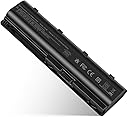
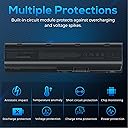
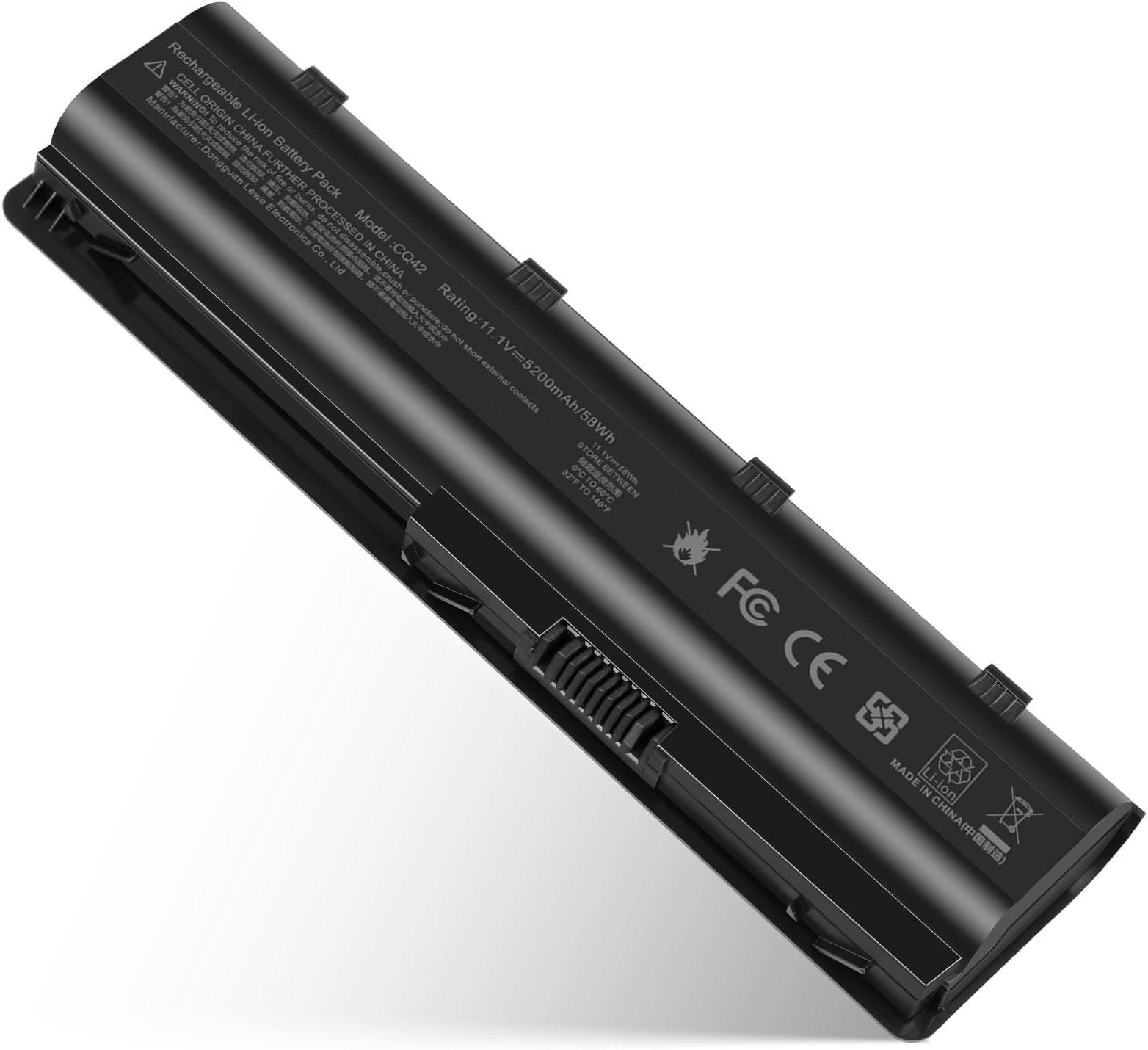
The TREE.NB Replacement Battery is a 100% new lithium-ion battery designed specifically for HP MU06 MU09 and compatible Pavilion and Compaq Presario models. It offers fast charging, reliable power retention, and includes a DIY installation toolkit, making it an ideal, cost-effective solution to extend your laptop’s life and keep you connected on the go.


| ASIN | B073VJVH1N |
| Batteries | 1 Lithium Ion batteries required. (included) |
| Best Sellers Rank | #7,795 in Electronics ( See Top 100 in Electronics ) #39 in Laptop Batteries |
| Customer Reviews | 4.4 4.4 out of 5 stars (19,662) |
| Date First Available | July 11, 2017 |
| Is Discontinued By Manufacturer | No |
| Item Weight | 8.2 ounces |
| Item model number | CQ42 |
| Manufacturer | Dongguan Lewe Electronics Co., Ltd |
| Product Dimensions | 3.94 x 0.79 x 1.06 inches |
F**.
Works great with my pavilion
I bought this replacement battery for my HP Pavilion cs0000, and it has worked really well so far. The battery capacity is solid—it charges fully without issues and holds power much better than my old original battery. I’m getting a noticeable improvement in battery life, enough for regular browsing, work, and streaming without needing to plug in constantly. The installation was pretty simple. It comes with a small tool kit, and even though I’m not a technician, I was able to swap the battery in just a few minutes. The tools included were actually useful and made the process easier. Overall, the battery feels reliable, fits perfectly, and performs exactly as expected. For anyone with a Pavilion in this series, this has been a good replacement option
D**A
Perfect Fit
This battery saved me from having to buy a new laptop. I have an HP laptop and the battery had swelled and broke the mouse. My husband used the plastic pry tool included to open up the laptop. Unfortunately my laptop would not release completely. Whether that was our inability to get it off, or the way my laptop is made, I'm not sure. We still had room to get the old swollen battery out and the new one installed. I let it drain as suggested in the instructions before the initial charge to 100%. It charges up very fast and works great. I would purchase this battery again.
T**S
Solid
Good enough. It’ll be a year before I know if it’s actually good.
E**S
Reliable but Not Top-Tier Battery Replacement
Reliable but Not Top-Tier Battery Replacement This replacement battery does the job—it charges well, holds power decently, and brought an older HP Pavilion back to life. Out of the box it installed easily, clicked into place without issue, and was recognized right away by the laptop. After a few full charge cycles, I found the run-time landed at about 2–3 hours depending on workload, which is acceptable for basic browsing, document work, and video streaming. The construction feels solid, and it doesn’t wobble or shift once seated. Heat generation is minimal compared to some off-brand batteries I’ve tried, which is a plus. That said, it’s not quite the same as the original OEM battery in terms of longevity—if you’re running heavy tasks or expecting a full workday unplugged, you’ll likely be disappointed. One thing to keep in mind is that these aftermarket batteries sometimes vary slightly in actual capacity despite the advertised numbers. In my case, it performed consistently but never quite matched the original battery’s endurance when new. Bottom line: A good, budget-friendly replacement to get an older laptop functioning again, but don’t expect OEM-level performance. Great as a backup or for light to moderate daily use.
B**I
Vaule for money....I’m really impressed
It fits perfectly, installs easily, and instantly gives my laptop new life. I now get several hours of use on a full charge, which is a huge improvement compared to my old battery. It charges quickly, doesn’t overheat, and keeps my laptop running smoothly throughout the day. If you’re looking for an affordable and reliable way to extend your laptop’s life, I definitely recommend this battery!v
E**E
It’s been 3 months with HP 15-db0005dx
HP Laptop Model 15-db0005dx. Easy to install, it’s been 3 months and working great.
R**H
Only 4 hours before having to charge
Was very easy to install. Works good. Followed directions regarding first charge and use. Disappointed that battery only lasts about 4 hours before you have to charge.
T**R
Works properly with my model
To begin with, I am a retired IT field tech. My laptop is an HP 17-by0061st, roughly six years old. The current battery is definitely bad. Upon removal, I saw that it was bubbled, and the diags confirmed that it was due to be replaced. The laptop, when powered off, would reboot instead of powering down. This battery part number for the battery from the HP manual matched the part number provided here, L1119-855. However, the MwAH was higher on this part than the original battery. Nonetheless, I installed it. I had some initial boot issues on first boot. I don't know if that was related to the difference in MwAH. Once I passed that, things were fine. My shutdown issues were resolved. And the battery reaches roughly 50% depletion after more than 2 hours, which is about the same run time that I had when the laptop was new. The install manual included with the battery said to fully discharge it to 2% then do a complete recharge. On Win11 you don't have the option (With this laptop) to reach a 2% level. It automatically go into sleep at 10%. There is no way that I am familiar with to adjust that lower. However, following the built-in limitations did not prove to be an impediment. I read some reviews that said that the included screwdriver was inadequate. While I have my own tools, I did use the supplied screwdriver, and found no problem. Allow me to provide a hint on screw removal. Laptop screws are rather small, and easy to loose. Grab a bowl, and put your screws in that as you remove them. In fact, have multiple bowls to put screws from different laptop parts in (One if you have a screw for an optical drive, one for bottom screws, etc) I use left over lids from peanut jars. Two other hints. One is, don't work on the laptop next to the edge of the table. Move the laptop a foot or so away from the edge of the table. That way, if you drop a screw, there is less chance that it will fall on the floor. The other hint is that if you drop a screw, don't try to catch it. Instead, follow it with your eyes to the floor. If you try to catch it, the probability is low that you will catch it, and the odds increase that you will lose it. Especially if your floor is carpeted.
Trustpilot
2 weeks ago
2 months ago