Buy anything from 5,000+ international stores. One checkout price. No surprise fees. Join 2M+ shoppers on Desertcart.
Desertcart purchases this item on your behalf and handles shipping, customs, and support to Thailand.
โก Power your industrial IoT with seamless, secure, and smart connectivity!
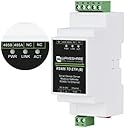
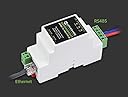
The Waveshare RS485 to RJ45 Ethernet Module is a compact, industrial-grade serial server featuring PoE support and multi-protocol communication modes. Designed for harsh environments, it enables bi-directional transparent data transmission between RS485 and Ethernet networks, supports Modbus and MQTT gateways, and offers flexible configuration via web browser or cloud. Ideal for IoT, industrial automation, and intelligent monitoring applications.
| ASIN | B0BJL8YNXP |
| Best Sellers Rank | #1,730 in Serial Adapters |
| Brand | waveshare |
| Built-In Media | 1x Industrial Serial Server |
| Color | RS485 TO POE ETH (B) |
| Compatible Devices | Industrial sensors, PLCs, IoT devices with RS485 or Ethernet interface |
| Customer Reviews | 2.0 out of 5 stars 1 Review |
| Item Dimensions L x W x H | 3.43"L x 1.42"W x 2.32"H |
| Manufacturer | Waveshare |
| Mfr Part Number | RS485 to ETH with POE-B Ver |
| Model Number | RS485 to ETH with POE-B Ver |
| Number of Items | 1 |
| Product Dimensions | 3.43"L x 1.42"W x 2.32"H |
A**X
Couldn't get it to reply to any traffic
It doesn't output any traffic my default, doesn't seem to use DHCP by default either, going on the website and trying to ping the default IP doesn't seem to generate traffic, basically it's very badly setup as any new device should just use DHCP to get an IP and be easy to find on your router of choice... It's too bad as I was really hoping to interface this with Home Assistant. Also it came with a rattling noise and I had to open the box to reconnect the daughter board that isn't held well by the box it seems. Sending it back... UPDATE: Bumping to 2 stars. While waiting to send it back, I've shorted the 2 pins to reset the device and the default IP isn't 192.168.1.200 but 192.168.1.254 after doing that. No idea what the original IP was, it wouldn't show on my router, but the documentation is garbage and somehow it wouldn't connect before a reset, meaning something wasn't default after shipping? Also, for future adventurers of cheapo solutions: - Green LED: connected to ethernet/PoE. - Yellow: Link working. - Blue: Active connection on port 4196 which is the only port open as far as nmap can tell you. I have firmware V1. 452, I don't see the NTP option, DHCP doesn't configure the DNS, no MQTT visible, etc.
Trustpilot
3 weeks ago
1 month ago