Buy anything from 5,000+ international stores. One checkout price. No surprise fees. Join 2M+ shoppers on Desertcart.
Desertcart purchases this item on your behalf and handles shipping, customs, and support to Thailand.
🚀 Elevate your storage game with speed and simplicity!
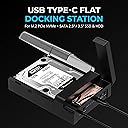
The SABRENT USB-C Lay Flat Docking Station (DS-UFNC) is a versatile, high-speed enclosure supporting both M.2 NVMe and SATA 2.5”/3.5” SSDs/HDDs. Featuring a 10Gbps USB 3.2 Gen 2 Type-C interface, tool-free installation, and an offline clone function, it delivers effortless drive management and rapid data transfers across Windows, Mac, and Linux platforms. Ideal for professionals seeking fast, flexible, and reliable storage expansion or backup solutions.


| ASIN | B0BX4LSHS4 |
| Best Sellers Rank | #1 in Hard Drive Docking Stations |
| Brand | SABRENT |
| Built-In Media | Power Supply, SABRENT USB Type-C Lay Flat Docking Station for M.2 PCIe NVMe + SATA 2.5'"/3.5" SSD & HDD, USB Cable |
| Color | black |
| Compatible Devices | Desktop, Laptop, M.2 PCIe NVMe, SATA 2.5'"/3.5" SSD & HDD |
| Connectivity Technology | USB-C |
| Customer Reviews | 4.2 out of 5 stars 721 Reviews |
| Data Transfer Rate | 10000 Megabytes Per Second |
| Enclosure Material | Aluminum |
| Hard Disk Form Factor | 3.5 Inches |
| Hardware Interface | USB 3.2 Gen 2, USB Type C |
| Hardware Platform | Mac, Windows |
| Item Dimensions L x W x H | 7.17"L x 4.83"W x 1.77"H |
| Item Type Name | Hard Drive Docking Station |
| Item Weight | 306.07 Grams |
| Manufacturer | SABRENT |
| Material | Aluminum |
| Memory Storage Capacity | 30 TB |
| Mfr Part Number | DS-UFNC |
| Model Number | DS-UFNC |
| Product Dimensions | 7.17"L x 4.83"W x 1.77"H |
| Supported Devices Quantity | 1 |
| UPC | 840025259089 |
| Unit Count | 1.0 Count |
| Warranty Description | 2 years limited. 3 years with manufacturer registartion. |
A**R
Great product - set up easy and using even easier
I bought this because I had 4 hard drives of various sizes scavenged from older worn out or otherwise non-functioning devices. It was very easy to set up, install the drives and perform most any function on the drives necessary. Oddly enough shortly after buying it my expensive back up drive for my MAC decided to quit. I installed a 2TB drive as my Time Machine backup and it works flawlessly.
E**T
Excellent Performance and Convenience from the SABRENT NVMe USB‑C Dock
The SABRENT USB‑C Docking Station for NVMe M.2 drives has proven to be an extremely reliable and efficient solution for handling high‑capacity storage. Its ability to support a 16TB hard drive makes it especially valuable for users who work with large datasets or need dependable backup options. I use it regularly to back up my main 16TB external drive, and it performs flawlessly every time. The docking station is well‑built, fast, and highly convenient, offering seamless connectivity through USB‑C. Whether transferring files, performing full backups, or managing large storage devices, it maintains stable performance without overheating or slowing down. Overall, this docking station is very useful, powerful, and dependable—an excellent tool for anyone who works with NVMe drives or large‑capacity storage on a regular basis.
D**Y
Great exit to eSATA - especially with modern pc's
I built a new computer, and my previous enclosure was USB 2/eSATA, and I wanted to keep using it. After trying PCIe eSATA cards, none of which had their own win11 driver, and also internal sata (hot plug enabled) to eSata riser cables, I finally realized that it was time to move to USB 3.2/C. This enclosure is the way to do just that, while being able to use the 2TB spinning drive from the old enclosure, and wait until prices come down on large nvme/ssd drives. This was the year of doubling storage capacities on my end, and the backups will be no exception eventually, but there is still a little space on the 2TB for now. The enclosure supports all three currently available main drive sizes, so easy to stair step into whatever architecture is needed. I have not cloned with it, but having worked with dozens of enclosures and cradles over the years, this seems like it will offline clone fine. In general, the speeds on this unit, used just as enclosure, are correct and perfect, and probably hit the SATAIII max 6Gbps specs correctly, even more than eSATA did. all the LEDs are on the back which is fine, but it would be nice to have even just a dimmer single HDD activity LED near the front, so if used as an enclosure, one can easily see activity. I saw another user mention it could use a fan, and they may be correct, at least one you can manually engage, as spinning drives do get hot, especially when enclosed. The ventilation is decent, but not much, but i feel like it is quieter than any enclosure i have ever dealt with, so i guess that is the pay off. It comes with a USB-C to USB A cable and the power adapter. Installation of SATA drives is toolless. 3.5" drive took 10 seconds. The price is kind of high for most people, but remember you get an nvme slot, and the unit supports 16TB drives too. Also, i used my previous enclosure for 12 years, and it cost twice as much. I believe I made the right choice with this unit, not only as a way to stair step into the next storage drive for the music recordings, but also as my mainstay enclosure moving forward.
M**H
Product does not behave like an external storage device
After reading the product description, I assumed that this would work as an external HDD. I had a spare NAS HDD, so I bought this product and it worked great at first. But it has a sleep function that puts the drive to sleep if it has not been accessed in some period of time, like an hour. Once that happens, my MacBook Air thinks the drive was unmounted incorrectly and TimeMachine Backups fail. To get it all to work again, I have to turn the SABRENT exclosure off, unplug the USB cable, turn the enclosure back on, plug the cable back in (directly into my MacBook Air). That is a real pain for automatic backups. SABRENT dances around this in their support forum by saying the enclosure is for other purposes. I think this product positioning and description is mis-leading and I do not recommend purchasing this product unless you just want to clone a HDD to a SSD or vice versa. But not as an external storage device.
D**D
Works as it should, recognized my 16TB drive just fine, NAS recognized the dock just fine.
I have this paired with a 16TB SATA drive and hooked up to USB 3.2 port of my NAS and it's working just fine. I haven't tried cloning function yet nor have I tried the NVME slot. My only complaint is the plastic cover tends to rattle sometimes, so make sure to either put some weight on it or that all four feet of dock makes proper contact with surface it's on. Taking off one star because of this, because it's annoying when it happens. I've since relocated my NAS and the dock to the basement so I don't have to hear it.
R**S
Great device
Device works as described. Reads & rights super fast. Very easy to use.
D**D
Very easy to use
Work great to format the hard drive in my qnap server
B**O
Clone Drive Instructions with switch selection info
Clone Drive Instructions Switch setting #1 = m.2 to SATA #2= SATA to m.2 If I need to tell you how to put drives in - you probably shouldn't continue Make sure you are NOT connected to computer Power on, set clone direction switch, see above -- Press and hold the clone button for 3-5 seconds until all LEDs begin to blink Then quickly double-tap the clone button to start cloning When all lights on solid its done. I have used this to both access drives on my system and clone an m.2 to SATA Extra Info Its my understanding that m.2 backup holds data as long as it maintains its small charge making a SATA back of the m.2 backup great insurance policy. Most other docking clones only clone from SATA to m.2 because most people use it to upgrade. This one works both ways.
F**H
Faster than my Nas
Blazing Fast
P**B
prima spullen
prima spullen
H**E
Sehr schönes Stück Technik
Die Ausführung ist solide und macht qualitativ einen sehr guten Eindruck. Das Netzteil liefert mit 12V/3A genug Leistung für jede 3,5 Zoll HDD. Ich würde mir aber wünschen, dass Netzteile mit Eurosteckern endlich sowohl vor als auch nach den Travos ein Stück Kabel mitbringen. Diese kompakten Dinger stören an jeder Stecksosenleiste, weil sie oft noch mindestens einen Nachbarslot verdecken. Sie stören zudem benachbarte Funksteckdosen und außerdem halten sie nicht richtig, weil die Stecker zu schmal sind. So macht sich die Industrie das auf Kosten der Kunden zu leicht. Diese Kritik betrifft aber leider viele Hersteller. Die Festplatten lassen sich gut in den Steckplatz schieben, laufen einwandfrei und werden sauber im System erkannt und angemeldet. Die Datenübertragungsleistung ist sehr performant, wie man das bei einem Gerät mit USB3 Gen 2 erwarten sollte. Ob wirklich die 10GBit/s der Gen 2 erreicht werden, konnte ich nicht testen, aber 5 GBit/s bringt sie auf jeden Fall. Meine alte Dockingstation lief noch mit lahmen 50 MBit/s! Die geht nun definitiv in den Elektronikschrott. Die Plastikhaube lasse ich aus Kühlungsgründen besser immer offen. Ein Higlight ist der NVME-Steckplatz hinten. Die Abdeckung dafür ist aus solidem Aluminium. Auch NVMEs laufen einwandfrei. Die Clonfunktion habe ich nicht ausprobiert. Zwei Platten werden beide erkannt und können bespielt werden. Wenn die HDD einen Spindown-Count hat, habe ich beobachtet, dass er auch funktioniert und die Dockingstation die Platte dann in Ruhe lässt. Sehr gut! Der Preis ist absolut angemessen und insgesamt ist das Teil sehr empfehlenswert!
I**E
Designed for functionality
Capable of serving a purpose very well Thoughtful design - and the unit looks great Having now tested the device - I would highly recommend it - and given the experience with the expectation that other SABRENT products are equal - I would not hesitate to purchase other products that would satisfy my needs.
L**S
Práctico, rápido y polivalente.
Lo tengo conectado a un MAC MINI 4 PRo y lo utilizo básicamente para la base de datos que tengo de fotos, que son miles, están alojadas en el NVME y va perfecto tanto en velocidad, conectado a la parte trasera del Mac por Thunderbolt como en calidad de lectura y escritura. La otra entrada para discos de tanto 3.5 como 2.5 la utilizo para el Time Machine y va perfecto. Con esto ahorro el disco duro que ha interno. y el NVME me da las suficientes prestaciones para poder trabajar con el programa fotos y su muy extensa base de datos con todo tipo de fotos y vídeos. El tema del copiado de un disco a otro lo tengo abandonado, hice una prueba y no funcionó, tengo que dedicarle más tiempo y ya os contaré como va. Saludos.
Trustpilot
3 days ago
2 days ago