Desertcart purchases this item on your behalf and handles shipping, customs, and support to Thailand.
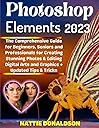
Adobe Photoshop Elements 2023 for Beginners, Seniors & Professional Editors Are you interested in having your photographs and images automatically created and edited without requiring you to exert a lot of effort? If that is the case, then the 2023 version of Adobe Photoshop Elements is the program that you should be using. In this guide, you will learn all there is to know about the newest edition, which has various new features meant to streamline workflow for professional photographers as well as amateur photography fans. The Auto-Enhance feature automatically modifies the brightness levels to bring out the finest in each picture, while the Smart Brush feature enables users to easily apply effects by simply brushing over the portions of an image that they want adjusted or improved. Adobe Photoshop Elements 2023 is equipped with cutting-edge artificial intelligence technology that enables it to automatically edit your photographs and bring them to their full creative potential. The program has also been updated to include some new features and capabilities, such as assisted editing, enhanced speed and stability, support for Apple's M1 processor, new templates for slideshows and collages, and a great deal more. Also, there are now dozens of one-click effects available, which enable even novice editors to achieve impressive results without needing any prior knowledge about photo editing techniques or complex toolsets found within other programs such as GIMP or Photoshop CC. In addition, this guide covers everything there is to know about the home screen, how to share a photo, how to use the save as dialog box, how to understand basic image editing concepts, how to explore the photo editor, how to navigate the organizer, how to view and find your photos, how to use layers, how to edit photos with different colors, and a great deal more. The AI capabilities of Elements 2023 are expanded thanks to the simplification of difficult editing operations. In this book, you will learn how to recompose photographs, stitch widescreen panoramas, remove individuals from backgrounds, defocus backgrounds, remove unwanted elements from backdrops, and even make a variety of calendars and greeting cards for your friends and family. You don't need anything else to make images that you'll be excited to show off thanks to Adobe Photoshop Elements 2023 and its remarkable array of highly developed creative tools. You will also learn how to correct optical distortion, reshape photos, exploit layers, layer masking, and sharpening methods, and you'll be able to take your skills to the next level, whether you're trying to produce the ideal picture or creative fantasy artwork. You will also acquire knowledge about the internet worlds of animation, video production, and third-party plug-ins. By the time you conclude this book, you will have gained the knowledge necessary to use the remarkable capabilities of Photoshop Elements 2023 with full assurance. What you will learn: How to retouch images professionally, replace backgrounds, remove people, and resize your images. Animate parts of your photos to create memes to wow your social media fans! Showcase your photos and videos with all-new collage and slideshow templates! Use image overlays to create unique depth-of-field effects! Discover advanced layer techniques designed to create immersive and powerful illustrations! Take your selection skills to the next level for the ultimate in image control! Develop your illustration skills using the power of Elements' huge range of graphics tools and features! Easily create wonderful effects using Adobe's awesome AI technology ... and a lot more
| Customer Reviews | 4.7 out of 5 stars 4 Reviews |
Trustpilot
1 day ago
2 days ago