Buy anything from 5,000+ international stores. One checkout price. No surprise fees. Join 2M+ shoppers on Desertcart.
Desertcart purchases this item on your behalf and handles shipping, customs, and support to Thailand.
๐ Elevate Your Outdoor Security GameโBecause Your Home Deserves the Best
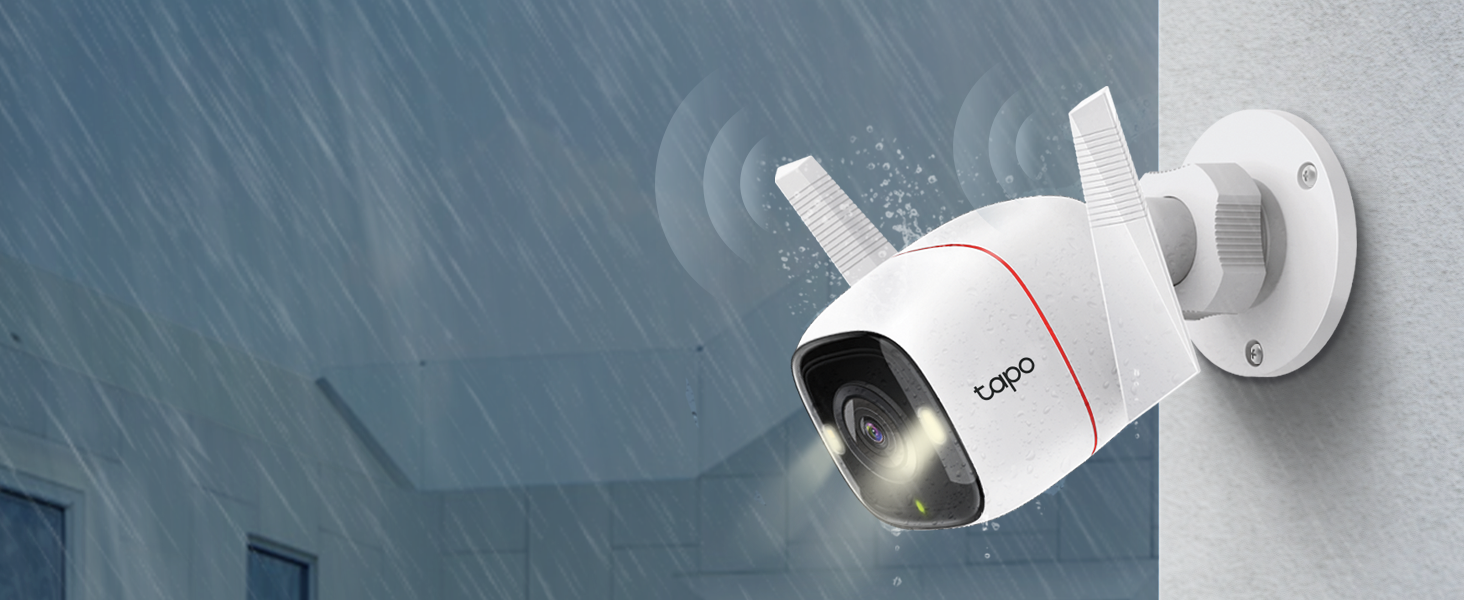
The Tapo TP-Link C320WS is a professional-grade outdoor security camera featuring ultra-clear 2K 4MP QHD video, IP66 weatherproofing, and advanced AI-powered motion detection. Equipped with dual spotlights and a starlight sensor, it offers vivid color night vision up to 98 feet. Compatible with Alexa and Google Assistant, it supports two-way audio with a built-in siren and flexible storage options including microSD and cloud. Designed for seamless integration and reliable 24/7 surveillance, itโs the smart choice for millennial professionals seeking peace of mind and cutting-edge home security.


| ASIN | B09ZZJB6VX |
| Alert Type | Motion Only |
| Antenna Location | surveillance |
| Batteries are Required | No |
| Best Sellers Rank | 333 in Electronics & Photo ( See Top 100 in Electronics & Photo ) 8 in Bullet Cameras |
| Brand | Tapo |
| Colour | Red |
| Compatible Devices | Smartphone |
| Connectivity Protocol | Wi-Fi |
| Control Method | Voice |
| Controller Type | Amazon Alexa |
| Customer Reviews | 4.6 4.6 out of 5 stars (7,236) |
| Effective Still Resolution | 4 MP |
| Effective Video Resolution | 4 |
| Field Of View | 110 Degrees |
| Focus Type | Manual Focus |
| Form Factor | Dome |
| Global Trade Identification Number | 00840030707032 |
| Included Components | Camera Body (Tapo C320WS), Mounting Template, Anchors and Screws, Power Adapter, Quick Start Guide, Waterproof Seal, Waterproof Cable Attachments |
| Indoor Outdoor Usage | Outdoor |
| Item Dimensions | 14.2 x 10.3 x 6.4 centimetres |
| Item Type Name | Security Camera |
| Item Weight | 210 Grams |
| Light Source | Infrared |
| Manufacturer | TP-Link |
| Model Name | Tapo outdoor indoor cameras |
| Model Number | Tapo C320WS |
| Mount Type | Wall Mount |
| Network Connectivity Technology | Wired |
| Night Vision | Night Color |
| Night Vision Range | 98 Feet |
| Number of Channels | 1 |
| Number of Items | 1 |
| Other Special Features of the Product | Night Vision |
| Photo Sensor Technology | CMOS |
| Power source | Corded Electric |
| Rear Webcam Resolution | 4 MP |
| Room Type | Office |
| UPC | 840030707032 |
| Unit Count | 1.0 count |
| Usage | Surveillance |
| Video Capture Format | MP4 |
| Video Capture Resolution | 4 MP |
| Voltage | 12 Volts |
| Water Resistance Level | Waterproof |
| Waterproof Rating | IP66 |
| Wattage | 6 watts |
| Wireless Technology Type | Wi-Fi |
| Zoom Type | Digital Zoom |
A**W
Tapo c320ws
The previous version C310 was far superior, bells and whistles are good if they work, sadly this camera fails here, can't use the night vision without the spotlight being on permanently and the lag in the playback is something else, I've had to set it down to 720p and still get lag on a wired 500mbps fibre connection, I've tried every setting without joy, I regret buying this camera
L**A
Funciona tal cual se promete, facil de instalar, facil de usar, buena calidad en los videos, no se puede decir mas al respecto.
T**N
I bought the 2 pack Tapo security camera last month as a upgrade from a similar camera. On my review of that order, I noted that I planned to expand my system with more cameras in the future . About a month has gone by and my feelings for this system are still the same. I added this OUTDOOR camera to replace an older camera on my driveway. The COLOR night time view literally blew me away. At first , I started getting too many false alerts picking up cars on the road. I then made a "BOX" for the motion sensing that didn't include the road...Boom..No more false alerts.. I did notice if I enable the " AI "mode for vehicles..It still picks up the cars that I didn't include in my motion area I chose...it seems Like it overrides the box and looks at the whole screen. This was easily fixed by disabling the AI for AUTOs. Setup was a breeze , just adding it to my other 2 Tapo cameras . Details are clear and I can easily read a license plate anywhere in my driveway. Alerts are sent almost instantly , and I will probably activate the free trial on this camera for offline storage. Remember to buy the 256 gb SD card when you buy these cameras. 2 screws must be removed to put the SD card in , and they are tiny tiny screws. Once you insert the card , you will be good to go. The software will format the card , and you can choose 24/7 recording , or motion activated recording. Record the motion clips that you want , save them to memory , then go to memory and you can view , download , or delete the clips to your phone. You can do all of this without a subscription. It's a great addition to my security system , and I plan to add the Battery Powered cameras in time so I can view my backyard . Tapo has proven to be a great family of security cameras for all situations. Whether it a baby monitor , outdoor , wireless , battery powered, or motion tracking , this collection is great and all work together with one well written ,easy to use app. Keep up the great work Tapo ! UPDATE : After a couple of months use , I thought I would add to this review. Now , someone user left a Lengthy review and 90 percent of it is user error. You can EASILY record video to your phone from the SD card without removing anything. If you get a notification , So .... The way to save videos does actually vary between my indoor and outdoor cameras . The Indoor cameras have 3 dots after the clip , and if you select the 3 dots it gives you the option to DOWNLOAD the clip . Selecting this DOWNLOADS the clip to the MEMORY of your SD CARD ... Then if you look up toward the top of the screen .. You will be able to select " Memory " and all the clips you downloaded will be here .... Selecting the clip you want will give you the option to delete , view , or even Download this video to you phone . NOW ... the Outdoor camera has changed a little bit on how to do this without a subscription....When you are watching the selected video , you must press the little camera button while viewing the video , then press it again to stop the recording ... It will the save the clip you recorded to the " MEMORY " section of the SD CARD.. At this point you can click on the clip to view , delete , or DOWNLOAD it to your phone! It's 2 easy steps to save it on your phone...Once you know how to do it , it's very easy....Don't believe the users that say you can't save clips to your phone .. Now for an actual small issue I had . My outdoor camera has an occasional issue ...I attribute this to the distance from my router. Last week , the spotlight stayed on for a couple days???...I unplugged the unit..Rebooted it...multiple times and it was not working correctly... I will admit I was a little upset..but I decided to do a factory reset by pushing the reset button that's in the SD card cover...That was the best thing I could have done ..I reconnected it to my app ..And the camera is now working correct again.... No dropouts , Motion Spotlight works , and I am happy it was just a factory reset that it took to fix it .. It's been working good for 2 weeks straight now ...We did have a power outage a couple weeks ago , and I think that may have messed my outdoor camera up a bit ..Overall...I still think it's the best budget camera system you can get.. No monthly fees and still does everything I want it to do . After months of use, I came up with the following way to set my camera up as the best for my driveway ,and sidewalk . I DISABLED motion sensing , as ANY motion including trees , shadows , distant cars , would always trigger alerts , I disabled the vehicle sensing as it would alert me of all the cars on the road .. I set " Person " alert and this picks up all " people " riding or walking and works perfect ... The other setting I enabled was " Line crossing " and made a line that gives me a notification if anything crosses the middle of my driveway . The combo of Line crossing , and Person alert has made this system work the way I wanted it to .. I see my driveway , and the road but do not get alerts for the traffic on the road .. Only if they pull in my driveway ... The person detection seems to work great when a person is walking anywhere ... It took a little bit of playing to reduce false alerts ... But now that I have it tweaked out , it is an amazing system to have.
A**I
Initial Review: The camera is a solid piece of hardware that works exactly as described. Over the past 3 days I've tested the cameras with my rather strict requirements in order for what I needed. This camera has a lot of smart features built in to allow for reliable offline operations and smart "AI" features built in which allows for a wide array of alerts. Initially it was a pain to get the alerts dialed in so that I wasn't bombarded with notifications 24/7. However once done, I only received notification when an actual event was detected. My recommendation if you're using it in the manner I was (as shown in photos.) Make your detection areas smaller and set the sensitivity between 2-4. Overall the camera has clear video quality, however I found myself switch starlight mode off as the camera's LEDs appeared to be always on during the night. The downside of this camera is it's power connector. The provided connector is not waterproof and while the 3M cable is plenty long for most people in my case I found it to be too short in 2 out of 3 areas I have this camera installed. Lastly the main advantage of a camera such as this one is the "open" nature of the software the RTSP and being able to use this to add the camera to Homekit has allowed this camera to integrate well with my setup. However, I cannot say the same for the "supported" Google Home setup as you will need a smart display to be able to view the feed from this Camera. Better, more detailed review will be included in about a month's time from now. Overall, I would recommend this camera to others especially considering it's NVR support, built in detection and great price point. Cloud storage is being tested, overall okay nothing special in my opinion.
L**K
Super easy to setup and likes the app which is also easy to use and has all the key features including night view with colour mode, light, speaker/mic and even a choice of object &/or human detection. Picture quality is very good.
M**D
Best Camera
Trustpilot
1 month ago
3 weeks ago