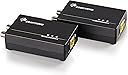
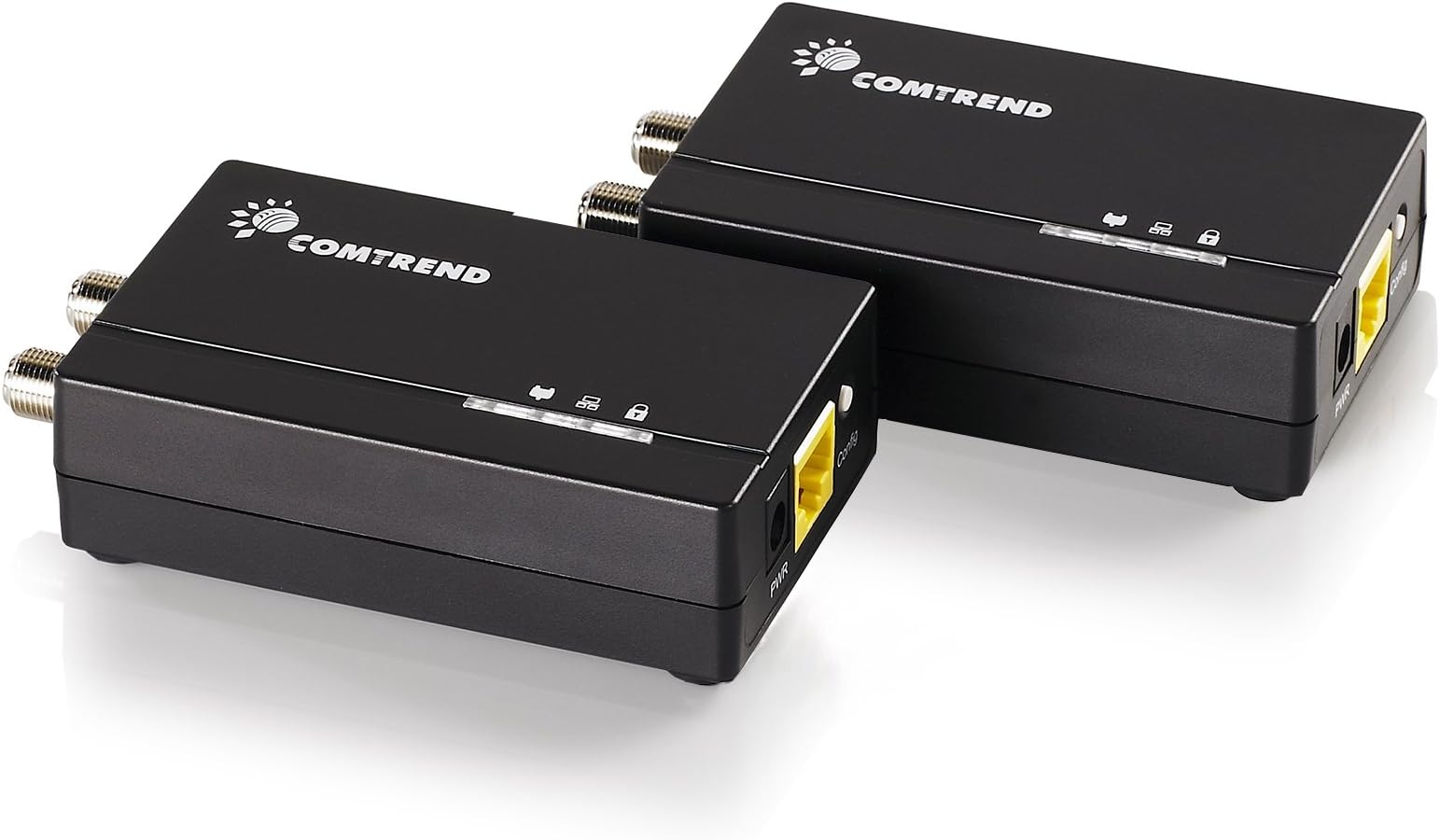
⚡ Power your home network with coaxial speed and security!
The Comtrend GCA-6000KIT transforms unused coaxial cables into a high-speed, secure Ethernet network delivering up to 1200 Mbps. Ideal for streaming and gaming, it supports up to 800 meters of range, outperforms wireless connections, and offers easy plug-and-play setup compatible with fiber, DSL, and satellite internet. Backed by 30+ years of networking expertise, it’s the smart upgrade for reliable home connectivity.


| ASIN | B01MRV4WA1 |
| Best Sellers Rank | #306 in Powerline Network Adapters |
| Brand | COMTREND |
| Color | GCA-6000KITb |
| Compatible Devices | Tablet |
| Customer Reviews | 4.1 out of 5 stars 502 Reviews |
| Data Link Protocol | Ethernet |
| Data Transfer Rate | 1200 Megabits Per Second |
| Hardware Interface | Ethernet |
| Item Dimensions L x W x H | 3.9"L x 2.67"W x 0.96"H |
| Manufacturer | Comtrend |
| Mfr Part Number | Comtrend Powerline |
| Model Number | Comtrend Powerline |
| Product Dimensions | 3.9"L x 2.67"W x 0.96"H |
| UPC | 897384000395 |
| Unit Count | 2.0 Count |
M**N
Fantastic and very fast
I purchased these to plug in my wireless access point on our third-floor house (via a cable connection) to get strong wifi from the main router in the basement where we have our cable modem and a wired access point transmitting wifi. I connected the TX unit to our router in the basement. The cable modem is 2.5Gbps speed, as is the router. I pay for 1Gbps via my internet provider. With the 2.5Gbps overhead, I am able to achieve real-world 1Gbps speeds. You will not get the true ISP speed you are paying for without this overhead. Our house does not have ethernet cables routed through the walls; instead, we have the typical coax (Cable) wiring originally run for the now obsolete cable television because the house was built in 2003. Therefore I do not have the luxury of ethernet cable plugging into my wireless access point on the third floor, from our Cable modem/router in the basement. Here is the gold at the end of the rainbow, these babies fixed my problem with ease. They are fantastic and very fast. I did not need to run ethernet cable through the wall, which would be a nightmare scenario in my house. With an existing internet signal coming in from the street into my cable modem via coax cable, these units CO-EXIST with this data, despite other reviews online based on the prior, slower models that you cannot use the units if you have an existing internet signal running through your coax cables. So....I plugged the transmission unit in the basement into the router, its other end into the coax cable in the basement that runs upstairs to my third-floor office behind the wall. The receiver unit is on the third floor plugged into the coax cable on one end (coming out of the wall), and the ethernet end into my mini-switch, which feeds the wired Access Point via ethernet cable, and the speed is sustained at 932Mbps !!! So, why is this such a big deal? 1) They are 2.5Gbps, which gives you plenty of room to achieve true 1Gbps speeds (if you are paying for that with your ISP) - given the overhead I explained above 2) You do not need to run an ethernet cable from one extreme end of the house to the other inside your walls, simply utilize your existing coax cables 3) They are super cheap to buy 4) Plug and play, absolutely no configuration! By the way, I should mention you can go straight into your computer on the receive side, you do not need to go into a switch. In my case, I do because I need to provide Wifi to the upper floors via an access point because the access point Wifi signal in the basement cannot reach the second and third floors with a healthy speed performance (the whole reason I did this) Enjoy! Highly recommend!
C**I
1200 Mbps is impossible! But great for 1000 Mbps.
1+ year update... These units seem to be capable of delivering max around 500 Mbps in data thruput, in a point-to-point (read best case) scenario. Works fine for my use case, but YMMV. 1200 Mbps advertized is total thruput, i.e. if you deploy these units (at least 4 units) within your home coax infrastructure then you have theoretical potential of achieving 1200 Mbps thruputs simultaneously across multiple units. However thats raw thruput in an ideal environment, so practically you will see a lot lower. I do not have 4 units deployed as such so I cannot confirm the actual thruput in that scenario. I would hope the actual total thruput in that scenario would be 600+ Mbps. Original review below... This has worked out quite well for my use case. Existing isolated coax cable run (as part of a previous dish setup that I do not use), to supply data at 1Gbps from one to the other end of the house. I haven't tested thruput but I can confirm I am able to get 100+ Mbps. Hooked on to an unmanaged switch feeding a WAP, I was able to run multiple lag-free HD streams simultaneously while getting 200+ Mbps reading from a phone connected to the WAP. For my use case, installation was too easy, simple plug and play. In my case, I tested out the system with a shorter coax cable confined to my desk to make sure the units worked and weren't DoA. The units seemed to come with default hard coded IP of 192.168.0.5, which seems to not matter in my 192.168.1.x subnet. So, in other specific cases I cannot say what will happen: 1. If you're running these in a 192.168.0.x subnet. If theres IP conflict you will have to resolve it somehow. 2. If you utilize your house's built-in "coax network", YMMV. It will all depend on the complexity and quality of the network, types, qualities and counts of splitters and filters used throughout etc. Do keep in mind, you can only use these if you're not getting your internet via cable, and/or you're not subscribing to cable TV. More technically speaking, you need to ensure the frequencies currently utilized within your coax network does not fall within the frequency range used by G.hn ethernet over coax specs. So, I could've also gotten and used MoCA for my use case, which seems to be more future friendly and expandable option (i.e. I could later move it over to my coax network to coexist with cable internet). I chose this to try out G.hn technology and also save about $30 compared to the cheapest MoCA bonded 2.0 pair I could find (motorola). One annoyance I would like to mention (but not deduct a star for), is the claim of 1200 Mbps. This is impossible, as the units have built-in 1000 Mbps or Gigabit Ethernet port. No switch I know will be able to supply it anything higher than 1000 Mbps. Although it may be possible for the two modules to speed up transmission of data once in the unit to send to the other unit. However the other end connecting to a switch will again be negotiated down to 1000 Mbps max. So yeah 1200 Mbps is impossible, even in theory!
M**K
AMAZING PRODUT *** AWSOME RESULTS ** LOT OF $$$ SAVINGS
AWESOME Outcome of Saturday morning, want to share if anybody wants to implement this in their home As we all know, Verizon and Comast put the modem in the basement. They claim that today's routers are powerful enough to give speedy internet throughout the home. I had issues with the internet towards the far end of the house. After doing a lot of research and trying at least 2 products finally got this to work. Purchased a product name "CComtrend GCA-6000 kit," it is Ethernet over the COAX Adapter kit. This device allows an Ethernet signal to transfer over the current TV Cable. You plug in one device to your basement router and another device to the other end of the TV wall outlet. if you hardwire the device, it gets "full speed". I connected another Linksys router on the other end, and that area is now blazing fast. I have a 1GB connection and now using this device I get full 1GB(Hard wired) on the other end. There are two speeds one from the Verizon router to the Verizon Hub and then your device to the Verizon Router. I got great speeds on both levels. **SAVING ON VERIZON EXTENDER FEE FOR EVERY MONTH from now on ** The only limitation is that the COAX cable should not have any other traffic, which means current cable should not be used for TV transmission, which most of the homes switched to Wifi based devices anyway. Anybody have the same problem can look into this option here is a link for the device. Highly recommend thisi product, installation was extremely easy(it took me more time to find out which COAX I need to connect as I have 7 COAX outlets :-) https://www.amazon.com/gp/product/B01MRV4WA1/ref=ppx_yo_dt_b_asin_title_o01_s00?ie=UTF8&psc=1
E**E
Important make sure you are using RG6 cable and not RG5.
Like my headline stated. Make sure you are using RG6 cable if you are using RG5 your throughput will be between 15-25 Mbps. I was getting terrible speeds when I first got the unit so I used an RG6 barrel connector to join the coax coming from my router to the coax going to my switch. My speeds did not improve so I found the culprit was an RG5 cable that was connected to the MOCA device going to my router. After replacing that small piece of cable I am getting 650-700 Mbps, a vast improvement. If I decided to add another MOCA device I will purchase a new splitter as this old one in the pic was from a satellite system that we no longer use. I would purchase again.
M**N
Useless status lights
I went with these as a less expensive alternative to MoCA adapters. I heeded the warning to use only dark coax (I don’t have TV signal running over my coax). But I can’t trust these. I tested them by plugging both into power, and using a single 1 foot coax cable between them. No Ethernet hooked up, but ideal situation otherwise. The coax LED duly turned on. Then I unplugged one coax end and the coax LED stayed on. At this point the indicator is just wrong. The cable wasn’t plugged in! Similarly, I was able to get the secure light to stay on by just pressing it and waiting. It blinked for awhile, then stayed solid. I had never started pairing mode on the other end. You want these because you’re trying to make a reliable wired connection. These don’t. Look elsewhere.
R**E
Simple and highly effective plug and play network solution using coax cable lines!
The scenario: the cable modem router is on the main floor and the gaming system is on the upper level. A LONG network cable had been run between the rooms and it was an eyesore and a tripping hazard. Having searched for a solution I found this and figured I would give it a try. It is a plug and play solution that worked from the moment it was plugged in! There is no lag and no impact on speed to any of the other devices. This simple and highly effective solution works perfectly and has eliminated the unsightly cable that had been in place far too long. I would highly recommend this to family, friends, and all others looking for a quick and easy solution that utilizes existing coax cable to carry the network load without all of the hassle of running new cables. This system rocks!!
T**Y
They are good but....
These work well. If you follow the instructions and the coax is good and dark AKA not being used it should work just fine. However, they get warm and fail. I have few options where I have them and so I keep buying them. I have a shop located a bit over 1700 feet from my home and short of a fiber optic run or an RF option such as ubiquity or Mikrotik I am more or less at the mercy of these babies. If your needs are simply to connect devices within your home these will work but there are better options. Speed could be a concern but I have no issues with speed. I have starlink and as such no issues. We are expecting 2GB fiber to be completed in our area by the end of this year 2024 and I will see how well it works then. I suggest getting the extended warranty. I just bought my 3rd set and finally decided to add the warranty. We will see how much hassle I get in a year as that is about how long they last. So, they work well but don't last long.
T**E
Initial review is good - Updated review after 1yr
I'm getting 497mbps up and down within my network between these. Setup wasn't too bad. I reconfigured my coax spaghetti in the basement to be basically a straight shot from one of these to the other. Nothing else on the coax but these things. Happy this worked out because I didn't want to run Cat6 through my apartment and deal with redoing drywall and all that. I'm happy with 500. It's a good amount of speed for the compromise of not dealing with running wires. I'll update this review in a while if something changes, but for now - Good stuff. Engineer approved. Update - After 1 year I can tell you these things have worked quite well. No instability, no dropped packets. I even did some additional rewiring to shorten the distance and splitters between the two, as well as an upgrade to the switch it's connecting to. I broke 500 and I'm in the upper threshold for speed, sometimes at around 540, which is wonderful. Remember 1200mbps is a theoretical limitation for the technology, with all things being perfect. Expect more like 300-600mbps. 1200mbps might be possible for dual band, which these are not. They're also half the price. My biggest need was in latency reduction and consistent/reliable packet delivery, not perfect gigabit speeds, because I do Steam streaming from my gaming desktop to other parts of my house, either wired to the Steam link, or through AC WiFi. For this it works flawlessly.
C**B
Expensive but effective 100%
I had three options to get internet connection in the attic, where I have my home office: 1) wifi mesh, actually innefective, i was getting 20mb connections 2) wiring with ethernet, really complicated 3) giving use to the forgotten antena cable i had running through the house , so I bought this product, and now i am getting >500mb speeds!!! I connected to a hub and from there to all the computers and devides of my home office. It was not cheap, but I’m very happy with the result.
P**R
Good alternative to running twisted-pair wiring if you have unused RG-6 coax and 500M is enough
I use these ethernet to G.hn media converters to get a reasonably good network connection into my living room. The conditions are: in total about 20m of RG-6 coax, standard gold-plated screw-on F connectors, one double-sided connector at about half the cable length (in the attic - the RG-6 was formerly thought to be used for DVB-C signals from the roof). Cables are from the mid-90s. The testing environment consisted of: HP ProBook 430 G1 (Core i5-4200U, Realtek RTL8168 gigabit ethernet adapter, Atheros AR9565 WiFi adapter) to an "older" desktop PC (Core i7-920, Realtek RTL8168C gigabit ethernet adapter). As can be seen from the data (see picture), the adapters give just over 480 Mbit/s practically. For a 1200Mbit/s half-duplex line this seems ok for the about 600 Mbit/s expected theoretical maximum. The connection seems stable so far/no drops and good latencies. If you're hesitant to drill new holes for Cat. 6, 7 or 8 wiring just yet and have unused coax in the house, these adapters are a very good alternative as they offer almost the performance of a 1000Base-T ethernet. From experience, they are more stable and performant than power line (HomePlug AV2) connections. The downsides of these adapters over twisted pair cable are: - that as active devices they clearly consume power - there will likely be no significant upgradeability on coax to higher bandwidths in the future. Conversely: -> Cat 7 offers up to 10G ethernet -> Cat 8 offers up to 40G ethernet -> a single mode fiber pair will likely offer any future fiber standard. All with the catch that you need the respective active hardware, which, speaking for the consumer segment, can be still quite pricey: 10GBase-T network cards cost from about 100€, switches from about 30€ per SFP+ port, 10GBase-T transceivers from 60€/piece, 10GBase-LR transceivers (single mode fiber) from about 20€/piece. In total, if you only need 1G-like functionality in your home with existing coax lines, pick these adapters. Otherwise: open up your walls and put in a pair of single mode fiber cables per room (for the long run), or clip some 30m Cat7 cables on the wall as a makeshift solution.
A**R
Working at 256 Mbits/s. You might need an RF Female Socket To F Type Male adapter
I have installed these in my house in the UK and it works perfectly. I get 256 Mbps and not 1200 Mbps but that might because of my cables; do not have any connection drops and I am happy with it. I did need to buy the RF Female Socket To F Type Male adapter (see picture), as the standard TV cables in the UK are too thick to plug in the devices without them.
R**.
Ich bin begeistert!
Mein Aufgabe war Netzwerk in das Gästezimmer im UG zu bringen, da ich hier Homeoffice zu machen habe. Der Router befindet sich im 1.OG Nun waren verschiedene Ansätze im Plan: 1. Wanddurchbrüche und Kabel legen: Das sollte dann eher der letzte Weg sein... 2. WLAN: Nahezu keine direkte Verbindung möglich. Diese Lösung funktionierte dann dank zweier WLAN Repeater doch halbwegs gut. 3. D-LAN oder PowerLAN: Das war leider noch schlechter als WLAN! Dazu kam, dass der Nachbar kein Radio mehr hören konnte... Also so oder so keine Lösung! Nun haben wir im Haus aus alten Zeiten noch ein TV-Kabelnetz, dass sich vom Dachboden vom Antennenverstärker sich über ein Arbeitszimmer im 1. OG, Esszimmer im EG, Wohnzimmer und schließlich im Gästezimmer im UG erstreckt. Dieses TV-Netz ist mittlerweile außer betrieb gelegt. Klarer Fall, Antennenkabel raus ziehen und dafür Netzwerkabel einziehen. Das war leider nicht machbar, da das Antennenkabel eingegipst ist. Somit ist diese Lösung ebenfalls keine Lösung! Nun bin ich eher zufällig über diese Adapter gestolpert. Und ich bin mehr als begeistert: Die Performance stieg von D-Lan=5 MBit/s oder WLAN=30 MBit/s auf 560 MBit/s. Die Latenzzeiten waren beim D-LAN=2-3 ms, bei WLAN=6-9 ms jetzt mit den LoC Adapter auf 1-2 ms. Die Verbindung ist jetzt fast wie direktes Netzwerkkabel zum Router. Das begeistert mich wirklich! Einzig ist es Notwendig, sich gleich Reise-Zwischenstecker mit zu bestellen, sofern man nicht zufälligerweise welche herum liegen hat, denn die Steckernetzteile sind für das amerikanische Stromnetz ausgelegt. Wirklich tolles Produkt, nur ein wenig schade mit den Netzteilen. Dennoch kein Punktabzug, da es bereits Hinweise dafür gab. Nun bin ich mal gespannt wie lange diese Adapter funktionieren... :)
R**A
Melhor do que Esperava
Muito fácil ligação, e tenho uma velocidade contratada de 500 MBps liguei diretamente ao router, e depois noutra divisão, através do coaxial, a um portátil e consigo a velocidade máxima da rede. Fantástico !
Trustpilot
3 days ago
3 weeks ago