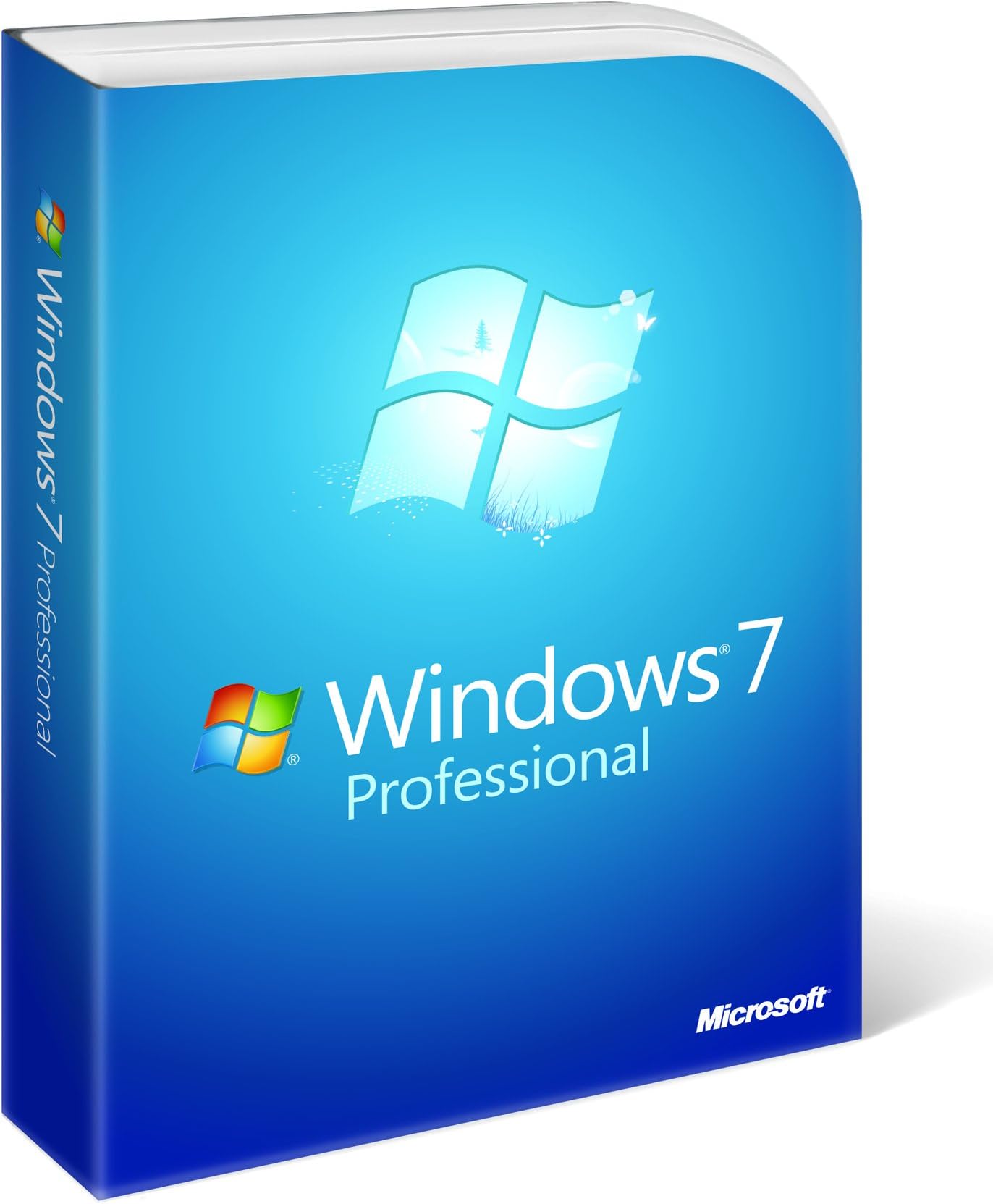




Microsoft Windows 7 Professional, Full Version (PC DVD), 1 User
Product ID: 55196827
Buy anything from 5,000+ international stores. One checkout price. No surprise fees. Join 2M+ shoppers on Desertcart.
Desertcart purchases this item on your behalf and handles shipping, customs, and support to Thailand.
Review: It does what it says on the tin ..... - I was so impressed with the Release Candidate version of the s/w that I completely forgot that it was time limited. When the first "nag-mail" arrived I didn't have to think too hard about purchasing the full product. The 64 bit option installed on a four and a half year old laptop (HP Pavilion zd8000 series) without hitch - well, not quite, I discovered that the lappy's audio chipset didn't yet have a W7 compatible driver and I had to start the install again with the 32 bit version. So far, with the 32 bit version, all has been well. All legacy applications seem to work, including some pretty ancient DOS based ones. I was using XP Pro before this - I avoided the Vista trap, thank goodness - and the transition between the operating systems was easy. I've been an IT user/configurer/builder since the late 1970's and this change of OS was just the next one in a long line. No regrets, ho hassle. It just works. All I need to do now is pluck up the courage to free up some disk space by deleting the back-up Windows.old directory. I really like the interface, although the tranparency of the window title bars is a bit of a trap at times when trying to select one of the many that I might have open on the desktop. I like the ability to hover over the taskbar icons to see what's there and access the one sub-window of an application I need, almost straight away. It is very useful when working between several docs or spreadsheets. One of the better releases that MS have made over the past couple of decades. Review: Windows 7 Pro - 7 out of 7 (Excellent) - I have been looking forward to the release of this edition. I refused to upgrate from Windowns XP Pro to Vista on such poor remarks from everyone so I jumped in on the first day of release and went for the Pro version again. The advantage of the Pro version is, even for home users, is that you get so much more and if like me you have several computers and a newish TV that you can connect to a home network, the possibilities are much more broad. With my kids and my wife and a dedicated 2nd comp for my website stuff we have a home network of 5 computers, we then have a Sony TV in the loungh which is connected to the network, even the Sony BlueRay DVD machine has a netword connection so this also is connected to the home network. (If you even look at the back of your Sky HD-TV box you will find a network connection for future expansion - so much more is being connected to other computers and linking together). Easily now I can pass files, photo, music whatever to my kids computers, you can connect a hard-drive to the network and everyone can back up files to it, even to an other computer in your kids bedroom easily. Dont ever let your comp go down now without at least 2 other backups in the house. So apart from Win7 being just fantastic as a interface with your comp, this version after 3 weeks working with it is just so really really brill. Miles better than XP and that is still cracking! The way I did my upgrade, well not an upgrade really but a total install from scratch. Back up your documents/important files, I then did a format of the hard drive I was going to use to install Win7 onto so it would be fresh/new. Installed clean version of Win7 to the hard drive and then re-copied my documents and files back. Win7 Pro comes with 32 bit and 64 bit DVD's. I installed the 64 bit version as its the future and it can recognise more memory than 3.5gb. I have now installed 4gb extra memory and run at 8gb. Check if you are thinking of the Home version as it is 32bit version only and as such can only read a max of 3.5gb. Win7 also lets you add a USB memory devise as a booster. Stick in a USB module (I put in a 4gig stick into a spare USB port at the back of the computer) this is then used to swop/page files to by windows to boost performance as it can read USB memory cards faster than hard drives. The only problem I had with the 64 bit version was (a) Flash on websites do not work. Wait though cos Win 64 version installs a 32 bit and 64 bit version of Windows Explorer 8. So even from your 64 bit version of Win7 you can run Explorer 32bit version and full flash content is on site. Adobe website says it is working on a 64 bit version of flash that will be available soon, then you will be able to run the 64 bit version of Win Explorer and get flash content. The speed of Win7 64bit is the future and more and more programmes will be formulated in 64 bit format for super speed. There was 1 other slight problem with a Family Tree programme I was running but the site had a 64bit fix and now runs great. Install of the 64 bit version went like clockwork, I did not have to download a single system driver and I can honestly recommend Win7 Pro to anyone. I have heard some horror stories on other reviews here but I just cannot comprehend those remarks as I just think this programme is FANTASTIC. I give Win7, 7 out of 7. Thanks. Colin.
| ASIN | B002DUCMTC |
| Best Sellers Rank | 1,487 in Software ( See Top 100 in Software ) 111 in Operating Systems |
| Customer reviews | 4.0 4.0 out of 5 stars (314) |
| Is discontinued by manufacturer | No |
| Item model number | FQC-00133 |
| Language | English, English |
| Manufacturer | Microsoft |
| Product Dimensions | 3.02 x 19.23 x 13.82 cm; 26 g |
| Release date | 22 Oct. 2009 |
J**N
It does what it says on the tin .....
I was so impressed with the Release Candidate version of the s/w that I completely forgot that it was time limited. When the first "nag-mail" arrived I didn't have to think too hard about purchasing the full product. The 64 bit option installed on a four and a half year old laptop (HP Pavilion zd8000 series) without hitch - well, not quite, I discovered that the lappy's audio chipset didn't yet have a W7 compatible driver and I had to start the install again with the 32 bit version. So far, with the 32 bit version, all has been well. All legacy applications seem to work, including some pretty ancient DOS based ones. I was using XP Pro before this - I avoided the Vista trap, thank goodness - and the transition between the operating systems was easy. I've been an IT user/configurer/builder since the late 1970's and this change of OS was just the next one in a long line. No regrets, ho hassle. It just works. All I need to do now is pluck up the courage to free up some disk space by deleting the back-up Windows.old directory. I really like the interface, although the tranparency of the window title bars is a bit of a trap at times when trying to select one of the many that I might have open on the desktop. I like the ability to hover over the taskbar icons to see what's there and access the one sub-window of an application I need, almost straight away. It is very useful when working between several docs or spreadsheets. One of the better releases that MS have made over the past couple of decades.
C**N
Windows 7 Pro - 7 out of 7 (Excellent)
I have been looking forward to the release of this edition. I refused to upgrate from Windowns XP Pro to Vista on such poor remarks from everyone so I jumped in on the first day of release and went for the Pro version again. The advantage of the Pro version is, even for home users, is that you get so much more and if like me you have several computers and a newish TV that you can connect to a home network, the possibilities are much more broad. With my kids and my wife and a dedicated 2nd comp for my website stuff we have a home network of 5 computers, we then have a Sony TV in the loungh which is connected to the network, even the Sony BlueRay DVD machine has a netword connection so this also is connected to the home network. (If you even look at the back of your Sky HD-TV box you will find a network connection for future expansion - so much more is being connected to other computers and linking together). Easily now I can pass files, photo, music whatever to my kids computers, you can connect a hard-drive to the network and everyone can back up files to it, even to an other computer in your kids bedroom easily. Dont ever let your comp go down now without at least 2 other backups in the house. So apart from Win7 being just fantastic as a interface with your comp, this version after 3 weeks working with it is just so really really brill. Miles better than XP and that is still cracking! The way I did my upgrade, well not an upgrade really but a total install from scratch. Back up your documents/important files, I then did a format of the hard drive I was going to use to install Win7 onto so it would be fresh/new. Installed clean version of Win7 to the hard drive and then re-copied my documents and files back. Win7 Pro comes with 32 bit and 64 bit DVD's. I installed the 64 bit version as its the future and it can recognise more memory than 3.5gb. I have now installed 4gb extra memory and run at 8gb. Check if you are thinking of the Home version as it is 32bit version only and as such can only read a max of 3.5gb. Win7 also lets you add a USB memory devise as a booster. Stick in a USB module (I put in a 4gig stick into a spare USB port at the back of the computer) this is then used to swop/page files to by windows to boost performance as it can read USB memory cards faster than hard drives. The only problem I had with the 64 bit version was (a) Flash on websites do not work. Wait though cos Win 64 version installs a 32 bit and 64 bit version of Windows Explorer 8. So even from your 64 bit version of Win7 you can run Explorer 32bit version and full flash content is on site. Adobe website says it is working on a 64 bit version of flash that will be available soon, then you will be able to run the 64 bit version of Win Explorer and get flash content. The speed of Win7 64bit is the future and more and more programmes will be formulated in 64 bit format for super speed. There was 1 other slight problem with a Family Tree programme I was running but the site had a 64bit fix and now runs great. Install of the 64 bit version went like clockwork, I did not have to download a single system driver and I can honestly recommend Win7 Pro to anyone. I have heard some horror stories on other reviews here but I just cannot comprehend those remarks as I just think this programme is FANTASTIC. I give Win7, 7 out of 7. Thanks. Colin.
E**S
Perhaps the best OS yet?
I use this on a dual-boot with XP Pro - never used Vista, wouldn't touch it with a barge-pole! (I do a lot of professional work with video and audio and Vista is an absolute non-starter for me in these areas). Under W7 these programs run virtually flawlessly. The only problem I have seen with W7 as I slowly migrate the applications I run under XP to run under W7 is that a number of manufacturers have still not released drivers for their products under W7. This can lead to DPC (Delayed Progam Call) problems which can interrupt the signal flow in audio and video which MUST be continuous. BUT, in practice, this seems to have created few difficulties since, for most products, either the drivers built in to the Operating System work well or existing Vista drivers can be used without problem. I like the graphic interface and the much-improved time taken to boot up and shut down, compared to XP. I haven't actually timed it but my impression is that W7 boots up and/or shuts down in about half the time XP takes. Overall, for me the best OS I have used. (Previously used W95, W98, XP Pro).
P**N
Legit product - but you may have to phone
This product works and is legit. When received it did say - 'for Dell PCs', but it was fine for installing on a non-Dell. When I tried activating the product it said 'Activation failed' and then provided a phone number and a set of 9 lots of numbers. Write these numbers down and phone the 0800 freephone number provided. It takes about 10 mins. The service is fully automated. You type in the numbers set by set by phone. It then gives you back a set of nine numbers (audio) to put in. You can have it repeat the list in one go at the end. Put those numbers in and the product is activated. If you are dual booting this with an already installed linux, then partition and format a NTFS partition with gparted in linux first. (The Windows disk isn't intelligent enough to do this). Install windows to this partition then boot into linux from a linux boot disk and install boot-repair and run this to repair the boot sequence. [...] for tips on this.
S**R
WIN7/64BIT + FSX RANT!!!
WINDOWS7 64 BIT has given both myself and my IT guru so much grief with FSX it has destroyed any pleasure I was hoping to have purchasing FSX and a high end notebook pc (The one with 2 power buttons and the separate plug in bass unit an unusual keyboard and the Danish sound system retailing @ 700gbp) I checked that FSX would function on WIN7 by running it on this M/C but of course it worked it is a 32BIT!!!!!! Dont get me wrong-the EYE CANDY is awesome (I take a lot of pleasing and do not give credit/criticism where it is not earned ) The challenge of trying to save FLIGHT VIDEOS (THEY ARE NOT VIDEOS IN A TV SENSE THEY ARE A VIDEO REPRESENTATION OF A BLACK BOX 4CHANNEL RECORDING CONTAINED IN A CLOSED FOLDER TO-KEEP THEM IN SYNCH)is not helped by WIN7/64 opening the folder and throwing all 4 data files across my workspace!!! I suppose its one of those cases of 7/64 assuming the operator wants this action WELL I DONT!!! There is a SOLUTION BUT it means (a) Dropping review (b) Dropping continue recording (c) Opening 2 (recmmended) folders (d) Drag & Drop operations I purchased WINDOWS 7 PROFESSIONAL FULL VERSION FROM AMAZON as a LAST RESORT to try 32BIT on my 64BIT M/C (DESPERATION SETTING IN!!!)--You Guessed it!! IN CONCLUSION after spending many hours trying and only finding a partial solution I have lost all interest in what was to be an interesting hobby I have decided to (a) Let the dog have my flying jacket as a bed (b) The parrot gets my goggles He loves the lenses as mirrors (vain devil) (c) Boots to charity (d) Im still unsure where my brain is (e) I am looking to my right and see £1017.00p Utterly wasted!! MOTTO - KEEP MOUTH SHUT AND LET FOLKS THINK YOU ARE IDIOT OPEN MOUTH TO CONFIRM!!! END OF RANT END END END ------
W**D
Windows 7E - Windows Vista that works..!!
This version of Windows is easily the best version so far [as it should be.] Vista before it was not. Windows 7 has had the largest & longest period of testing by the public of any operating system ever. That said it is not something that a new starter in computers should attempt. It requires the knowledge of saving all your previous work, then installing the OS, formatting your drive if required, then installing a browser [IE8 etc.] You then need to find and install all the drivers that Windows does not find to make sure all your hardware works. Not a very difficult job, but hard for a computer newbie. If you are not sure of doing all this, wait until new computers are on sale with Windows 7 already installed. Excellent system, very much faster than Vista; faster than XP. More able to handle multimedia and TV, email and office work. It cannot be networked to anything other than Windows 7 computers tho'.
M**K
Windows 7..is it worth it?
Now Windows 7 is interesting...... Can do most of what XP can do, boot times are definitely faster general running of the OS is smooth and I can still run all my XP classics through windows 7.. no problem. BUT..... Be prepared for the snags when you install this product... Especially if you're a big gamer. You're going to need to strip your system to the bare minimum, all the extra ram and video cards and sound cards must be taken out before installation. Download all the drivers before hand, especially for your network cards/Wifi-adapters because you're going to need the internet to get past installation bugs/crashes. Oh.. and use windows 7 safe mode to insure all the driver are updated and correct. Seems like a day off work. Final verdict.. if you would like a new look to your computer, but still have all the XP goodness the definitely go for this you won't be disappointed. If your vista... just move to windows 7 it will make you feel better. So far I have yet to see it crash after stressing my system. I own a MAC and the OS is brilliant and so is WINDOWS 7 ,So Thumbs up from me :)
I**T
Better than Vista but still needs work
I build my own computers from second hand parts so they are not the newest on the market. At the moment I have a 3.0 GHTZ HT Pentium 4 CPU with 2GB ram and a video card with 512MB memory. Usually I use XP Pro but I thought I would give Vista a go - what a truly awful O/S it turned out to be - slow, clunking and a real hog for memory and hard drive space.I was therefore a bit sceptical about trying Windows 7 but with Amazon having it on offer pre-release at a good price I thought it was worth a go even if I only used it for the trial 30 days you can get before activation. So far it has worked out OK with only a few incompatibility issues with drivers, one being my Creative Zen V MP3 player. When installing from Vista it does an upgrade but with XP it does a clean install so you have to back up all your files etc to an external hard drive with the help of a programme from the M/S web site. Installation is quick, efficient and can be left to its own devices.You have to visit the MS update site to get some drivers that are not included in Windows 7. What isn't immediately apparent is it leaves the XP installation intact on your hard drive. Unless you opt to delete it before installing Windows 7 - you are left wondering where 5GB+(depending on what your XP installation consisted of )has disappeared to from your hard drive.You can delete XP after but my advice is to do this prior to installing Windows 7 unless you want to transfer files from XP after installation .Also it pays to put the activation key in at the time of installation even if you do not activate until the end of the 30 days grace period.If you do not put the key in at this time and try to do it later at the time of activation the option to activate by phone is removed and you can only do it on-line. Generally it runs quicker and has a nice feel although some things are a bit more difficult to find. One minor quibble is that it seems to take quite a while to come out of hibernation if you have left your computer for a while and it has turned off the hard-drives etc. Although you can alter the time this happens in the energy saving settings(more for laptops) there seems to be no option to switch this function off.With Windows 7 Pro you also get a "back-up" program. I have 2 HDDs installed on my computer and opted for the 2nd drive as back-up location.It might be my settings but it seems to be filling this drive up quickly so unless I can work out how to limit the space it uses I think I will disable this function After installation you can also download Microsoft's free ant-virus which is a bonus though how good it is has yet to be seen. All in all better than XP and a vast improvement on Vista(which I would not even bother with). I would have given 5 stars but marked it down due to driver incompatibility problems with older hardware which hopefully will be solved in time. Since writing this review the problem of the computer freezing when it is left idle for any length of time has become a pain.You can move the mouse about the screen but that is often about it. You have to switch off using the power button and then reboot.After searching the internet it seems I am by no means the only person plagued with this problem.I tried just stopping the hard drives turning off by switching to the optimum performance power setting but this did not work.After several failed attempts I finally came to a solution.In the power settings set to maximum performance then do not allow hard drives or monitor to turn off.Also do not use a screen saver.If you want to protect your LCD screen just set to have monitor to go blank instead.This is OK if you are using a PC like me but not good for a laptop where you want to save battery power. Not good on a new super dooper O/S I have therefore downgraded my original 4* TO 3*
V**R
Easy-to-use
Excellent products
M**N
Windows 7 Professional (x86 and x64)
I have been using Win 7 x64 bit at work and really liked it so I got it at home and have been very satisified with the performance expecially with multi-core processers.
G**E
Nightmare
A HORRIBLE EXPERIENCE! I purchased software through Amazon, since I have had such good experience with them in the past. BUYER BEWARE AND JUST SAY NO!!! The "NEW, FACTORY-SEALED SHRINK-WRAPPED" version of Microsoft Windows 7 Professional turned out to be bogus. After installation, it did not function. I spoke with MS Customer Service only to find out, after a lengthy diagnostic process, that this was an "UNAUTHORIZED MSDN version", "TO BE SOLD ONLY TO DEVELOPERS." A month has passed since my original order. As instructed, the software was sent back to Microsoft(at my expense) weeks ago and I continue to wait for resolution. My email to WISTECH has gone unanswered. I AM VERY UNHAPPY. THIS IS VERY WRONG. WISTECH SHOULD BE ASHAMED. As a result of this experience, I have also lost some faith and confidence in dealing through Amazon.
D**K
Learn from expereience
Generally, I like Windows 7. I had the home premium version on my Asus gaming computer but I wanted the ability to use some of my older software so I purchased Windows 7 Professional. The install was fairly simple except that you cannot upgrade an existing version of 7 without reformatting your hard drive. This meant reinstalling all my software. Further, it also meant I had to go online and find drivers for my bluray player, my sound and video cards, etc. It ended up being a lot of work. On the plus side, the computer seems to run faster without some of the bloat ware that it came with originally. However, the feature that allows you to run programs in XP mode does not work as well as one would hope. It works fine for some programs and not at all for others. It is nice to have my own OS but I am not sure all the hassle was worth it.
J**R
The last usable MS desktop OS?
I love this version of Windows. I still use a desktop as a workstation, and want to continue to do so. When I have a need for portable devices with touch screens, I will probably enjoy things like Windows 8. The thing is, a desktop provides me with a reasonably ergonomic environment to use a computer - screen at a good height as well as size / resolution; keyboard (preferably NOT black!!!) that gives me some touch resistance and allows me to use typing skills; a variety of other input devices and media players / connections. To get the same hardware for games and everyday apps on laptops is still a very pricey option; and laptops are physically uncomfortable to work at / on for any length of time. You can only improve that by setting up so many accessories you might as well used a desktop (but can't beat taking your machine with you!) I think Windows 7 (especially with the accommodation for XP apps) is probably the last, and best, Windows operating system for computers I use typing input with. Looks good and works fast.
Trustpilot
1 month ago
3 weeks ago