Buy anything from 5,000+ international stores. One checkout price. No surprise fees. Join 2M+ shoppers on Desertcart.
Desertcart purchases this item on your behalf and handles shipping, customs, and support to Thailand.
🚀 Mini PC, Mega Power – Elevate Your Desk Game!
The GMKtec Mini PC G2 PLUS is a compact powerhouse featuring an Intel N150 quad-core processor with turbo speeds up to 3.6GHz, 12GB of DDR5 RAM, and a 256GB NVMe SSD. It supports triple 4K displays via dual HDMI and DisplayPort, making it ideal for multitasking professionals. Equipped with WiFi 6, Bluetooth 5.2, dual Gigabit Ethernet, and multiple USB 3.2 ports, it offers cutting-edge connectivity in a sleek, energy-efficient form factor perfect for office, home entertainment, or server use.


| ASIN | B0CCDL6VS3 |
| Additional Features | Mini pc |
| Aspect Ratio | 16:9 |
| Best Sellers Rank | #3,804 in Computers & Accessories ( See Top 100 in Computers & Accessories ) #142 in Mini Computers |
| Brand | GMKtec |
| Built-In Media | GMKtec Nucbox G11 Mini PC, HDMI Cable, Power Adapter, VESA Mount with Screws |
| CPU Model | AMD R Series |
| CPU Model Number | AMD Ryzen Embedded R2514 (4C/8T) |
| CPU Model Speed Maximum | 3.4 GHz |
| CPU Speed | 3.7 GHz |
| Cache Memory Installed Size | 16 GB |
| Cache Size | 16 GB |
| Color | Black Steel |
| Compatible Devices | Headphone, Keyboard, Monitor, Mouse, Television |
| Connectivity Technology | Bluetooth, Ethernet, HDMI, LAN, USB |
| Cooling Method | Cooling Fan |
| Customer Reviews | 4.5 out of 5 stars 614 Reviews |
| Display Resolution Maximum | 5120 x 2880 |
| Graphics Card Description | Integrated |
| Graphics Card Interface | Integrated |
| Graphics Card Ram | 16 GB |
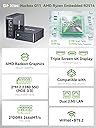
| Graphics Coprocessor | AMD Radeon Graphic |
| Graphics Description | Integrated |
| Graphics Ram Type | DDR4 SDRAM |
| Hard Disk Description | 2*M.2 2280 SSD(PCIE 3.0) |
| Hard Disk Interface | PCIE x 16 |
| Hardware Interface | 3.5mm Audio, Bluetooth, Ethernet, HDMI, PCI Express 3.0, PCI Express x16, USB 3.2 Gen 2×2 |
| Human-Interface Input | Buttons |
| Item Dimensions | 3.42 x 3.42 x 1.55 inches |
| Item Weight | 1.65 Pounds |
| Keyboard Description | Not included |
| Keyboard Layout | QWERTY |
| Manufacturer | Shenzhenshi Jimokekejiyouxiangongsi |
| Memory Clock Speed | 2666 MHz |
| Memory Slots Available | 2 |
| Memory Speed | 2666 MT/s |
| Memory Storage Capacity | 256 GB |
| Model Name | G11 |
| Model Number | G11 |
| Model Year | 2026 |
| Native Resolution | 4096 × 2160 |
| Number of Component Outputs | 3 |
| Operating System | Compatible with Ubuntu, Linux |
| Personal Computer Design Type | Mini PC |
| Power Consumption | 15 Watts |
| Power Plug Type | Type B - 3 pin (North American) |
| Processor Brand | AMD |
| Processor Count | 4 |
| Processor Series | AMD R Series |
| Processor Socket | Socket 7 |
| Processor Speed | 3.7 GHz |
| RAM Memory Installed | 16 GB |
| RAM Memory Technology | DDR4 |
| RAM Type | DDR4 SDRAM |
| Ram Memory Maximum Size | 32 GB |
| Resolution | 4K |
| Security Features | Windows Defender, Windows Hello, Windows Security |
| Speaker Type | External |
| Specific Uses For Product | Business, Everyday Use, Multimedia |
| Specification Met | CE, FCC, UL |
| Style Name | Mini PC |
| Total Expansion Slots Quantity | 2 |
| Total Number of HDMI Ports | 2 |
| Total Usb Ports | 5 |
| Video Output | HDMI, DisplayPort |
| Video Output Interface | HDMI |
| Video Processor | AMD |
| Warranty Description | 365 days |
| Wireless Compability | 2.4 GHz Radio Frequency, 5 GHz Radio Frequency, 5.8 GHz Radio Frequency, 802.11ax, Bluetooth |
| Wireless Network Technology | Wi-Fi |
| Wireless Technology | Bluetooth, Wi-Fi |
K**T
Small, powerful and priced right
Basically, I tried to do everything I could to test this unit and see if it stumbled in any way. I have not been able to make it stumble so I am very pleased with this purchase. I love the small size and because of it I may just keep components in several places and just transport the small box as my portable computer. It has plenty of power for the type of work I do, which is normal homeowner type of uses. It has all the ports I could use or anticipate needing. It has a DP Port (Display Port) which is used to string multiple monitors together. I haven’t considered this in the past, but may in the future and it will be nice to have the option with this machine. Some of the USB ports I’m using could be freed up by using Bluetooth components. I would recommend this computer for people looking for an alternative to laptops or towers and the price is right considering what you get. It also appears to me that upgrading to larger RAM and Storage may not be necessary as the cloud appears to be taking over. I upgraded my other mini to larger RAM and a 1 terabit drive. But after using this unit I’m not sure it is necessary. All in all I can’t say anything negative about the unit. I’m very pleased! Keep reading for additional detailed description. This is my second minicomputer from GMKtec. I purchased one about 1 year ago. It worked well but the SSD crashed. The company worked with me, and I was able to replace the SSD, and rebuild the software and it has been working ever since. So, they have been responsive and stand behind their products. I had a need for a second computer so spotted this and decided to give it a chance. The unit came nicely packaged and intact. All the items listed were in the package as advertised. The difference with the minicomputer is that all the peripherals are not included. I have many of the peripherals so it is not an issue for me but be aware that if you don’t you need a monitor (I’m using a small TV I had), a keyboard (I bought a $13 USB one) and a mouse (I already had one). After acquiring the components, you literally just plug the components in and turn it on. The first thing you notice is how fast the screen comes up. Remember when you would turn your computer on then go get some coffee and hope it was up and running? Not so here it is a fast boot up. It went through some introductory screens and askes you some questions. The only one that gave me hesitation was the password one. It turns out this is to log into the computer every time you turn it on. So, make that a simple one to remember. I didn’t but went in to change it later. It comes loaded with Microsoft Windows 11 After that I started downloading software and Apps, all the ones that I use. I had no difficulty or problems with any of them. I connected it wirelessly through my home router with no difficulty. It comes with the latest wifi-6. I’m connected with 2.4 GHz channel and get 55 Mbps download and 33.42 Mbps upload. I know this depends on your systems but shows that there is plenty of speed. The minicomputer unit is 1.5 inches high and 3 3/8 inches square (see picture). Plenty of USB ports and if necessary, you can put a USB expander in one port. I used the headphones jack to listen to some music and connected my Bluetooth ear buds also both worked with a hitch and there is no lag or distortion. The package also comes with an angle support so you can hang it on the back of the monitor. This cleans up the area and make the monitor appear to be an all in one. I loaded Microsoft 365, a mechanical drawing program, iTunes and quicken and used them thinking that they may put the unit to a test for speed and any potential problems. There were none and it performed flawlessly. I have some “sleep” issues with the other unit, but this unit goes to sleep and wakes up with no issues even if left for a long period and with the monitor disconnected. Another improvement I noticed was that they have changed the way they screw the cover on. On my previous unit you had to remove the rubber feet to access the screws, and this will eventually cause problems with them coming off. This newer unit has the screws accessible trough the feet. This is much better for those looking to do any upgrading.
J**N
Low cost, low wattage mini-PC
Mini-PCs these days have gotten pretty incredible. For $150 (clip the coupon!) this little PC can do quite a bit. I've spent the last two weeks playing around with this thing; I needed a spare system for OS build testing. When it comes to testing Linux Distros with a GUI, I prefer not to be running them on a VM so being able to get some lightweight hardware cheap for testing has been a boon. Don't let the price point fool you though; this system will be able to handle day to day workloads and more just fine. Just don't expect triple AAA gaming, AI workloads, or heavy video editing workloads (If you are doing those kinds of workloads, you probably already know to look elsewhere). All models available have an Intel Alderlake N100 CPU, and the model I purchased has 8GB of DDR4 RAM and 512GB SSD. 8GB of RAM will be fine for daily driving this system for most people, but getting the 16GB is good idea for anyone with the habit of keeping many applications open at once. The N100 CPU in this system does a really fine job, considering all 4 cores are efficiency cores on a 6 watt CPU (only 6 watts! Total system power under load is around 18 watts however). You could leave this system on 24/7 and barely affect your power consumption (lightweight server for example). I've attached a few photos to this review. One is showing that the included Windows 11 Pro install is malware free (if that is a concern to anyone), One is showing the size of the PC compared to an XboxOne controller for scale, one is showing the internals of the device, and two of them are showing off BazziteOS running on it (more on that later). One really cool thing about this mini-PC is that the top cover pops off for easy access to the internals for upgrades, replacement parts, whatever. I don't feel like there is much here that you would want to upgrade, but in case you need to replace hardware later it's a nice option. Speaking of which, if you want to upgrade the RAM, please note that the Intel N100 only supports Single Channel RAM, so if you upgrade you will be doing so with a single stick. I tested BazziteOS on this for fun (BazziteOS is essentially a Fedora reimagining of SteamOS/HoloISO). Bazzite runs pretty well on the desktop environment. If you launch gamescope however, don't expect great performance as this is an intel based system and gamescope performs far better on AMD systems. When launching games from gamescope, vulkan shaders take a very very long time to compile, but when they finish you can get some decent performance from older games. I was able to play Arcade Paradise at around 40FPS 1280x720. Not bad. Honestly, for the price of this system, pretty darn good. I can't add links to reviews, but if you want more data before purchasing, Jeff Geerling has a great video on YouTube comparing this same mini-PC to a Raspberry Pi 5. There are also multiple articles with gaming benchmarks for the Intel N100, with approximately the same specs for the rest of their systems. For basic computing, this thing is phenomenal. As a lightweight server, this is also really good. For retro gaming or lightweight PC gaming, it'll do well enough. For the price, you really can't go wrong.
T**Y
Understand the limitations, great little box. EXCELLENT Gigabit-speed firewall/router/VPN gateway
What its NOT: A high-performance machine. What it IS: A very-competent modest desktop device, with Windows, can handle multiple monitors (three) of reasonable resolution (e.g. 24" screens), is very power efficient, quiet and puts off little heat. One caveat: Due to the size of the case full-length nVME sticks WILL NOT FIT. This does limit your choices if you need more storage -- or want a faster one, as at least the smaller storage units come with MSATA (and not nVME) devices in them. However the connector is not blocked and the BIOS claims they're supported so at least theoretically an nVME drive of the correct length SHOULD work. For what these are designed to be - compact, power-sipping and suitable for office, remote work, web browsing and similar, or even potentially as a media player (from other storage) in a home theater setup they are nice and inexpensive. On a bang-for-the-buck basis they're very hard to beat and can easily mount right on the back of a monitor as well. For semi-embedded use (assuming you are smart about storage and possible corruption of the boot on power loss) they can be set to power on when connected in the BIOS too which is nice. It would APPEAR that a no-BS power-delivery USB adapter should run one which makes for a potential mobile use device given the availability of PD car adapters with 20V output but I've yet to attempt it and don't know if it would be stable. One caution is that consumer-grade SSDs are not power protected and as such there is a risk of scrambling it with unsolicited power failures so do take backups to something and be able to restore it if that happens (e.g. using Macrium.) UPDATE: If you are on Gigabit or slower Internet service the N150 version of this, which I've got, WILL run full wire-speed routing between both ports, it runs FreeBSD perfectly well and it can be set to power on automatically thus making it "power fail" safe. Note that it is EFI boot ONLY *and* its picky on the EFI partition layout, but it will boot and run off a USB stick with my (home-brewed) no-write-enabled media thus rendering it an entirely power-fail safe "stick it in a closet, its ok" appliance. A little firewall/router box with full IPSEC VPN capability that can run gigabit fiber Internet and not choke on the data for this sort of money, never mind sipping power, is pretty impressive. Just be aware they're RealTek NICs in there and not Intel thus config matters (specifically turn off TSO/LRO as usual for a router, AND shut off checksum offload.)
M**R
Very affordable and capable mini PC, highly recommended!
After purchasing 4 GMKtec Nucboxes (3 of which are G2's), I figured it was time to write a review. For reference, I'm the Director of IT at a local school, so I'm pretty well versed in computers and technology. I have a mesh wifi network at home and up until recently, we'd been using HP ProBook laptops to stream content off the internet onto various large format TVs in the house. We also use the network to backup the large quantity of multimedia (movies, tv shows, anime, etc..) on 8 TB hard drives connected to the computers. We mirror the content using a backup tool. The laptops all had 2.5 GHz i5 processors and 8-16GB of RAM and 802.11g network adapters. Since the release of Windows 11 and the announced EOL (end of life) date of Windows 10, I've been looking for replacement computers. I'd read about Nucboxes in the trades and based on the reviews I saw decided to give the GMKtec G2 a shot. Boy was I surprised. I backup several gigabytes of data daily and with the old computers, this could take an hour or so. With the new computers, running WIFI 6, the backups were literally taking just minutes. To be honest, my home mesh is only WIFI 5 capable, but that is a substantial improvement over the WIFI 3 (802.11g) I had been using. To optimize network transmission speeds, I should upgrade my mesh, but to be honest, I'm so thrilled with the speeds I'm getting, I'm more than satisfied. So as media streaming devices, these are more than fine, but what about a desktop replacement? I set one up for my wife and she couldn't be happier. The N100 processor outperforms her old laptop and coupled with the DDR5 RAM and SSD, it more than fills her needs. We also love the 3 independent displays (2 HDMI and 1 DP) and we've even seen a noticeable drop in our utility bill. Our TV connected computers are typically on 24/7. Because of the fast bootup speeds of these devices, we considered shutting them down when not in use, but because of the low power consumption, we've decided to just leave them on. I've seen some reviews saying that these are okay for some entry level gaming, but that's not really my area of expertise. I will say that as a desktop replacement for office use, these are awesome. I mentioned that I manage IT at a school, right? Well I've been so impressed by these that we're in the process of upgrading our teacher workstation to GMKtec G2's. I also love that these come with Windows 11 Pro, installed. BTW, if you are looking at buying a Raspberry Pi 5 starter kit, I'd reconsider. These are cheaper and more capable. Of course, first verify that whatever you are trying to do is supported in the Windows environment. ProTip: When mounted in the VESA mounting screws behind a monitor, it's a bit of a pain to reach behind the screen to turn the device on. My solution? In the BIOS, you can configure the G2 to turn on when power is detected. If you do this, you can use something like a smart switch to power the box and turn it on with a voice command.
C**Z
Great little powerful machine
I’ve been really impressed with this mini PC so far. The GMKtec NucBox K13 Mini PC is fast, compact, and handles everyday tasks and multitasking without any issues. Setup was quick, and the performance (especially with the Intel Ultra 7 and fast RAM) feels very smooth. For the size, it packs a ton of power and connectivity options. Definitely a solid choice if you want a small but capable desktop. I was also surprised how often I used the cherry studio ai tool. Comes in very handy.
N**L
⭐⭐⭐⭐⭐ Compact, Powerful, and Versatile Mini PC – Perfect as a Plex Media Server!
The GMKtec NucBox G2 Mini PC is an outstanding choice for anyone seeking a reliable and compact desktop solution. After using it for a while, here’s why it stands out: Performance: Powered by the 12th Gen Intel Alder Lake N100 (4 cores, 4 threads, up to 3.4GHz), this mini PC is more powerful than older models like N5095 or N5105. It handles routine tasks, office work, and media playback seamlessly. Speed & Storage: With 12GB DDR5 RAM and a 256GB M.2 SSD, it delivers super-fast boot times and smooth multitasking. File transfers are lightning-fast, and the storage is ample for multiple applications and media files. Perfect as a Plex Media Server: This mini PC is ideal for setting up a Plex Media Server. Its powerful processor, integrated Intel UHD Graphics, and support for 4K video playback with AV1 decoding make streaming effortless. Whether you're hosting your media library locally or streaming to other devices, the performance is consistently smooth. Connectivity: The WiFi 6 and Bluetooth 5.2 provide fast and reliable connections for streaming or connecting to wireless peripherals. With dual HDMI ports and a DP V1.4 port, you can connect multiple devices, while the USB 3.2 ports ensure high-speed data transfer. 4K Triple Display: The ability to connect up to three 4K displays is fantastic. Whether for work, presentations, or home theater, the visuals are crisp and detailed. It transforms your PC into an entertainment powerhouse. Advanced Features: Supports features like Wake On LAN, PXE Boot, and Auto Power On, which are excellent for server setups or office use. Who Should Buy It? Office workers needing a reliable, space-saving computer. Home users wanting a robust device for entertainment and streaming. Media enthusiasts looking to set up a Plex Media Server. Tech-savvy individuals needing a multi-functional, compact PC. Verdict: The GMKtec NucBox G2 is compact, powerful, and incredibly versatile. Whether you need it for daily work, as a Plex Media Server, or for a triple 4K display setup, it exceeds expectations. Highly recommend it!
B**N
Value for money, works as advertised
I bought this mini-PC for use as a homelab, so although it came pre-installed with Windows 11, I installed Proxmox instead. Using Rufus software I created a bootable USB stick to install Proxmox and selected to boot USB first in the BIOS. No issue at all. Appreciated that the packaging was high quality which shows the pride that the manufacturer has for the product. The BIOS settings were adequate and feels similar to those regular desktop PCs. Since not doing any intensive or gaming applications I selected the low power settings in the BIOS to reduce the CPU temperature. No issues and stable so far. The pre-installed NVME came with a heatsink and never felt too hot to touch. One wierd problem though, when connected to my 2.5Gbps unmanaged switch, the connection is unstable and keeps getting disconnected (see the video). When it switched to direct connection to router, the issue went away. So it could be an incompatibility issue. Overall I am very satisfied with the product which was value for money considering the spike in RAM and SSD prices since end 2025.
T**S
Easy to setup and use, more than enough power for office and home use
Awesome mini PC for home and office use. I bought this mini (even smaller than average) PC in order to make what in essence would function as a laptop for my disabled elderly mother in law. I coupled it with an 18" touchscreen portable monitor and a keyboard with a track pad. It's small size allowed me to use the vesa mounts on the back of the monitor to take it a lightweight, contained PC. Setup took no time at all, as it was more of finding all her passwords and moving her information over to it that took the most time. 2x m.2 slots let me easily transfer her old drive into this computer, and the absolute ease of getting access to that area made upgrading the ram a process that took under a minute. It had no problems with streaming 4k 60fps video, and every normal office and casual process I had it do, it was quick and responsive. While it can handle some very lightweight gaming, I'd suggest using a service like Luna if you plan to game on it, or otherwise I'd suggest GMKtec's M7 and using an eGPU (my personal gaming rig). While I've had no issues with this computer, in the past when I needed assistance from GMKtec with an issue that wasn't even their fault (3rd supplier sold a faulty me an outdated and faulty K2 PC) GMKtec actually made sure I was taken care of, and with coordination from Amazon, was able to remedy the situation. The hardware is solid, compact and hassle free, and knowing the customer service is responsible and actually cares about their customers, I can say with certainty, I will continue to buy and recommend their mini PCs.
Z**Z
必要十分。
事務作業用に購入。ゲームとかしないので、性能には一切の不満なし。コンパクトだし最高です。ちなみに、2年経ちますがトラブルナシです。
L**.
Pésimo
La entrega es muy tardada y el producto que te llega es distinto al anunciado, llega con un procesador mucho menos potente, menos memoria en ram y Un disco duro de la cuarta parte del ofrecido, cuando estaba revisando las especificaciones después de una instalación muy tardada, el equipo se fue a pantalla azul y no volvió a funcionar.
I**E
It's good
It's very good
A**R
Small and mighty
Small and mighty is how I would describe it. Easy set up and up and running in no time. Purchased for office work emails etc and this little box which fits in the palm of your hand.is ideal for those tasks. For the price paid extremely happy with my purchase.
D**B
Just Really A Great Little PC.
Has dealt with everything I have thrown at it, with out any hick-ups. It has not been switched off since I set it up. It deals with all our TV and Audio Streaming, and interfaces with our Fibre Broadband router without any issues. If I was to be asked if I would like any additions to the unit, it would be for 1 more USB 3 port please. It's worth every penny.
Trustpilot
2 weeks ago
1 week ago