Buy anything from 5,000+ international stores. One checkout price. No surprise fees. Join 2M+ shoppers on Desertcart.
Desertcart purchases this item on your behalf and handles shipping, customs, and support to Thailand.
✨ Double the clean, zero the hassle 🧼
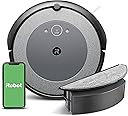
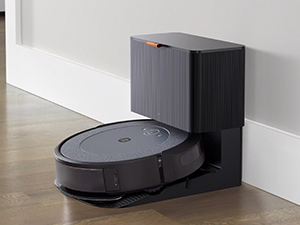
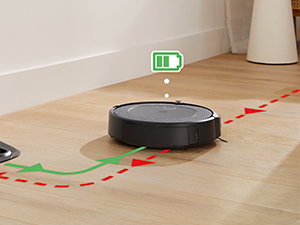
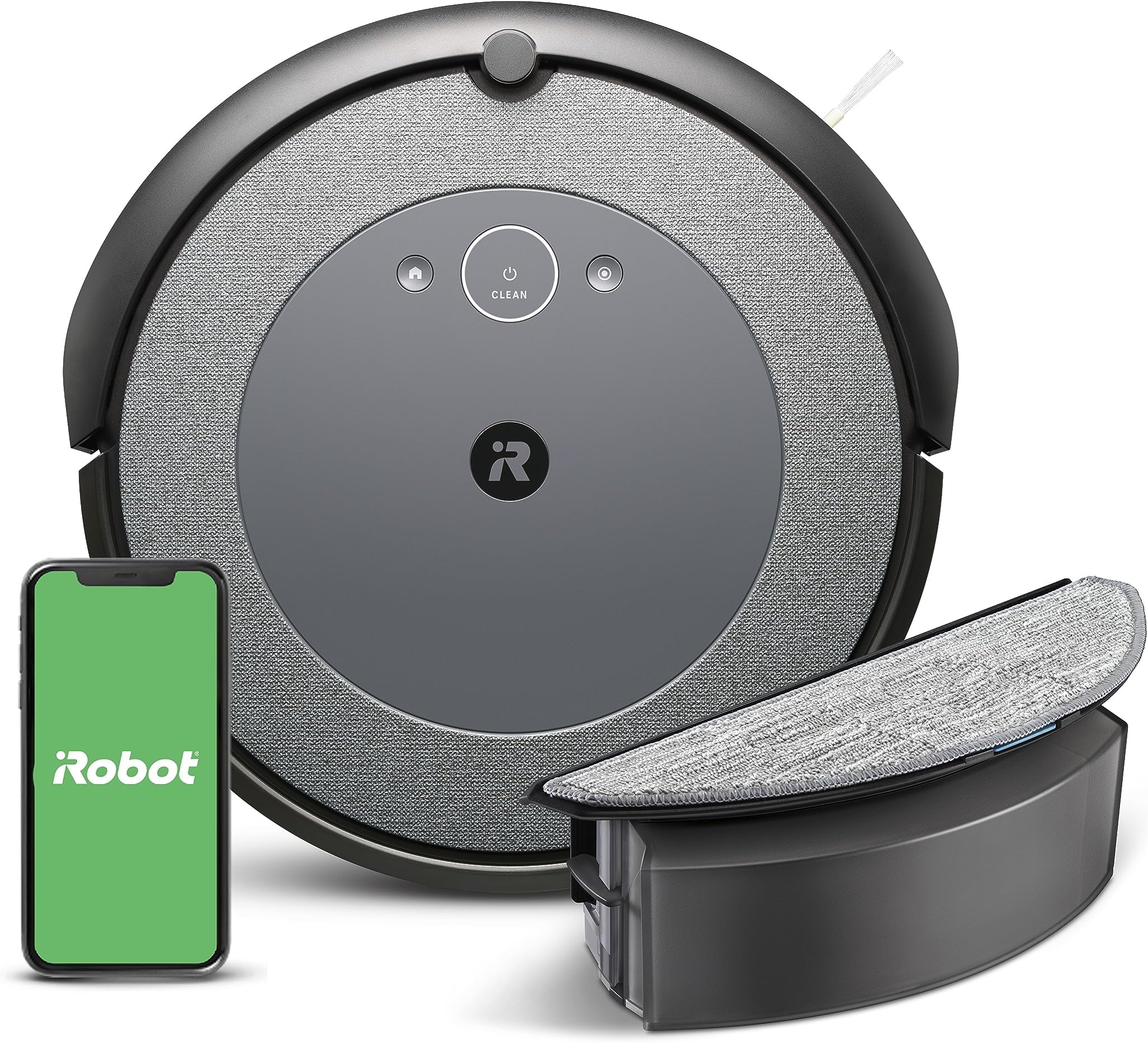
The iRobot Roomba Combo i5 is a cutting-edge robot vacuum and mop hybrid featuring a 4-stage cleaning system with dual rubber brushes designed to tackle pet hair and debris. It offers up to 180 minutes of battery life, smart Imprint mapping for precise room cleaning, and voice assistant compatibility for effortless control. Ideal for busy professionals seeking a spotless home with minimal effort, it combines vacuuming and mopping in one sleek, app-enabled device.


| ASIN | B0C415KNH8 |
| Batteries are Included | Yes |
| Battery Life | 180 minutes |
| Battery Type | Lithium Ion |
| Best Sellers Rank | #21,854 in Home & Kitchen ( See Top 100 in Home & Kitchen ) #24 in Robotic Vacuums |
| Brand | iRobot |
| Brand Name | iRobot |
| Color | Neutral Gray |
| Compatible Devices | Amazon Echo |
| Control Method | App, Voice |
| Controller Type | App Control, Button Control, Voice Control, iRobot Home App |
| Customer Reviews | 4.0 out of 5 stars 14,957 Reviews |
| Filter Type | Cartridge |
| Form Factor | Robotic |
| Global Trade Identification Number | 00885155040626 |
| Included Components | Charging Adapter, Filter, Mop Pad, Water Tank |
| Item Dimensions L x W x H | 13.4"L x 13.5"W x 3.6"H |
| Item Type Name | Robotic Vacuum and Mop |
| Item Weight | 7 Pounds |
| Manufacturer | iRobot |
| Model Name | Roomba Combo i5 |
| Model Number | i517020 |
| Number of Items | 1 |
| Other Special Features of the Product | Cleans by room, Cleans in neat rows, Smart Mapping, Vacuum or vacuum & mop |
| Portable | Yes |
| Power Source | Battery Powered |
| Product Dimensions | 13.4"L x 13.5"W x 3.6"H |
| Special Feature | Cleans by room, Cleans in neat rows, Smart Mapping, Vacuum or vacuum & mop |
| Style Name | Roomba Combo i5 |
| Surface Recommendation | Hardwood, Hard Floor, Carpet |
| UPC | 885155040626 |
| Unit Count | 1 Count |
| Voltage | 14.4 Volts |
B**T
Roomba i3 Pros and Cons
For the first week of ownership, we were disappointed in the robots random movements, but we had read in other reviews that it needs some time to explore and update itself, so we gave it a chance. The more it explored, the more software updates were downloaded, and the more efficiently it performed. Here are the pros and cons of owning this model: PROS: - Software updates that have greatly improved the i3's capabilities. - - Scheduled automatic cleaning is easy to setup in the app. - Unlike the more expensive Roomba models, it works in the dark. Lights off? curtains closed? No problem. - Sucks up a lot of dirt, lint, and hair from our floors. Long hair (we have a lot) collects at the ends of his rollers and is easily removed. - We have 2 steps down from the main level to our family room. It vacuums to the edge, but has never jumped. - The app isn't needed for a cleaning. For our family room, we don't use the app. We just set it in the room, press the button and away it goes, cleaning in an efficient manner. - Durable. Sucked up a USB cord and a sun hat string that had been left out on the floor. These items got tangled up, jamming the robot and causing it to shut down, but no damage was done. - Widely available replacement parts... for a day may a come when his little mustache stops whisking dirt into his big suck face. CONS - It took 5 days of assigning it to "clean everywhere" before it accurately mapped our single-story 1500sf home, then allowed me to divide up and label rooms/areas, and the ability to assign it to clean specific rooms. - It can't clean our whole house in one charge. It goes back to the station recharges itself and then finishes the job. - The main con is having patience with the robot exploring and the software updates (my experience below). It will take some time for all of the features to become available. Make sure you have strong Wi-Fi signal throughout your house and send the robot out on cleaning runs and the updates will happen. Software Updates: - The app and the robot started with limited functionality. After doing a few whole house cleanings over 3 days, it started getting updates and more features were added to the app. It took another few days before it was fully updated and had an accurate floor plan. While it was cleaning it was also doing a lot of exploring, going back over the same areas, pausing to ponder the universe, etc. I think this was part of preparation for the next software update regarding the mapping. After cleaning all accessible areas of my house a few times, a map appeared on the app and asked me if it was accurate or if the robot should remap my house. Some parts of rooms were cut off or shaped weird, but I clicked "accept" anyway. It then prompted me to add/delete partition lines to divide the house up into rooms. The lines can be moved any direction and rotated 360° so you have good control over creating different areas. After doing a few more whole house cleanings the map updated itself and accurately represented our floor plan. In the end I'm glad we had patience with it. It cleans great now and it's efficient.
M**N
One Less Thing on Her Plate - Forever
My wife never wanted a robot in the house. She had visions of Skynet and it conspiring with other devices for world domination. She’s officially changed her mind. I bought this for her because since I became disabled, she’s taken on all the things I used to handle. This has taken vacuuming and mopping completely off her plate—one less thing she has to worry about. I wasn’t sure how she’d feel about it, so I picked this unit up on sale. There are definitely more expensive models with extra features, but honestly, this little guy more than gets the job done. We have two small dogs, so there’s always hair everywhere. Now I can set it to run every night, and we’ll even have it mop while we’re watching TV in the evening. It’s become part of the routine. It’s well built, reliable, and the battery life is better than I expected. It knows where it is and shows me a map of where it is and where she is going. The suction was a pleasant surprise. No signs of world domination so far—just clean floors and a much happier household.
K**R
Like caring for a toddler...
Where to begin? Out of 100+ comments I can think of (as a robotics professor, with all my degrees from MIT), here are my top 7: 7. Very often, it's clear the robot "knows something I do not know". Specifically, it will cut a job short and "go home" without sending any sort of message (to the phone app) about what has gone wrong. (Spoiler alert: it's usually an "empty the bin" warning situation. But really, it's not that the bin needs to be emptied; it's instead that you need to "tap out" the dust from the detachable filter thingy, which is a sub-part of the dustbin you take out... 6. Take out the "rollers" regularly, to untangle hair. (They're the light green and dark green rollers, on the underside. Detaching isn't particularly intuitive; there's a small, green lever-button, to push sideways.) Check and de-hair/de-fur both ends of both rollers, most especially, as well as the main/central roller parts. Learn how to manage various release and re-insertion techniques, via practice, b/c they are not designed in a way that would make them intuitive or obvious.) Do similar checks, regularly, on the various wheels and that three-pronged brush-whisker thingy, that you can more easily see on the underside, too. 5. Despite previously having mapped the "house", and being told to stay ON this map, only, occasionally Toto (whom we perhaps should have named "Dora") goes rogue. It goes into "exploring" mode - yet this adds absolutely nothing to the "mapping", for this (low-grade) iRobot model (i3 Evo). i.e., it knows it's mapping something new, but it cannot just "add this to the existing map" (sigh). It just means Toto/Dora inexplicably wanders and is thereby likely to tangle into cords or shoelaces or similar, despite your very best efforts to have told it, "Please don't go outside this region, sweetie!". i.e., do not trust your "map" will be paid attention too, sadly... 4. About that "initial mapping" deal/experiance. It's - really, really terrible. The worst part is that you'll simply have no idea "if things are going as expected or not" until it has completed some Byzantine process, on its own (with you out of this loop, entirely). Also, definitely expect to have to do that via a few attempts, and then breath calmly, recognizing "it is not you; it's the stupid robot." If you lift the robot (to help it, when it gets stuck) or touch it in any way, it doesn't give you any warning "things are now bad, and this map won't work" - but also, then the map totally doesn't come out in the end, either. So, stay calm and just assume it is very, very, very, very stupid. Do yoga poses, or something. Stay calm. ;-) What I did was: clear out EVERYTHING that might tangle. Block all hallway access points, via large, immovable physical blockades. Take all chairs and pull them off the floor. Limit the search space to 1,000 sq feet or so, max. This finally got a map, for me. Then all was good (kind of; see item 6, before), and you finally MIGHT get a map and can then section it into sub-regions. 3. Do not run the robot unless you are around to monitor it. It can get way, way off, on the map. Also, it routinely gets into a mode where it thinks the dustbin is full (before it truly is), then runs home and sits there. Which is fine - but there is never any message on my darn phone - nor via audio from the robot - when this happens. So, Toto/Dora just "gets an idea in their head" and goes off-script, with no explanation. Be prepared that this will happen - frequently. Again, treat Toto/Dora like a toddler, with a lot of patience required. 2. So, there's this assuming thing that happens where pet fur gets rolled into a little tuft, but doesn't get picked up. This is better that nothing. Be prepared to walk around any carpeted areas, picking up the tufts. Or just pull out a vacuum, to snarf them en masse, after a robo-run. 1. Be sure to "tap out" the filter! When you "empty the bin" - DO NOT JUST "EMPTY THE BIN". You also need to pull out the little, white filter thingy (with all those crenulations or whatever - the diagonally-peaked features, of the little filter). You can pull that filter out. Go "whack, whack, whack!" on the side of a hard surface (inside the kitchen sink, or inside a trashcan - although works better with a more rigid surface, thus the kitchen sink suggestion there). Totodora was barfing up for quite a while, on day 4 or so of running, before I figured this out. (Sigh...) Aside from those minor details and concerns, great(?) product. Well, I mean shucks - I am actually pulling out the vacuum and sweeping the floor now. So I am getting exercise, and the house is definitely more clean the past week or so that we've used it. :-]
B**N
iRobot should just sell brooms at this point
I've had this vacuum for a little over a year and it's really just been an annoyance. My review is summarized below, but I would also suggest a quick Google/Bing/DuckDuckGo search with the terms "roomba terrible reddit". Confirmation bias is a thing, but so is astroturfing and premature reviewing, both of which are prevalent on this site. Let me go ahead and get the one positive out of the way: The vacuum is pretty strong. It pulls more crud from between hardwood boards than my Dyson vacuum. Yay. -----After owning an i3 since July 2022 here are my takeaways:----- * Automation should make life easier and this fails so hard it's almost impressive. I spend less time manually vacuuming and maintaining my Dyson than I do futzing around with the Roomba unit and app. It does get stuck occasionally. I knew that going in, but all the hand-holding the unit requires really adds up. * The Smart Map feature has yet to work for me and I've tried it several times. I think it was only recently added as a feature for the i3 when I purchased it, so I assume it's a feature that's been shoehorned in and that I should be grateful for their generosity. Basically, the unit will roam around the house not vacuuming. I will assume it's doing it's mapping thing, but it's not doing that either. By the time it's done not creating a map, there's not enough battery power left to really do any vacuuming. I mainly purchased this vacuum for the vacuuming feature so the Smart Map feature seems at odds with that. * The unit gets so close to cleaning the corners of rooms. So close in fact, that it's easy to forget that the robot didn't clean the corners at all, ever. This one's not a secret, but what else can't this thing do! Keep reading to find out! * The iRobot app says I have to replace the filters in 5 months. I've barely used this vacuum, and haven't had it running on a schedule in months. However, the app (as of today 8/13/23) suggests I spend $65 on new filters. It even sends me push notifications telling me that iRobot needs me to buy their filters asap. Why? Is it simply on a timer? I do have an option to "Reset" the "High Efficiency Filter" on the Product Health screen. Is that option there because it's unreliable? Is it being misdiagnosed by the app or faulty sensors within the unit? No way to know! * The app is rough. I'm not sure why honestly. It's hard to describe because the issues are so sporadic and intermittent. Maybe it's because iRobot has to support dozens of different models with marginally different feature sets in a single app. I get secondhand embarrassment even opening the app and this is coming from a person who has used the HBO Go, HBO Now, and HBO Max apps. I'm curious if the makers of my cheap, automated catfood dispenser are also MIT roboticists and engineers, because that app has more features and has been completely hands-off since the 15 minutes I spent setting it up 3 months ago. * The unit draws more power than it needs. I'm probably a stickler for this, but I'm surprised my cheap, Amazon-purchased cat toys don't draw nearly as much power continually once they're fully charged. I'd love to test it more and get some insight as to what's going on but then I wonder: to what end? So that I can get my terrible vacuum back up and running or something? Maybe it's because it's communicating to the cloud that new filters are desperately needed in 5 months! -----A couple of side notes for anyone still reading this 🤷:----- * I'm not surprised the Automatic Dirt Disposal unit is no longer for sale. I remember nearly purchasing it a year ago until I briefly skimmed all the negative review. Just now I checked the iRobot website and they indicate that there's an entirely different slew of issues there. Their business model with accessories seems to be: create the disease to sell snake oil. * iRobot, the manufacturer, uses green for its primary brand color but the design is not environmentally conscious, in my opinion. Unless my unit is very specifically defective, I think this is misleading. But at least they can say the logo was colored green back in the 90s before green = environmentally conscious. I want to give them the benefit of the doubt and believe that they're just not good at branding or robots. Keep up the g̶o̶o̶d̶ work! Lastly, iRobot support, please don't respond to this review. If you do respond, please acknowledge that you decided to ignore this part of the review.
A**R
Robot
I bought this as a Christmas gift for myself. I have 4 dogs and I have to say it helps me from having to not sweep multiple times during the day. Definitely a lifesaver and cuts the cleaning time in half. No problems, no issues in using it, or with it performing.
E**N
Had to come back after almost 3 years to write this review
I normally don’t come back to review a product after this long, but this one really deserves it. I’ve had this robot vacuum for almost 3 years now, and honestly it completely changed my daily routine at home. I live in a small apartment, and it works perfectly for my space. These days I barely ever have to sweep the floor myself. I just run it or set a schedule and let it do its thing. The suction power is great for everyday cleaning. It handles dust, hair, and light debris without any issues. It’s perfect for maintaining a clean home. Of course, it won’t replace a deep clean once in a while, but it keeps everything consistently clean, which makes a huge difference. One thing I really like is how easy it is to use. No complications. You can control it with the button or through the app, and the mapping feature helps a lot when it comes to cleaning specific rooms. Another big plus is durability. After almost 3 years, it’s still working really well. That’s huge for me, because it shows this is a reliable product and not something that starts having issues after a short time. The mopping feature is also a nice bonus for everyday use. It won’t replace a deep floor cleaning, but it definitely helps keep the floors looking and feeling clean. Overall, if you live in a small to medium home and want convenience, this is absolutely worth it. It saves time, keeps your place clean, and makes your routine so much easier. Easily one of the best home purchases I’ve made.
D**N
Okay, but seems to have issues frequently and map functionality is tricky
I bought this to supplement my vacuuming and help get cat fur up more frequently. I love that it can go under a bed and the first time I was amazed at the amount of stuff it picked up. It takes a LOT of time to map my house. I have less than 2000 sq foot one-story and it went for 8-hours with several charging trips the first pass. I didn't realize the map would not be generated until multiple passes had been done. It took it several days to finally create the map, luckily only 2-3 hours each time. There were some odd rooms, so I had to send it around to remap. It's now mostly mapped correctly, but I still have a few rooms where it's odd - connecting bathroom and bedroom. Trying to put the lines in to create the rooms is very tricky. I've redone several rooms over time and some are still slightly off - it goes into a room I don't expect it to, and not one I can close a door to but line on map looks correct. It jammed almost immediately - 2nd vacuum trip, and none of the website help is correct for this unit, nor any of the youtube videos. I was almost ready to chunk it, but finally got it unjammed. It also seems to lose it's mind if not used in a week and just won't move. I've had to reboot it several times to get it to start. The little spinning duster has jammed into the bumper multiple times, so the session must be paused to fix it. I've already replaced one when it got stuck on a rug, and the current one is now bent but still working. Now I know why the replacement packs comes with 3. When it works, it works well, and I have hard floors and carpet. It seems to have an issue keeping the stray pieces of cat litter in its bin, so I have to clean up the base area after that room. I've got one area rug I will need to take up as it's just too thick and robot seems to be picking up too many fibers. It can get over it but now concerned it could cause a problem longer term. I have to put up cardboard at my slider doors as it gets stuck on the rails. It does a good job cleaning the carpets, but cleaning the rollers takes some tweezers to get the stuff out of the end connectors. Given the company is in financial issues, not sure I'd recommend this, and that company help page is not helpful. Also skip the mopping function. I thought that would be good, but given the map issues I can't really ensure it won't hit a rug or carpet. Mopping isn't that great, so I'll keep my other mop/vac for that. Given all the issues, I'd never run this when I wasn't home to monitor it. I didn't get the larger dust bin so I have to clean the small bin out after 2-3 rooms.
W**S
This should be the REAL starter Roomba that people buy.
I had two Roomba 692's which I used to clean my 1100 Sqft split level townhome. And even though they used the older "bounce" style navigation, were still effective cleaners. However, they tended to attack dirt and furniture with equal ferocity. That's why foam rubber bumpers for Roomba's are a thing you can actually buy here on Amazon. The 600's got the job done, it's just that it wasn't always pretty. Enter the i3. It's a master class in refinement. Not only does the i3 smartly navigate the home, but it is much more gentle on your furniture. It deftly figured out how to navigate the maze of table legs underneath my kitchen table, and it no longer attempts to leap over the stabilizing arm of my coffee table, like Bigfoot crushing a row of cars. It also seems to better cope with "low clearance" issues. It seems more cautious when entering tight fits and less likely to get stuck. Even the fit and finish of the I3 is a cut above. The textured plastic on the top looks like a cloth finish and is resistant to finger prints. The dirt bin has been redesigned to be "rinsed" so that it can be more easily cleaned. The i3 has higher suction while actually producing less noise. The rollers are also easier to clean of Pet Hair. The clean report at the end tells you exactly where it cleaned, and it's smart navigation allows for charge and resume, which is great for larger floorplans, or if you want the robot to simply do two passes for a given job. Since it knows where it's already cleaned, it finishes it's jobs in about half the time that the random navigation 600's do. And of course you don't get a detailed clean report with the 600's. The i3 is also compatible with the self emptying clean bin, and when paired with a Braava m6 mop, will automatically tell the mop to begin a cleaning job when it is done vacuuming. These are some great future proofing aspects. However, there are a few things you need to keep in mind. The lack of an upward facing camera, might ally some folk's privacy concerns regarding robot vacuums, but it also prevents the use of "smart mapping" and the ability to label rooms in a house, direct the robot to clean specific rooms, or the use of virtual "keep out zones". These advanced features are only available on the i7 and S9. The App does allow you to schedule cleanings, even multiple cleanings in a day. It also allows you use the location services on your phone to start a job when you leave the house. The App will keep a history of your last 30 cleanings, so you can review the clean maps from each one to see where your high traffic areas are. The ability to set the robot to clean multiple passes during a job, however, is a "global" setting in the app. It would be nice if this feature could be set for individual scheduled jobs, or "favorites". As it stands, the i3 is hindered by it's current position. It is hampered by the 600 series lower price, but users who want more advanced robots typically will pay full boat and get the more feature rich i7 or s9. iRobot should really position the i3 as it's entry level bot. It offers great cleaning capability, refined navigation, detailed clean reports, compatibility with a self emptying bin and it's M6 mop. It's the perfect starting point for iRobot's product line. Leave the Random Navigation to the cheap knock offs.
J**S
Product efficient at what it’s conceived for.
Followed the instructions. Downloaded the app. Did the update. Update looks like it’s going slow but was finished quickly. Did the mapping run. Did the cleaning effectively.
M**W
I love clean floors but I am a very lazy person. I'm happy now.
Pros: - Cleans almost everywhere and moves in straight rows. - Slows down before hitting a wall or obstacle, most of the times. - Almost never get stuck. Doesn't need my intervention. Happened once since I've got it. (a month and a half) - Works well with Google Assistant. - Deep cleans carpets and rugs. *Perhaps too much. - App is simple enough and works well for what I need (schedules). - I'll be honest: I've owned the i3 for a month and a half now and I haven't used my "real" vacuum since. My floor are always clean now. I'm lazy and happy. Cons: - *Will be too rough on wool or other delicate fabric carpets/rugs - Hair (long) rolls in around front wheel and rubber brushes bearings. I clean it every other day. (very easy to do) - The Edge-Sweeping Brush with scatter some debris around since it's going very fast but chances are the i3 will pick them up after so it's not a big con. Note: -I suggest keeping a cluster-free floor as this thing will eat everything small enough in its way. It has very good suction! In my case, it ate a small cat toy, once. Just remove all small stuff from your floor and let the i3 do its thing. If that's too much work for you, go for the new Roomba J7. -If you want to be able to clean specifics room and not your entire floor each time, go for the Roomba i7. EDIT: This is not true anymore as the i3 have the mapping feature now and can clean one room at the time if needed. Also, it is possible to create schedules using your rooms in the app.
E**M
Love my little robot
Works really well I must say for a little gadget. Not AS good as me but coming home to a clean floor does make me feel great. I have a dog and my SIL runs a small business out of our house so we have people in and out often, it was hard to keep up with the foot traffic on our hardwood. THE INLY REASON I GIVE IT 4/5 is the mapping doesn’t seem to work very well I have mapped a thousand times and it still wants to go past the map so I’ve purchased those boundary makers and that stops the robot from going where I don’t want to go however with the mapping and for the price you’d think it would just stick to the map anyways I would recommend!!
F**.
Excelente
Fácil instalación, funciona perfectamente, ahorra mucho tiempo y trabajo.
F**A
Precio
Lo amo, excelente
Trustpilot
3 days ago
2 days ago