We remain fully operational. Our teams are working around the clock to ensure your deliveries continue safely.

DOWNLOAD THE APP


Copyright © 2025 Desertcart Holdings Limited
DOWNLOAD THE APP




Buy anything from 5,000+ international stores. One checkout price. No surprise fees. Join 2M+ shoppers on Desertcart.
Desertcart purchases this item on your behalf and handles shipping, customs, and support to Thailand.
🚀 Upgrade Your NAS, Upgrade Your Workflow!
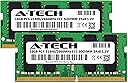
The A-Tech 32GB (2x16GB) DDR4 2666MHz ECC SO-DIMM RAM kit is a high-performance memory upgrade designed specifically for Synology NAS, RackStation, FlashStation, and NVR DVA servers. Featuring dual-rank 2Rx8 modules, low 1.2V power consumption, and error-correcting code for enhanced reliability, this memory kit ensures faster data processing, improved multitasking, and stable system operation. Compatible with a wide range of Synology models, it comes with a limited lifetime warranty and dedicated US-based technical support.
| ASIN | B0BYKHFT2X |
| Best Sellers Rank | 111,152 in Computers & Accessories ( See Top 100 in Computers & Accessories ) 790 in Computer Memory |
| Brand Name | A-Tech |
| Column Address Strobe Latency | 19 |
| Compatible Devices | DS1522+, DS1618+, DS1621+, DS1621xs+, DS1819+, DS1821+, DS2419+, DS2419+II, DS2422+, DS3018xs, DS3617xs, DS3617xsII, DS3622xs+, DVA3219, DVA3221, FS1018, RS1221+, RS1221RP+, RS822+, RS822RP+, DS723+, DS923+ |
| Customer Reviews | 4.4 4.4 out of 5 stars (56) |
| Data Transfer Rate | 21300 Megabytes Per Second |
| Form Factor | SO-DIMM |
| Item Type Name | Computer RAM Memory |
| Manufacturer | A-Tech |
| Memory Speed | 2666 MHz |
| Model Name | AT16G2D4S2666ND8N12V |
| Number of Pins | 260 |
| Product Features | Lightweight |
| RAM Memory Technology | DDR4 |
| RAM Size | 32 GB |
| Voltage | 1.2 Volts |
R**T
Works with DS923+
I have purchased memory for Synology DS923+ and it works fine as system does recognise 32GB.
B**H
Works fine in ds9+
Booted up no issues or warning.
F**I
Doesn't work with Synology NAS DS3622xs+
It doesn't work with Synology NAS DS3622xs+ as claimed.
A**O
Instalación fácil y sin error. Funcionando al 100
A**E
It works with my Synology DS 1522+. Definitely cost saving vs getting from Synology brand. Worth every penny!
S**3
Size: DDR4 2666MHz 32GB Kit (2 x 16GB)Style: SODIMM ECC Unbuffered Huge difference and fully compatible with DS923+ Going to echo some others, as they stated it well and saves me time (thank you other reviewers) The performance improvement this ram brought to my NAS is also remarkable. With a total of 32GB installed, my DS923+ shows a significant boost in multitasking capabilities and faster data processing. Pull ALL your drives and keep them in order!! They have to be re-installed in the same order after RAM install. Seating them is really tricky to do without pulling out multiple drives and putting the machine on its side. Bought two A-Tech 16GB ECC ram sticks for my DS923+ NAS system. Have to say that I am pleasantly surprised by their performance. These ram sticks exceeded my expectations. I installed them in my DS923+ without any compatibility issues, making it a user-friendly and seamless experience. The absence of warning errors about unofficial ram further confirms their excellent compatibility with the DS923+ system. Also, these are a steal for more than half the price of Synology-branded ram. BUY ECC if you want to protect your data bits on the way into your array and avoid "bit errors" Tips/Recommendation - I also recommend turning off "Memory Compression" (On DSM 7.2, it would be under hardware & power) if you have more than 8GB of ram, as it can further optimize the performance of DSM, allowing your DS923+ to fully utilize the increased memory capacity. I pulled the DS923+ OEM 4GB and used it elsewhere, then installed the 2X16GB ECC units. TL; DR, I highly recommend these 16GB sticks for the DS923+ NAS system, as they deliver a reliable and efficient upgrade with plug-and-play functionality, a lifetime warranty, seamless compatibility, and a huge noticeable performance boost (Disable Memory Compression)
T**Y
These sticks worked perfectly once I finally got them seated properly. I thought I had a dead stick at first, but I realized that even though they appeared to be seated properly, they were not. Make sure the little tab in the middle is in contact with the notch in the stick. If they are not touching, they are not seated properly. If you think everything is good, but the power light continuously flashes blue (for more than 20 minutes per the 1522 manual), they are not seated. Seating them is really tricky to do without pulling out multiple drives and putting the machine on its side, but that is a Synology issue, not an A-Tech issue. I am really happy with the performance, and especially the price. Like others said, they just work. The machine instantly recognized them with no configuration, errors, or warnings.
C**G
Happy with purchase. Good value. No error messages. Hope it will lasts! Highly Recommended. Thank you very much.
Trustpilot
2 days ago
3 weeks ago