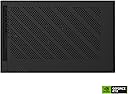
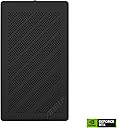
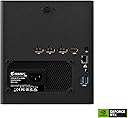
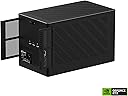
๐ Transform your laptop into a powerhouse โ never settle for less!
The Gigabyte AORUS RTX 4090 Gaming Box is a premium external GPU solution featuring the top-tier NVIDIA GeForce RTX 4090 with 24GB GDDR6X VRAM. It delivers exceptional performance for gaming, AI, and creative workloads via a Thunderbolt 3 interface. Equipped with a WATERFORCE all-in-one liquid cooling system, it ensures quiet, efficient thermal management. Additional perks include Power Delivery 3.0 for laptop charging, multiple USB 3.2 ports, Ethernet connectivity, and customizable RGB lighting, making it a versatile upgrade for ultrabooks and laptops craving desktop-class graphics power.
| ASIN | B0C8LS7PT2 |
| Antenna Location | Gaming, Office, Professional |
| Best Sellers Rank | 397,653 in Computers & Accessories ( See Top 100 in Computers & Accessories ) 3,057 in Graphics Cards |
| Box Contents | GAMING BOX, USERS MANUAL |
| Brand | Gigabyte |
| Brand Name | Gigabyte |
| Compatible Devices | Laptop |
| Customer Reviews | 3.6 out of 5 stars 14 Reviews |
| Graphics Card Interface | PCI-Express x16 |
| Graphics Card Ram | 24 GB |
| Graphics Coprocessor | NVIDIA GeForce RTX 4090 |
| Graphics Description | Dedicated |
| Graphics RAM size | 24 GB |
| Graphics RAM type | GDDR6X |
| Graphics Ram Type | GDDR6X |
| Graphics co-processor | NVIDIA GeForce RTX 4090 |
| Graphics processor manufacturer | NVIDIA |
| Manufacturer | GIGABYTE |
| Manufacturer Part Number | GV-N4090IXEB-24GD |
| Maximum Display Resolution | 8192x4320 |
| Memory Clock Speed | 21000 MHz |
| Model Name | GV-N4090IXEB-24GD |
| Model Number | GV-N4090IXEB-24GD |
| UPC | 889523036143 |
| Video Output Interface | DisplayPort, HDMI |
| Video Processor | NVIDIA |
| Video output interface | DisplayPort , HDMI |
A**R
So setup info Win 11
I have the earlier Auros RTX 3080, some tips for Win 11 1. Do not power on the unit before the Win 11 logon screen, if you do your computer will either BSOD, or the Cooling in the Auros just spins up and your PC will keep rebooting. 2. It's notoriously If you have an AMD processor with USB 4 (Thunderbolt 3 compatibility), it is real trial and error to get the NVidia drivers to install the first time. From then on only update (keeping existing setup) never clean install, otherwise you will run into the same thing. 3. Goto device manager and ensure Thunderbolt 3 (both instances) power management tab is unticked for allow the computer to turn off this device to save power. Do the same for USB4 Root router (if you have this option) and all the rest of the USB's whilst windows will remember this setting for all the rest, it may forget it for Thunderbolt 3 and USB4 router on next boot. This stops the PC turning off device all the time.
P**F
AWESOME for running AI Large Language Models on your Laptop
The RTX 4090 is the best consumer graphics card you can buy to do AI and machine learning on your personal computer or laptop -- so long as you have a thunderbolt interface on your computer. With 24GB of VRAM, it's great being able to load 7-8B parameter models (quantized to 8bits) totally in memory, with full 130K context (about the size of a 500 page book). Fast af, and totally quiet. It will also handle all current video games at max settings, 1080p /60fps, which is good enough for me as I don't usually play video games. Definitely worth it if you do AI/ML or any kind of multimedia work that requires GPU acceleration. It's a deal considering it comes with a power supply, liquid cooler, and an abundance of ports for external displays and USB devices.
K**1
Make sure internal power cables are connected to top of 4090.
The laptop would see the USB ports but not the 4090. I thought it was some software problem in my laptop and sent a long time work in it. I finally open the unit to try to repair it since I was beyond the return period. The graphics card didnโt have the power cables plugged in! After connecting them it has worked well. I use it to run AI models and havenโt done any serious gaming with it.
G**H
Very effective for local AI use.
I have been dabbling in AI and wanted something the next size up from my laptop 4090 but didn't have a machine to put in a full 4090. While the bandwidth to the box isn't the same as for a gaming setup, for running local ollama and open-webui or other locally hosted AI models, I'm getting very good token rates and the additional memory allows me to use models that don't run on my laptop 4090. I'm not seeing any downsides from using thunderbolt 3/4 connectivity. Only downsides are that the box runs hot (and I'm not running it constantly like would be done in gaming, although it does get a workout, including some AI pipelines) which heat up the room, and there's an occasional rattle from the case, but I usually run it in a different room so I don't notice. All in all, happy, and got it for a still competitive price before the tarifs, new products, and reduction of production for these older models, so quite happy with the current results.
M**N
Works Great
worked great, plugged it in and installed drivers worked right away, runs quiet and the thunderbolt lag isn't noticed at all when using it for LLMs and AI image generation. Just make sure you have a Thunderbolt 3/4 or a USB4 port.
M**N
Buggy with audio devices.
Great for graphics but randomly cuts out audio-completely. If that happens you can reset the sample rate or temporarily switch to a different audio device, then switch back to your main audio device to fix it. Very annoying though and very frequent.
Trustpilot
4 days ago
3 weeks ago