Buy anything from 5,000+ international stores. One checkout price. No surprise fees. Join 2M+ shoppers on Desertcart.
Desertcart purchases this item on your behalf and handles shipping, customs, and support to Thailand.
๐ Elevate your storage game with speed and style!
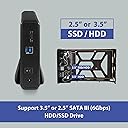
The Vantec NexStar JX is a sleek, durable aluminum HDD/SSD enclosure supporting 3.5โ and 2.5โ SATA III drives with blazing 6 Gbps eSATA and 5 Gbps USB 3.2 Gen1x1 speeds. Designed for professionals needing reliable, hot-swappable external storage, it features smart cooling vents and energy-saving spin-down technology, making it perfect for expanding storage on PCs, Macs, NAS, DVRs, and more.


| ASIN | B0BDKG16XT |
| Brand | Vantec |
| Built-In Media | NexStar JX Enclosure, Ac Adapter, Screw Set, USB cable, eSATA cable, Enclosure Stand, Quick Install Guide |
| Color | Black |
| Compatible Devices | System with USB or eSATA |
| Customer Reviews | 4.6 4.6 out of 5 stars (123) |
| Data Transfer Rate | 6 Gigabits Per Second |
| Enclosure Material | Aluminium Acrylonitrile Butadiene Styrene (ABS) |
| Hard Disk Form Factor | 3.5 Inches |
| Hardware Interface | SATA 6.0 Gb/s, USB 3.0 Type A, USB 3.0 Type B, USB 3.2 Gen 1, eSATA |
| Hardware Platform | PC, Mac, Linux |
| Item Dimensions L x W x H | 20L x 11.9W x 3.3H centimeters |
| Item Type Name | USB/eSATA HDD/SSD enclosure |
| Item Weight | 14.3 Ounces |
| Manufacturer | Vantec |
| Memory Storage Capacity | 20 TB |
| Mfr Part Number | NST-358SU3-BK |
| Model Number | NST-358SU3-BK |
| Supported Devices Quantity | 1 |
| UPC | 844767023694 |
J**S
I bought a cheaper hard-drive enclosure it wouldn't even spin the hard-drive this one work great and very fast I would have to say a great product.
R**.
Really nice quality, metal enclosure/plastic ends and the internals look solid. Came with a nice thick Esata cable and USB 3.0 cable. Only came with a US AC plug, so you'll to purchase an adaptor to suit your country or a AC plug of the same spec. Simple to install, just plug n play with a blue led light whilst in use. I used this to expand my storage on my Reolink NVR system and so far it's working floorlessly.
A**O
This enclosure does what it's supposed to do.The transfer speeds are excellent and it doesn't slow down.It may get hot if you do use it for a long time or in a hot climate.Being in Canada,heat is not a real problem here. :) Recommended.
D**Y
UK BUYER - I needed a esata caddy for an external hard drive for my REOLINK NVR and could not find a decent one in the UK so took a chance on this one from Amazon US -- Works perfect -- i had a feeling the plug might be a problem when i purchased but that was a quick fix, it does come with an American plug but that is an easy ยฃ10 fix, a UK 12v 2amp power adaptor works fine (i had an old external Hard drive power plug in a draw - Lucky me)
R**X
I put in a 14TB WD Purple drive and am using it as an external eSATA drive for Synology NAS to act as storage for Surveillance Station set up with 6 cameras. I have a couple of fans blowing on it so there is no issue with temperature; the drive reports around 41C. This isn't really part of the review, but might help someone: Surveillance Station does not normally allow for an external drive to be used as storage, but does allow "remote" storage. This is really a terrible oversight on Synology's part and I was very disappointed to learn about this only after purchasing the enclosure. If you search online you will find some workarounds that people did, but I didn't like any of them so I came up with my own. I created a remote storage link that actually points to the local external drive. Now Synology won't let you specify the same IP/hostname as the NAS itself for a remote folder, so you have to create a new DNS entry in your local network environment that simply points to the same device. For example my NAS hostname is simply diskstation, so I added another DNS entry called diskstation_ext that points to the same IP as diskstation. Also, for whatever reason you can only setup a CIFS remote share through "Recording" > "Archive Settings" > "Mount Remote Storage". So what I did after in File Station was to delete the remote folder created by Surveillance Station, and re-create it using the NFS protocol, using the same folder name. You'll want to check the "Mount automatically on startup" option in File Station, and UNCHECK it in Surveillance Station. I don't know if it makes a difference using NFS vs CIFS in this scenario, but NFS is generally considered a more performant protocol. So far, this setup seems stable and persists after reboots without issue.
Trustpilot
2 days ago
2 weeks ago