Buy anything from 5,000+ international stores. One checkout price. No surprise fees. Join 2M+ shoppers on Desertcart.
Desertcart purchases this item on your behalf and handles shipping, customs, and support to Thailand.
🚀 Elevate your network game with lightning-fast, managed 10G power!
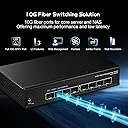
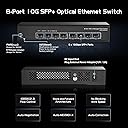
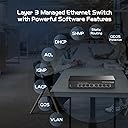
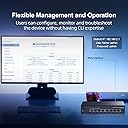
The Binardat 8 Port 10 Gigabit SFP+ Managed Switch delivers enterprise-level 10G connectivity with 8 versatile SFP+ ports supporting 1G to 10G speeds. Featuring a robust 160Gbps switching capacity and advanced Layer 3/2 web management protocols, it offers granular control over routing, QoS, and security. Its fanless metal design ensures silent, durable operation ideal for professional offices, data centers, or high-performance home networks. Compatible with a wide range of optical modules, this switch is a future-proof solution for demanding network environments.


| ASIN | B0CCNVXJFX |
| Best Sellers Rank | #294 in Computer Networking Switches |
| Brand | Binardat |
| Built-In Media | SFP Switch 10g |
| Case Material Type | Metal |
| Color | Black |
| Compatible Devices | Office |
| Customer Reviews | 4.0 out of 5 stars 496 Reviews |
| Data Transfer Rate | 10 Gigabits Per Second |
| Included Components | SFP Switch 10g |
| Interface | SFP |
| Item Dimensions L x W x H | 6.6"L x 3.7"W x 1.25"H |
| Item Weight | 0.78 Kilograms |
| Manufacturer | Binardat |
| Mfr Part Number | 10G08-0800GSM |
| Model Number | 8x10G SFP Managed |
| Number of Ports | 8 |
| Platform | Not Machine Specific |
| Product Dimensions | 6.6"L x 3.7"W x 1.25"H |
| Switch Type | Managed |
| Upper Temperature Rating | 55 Degrees Celsius |
| Voltage | 12 Volts (DC) |
B**.
Great Value
Am still really surprised that this is handling a segmented VLAN for our trunked home network, without a single minute of downtime over the past 3 months. The SFP+ slot was incredibly useful. Silent operation, even the power supply doesn't have the weird hum most other units have.
B**N
Absolutely amazing! (2) 10Gigabyte speed ports and (4) 2.5gb ports
GREAT EASE OF USE . SETUP IS EASY! I learned so much about my server. This thing has been bulletproof! Functionality is great ! 2 10Gigabyte ports and 4 2.5 gigabyte ports! It has jumbo packet size! I use 15,000 packet size transfers with my server (supermicro server plugged into 10g port on this switch) I have 2.5 gigabyte ports on archer BE9300 router plugged into 2.5g port on switch. Brightness on the lights are great! Green and yellow tells me the connection. Using Cat6a cable (10gb/persecond transfer speed) Server is a finally wifi 120Tb server! This switch has port config you use and internet browser, type in the IP of the switch into the web address, and it opens the software. GREAT EASE OF USE . SETUP IS EASY! TO SET UP ON A WINDOWS COMPUTER GO TO CONTROL PANEL GO TO YOUR NETWORK ADAPTERS AND IT WILL SHOW YOU EACH ETHERNET ADAPTER. Plug in your Cat6a cable to the switch to your computer. In control panel network adapter settings right click the Ethernet That pops up in adapter settings when you plug it into the computer. Right click it go to properties , Then find IPv4 click it then click configure change the IP address to the IP address that is in the instructions of the switch. Then go to the internet browser type in that IP address in the instructions in the switch. Then change the IP address to whatever you want it to be so that you can go into your router and go to DCHP and reserve that IP address so it doesn't bounce around and change on its own basically you manually assign it an IP address like 192.168.0.5 ( router is on IP 192.168.0.1) So if you go to your router settings go to DCHP reserve, you can make a static IP address and make it so that it is permanently at the IP address that you tell it to be at by typing in the IP address under DCHP reserve. So many things that are amazing about this. When you are all finished go back to control panel network adapters right click the adapter properties IPv4 selected configure Change back to automatic. Now you are done!
T**3
Can be good, maybe not what I needed tho
Let me be clear, it is exactly as advertised in the sense that you can absolutely vlan off all 4 2.5 gig ports also I can if I wanted bond them all or any combo to achieve up to a total of 10gb via the 2.5gb ports... I think these LACP features were the primary reason for me going with a managed version vs an unmanaged version, the truth is I would rather just have a transparent switch that is also capable of aggregation on those ports but also alows me the full bandwidth pass threw of the sfp ports because the plan was to add this into a low cost 10gb sfp+ enabled homelab setup that is just an amalgam of various systems of a variety of specs and one of those NAS systems that is ultra low power with super low wattage archive smr drives is a always on target that is only equipped with dual 2.5gb nics and uses large capacity nvme solid start targets for write caching but not at crazy speeds just better than the slow SMR drive speeds especially when not in a stripped array and I thought perhaps this will enable me to tie into the in place sfp+ network and also give me a few slower options so I can retire one whole system that is acting exclusively as networking fabric with hot copper 10gb nics and similar quad 2.5gb nics that end up taking to many pcie lanes and power but that system also has dual 1gb nics onboard that provide my "management" network for all the servers in the rack but iv only recently upgraded from unstable copper 10gb ethernet that is running more that 30m to my rack with a 2.5gb backup but now the same copper that was the 2.5gb backup can be used as a dedecated management line while the cat7 copper can be downgraded to either 2.5gb or even 5gb which all my 10gb hardware can do 5gb and 2.5gb and at 5gb that 30m copper is more than enough and my new 10gb sfp+ network is stupid stable with some low cost mellanox connectx 3 nics so i dont have a need for a 10gb copper backup so i was going to instantiate a 5gb copper network for the allways on ring of my homelab and reserve the sfp+ network for when my hypervisor based container orchestrator determins that HPC is needed for the task... This is all well and good but I need a switch that is low power and can transparent to my firewall provide these different tiers of network and all be in the same subnet as the master and this switch seems to be setup more like a firewall or DHCP device than a transparent switch but an unmanaged one won't have the same LACP features I need and many of this same port spec ones iv seen don't enable the use of both sfp+ bridged so one can be the uplink and the other simply a pass threw with the switching bandwidth to also provide all 4 2.5gb nics with there max bandwidth of course at the cost of bandwidth to the client sfp port when the slower nics are fully utilized... Perhaps I'm the dense one and there is some other layer level that would better serve these needs... But also at what cost, if it's cheaper to keep the low cost n300 mini itx system in place that serves this exact application well than that is what I shall do... I am also going to purchase the exact same switch but the unmanaged version so I can test it against my very asscentric usecase lol... I actually was considering purchasing 2 more of these to see if I can bond all 4 ports on both and get basically a 4port sfp+ switch going that is considerably cheaper than any low port count sfp+ 10gb switch iv ever seen and short cat6e cables are super cheap so... Ya ... Just a curiosity... ...but I'm also addicted to buying s#!t at this point so it's probably still going to happen even if they end up in a box after never to see the light of any of my blinking lights weird servers setups again lol...but no if I did that I would certainly use them as these switches are ultra low power realtek based and are far cheaper than mini PCs simply for networking lol... That basically why I ended up with so many odd ball systems in my homelab to begin with, just me opting for cheaper pcie nics than shelling out hundreds for dedecated switching with the added bonus of more compute and memory and storage to nievly offer up to the misunderstood container master in an etempt to win favor and maybe eliveate some of my troubleshooting tribulations ...but alas more systems of a varity of archetcturs and performace capabilities with some being required for basic communication is an exacerbation of my troubles... Who could have thunk it... Lol
J**7
8 Port SFP+ 10G Managed Switch Login Problem
I wish they didn't mix reviews but they do, this review is for the 10G08-0800GSM. I wanted to write this before I have more experience with this switch to help if you're having a problem getting past the login on the web ui. My login screen did not change to the settings pages after entering the default credentials, it just stayed on the login. What i found is if you check the "remember password" box on the login it will then go on when you enter them. Just a glitch in the firmware that I guess they will soon fix but I saw someone else wrote a review about the same problem and it shakes my confidence in this switch a bit. It does get warm and I wish they had used a perforated case like my Mikrotik but you get what you pay for. The first time I powered it up it got to 51C but today I've had it idling for about 2 hours, in the identical environment, and it's not gotten over 42C. I've gone ahead and designed a 3d printed fan holder to help keep it cool since I plan on rack mounting it and don't know how it's going to do under load. It's currently drawing just under 10 watts with 3 SFP+ LC-SR transceivers idling. I'd also point out that Amazon refers you to the manufacturer for warranty information and when I checked the manufacturer website I couldn't find any. There may not be any manufacturer warranty so you may want to do your own research and see what you can find.
C**J
A great, low cost, L3 managed router/switch
There is no management port, but Telnet and HTTP are both live at 192.168.2.1. The OS is a stripped down version of Cisco's CLI. If you know how to configure a Cisco, you can configure this switch. There are differences, but they don't affect this as a switch. This is my third router/switch from Binardat and I expect to buy more. Note! If you are going to use a DAC, you must set the media type of the Ethernet interface.
B**U
8-port SFP Switch Does Not Work & Slow to Boot
This review is for the 8-Port 10G L3 Managed Fiber Switch 10G08-0800GSM. I have 3 different 10G SFP switches and this is the only one I didn't get to work. Pros: * Very compact Cons: * Does not properly boot up. I can't access the web portal on 192.168.2.1 with a direct connection to the laptop which is not connected to any other network. Arp -a doesn't show the switch. The SFP module and Ethernet cable are known to be good as they work on other switches. * Gets very hot, probably because it is so compact. * Out of 4 different SFP+ ETH modules only one worked (though other switches had the same issue). Only the 10Gtek ASF-10G-T worked. I have a feeling the switch doesn't work with Broadcom chips. The following SFP+ modules didn't work: 10Gtek ASF-10G-T80, tp-link SM5310-T, ASFPTEK AT-SFP-10G-T-80 * It takes 28 seconds for the SYS LED to start blinking. This is very consistent. According to the manual, a blinking SYS LED means "Starting". So that means it does not start booting for 28s. Every other switch starts booting as soon as it gets power. * It takes 52 seconds for the connected SFP ports to be recognized. The second worst switch took 36 seconds, i.e. 16 seconds faster. * The status LEDs are below the ports. If you want to check the LEDs and the switch is not above eye level, you have to tilt it up or lift it up to see the LEDs.
T**R
Good little switch that does not last.
This review is for model 2G06-04210GSM. That is 4 x 2.5GBASE-T with 2 x 10GBASE-T. It has a small switch to select managed and unmanaged modes, and the managed mode allows setting a variety of parameters including VLAN assignments. The good: The product idea is excellent, and allows for daisy-chaining 10G backbone with 2.5G attachments. Or adding several low speed devices to a 10G server port. It met my needs really well, and mainstream brands don't seem to have this set of ports available. The bad: The switch runs very warm, and the little switch to go between managed and unmanaged modes is not centered in it's little window, so you can switch it once to unmanaged, and then basically need to open the box if you ever want to switch it back again. The Binardat website has no warranty info, no firmware updates for any of their products, and no forum or customer service links, and does not acknowledge that this model even exists. They do have a way to send them a web-form. The ugly: It worked for about a year and a half, until the day we had a power outage, and it never came back. it won't boot, won't respond to management port, wont reset to factory defaults, and has link lights on for the 10G ports even when nothing is plugged in.
J**M
It's a switch...
Works as expected, throughput is solid.
P**N
Good value for money
Very good switch! Gets a bit hot but no issues so far!
P**N
Cheap, cheerfull, reliable.
For the money this is very good, after multiple months of use, its hasnt failed, I havent had to restart it and provides a 2.5gbe link speed from my upstairs "server" room to the living room - perfect for the price - very happy.
A**Z
Switch gestionado y a muy buen precio y rendimiento.
Switch gestionado ya probado y por ahora todo perfecto. Tiene una gestión web sencilla pero muy intuitiva y de facil configuracion aunque no tiene idioma español. Tiene total compatibilidad con el transceptor SFP+ de la marca 10GTEK con puerto RJ45 multigigabit, de hecho tengo elnazados dos switches de la misma marca por puerto DFP+(este y otro de 10 puertos no gestionado). La proxima ampliacion será unir ambos switches mediante tranceptores y fibra optica, asi que cuando lo realice modificare la reseña para comentar la compatibilidad.
S**O
Perfetto
Funziona perfettamente.
T**P
Parfait
Genial pour le prix
Trustpilot
3 weeks ago
2 weeks ago