We remain fully operational. Our teams are working around the clock to ensure your deliveries continue safely.

DOWNLOAD THE APP


Customer Services
Copyright © 2025 Desertcart Holdings Limited
DOWNLOAD THE APP

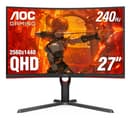
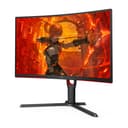
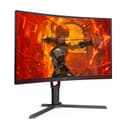
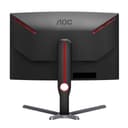
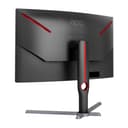
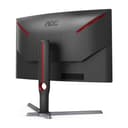

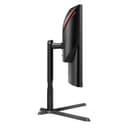
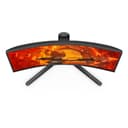
🎯 Dominate every frame with the AOC CQ27G3Z — where speed meets immersive style.
The AOC CQ27G3Z is a 27-inch curved VA gaming monitor featuring a sharp QHD 2560x1440 resolution and a 1000R curvature for enhanced immersion and reduced eye fatigue. It boasts a lightning-fast 240Hz refresh rate and 0.5ms response time, paired with AMD FreeSync Premium for tear-free gameplay. Designed for both PC and console gamers, it offers wide 178° viewing angles, 120% sRGB color coverage, and an ergonomic adjustable stand. Built sustainably with conflict-free materials and eco-conscious packaging, it’s a premium choice for serious gamers seeking performance and style.


| ASIN | B0BXC41BTD |
| Brand | AOC |
| Colour | Black |
| Customer Reviews | 4.4 4.4 out of 5 stars (311) |
| Date First Available | 22 April 2024 |
| Guaranteed software updates until | unknown |
| Item Weight | 8.82 kg |
| Item model number | CQ27G3Z |
| Manufacturer | AOC |
| Number of HDMI Ports | 1 |
| Product Dimensions | 25.88 x 60.5 x 53.19 cm; 8.82 kg |
| Resolution | 2560 x 1440 |
| Screen Resolution | 2560x1440 |
| Series | CQ27G3Z |
| Standing screen display size | 27 Inches |
P**G
Have had this monitor for 3 years, and it is EXCELLENT for 1440p gaming. Running a 7900 XT (20 GB) GPU, and a Ryzen 7800x3d CPU and I get excellent frames on this monitor. Easy to configure. For me, it's the perfect balance between resolution, size, FPS, color, brightness, response time, and PRICE. Great bang for buck,
R**P
VISUALS: I “upgraded” to this monitor due to some panel problems with my Pixio Px276. TN panels are known to be “dull” or not have the best colour accuracy so I expected this VA panel to provide a big visual difference and I wasn’t disappointed. The blacks are very dark and not as grey as they appeared on my previous monitor. I am currently playing through FFXVI and wow, is it a visual spectacle on this monitor! When testing on dark games primarily like FF7 remake the contrast caused the other colours to really pop on the screen. The colours are more vibrant than my previous TN panel and creates a much more visually appealing display. CURVE: Initially I was concerned with the 1000R curvature but this turned out to be a non issue after a couple days of usage. I am not sure if it was necessary for a 27” monitor as I do still find myself turning my head slightly when trying to focus on content at the furthest edge of the screen but I sit about two and a half feet away from it so it may not be an issue if you are closer. I have found that the curve does provide a more immersive experience when gaming or watching a movie. FRAMERATE: I don’t play competitive games so the 240HZ of this monitor is a bit overkill for my needs plus I don’t really have the GPU power to run newer titles at that frame rate. I did however try some older titles like Borderlands 2 to experience these high frame rates and they are buttery smooth although I personally can’t really seem to tell the difference between the 100s and 200s range. HDR: Unfortunately HDR is not supported on Ubuntu yet but I did try to test it on a Windows 10 machine and was left a bit perplexed. Now, I had heard that HDR wasn’t great on PC/Windows but I did not expect to have giant pixilated blocks with HDR enabled. I understand that some fine tuning is required to get HDR to work properly but I did not bother to pursue it as HDR wasn’t really a requirement for me but more of a bonus feature of the monitor. NEGATIVES: The only negative is that I found the menus to be a bit cumbersome to navigate at least when compared to my previous Pixio monitor. In my opinion the “normal” colour mode appeared to be more accurate than the default “warm” selection but I have barely made any changes to the monitor, using it with mostly default out of the box settings. I know there is an app that can be installed instead of fiddling with the monitor controls but I haven’t tested it. CONCLUSION: The monitor has worked great with no dead pixels etc over the last couple months of usage and do I hope it continues to last with no issues. I have known AOC to be a good legacy brand at least from the CRT days and I hope that legacy has been upheld over the years so that it has the same type of longevity and reliability as those older monitors. I think it’s a great monitor and from my personal experience it serves as a big upgrade in visual fidelity over a TN panel.
C**A
This monitor looks amazing. I love it. I play lots of games and the quality on this is unbeatable. Super easy to set up and the size is perfect for me and is just as described. It's not super heavy which makes moving it easier. I haven't used the speakers on it so I'm not sure on sound quality. Works amazing.
C**C
PART 1: Review of monitor: The monitor works great, the main menu is easy to use (to change monitor settings), the physical base feels sturdy, and the monitor was easy to put together. However, I took off 1 star because I received my monitor with two minor issues: 1) the "right" button that allows you to scroll to the right in the settings is slightly jammed, so I have to press much harder to have the menu react to my input compared to when I press the "left" button. 2) There IS an audio jack on this monitor with great quality, which is a plus. However, my audio jack has a constant, annoying ringing sound, which is a hardware issue. I cannot use this additional feature at all. For me, this was not a feature I was expecting to have in the first place, so I'm not too bummed about it. PART 2: If you buy this product and are hoping to get a replacement: I tried to return and replace my monitor on Amazon for this same product, but that isn't an option (you can refund yourself like any other Amazon product). Alternatively, I tried calling AOC customer service, but no one answered even when I called on different days of the week. Now, this product amazingly does come with warranty (see the desc. of the product), but I haven't tried this avenue yet.
D**N
The stand is lightweight and tilts up and down as well as swivels right to left to adjust as needed. Easy to set up and comes ready to go. I set this up it connected without effort. I have a headset connected to my laptop that feeds into the monitor. When unplugged, the monitor speakers were not working. Looking it up, it seems there is most likely a setting that I need to make to change this. I messed with it a short time yet always use my headset so I gave up pretty quickly as I will not be using them. I've very satisfied, yet wish that the speakers would work when my headset is disconnected. Outside of that, the picture looks great and games play great.
Trustpilot
3 weeks ago
2 weeks ago