We remain fully operational. Our teams are working around the clock to ensure your deliveries continue safely.

DOWNLOAD THE APP


Copyright © 2025 Desertcart Holdings Limited
DOWNLOAD THE APP


Buy anything from 5,000+ international stores. One checkout price. No surprise fees. Join 2M+ shoppers on Desertcart.
Desertcart purchases this item on your behalf and handles shipping, customs, and support to Thailand.
🎬 Own the spotlight with AI-driven 4K precision — your ultimate livestream sidekick!
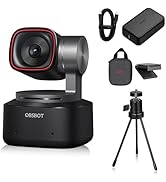
The OBSBOT Tail AIR is a cutting-edge 4K AI-powered PTZ webcam featuring a 1.8" CMOS sensor and f/1.8 aperture for exceptional low-light video. It offers industry-leading AI auto tracking and framing, gesture controls, and versatile wired/wireless connectivity including NDI|HX3 streaming support. Designed for professional livestreaming, presentations, and hybrid classrooms, it ensures you stay perfectly framed and vividly captured in any environment.


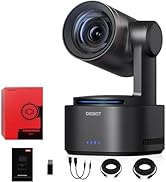

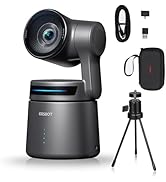
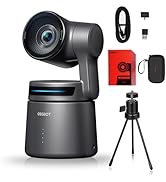


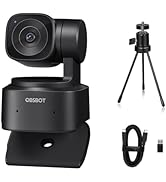






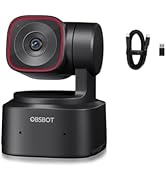
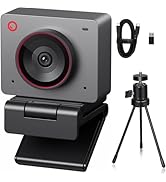

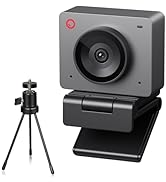
| ASIN | B0CP9FLJKX |
| Are Batteries Included | No |
| Best Sellers Rank | #372 in Webcams |
| Brand | OBSBOT |
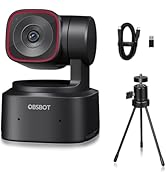
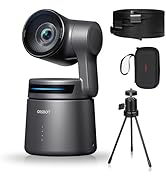
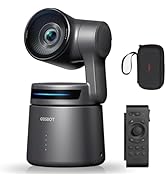
| Built-In Media | OBSBOT Tail Air *1, Female Splitter *1, USB C Male to Dual USB C *1 + USB-C Cable *1 + USB-C to USB-A Adapter *1, Quick Start *1 + Warranty Card *1, Storage Box *1 + Outter Package*1 |
| Camcorder Type | Webcam |
| Color | Black |
| Compatible Devices | Laptops, Personal Computers, Smartphones |
| Connectivity Technology | Ethernet, Infrared, NFC, USB, Wi-Fi |
| Customer Reviews | 4.1 4.1 out of 5 stars (232) |
| Digital Zoom | 4 x |
| Display Resolution Maximum | UHD |
| Effective Still Resolution | 8.3 MP |
| Effective Video Resolution | 3840 Pixels |
| Exposure Control Type | Automatic, Manual, [Potentially other modes] |
| Features | Low Light, Microphone Input, Motion Detection, Night Vision, Remote Control |
| File Format | MJPEG, H264, H265 |
| Flash Memory Bus Interface Type | Micro SD |
| Flash Memory Speed Class | U3 |
| Flash Memory Type | Micro SD (Up to 512 GB) |
| Flash Memory UHS Speed Class | U3 |
| Flash Memory Video Speed Class | V30 |
| Focus Type | Auto Focus |
| Form Factor | Compact |
| Has Image Stabilization | No |
| Image Aspect Ratio | 16:9 |
| Image stabilization | False |
| Item Dimensions D x W x H | 7"D x 4.2"W x 6"H |
| Item Weight | 350 Grams |
| Lens Type | Zoom |
| Log Gamma Curve | true |
| Manufacturer | OBSBOT |
| Maximum Aperture | 1.8 f |
| Maximum Focal Length | 4.8 |
| Minimum Aperture | 1.8 Millimeters |
| Minimum Focal Length | 4.8 |
| Model Name | OBSBOT Tail AIR |
| Model Number | Tail AIR+ Table Mini Tripod |
| Number of Speakers | 1 |
| Optical Zoom | 8 x |
| Photo Sensor Size | 1/1.8-inch |
| Screen Size | 1.8 Centimeters |
| Sensor Type | CMOS |
| Shooting Modes | Automatic, Custom, Portrait |
| Style Name | OBSBOT Tail AIR Webcam |
| Supported Audio Format | AAC, MP3, PCM, FLAC, Dolby Digital/AC-3 |
| Supported Image Format | MJPEG |
| Upper Temperature Rating | 40 Degrees Celsius |
| Video Capture Format | MJPEG, H264, H265 |
| Video Resolution | 4K@30/25/24 fps |
| Viewing Angle | 180 Degrees |
| Warranty Description | 1 YEAR WARRANTY |
| Water Resistance Level | Not Water Resistant |
| White Balance Settings | Auto |
| Wireless Compability | Infrared |
| Zoom | Optical |
R**F
Perfect for the Classroom
This is the first webcam I've ever been excited by. It does absolutely everything someone in the classroom (or someone who needs to give presentations) needs. I am impressed by the video quality and the HAND GESTURES. Absolutely perfect for my blended virtual classroom. Pros: Material - Mix of metals and plastic. Very sturdy construction. Bearings turn freely, and it is completely silent. I've been using it daily for a week and I haven't heard any noise picked up by the mics when the camera is moving. Video - Does great under fluorescent lights. Comparable out of the box to the front camera on most phones. Definitely better overall video quality than most webcams I've used over the past year. It's a keeper. Mounting - Can mount via tripod or using the magnetic clip on top of a monitor. The magnet is nice and strong..I haven't had any incidents with it falling or moving. The clip can also be moved into more positions than on most webcams, so it is thoroughly attacked to my monitor. Gestures - The two gestures work well, but definitely take some practice. Took about an hour to get proficient at it, but even after a week I still forget to "stop" the zoom in position. Maybe in a future firmware update more gestures will be added. Fingers crossed. Tracking - This does a surprisingly good job of following me around the room. I've had another "gimbal" webcam, but it couldn't keep up with me. Even walking normally, this still follows right along. It isn't a full 360, but it gets close enough. Cons: Microphones - They're decent. When paired with OBS you can adjust the volume which is nice. They do pick up audio from across the room. No need to move this around, really. The stereo speakers are a nice touch. I often forget to turn the base towards myself so sometimes I get more audio from one side over the other. Not a big deal, really. I think I prefer the mini-mic I usually use for recording lessons, though. Software - It's pretty bare bones. You can adjust all the settings, but I would really like to be able to adjust MORE...Image quality, temperature, hue, gama, etc. As it is, I run this AND OBS Studio for my virtual lessons. Not a dealbreaker, but it is something the company should improve on. Honestly, this is the coolest little webcam I've owned. It cost more than others, for sure, but it is worth it. I would recommend this for anyone that needs a camera that can follow you around and do some zooming. Better than anything I've used so far, and I've used a LOT of webcams. Hopefully OBSBOT stays around for a while because I would love to see this in 4K in the future!
D**!
SO COOL! Quick Tip - DOWNLOAD THE APP!
Right up front, don't just use this in its default mode, it's weirdly overexposed and you don't have any control other than gesture control (which can be activated accidentally if you like, rub your face or something). You need to download the OBSBOT Tinycam program from Remo-AI's website (don't orry, you don't need an account or any dumb nonsense like that). Once you've installed that, it unlocks a lot of options for you to fix your exposure and white balance and stuff like that, and it also gives you a little onscreen joystick to control the camera's movement with. That joystick is fun, but I think you'd only REALLY get any use out of it if you have a touchscreen computer - controlling it with your mouse is a little awkward. ANYWAY, all that aside, this is a phenomenal camera. I may be a little behind the times, but up until now my primary webcam has always been my Logitech C920, and it's always been great. Never had any issues, never disliked it, always looked better than whatever built-in garbage everyone else was using. BUT, after I switched to this, I cannot even comprehend what I was doing all this time haha. Seriously, the dynamic range is ludicrously wider than the C920's, to the point I actually just finished CLEANING MY OFFICE because I used this webcam during my last meeting for work and for the first time ever my whole office was actually visible behind me (and that sucked, that was embarrassing, but it DOES mean this camera is like seriously really good and it was ME who was not prepared for it). I mostly picked it up out of curiousity - I never figured I could afford a motion-tracking webcam, but then I saw this and I was like "oh, yep, gotta try that". As you can see from my attached video, I IMMEDIATELY had a lot of fun just playing with it haha. But I can really see how this would be super valuable; I sometimes have to do presentations and teach my colleagues something pretty dry and boring, so I try to do things to "spice it up" and keep it a little fun, and now that I have a camera that will follow me around while I move, I'm coming up with all kinds of dumb stuff! I could also see mounting one on the ceiling and disabling the gesture commands so that it was only controlled by the app, and using it for holding decentralized D&D parties (or other games, I guess) using my actual physical D&D table and maps and minis and dice. I could zoom into the board, move around to reveal stuff, etc - that's SICK, it's seriously so exciting to think about all the cool stuff that's possible. But again, definitely install the app before you bother using it - I was super blown out until I did. I'm also biracial and have medium skin tone, so it may have been trying to expose me a little lighter because of that, but it's really nice to actually have app control over all the settings so I can just fix that myself. Anyway, yeah, definitely highly recommend!!!
C**A
worked great for a while .. then the gimbal gave out, and it goes red
This worked great for a while ... followed great and everything ... Then the light started turning red, randomly .. tried updating the software and everything ... I suspect that the gimbal giving out makes the software unhappy .. but that's just my hypothesis .. started15 months after I bought it
D**D
Camera quality is not good
AI tracking is very nice. Unfortunately the camera quality is very poor and blurry. It is very noticeably worse than my smart phone. When zoomed in any amount the picture becomes horribly blurry. Even zoomed all the way out the camera doesn't produce a crisp picture. Also when you try to return the company only allows UPS pickup option where you have to stay home all day waiting for a UPS man. I make way more that $500 in a day so waiting at home is not an option. I do believe it is illegal for this to be the only return option. They are required to provide you with a label, which they do not do.
K**S
Great Camera
very nice camera for the money
A**R
Great video quality but the software did not work for me.
I bought this for work; as I use Zoom and Microsoft Teams on the daily. I was really impressed with the video quality and sharpness. I also liked the camera's ability to isolate the subject when adding virtual backgrounds. I did not like the software though. I installed it on my laptop and was able to run it successfully...once. After that, I could never get the software to recognize the camera again. I work in IT...so trust me, I tried everything to no avail. This frustrated me. Since without the software installed or without the remote control (sold separately), you are forced to use hand gestures to control the camera; which I think makes you look kind of goofy.
S**T
I saw lots of advertisement regarding obsbot tail air for Soccer Games. The quality is very poor and does not meets the requirement for outdoor sports. For $800 you expect a good quality camera especially when you pay lots of youtubers to review your camera
E**E
Love it. Use it daily. Easy to install and great to use.
S**A
Great camera, well thought through easy to set up. Love the flexibility of mounting options. I use at home as a general webcam and for teaching online and love that it follows me round the front of the classroom. Mic isn't great but I use a specialist Blue mic anyway. There are software controls rather than hand signals - you look a bit weird using them. This allows you to zoom to 1.5x etc rather than 1 or 2. Also to lock or unlock pan. Software disappeared after an update which is so annoying but I think that's probably my problem not theirs.
F**O
Buen producto. Lo inconveniente es que deshabilita el teclado de la laptop y el peso hace que se caiga del monitor si se mueve. El control de la cámara luego se hace complejo al cambiar de pantalla. No encuentro control en el teléfono.
M**K
nell'ultimo anno, tra lockdown, didattica a distanza, Smart working e telelavoro, ci siamo dovuti inventare e reinventare sistemi per poter collaborare, lavorare e studiare a distanza. Addirittura mia figlia ha continuato a seguire le lezioni di danza utilizzando il PC e ballando nella sua stanza davanti alla webcam. Ed è proprio per poter permettere a lei di poter ballare e muoversi liberamente davanti al PC rimanendo sempre inquadrata, che mi sono deciso ad acquistare questa particolare webcam. La stessa si rivela utilissima anche per me, che spesso devo fare riunioni e grazie a questa webcam ho la possibilità di appendere dietro di me mappe, o di fare vedere schizzi e schemi al volo su una lavagna posta alle mie spalle, rimanendo sempre inquadrato. Ho potuto testarla con teams, Skype, meet e zoom ed in tutti i casi si è sempre rivelata estremamente all'altezza della situazione, permettendo sempre a me ed a mia figlia di svolgere le nostre attività nel migliore dei modi. Tutta la parte relativa alle impostazioni video può essere gestita all'interno del pratico software che è possibile scaricare direttamente dal sito del produttore, in questo modo possiamo andare ad interagire su colore, risoluzione e frequenze, inoltre possiamo impostare dei punti fissi di focale, ed andare ad attivare o disattivare il riconoscimento della persona e le gesture. Infatti, almeno per quanto mi riguarda, una volta settati i parametri relativi al colore la prima volta, Poi sono sempre riuscito ad utilizzarla completamente con le gestur, che come potete vedere nel video sono davvero semplici da utilizzare e molto comode. I gesti che vengono riconosciuti sono due, basterà infatti alzare una mano per fissare la camera, o meglio l'inquadratura sul nostro volto, e grazie ad un gimbal a 2 assi la webcam ci seguirà in ogni nostro movimento mantenendo sempre il nostro volto al centro dello schermo. sarà sufficiente ripetere il gesto per sganciarsi dalla ripresa e avere di nuovo una visuale statica. La seconda gestur, invece, riguarda la possibilità di zoomare l'inquadratura, è sufficiente infatti sollevare una mano tenendo aperte soltanto le prime due dita, ovvero pollice e indice a formare una lettera L ed in questo modo la webcam automaticamente zumbera l'immagine finché ne avremmo bisogno. ogni volta che si utilizza una gestur la banda led verde posta alla base della webcam comincerà a lampeggiare di blu per poi tornare verde una volta memorizzata l'impostazione da noi datale. Devo dire che queste gestur funzionano davvero bene, non perdono un colpo e sono molto rapide, stessa cosa vale per il gimbal, che risulta molto stabile e preciso nell'inseguimento del soggetto rendendo il video sempre molto fluido e non fastidioso. reputo ottimo anche il prezzo di questa webcam, è vero, non è alla portata di tutti, ma se considerate che per circa metà del prezzo a cui viene venduta acquistate una normale webcam, magari con una risoluzione nemmeno altissima, qui vi portate a casa il top delle webcam sia per quanto riguarda qualità dell'immagine e risoluzione sia per quelle che sono le particolarità e funzioni accessori da te sia dall'ottimo software che dall'ottima intelligenza artificiale. in conclusione, se come me utilizzate molto la webcam per lavoro o didattica a distanza, vi consiglio assolutamente di prender la, non vi deluderà, Io ormai la porto anche le giornate in cui lavoro in ufficio o in cantiere, è piccola e si trasporta bene, e mi permette di lavorare decisamente meglio che con la webcam integrata sul mio monitor dell'ufficio o sul notebook. Spero che la mia esperienza possa esservi di aiuto.
Trustpilot
3 weeks ago
3 days ago