Buy anything from 5,000+ international stores. One checkout price. No surprise fees. Join 2M+ shoppers on Desertcart.
Desertcart purchases this item on your behalf and handles shipping, customs, and support to Thailand.
⚡ Dominate your digital domain with the ultimate WiFi 7 powerhouse!
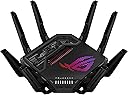
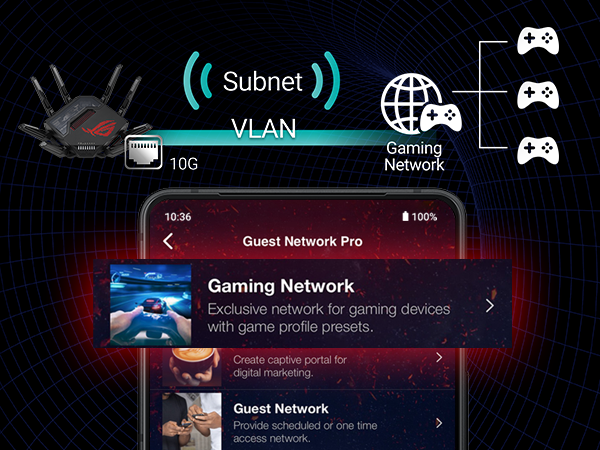
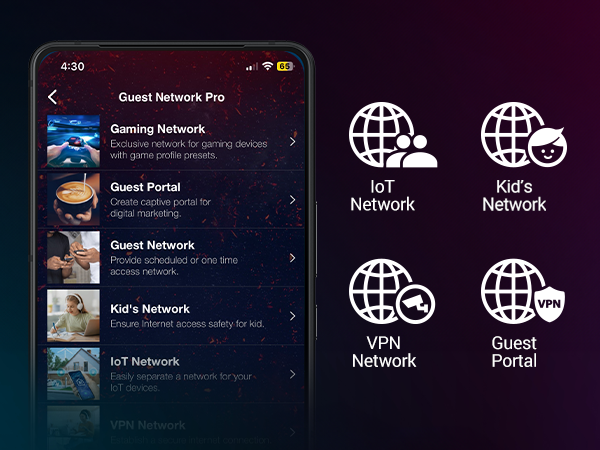
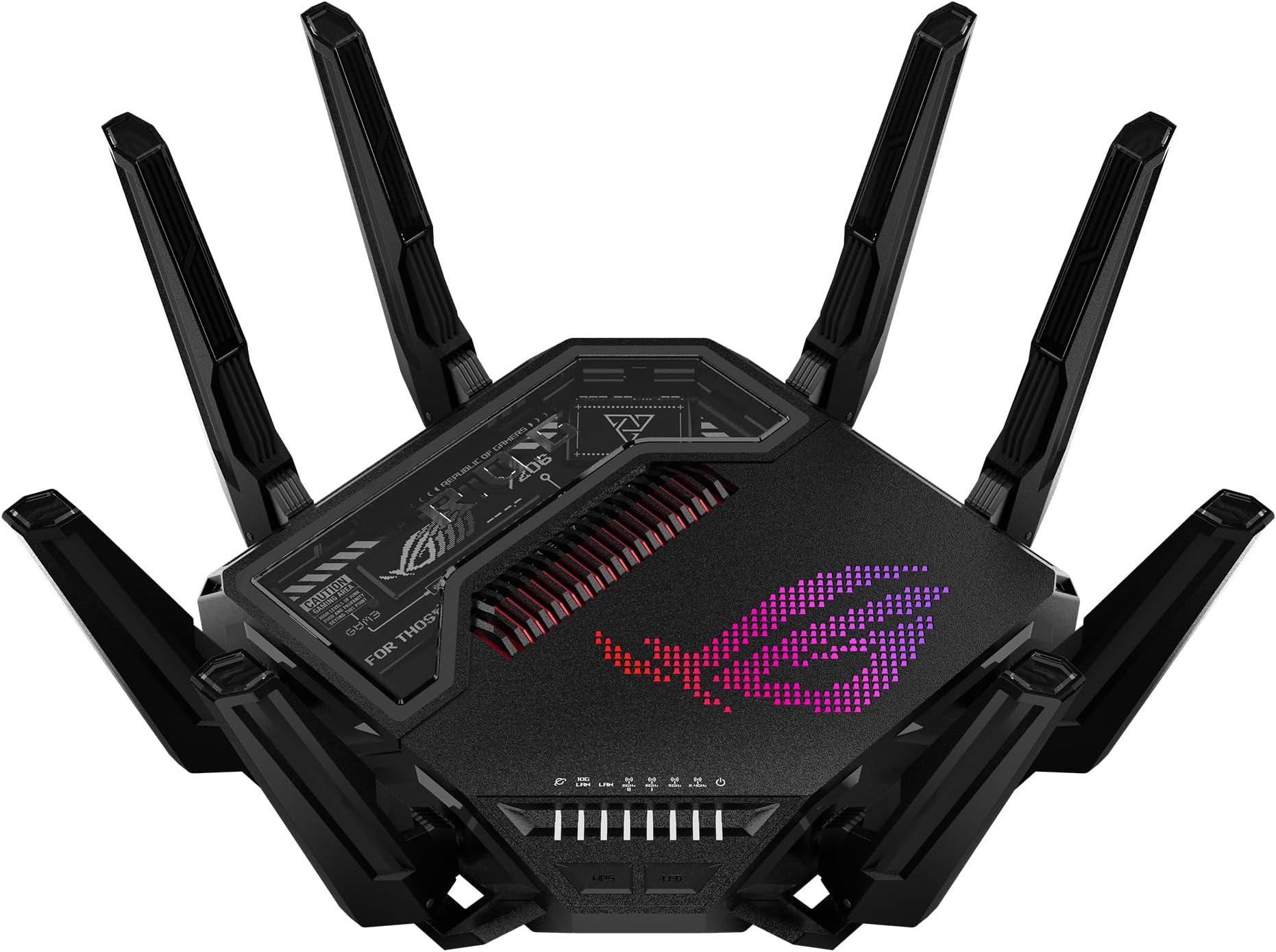
The ASUS ROG Rapture GT-BE98 Pro is a flagship quad-band WiFi 7 gaming router delivering up to 30 Gbps speeds via dual 6 GHz bands and 320MHz channels. It features dual 10G and quad 2.5G Ethernet ports, triple-level game acceleration, subscription-free AI security, and advanced mesh networking with Multi-Link Operation. Designed for high-performance gaming and smart homes, it offers extensive customization, robust parental controls, and VPN Fusion support. Matured through multiple hardware and firmware updates, it now stands as a top-tier router for professionals and gamers demanding cutting-edge connectivity.


| ASIN | B0CPQYSXCW |
| Antenna Location | Business, Gaming, Home |
| Antenna Type | Fixed |
| Best Sellers Rank | #4,036 in Electronics ( See Top 100 in Electronics ) #37 in Computer Routers |
| Brand | ASUS |
| Built-In Media | GT-BE98 Pro quad-band gaming router, Power adapter, Quick start guide, RJ-45 cable, Warranty card |
| Color | BLACK |
| Compatible Devices | Gaming Console, Personal Computer, Smart Television, Smartphone, Tablet |
| Connectivity Protocol | Wi-Fi, Ethernet, USB |
| Connectivity Technology | Ethernet, USB, Wi-Fi |
| Control Method | App, Touch |
| Controller Type | App Control, Push Button, Web GUI |
| Coverage | [Inferred] Improved signal strength and efficiency |
| Customer Reviews | 4.2 out of 5 stars 525 Reviews |
| Data Transfer Rate | 30000 Megabits Per Second |
| Frequency | 6 GHz |
| Frequency Band Class | Quad-Band |
| Has Internet Connectivity | Yes |
| Has Security Updates | Yes |
| Is Modem Compatible | Yes |
| Item Dimensions L x W x H | 13.7"L x 8.6"W x 13.7"H |
| Item Weight | 4.4 Pounds |
| LAN Port Bandwidth | 10 Gigabit |
| Manufacturer | ASUS |
| Maximum Upstream Data Transfer Rate | 1 Megabits Per Second |
| Mfr Part Number | GT-BE98 PRO |
| Model Name | GT-BE98 PRO |
| Model Number | GT-BE98 |
| Number of Antennas | 8 |
| Number of Ports | 7 |
| Operating System | App, Linus, Mac OS, Windows |
| Other Special Features of the Product | Access Point Mode, Guest Mode, Internet Security, Parental Control, QoS |
| RAM Memory Installed | 2 GB |
| Router Firewall Security Level | High |
| Router Network Type | Mesh |
| Security Protocol | WPA2-Enterprise, WPA3-Personal, WPS |
| Special Feature | Access Point Mode, Guest Mode , Internet Security, Parental Control, QoS |
| UPC | 197105086463 |
| Voltage | 110 Volts |
| Warranty Description | 3 Years Warranty |
| Wi-Fi Generation | WiFi 7 |
| Wireless Communication Standard | 802.11.be |
| Wireless Compability | 802.11.be |
X**G
Excellent Performance, Frustrating VPN Experience, and Overly Complex Setup
Product Review — ASUS ROG Rapture GT-BE98 Pro Flagship-level hardware, strong Wi-Fi 7 speeds, excellent coverage, and powerful gaming/QoS features. Performance potential is top-tier once configured correctly. Biggest weakness: VPN setup usability. Manual config uploads and fragile routing behavior can break full-network connectivity if misconfigured. Advanced users will manage fine; average households may find VPN Fusion frustrating without careful setup. Unified Wi-Fi + VPN Fusion Setup Step = Meaning | Straight to the point PART 1 — Combine All Wi-Fi Bands First Step 1 = Enable Smart Connect / Unified SSID Meaning: Merge 2.4G + 5G + 6G into one network. Step 2 = One name + one password Meaning: Devices auto-select best band. Step 3 = Let Wi-Fi 7 Multi-Link manage traffic Meaning: Router balances load across bands automatically. Step 4 = Avoid band separation Meaning: Prevent congestion and device signal lock-in. Result: Stable, optimized, multi-band throughput instead of single-channel overload. PART 2 — Airtime & Traffic Fairness Step 5 = Airtime Fairness ON Meaning: No device hogs bandwidth. Step 6 = WMM ON Meaning: Full Wi-Fi speed protocols active. Step 7 = WMM No-Ack OFF Meaning: Prevent packet loss + false connectivity. PART 3 — VPN Fusion Safe Setup Step 8 = Create VPN profile Meaning: Add OpenVPN inside VPN Fusion. Step 9 = Upload server file + certificate Meaning: Authenticate tunnel correctly. Step 10 = Enter VPN login credentials Meaning: Account authorization. Step 11 = Disable “Apply to all devices” Meaning: Prevent full-network tunnel routing. Step 12 = Click Apply Settings Meaning: Save profile safely. Step 13 = Connect VPN Meaning: Tunnel activates. Correct status: VPN = Connected Internet = Connected Meaning: Split routing stable. If Internet Breaks Step 14 = Disconnect VPN Meaning: Restore ISP path. Step 15 = Verify global apply OFF Meaning: Remove forced routing. Step 16 = Unassign all devices Meaning: Clear tunnel mapping. Reconnect safely. Cooling & Hardware Stability Add-On (Review Update) Step 17 = Use external router cooling fan Meaning: Prevent thermal throttling. Step 18 = Don’t rely only on built-in cooling Meaning: Dust + heat reduce router performance over time. Overheating can cause: Connection instability. Throughput drops. Random disconnects. Final Configuration Logic Unified Wi-Fi = Multi-band load balancing. Airtime Fairness = Equal device distribution. VPN = Router-level tunnel only. Global apply = Disabled. Outcome: Stable connection, fast loading, no household outages, no factory reset rebuilds.
T**S
Initially buggy, ... but board and firmware revisions now equal a winner
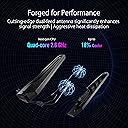
Too Long Don't Wish to Read - The quad-band ASUS ROG Rapture GT-BE98 Pro (hereafter noted as the "98 Pro") (released in March of 2024) takes the underwear of other Wifi 7 flagship routers and pulls them up over their heads and then slaps em silly. Although initially buggy with incomplete functions, … new motherboard versions (Hardware Version 3.0 {also known as 1.2a}, released in February of 2025) combined with firmware updates (38984 {August, 2025}, 39112 {October, 2025}, 39260 {March, 2026}, and 39262 {May, 2026}) have slowly transformed this router from a three-star device into the more mature product that was promised by ASUS back in early 2024. The GT-BE98 Pro has been a five star product since about March of 2025. The long version - Few people are going to be able to afford the quad-band GT-BE98 Pro, ... much less set it up correctly, ... but for those who can, this router can perform some fairly rare functions while using the very latest standards. Initial versions (models sold until November of 2024) of the BE98 came with the slightly buggy Hardware Version 1.0 motherboard and suffered from a few half-baked functions in the firmware. In many ways, those initial 98 Pro's were inferior to the prior ROG Rapture GT-AXE16000 and GT-AXE11000 routers, especially when it came to Wifi 6 and 6E clients. As of February, 2025, ASUS is currently on their third motherboard revision (Hardware Version 3.0 {also known as 1.2a}) and updated the firmware on May 5th, 2026 to 3.0.0.6.102_39262 (for United States owners). This latest board version and past several firmware versions have hammered out most of the bugs, nags, and missing features that plagued most of 2024 and early 2025. Let’s look at some of the current features: Build Quality – Although the initial motherboards had some small bugs (these router boards are noted as "Hardware Version 1.0" on the underside of the router and were released in March 2024), some problems were ironed out with Hardware Version 2.0 (which were released in November, 2024) (these boards are also noted as 1.1). The 98 Pro finally reached a more mature state in February of 2025 with the release of the Hardware Version 3.0 boards (1.2a). Firmware updates will work on all the boards, so no worries about needing separate versions. Due to the 2.6 GHz quad-core processor and the amount of clients it can handle, heat release is paramount to the 98 Pro's design. Mine, sitting about two feet off the ground (see pic) in an open space gets slightly warm but never hot (the CPU typically runs at about 42 deg C). Also, … the eight antennae feature two internal dipole elements each and need to be extended (per the user manual) for the best throughput. The 98 Pro also features separate amplifiers for each radio chain (and this is what helps it to saturate a large home for example). The 98 Pro also features two 10G ports and four 2.5G ports on the back, … in short, you are covered for the latest fiber optic speeds up to 10G. (The more technically inclined here may wonder how does a 2.6 GHz CPU process 10 Gbit/sec of incoming data. The answer in part is that the router uses ASIC {Application Specific Integrated Circuits} for forwarding combined with packet processing offload. {electrical engineer here, ... you're in good hands}) Finally, the 98 Pro is covered in LEDs and Aura lighting, which can all be controlled through the web interface. The styling is, ... well, ... let's call the design, ... spiderbot. Some will love it and some will hate it. I don't mind the styling but I wish they had removed the stickers from the clear window portion and expanded that area with more heatsinks for the CPU. Overall, the build quality is exactly what you would expect from such a high-end router. Please be aware that this router is sold as the GT-BE98 without the "Pro" designation in Canada and Europe due to those countries' respective regulations concerning the 6 GHz bands (other than that, the two routers are identical). Initial Setup – A new owner has the option to either use ASUS’s smartphone Router app (which I don’t recommend due to security concerns) or the far better web interface (usually reached by typing 192.168.50.1 into your address bar). The start up procedure will ask the owner a bunch of simple questions to set up your password, Smart Connect and/or separate SSIDs, mesh networking, and so on. It only takes a few minutes but works well. The one thing I do not like is that you cannot setup the router until you have internet access. The 98 Pro really needs the ability to be accessed for troubleshooting even if the internet is down (id est, ... particularly when the internet is down). Firmware Features – In short, the 98 Pro is stacked with just about every possible feature a home user could want or need. Smart Connect is configured stock and works very well for those who don’t want separate SSIDs. The 98 Pro will support up to 32 separate networks (and SSIDs) for those that need it. I, myself, have my 98 Pro set up with a separate SSID for each band (2.4 GHz, 5 GHz, 6 GHz (1), and 6 GHz (2)) along with a separate network for guests (aptly named, "Alien_Anal_Probe_for_Guests") and a separate network for IoT devices (security cams, etc ...). The 98 Pro also supports Multiple-Link Operation (MLO) networks which combine the 2.4 GHz and 5 GHz and 6 GHz bands together, which also works well as of November, 2024. Since March of 2024, there have been about twelve firmware updates for the 98 Pro, but I do wish that they would release firmware updates about once a month though to keep everything fully current. Protection - The 98 Pro also offers the usual firewall services (iPv4, iPv6, etc ...), NAT, etc … tools but also offers Trend Micro’s AI Protection free of subscription fees. While it won’t stop everything, the service is a nice extra add-on for a home user. ASUS also offers ADGuard DNS through its firmware under the parental controls section (also a free subscription although you have to sign up for it). I have been testing it and so far have found it does indeed cut down on sites that try to blind you with 40 ads popping up. The downside is that the free ADGuard only protects against so many ads per month (and of course, they then want you to go to their site and sign up for one of their paid versions). The 98 Pro also supports fairly extensive Parental Controls. If you have little ones in the house and don't want them headed to websites that rhyme with "hub," it is fairly easy to set that up with this router. Gaming Features - True to its Republic of Gamers (ROG) moniker, the 98 Pro provides several services to help out online gamers. The Game Booster page offers three levels of Quality of Service (QOS) adjustments and there are separate settings for managing ping to well known game servers (Call of Duty, War Thunder, Arma, Eve Online, etc ….). The end user also has numerous customizable options for tailoring any game connection to their liking and there is even the ability for the router to recognize other ROG devices (like motherboards). I use the Game Booster features for DCS World online flight simming combat and have brought my average ping down from about 14 milliseconds to about 12 milliseconds for the two preferred servers I enjoy playing on. Nothing Earth shattering, ... but any boost I can get is welcome. I will say that I think ASUS ROG routers in general do a better job of ping optimization than any other brand currently on the market. WiFi 7 – The IEEE introduced Wifi 7, also known as 802.11be back in January of 2024. From a technical standpoint, Wifi 7 offers MLO, MIMO, Flexible Channel, and MRU improvements to Wifi 6 and 6E standards. The Wifi Alliance states that Wifi 7 allows up to 23 Gbits per second but that is purely theoretical. In the real-world, Wifi 7 using the 98 Pro will realistically reach around 4 Gbit/sec (with 2x2, 320 MHz) while the prior Wifi 6E (with 2x2, 160 MHz) reaches about 1.7 Gbit/sec. The 98 Pro can also utilize 8x8 connections at 320 Hz but I have yet to see any clients on the market offered with that hardware. While the Wifi Alliance promises Wifi 7 speeds out to 98 feet indoors, realistically you are looking at more like 15 to 25 feet, … so you need to be in the same room with no walls blocking the signal. Truth be told, … Wifi 7 is really a bit of a short range gimmick. That said, does the 98 Pro fulfill Wifi 7 speeds? … Yes, as of November, 2024, it can indeed reach these speeds as long as the client is less than 25 feet from the router. As of Hardware Version 3.0 (1.2a) (starting mid-Feb, 2025) and the latest firmware versions (38984 {August}, 39112 {October}, 39260 {March, 2026}, and 39262 {May, 2026}) .. excellent. My Pixel 10 Pro XL and my wife's iPhone 17 Pro Max both work excellently (both have sadly been handicapped with only 2x2, 160 MHz MIMO configurations {hardware limitation of their Wifi chips}) although only within the same room and only out to about 8 meters or so. Testing some file transfers (with iperf 3), I was able to reach speeds of 2000 Mbps from 3 feet away and 1700 Mbps from 15 feet away, ... smoking fast! Am I ever going to need file transfers that fast? …. Not really, … but it is nice to have. Wifi 6 and 6E – As noted previously, … initially the 98 Pro performed poorly compared to dedicated Wifi 6E routers like the GT-AXE16000. Much of these problems were ironed out (finally) from Nov to Jan of 2025. The 98 Pro now delivers full Wifi 6 and 6E throughput if the client supports those standards. I use a Meta Quest Pro VR headset (which uses Wifi 6E at 2x2 MIMO, 160 MHz but not Wifi 7) in wireless mode to fly virtual aircraft in MSFS 2024/2020, DCS World, and IL2 (I have my first 6 GHz band setup exclusively for the Quest Pro headset so there is no interference). I have tested the Quest Pro with numerous routers and the 98 Pro now exceeds the GT-AXE11000 as the best router I have ever used for connecting the headset, If I connect by way of the Meta Air Link protocol, I often reach speeds of 225 Mbps using the H.265 (HEVC) codec. With Steam VR Link which also uses H.265, I often reach speeds of 250 Mbps with less error rates. If I use the alternative Virtual Desktop and the H.264 codec, I often reach speeds of about 1300 Mbps from three meters. My dream of flying in high fidelity and with all settings maxed in DCS World without a Meta Quest Link cable has finally been realized. Wifi 5 and 2.4 GHz - So far, excellent. The 98 Pro has the highest speeds I have ever seen on the 5 GHz band at roughly 1100 Mbps (from 25 feet) (upstairs and through three walls I am getting roughly 740 Mbps). (To measure this correctly, you need to do so with iperf 3 and professional packet transfer tools. You can't measure this with Speedtest or Wifi Analyzer.) With the 2.4 GHz band, I am getting excellent penetration throughout the house (about 129 Mbps at three meters and 23 Mbps at 30 meters) and all of my 23 IoT devices can connect without problems or delays, even cameras 95 feet away on my back fence. Network Attached Storage - The 98 Pro features one 3.2 USB port and one 2.0 USB port. I have my 2TB Samsung T9 SSD attached to the USB 3.2 port and am getting file transfer speeds around 1750 Mbps! I did briefly try out ASUS's AICloud feature but it seemed half-baked and more of a security risk, so I turned that feature off. I have never tried their Samba setup, so can't comment there. Custom Firmware - The 98 Pro is compatible with the WRT Merlin custom firmware releases which give the router some additional features not found in the stock firmware. It is also nice to be able to use this firmware if you find a feature in the stock firmware is not working as well as you wished. Sadly, the 98 Pro cannot use DD-WRT custom firmware at this point in time. Conclusion – Anytime the IEEE releases a new Wifi standard, it is always going to take a few years for real-world products to actually fully implement those standards. The 98 Pro is no different. When the 98 Pro was first released in March of 2024, it was somewhat buggy and had numerous small issues with both Wifi 7 and 6E connectivity. In short, … it was a three star router. It reached a four star router level around Dec of 2024. Now that there have been two motherboard changes and several firmware releases, the 98 Pro is indeed reaching true Wifi 7 speeds and has fixed most of the small bugs and 6E connectivity issues that plagued it in 2024 and early 2025. Overall, it is now a five star product.
C**N
Very Solid, Great Router For My Use Case.
This router works great, replacing my older ASUS GT-AXE16000. The added band is nice. It was very easy to setup, updating the firmware before proceeding with the setup, all guided by the ASUS app. I get a little download speeds over a wired connection, and typical wifi speed tests are getting 1.1 GB / sec from various test servers at different distances. For example from CLT to Duke University, I get the same speeds as from a test server only 7 miles away. So far I'm very impressed. The (2) 6Ghz bands are connecting well at a signal strength of -38 RSSI, which is better than my older ASUS GT-AXE16000 tri-band router. I plan on resetting my older ASUS router to factory defaults and making it part of my AI Mesh setup, easily guided by the ASUS app. One thing to note, is that is a large router, about the same as my GT-AXE16000. So, for now I am happy with consistent speeds and no dropped connections. The router is easy to navigate and change the settings if desired, and drill deeper into advanced settings if desired. I recommend this router if you have a Gig or higher internet connection.
M**.
Horrible as a home router
This is the worst router I have ever owned. I have gone through 3 generation of Asus' Zen AiMesh hardware, with home networks as large as 5 active nodes using both wireless and wired backhauls, and always loved their products. When I decided to upgrade to WiFi 7, I splurged on this 'gaming' router and it has progressively gotten worse as time has passed. From the start, the router repeatedly had issues connecting to my modem - this was with both Spectrum cable Internet and Frontier fiber internet. It would require repeated power cycling of the modem and the router to get the internet connection to 'catch'. If there was a power loss or other issue that required restarting one of the devices, it always took multiple attempts to restore my internet. In my old Asus hardware, I used to schedule reboots - impossible to do with this router, because of no guarantee that it would reconnect on first try. Beyond that, the 2.4GHz and IoT performance of this router is very poor. This is not a whole home solution or even a suitable main node for a modern home network. I constantly experienced device drop offs and failures to connect, specifically with IoT device on the 2.4GHz band. This was even with enabling a separate IoT network, which Asus suggested, and splitting the 2.4GHz and 5Ghz bands. I spent countless hours scouring the internet for recommended settings to try to fix my constant disconnections and unreachable devices. I double downed on the Asus Wifi 7 eco-system and spent MORE money to purchase another Wifi 7 AiMesh Quad-Band Node at the end of last year, which helped but still didn't solve the issues. I'm not sure if it's the number of devices I have added or if the hardware is just failing, but the 2.4GHz has become progressively worse over my past year of ownership. I was battling with keeping my Govee lights online the other night, and I decided to factory rest the router for the millionth time. I pretty much no longer can connect to any device on the 2.4GHz band - my Apple devices say that there is an issue with too much interference on the band and to try restarting the router. That doesn't work. None of my devices seem to connect, I left it alone for two days and most of my IoT remained disconnected or unreachable. None of my security cameras, my thermostat, my blinds... nothing was connecting. A friend loaned me their old TP-Link router. I set it up using the same credentials as my old networks from this Asus router and everything instantly connected. That was a couple days ago now and I have had no issues with IoT devices. I will say: The Wifi 7 speeds of this router are fast. I never had any issues on the 6GHz band. The speeds were VERY fast connected to the devices that support Wifi 7 and even 6/6E. If all you really want to use this for is gaming, you're probably golden. But if you are looking for an actual home router, look elsewhere - it's a lot of money for overall horrible reliability. Between this router and the AiMesh node I bought to go with it, I have sunk over $1,000 into networking hardware that has been nothing but a headache.
M**B
Can't beat it...yet!
Love this thing. Powers my entire 2 story home with fast wifi. Only complaint is certain devices have compatibility issues with certain bands. Let me give you the ability to configure a wide range of options giving you full control over your network! I also love the ability to use up to two service providers on the same router! There's several different options for handling multiple internet connections as well. All around it's a very versatile router. I would highly recommend it for anybody that wants more controls their Network. I don't think I would recommend it for somebody that was not somewhat versed in network configuration it could be a little tricky to set up if you have zero knowledge. They do have a quick setup program that might suffice for a newbie. The interface is also extensive and easy to use with a wide array of customization.
E**E
Great performance at a great value with a few issues.
TLDR: I have two of these setup with a 10Gb wired backhaul. The LAN and WAN performance is fantastic. There are a few issues with features that do not really work; however, these can always be fixed in software if ASUS takes this product line support seriously. More detail: I need two network nodes to adequately cover WIFI across my entire home. At first I picked one of these up to replace my main router. I’ve been using ASUS networking gear for the last few years (I’ve used Netgear, Belkin, TPLink, and EnGenius in the past), and have been enjoying the AiMesh features. I haven’t been able to test the 6Ghz channels because I do not have any WIFI 7 devices yet. I’ll be picking a few up this holiday season, so I should be able to test it out then. Pros: 1. Best 2.4/5Ghz WIFI performance I’ve ever tested at home. The 5Ghz performance is fantastic. My WAN testing has always been faster with my wired devices than my WIFI. For the first time, my 5Ghz clients connected to the BE-98Pro are keeping up with my 1Gb wired ethernet devices. As I moved my laptop to my older mesh node, the WAN performance dropped to previous performance. So I took the gamble and purchased a second BE-98Pro and replaced my mesh node. I have the two BE-98Pros connected with the wired 10Gb backhaul, and my main router connected with the 10Gb WAN port. Now I have the same WAN performance of my 5Ghz clients seamlessly throughout the house. I couldn’t be happier. 2. AiMesh is easy to setup As long as you know your fundamentals, setup is a breeze. I do like that all network configuration is then setup through your main router. This makes configuration, maintenance, etc, easier since you just need to log into one device. It also simplifies WIFI management, and provides seamless coverage across all nodes. 3. Built in security options without subscription This is one of the best selling features for ASUS IMHO. While the software offering is not commercial grade, it offers some really nice features for home users WITHOUT subscriptions. 4. Nice gaming and openNAT options If there are gamers on your network, the interface for configuring performance tweaks is super easy to use. My eldest and I like to game, and the performance improvements are palpable. 5. Awesome WRT community If you’re looking to push your hardware to its fullest potential, and you are very knowledgeable when it comes to networking, this unlocks a lot of fun and additional tweaks to customize what you may need. Cons: 1. Router tries to be too helpful and gets in the way. When my ISP dropped service due to maintenance, I could no longer log into my modem. I’ve never experienced this with any other router, ever. I tried going straight to the IP address of my router (if you’re a networking person, you know what I’m talking about), and the router redirected me back to it’s main page with a note explaining that WAN connectivity was down. There was no way around this, so I had to bypass my router. This is not acceptable. When my ISP service was restored, and the modem came back up, everything worked fine again. I could log into my modem just fine and the router stopped getting in the way. 2. URL filtering doesn’t work. Not a huge issue, but frustrating regardless. Domain blocking is a much better approach in general if you need to block access to certain sites; however, implementing a simple lexical parse of URLs is not process intensive. ASUS isn’t alone in this failure, but from a consumer perspective: just fix the feature. It’s not difficult. 3. Guest networking can result in all WIFI clients being dropped. I have guests come by the home and having a separate SSID , password, and DMZ, for them to use is nice for added security; however, this feature does not fully work as of writing this. When this feature is enabled, it will eventually lead to all WIFI channels refusing client authentication. In other words, your entire WIFI network becomes unusable. If you disable guest networking, this issue is not a prevalent. 4.) WIFI periodically drops out for no reason. While item 3 above is a sure fire way to get this to happen, WIFI still drops periodically. I’ve been using the product for a few months now, and have only experienced this twice; however, it’s twice too many. When I say WIFI drops, I mean you can no longer authenticate and connect. The workaround is to sign into the router from a wired system and reboot the router. At this point, everything works fine again. Summary: When this product works, it is fantastic. ASUS has been providing some great MOBO and networking gear for years, and are one of my goto brands. If ASUS can correct the guest networking issue (which would most likely also solve the periodic WIFI drop issue), and stop blocking access to modems when WAN connectivity goes down, this will be a pretty solid solution. To anyone from ASUS who might read this: fix your lex. It’s a simple update and this just looks bad.
R**L
Future Capable
I've been using an ASUS RT-AX88U pretty much since several months after it came out and before that I used other ASUS routers. To me, ASUS routers are the best on the market and I always use Merlin Firmware on them which is better than the Stock firmware. I ordered this new router on May 28th and it came in June 2nd. Waited till the next day to set it up. I meant to buy New, but instead ordered Used/Reconditioned. In other words, A device that someone decided they didn't want and sent back. Saved me a little money. The only bad thing is it was shipped in the original packaging meaning anyone could have stolen it, either through a mail truck heist or from my front porch as you can plainly see what the product was. It shold have been automatically in an Amazon shipping box to keep it from prying eyes. It's been a long time since I last configured a router and it was a bit of a pain the butt to do so, but I got it done. Before setting it up, I tried doing a hard reset which I'm sure failed/ Tried logging in and the default username and password failed. Tried several times too/ So in other words, who ever tried this router and decided it was too much of a hassle to bother with, failed to clear their setup from it and left it as is. Also, the English Quick Set up Guide was missing. The only guide was the Spanish Guide, that and a piece of paper with a QR code for updating your network drivers for WiFi 7. Once the hard reset failed, I decide just to use the reset button. After this, I was able to successfully log into the router and check it out. Decided to go with the Merlin firmware and after a few hours, I got everything completely setup to my liking. There are a few changes in this router which I need to find out more about. As for the Remote management for use on your phone, I decided this was too much of a risk as there is no legitimate reason to access your router from a remote location unless it's business related. You should always access directly from your home using LAN access only. But one word of warning if your thinking of getting this router, It's Freaking big! Bigger than I realized it would be, even bigger than my RT-AX88U such as twice the size. It's not meant to be mounted on the walls or the ceiling. But you can find custom made mounts online for it. On the ceiling, I would be worried about heat dissipation. On the wall would be your better bet, although the heat is meant to dissipate upwards from the heat sink in the middle. This router is future capable as it'll be able to handle Docsis 4.0 which should start rolling out later this year or possibly next year. Docsis 4.0 is already being tested in some areas right now. Currently have it setup using the ports set to 2.5G but later I plan to switch them to 10G
P**T
Great Solid Upgrade to WIFI7 - especially if you are a Asus router fan!
We recently upgraded our home internet to 2Gigs and it was pretty evident that our tried and trusted RT-AX86U wasn't quite able to handle the additional bandwidth which had me on the hunt for an updated router. I am a huge Asus router fan, and really wasn't interested in other brands - so I limited my search to some older 6E or new Wifi7 routers. If you follow some of the development scene, the reviews on some of Asus' initial WIFI 7 offerings have been a bit of a mixed bag in terms of stability and such, which made me hesitate on getting the RT-BE86 which is the "natural successor" to the RT-AX86. Before that I had the RT-AC86, so these are solid workhorses. Which led me to actually by happenstance come across the new ROG Strix GS-BE12000. I am familiar with Asus' gaming ROG line, but I'm not a huge gamer so didn't really dive too much into that series. This seems to be a brand new router, and seems to be a "lighter" version of the recently released GS-BE18000. There doesn't seem to be really any write-ups on the GS-BE12000 because it's so new, but what I can tell you that it definitely does the trick! On the initial setup of the router (I believe it does support the universal router config restore from other Asus routers if you are upgrading, but it's usually always a better idea to set up a new model from scratch) - I first was a little disappointed because the download speeds seemed to still be capped at around 900Mpbs on my 2Gig line. But interestingly during the Wizard setup, it mentioned there was a firmware update so I did that. Upon rebooting of the first firmware update, the speeds were still the same, but interestingly enough when I went to the Admin page to check for firmware updates, there actually was one more (so moral here is you may need to update firmware twice on the initial setup). After the second update, then I saw some magic and was getting my paid for 2Gig speeds!! As for the UI, if you are familiar with Asus routers, you should be right at home with the configuration. The GOG series changes the colors a bit and adds a few little extras like being able to adjust the light logo on the front of the box (which is kinda cool, not going to lie) - but otherwise easy to find all the settings you are accustomed to. In terms of the coverage and range, I was a little hesitant because my trusty RT-AX86U (and the AC-86U before it) had awesome coverage - needing only the one router to cover my entire house (2 floors) - and both of those previous routers have external antennas, whereas this GS-BE12000 only has internal ones. But I can say that the coverage easily matches my old workhorses easily. Now in terms of the features, what I have been able to figure out in terms of the differences with the GS-BE18000, is that the BE12000 does NOT support Automated Frequency Coordination (AFC) on the 6GHz band and the BE18000 does. If you have no idea what I'm talking about, then it probably isn't a feature you care about much at the moment ;) It's mostly if you have a lot of newer, high-end Wifi 7 devices. The other thing I don't believe the BE12000 has which some other newer Asus routers have is the support for the Virtual LANs (VLANs). Again, if you aren't really familiar with it, you probably won't miss it. The other cool thing, is that I love that this router (like most of Asus' other routers) has built in IPS security protection through the AIProtection component which is a partnership with Trend Micro. It doesn't cost any extra to use it, and it's saved my bacon a few times in the past! Finally, if you are a custom firmware fan - at the moment, it doesn't appear that ASUS Merlin supports this box yet. But judging by the firmware and the newness of both the BE-18000 and BE12000, I have a feeling it's a matter of time before it gets the support. But I'm a fan of the stock firmware, so not a big deal for me - but if you are a fan of Merlin, you may want to wait on this one. In terms of pricing, I got it on a good deal, and at the current price point, it's well worth the money in my opinion. TL:DR - if you are on an older router (especially an Asus) and you are looking for a solid upgrade to Wifi7 with stable and fast performance at a good price point - and you don't need certain bells and whistles (AFC & VLAN for instance) - the Strix GS-BE12000 is a great upgrade. In my case the upgrade from a RT-AX86U was perfect!
D**H
ASUS ROG Rapture GT-BE98 PRO Quad-Band WiFi 7 Router Dominates the Competition!
The ASUS ROG Rapture GT-BE98 PRO is an absolute powerhouse as the first quad-band WiFi 7 gaming router, delivering blazing-fast speeds with 320MHz channels and ultra-low latency that makes online gaming, 8K streaming, and heavy downloads feel effortless. Its premium ROG design, advanced cooling, and extensive customization options via the ASUS app give serious gamers and power users everything they need for a high-performance network. This router has transformed my home setup with rock-solid stability and next-gen speed — easily the best WiFi router I’ve ever owned and a deserving 5-star rating.
B**D
Works great, simple to configure, powerful CPU, enough RAM and flexibility.
Great router replacing my old still functional AC5300 router. BE6800 sports double the memory and cpu core at 1GB 4 core CPU, and the 3 long antennas cover more than the 6 antennas of my old router. Configured BE6800 the same way as my old router and slot it in as a pure replacement. Works like a charm, one SSID, it automatically pic he right channel or channel based on client device, works flawlessly. As for the old AC5300, I reset it and run it as an AiMesh node to extend the range to the other side of the house. Connected via a CAT6 cable as backhaul, the coverage is now superb at both ends of the house and the yards. Router is running embedded linux, allowing flexibilty of firewall, many features handle like a breeze, like DNS, DHCP, Media server, remote disk, SSH access, speed test, traceroute, etc. Many generation after AC5300, delivery same and more features at a cheaper price, even before inflation adjustment.
J**Z
Excelente Router
Muy bien router, quedé fascinado, y es súper potente, bien eficiencia, y lo puedes configurar a tu gusto.
A**O
ROUTER 100% RECOMENDADO
Es una maravilla de router!!! Altamente recomendable, vale cada centavo que pagas, protege tu red de una forma que uno no se daba ni cuenta que estabas siendo infectado o seguido. la configuración es facil si sabes solo un poquito, Le conecte un SSD y lo ocupo como un NAS accediendo a mi disco de manera remota VPN. Funciona más que excelente. Lo recomiendo ampliamente, el envío fue rápido y el ASUS llegó impecable, VENDEDOR 100% RECOMENDABLE. GRACIAS.
A**S
Buen producto
Se requiere conocimientos avanzados para configurarlo, pero después de un rato alcanza un buen desempeño
Trustpilot
2 weeks ago
2 months ago