Buy anything from 5,000+ international stores. One checkout price. No surprise fees. Join 2M+ shoppers on Desertcart.
Desertcart purchases this item on your behalf and handles shipping, customs, and support to Thailand.
🚀 Elevate your home office game with smart speed and sustainable style!
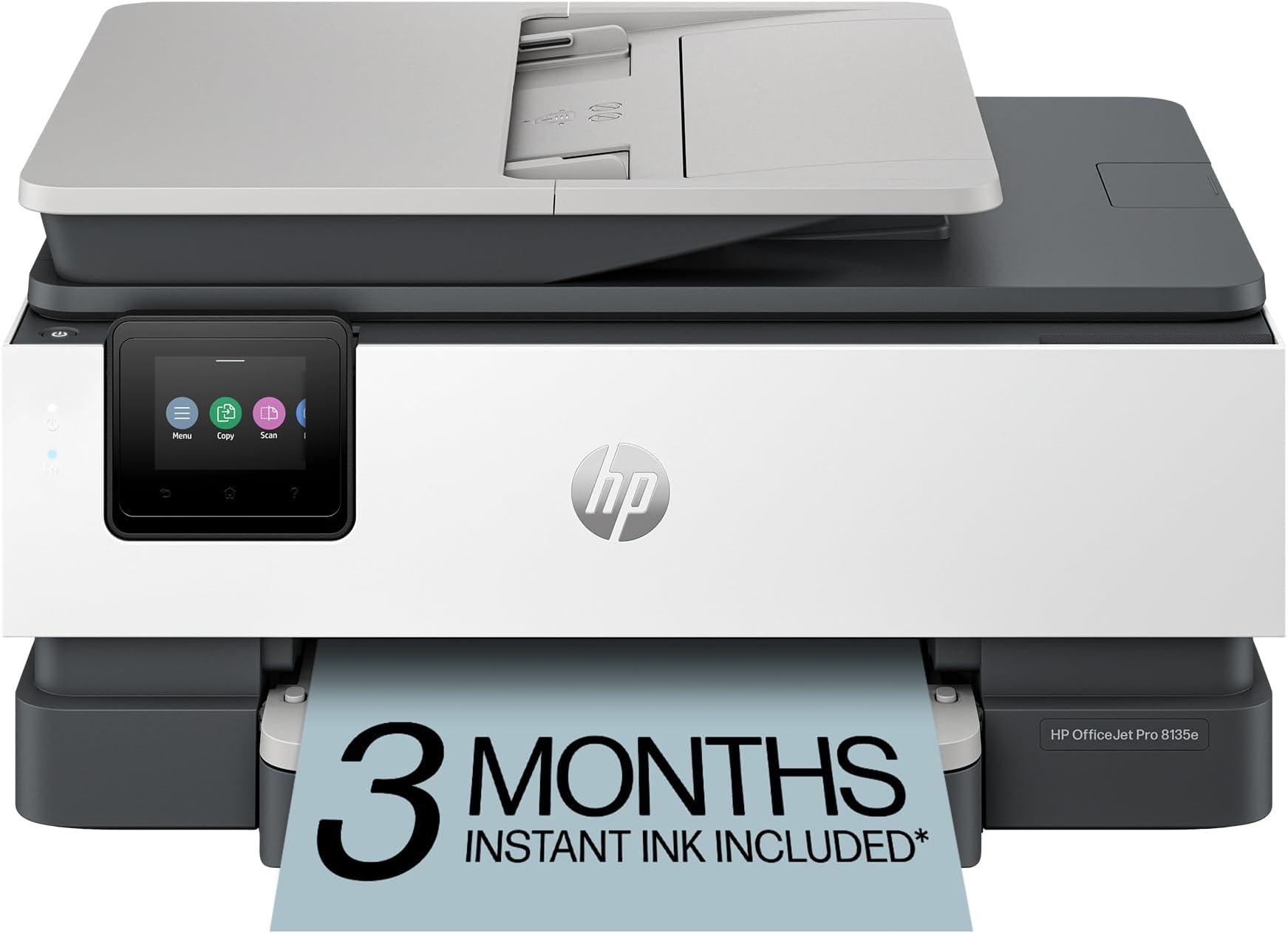
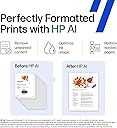
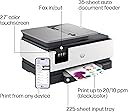
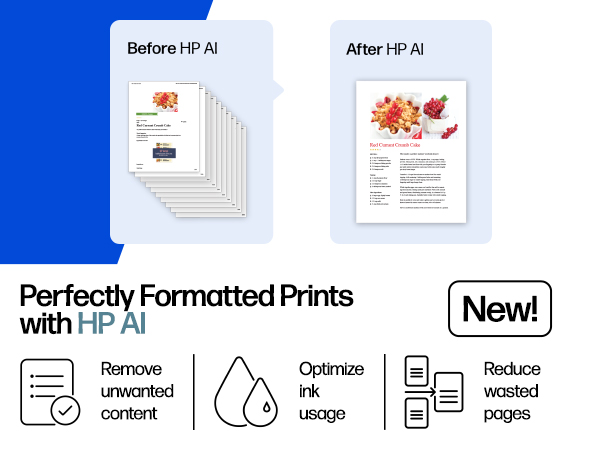
The HP OfficeJet Pro 8135e is a versatile all-in-one inkjet printer designed for home offices, delivering fast, high-quality color and black-and-white prints. Featuring AI-powered print optimization, wireless dual-band connectivity, a user-friendly touchscreen, and eco-conscious materials, it supports efficient workflows with scanning, copying, faxing, and automatic duplex printing. Includes a 3-month Instant Ink trial to keep you effortlessly stocked.


| ASIN | B0CFM7BTW8 |
| Additional Printer Functions | All In One |
| B&W Pages per Minute | 20 ppm |
| Best Sellers Rank | #10,117 in Office Products ( See Top 100 in Office Products ) #44 in Inkjet Computer Printers |
| Brand | HP |
| Built-In Media | HP 923 Setup Black Ink Cartridge; HP 923 Setup Cyan Ink Cartridge; HP 923 Setup Magenta Ink Cartridge; HP 923 Setup Yellow Ink Cartridge; Power Cord; Regulatory Flyer; Ink Caution Flyer; Setup Poster; Reference Guide |
| Color | Light Cement |
| Color Depth | 24 bits_per_pixel |
| Color Pages per Minute | 10 ppm |
| Compatible Cartridge | Original HP cartridges with HP chips or circuitry |
| Compatible Devices | Laptops, PC, Smartphones |
| Control Method | App |
| Controller Type | Android |
| Customer Reviews | 3.8 3.8 out of 5 stars (3,558) |
| Display Type | touchscreen |
| Dual-sided printing | Yes |
| Duplex | Automatic (standard) |
| Hardware Interface | Ethernet, USB |
| Initial Page Print Time | 18 Seconds |
| Ink Color | Black, cyan, magenta, yellow |
| Item Dimensions D x W x H | 13.29"D x 18.12"W x 9.17"H |
| Item Type Name | Inkjet printers |
| Item Weight | 17.6 Pounds |
| Manufacturer | HP |
| Maximum Copies Per Run | Up to 99 copies |
| Maximum Copy Resolution Black and White | 1200 x 1200 dpi |
| Maximum Copy Resolution Color | Up to 600 dpi |
| Maximum Copy Speed Black and White | 12 ppm |
| Maximum Media Size | 8.5 x 11.7 in |
| Maximum Print Resolution Black and White | 1200 x 1200 rendered dpi Dots Per Inch |
| Maximum Sheet Capacity | 225 |
| Maximum print Resolution Color | Up to 4800 x 1200 optimized dpi on HP Advance Photo Paper 1200 x 1200 dpi input Dots Per Inch |
| Model Name | New Version |
| Model Number | 40Q35A#B1H |
| Model Series | 8130 |
| Number of Ethernet Ports | 1 |
| Number of Trays | 2 |
| Other Special Features of the Product | Forest First product with HP+; FSC Certified Packaging; Contains ocean-bound recycled plastic; 45% post-consumer recycled plastic; Recyclable through HP Planet Partners, HP Instant Ink eligible; Automatic document feeder; Touchscreen; Quiet mode; Print over VPN with HP+ |
| Output sheet capacity | 60.0 |
| Paper Size | 8.5 x 11;8.27 x 11.7;8.5 x 14;7.16 x 10.12; Inches |
| Power Consumption | 4.45 Watts |
| Print media | Paper (plain) |
| Printer Connectivity Type | Ethernet, USB, Wireless |
| Printer Output Type | Color |
| Printer Type | Inkjet |
| Processor Count | 1 |
| Resolution | 4800 x 1200 |
| Scanner Type | Flatbed, 1-sided ADF |
| Series Number | 8130 |
| Specific Uses For Product | Home |
| Total USB 2.0 Ports | 2 |
| Total Usb Ports | 2 |
| UPC | 196337163942 |
| Unit Count | 1.0 Count |
| Warranty Description | One-year limited hardware warranty with option to extend to two-years with acceptance of HP+ Offer. For more info please visit us at support.hp.com . |
| Warranty Type | One-year limited hardware warranty with option to extend to two-years with acceptance of HP+ Offer. For more info please visit us at support.hp.com . |
| Wattage | 100 watts |
U**R
Perfect Replacement for My Old Home Office Printer – Solid HP Quality
I recently replaced my old home office printer with this HP, and I couldn’t be happier with the upgrade. My previous printer had started slowing down, jamming more often, and just wasn’t keeping up with my daily printing needs. This HP has been a solid, reliable replacement. The size is perfect! I expected to have to go with a larger footprint with all the features this has, but was pleasantly surprised to find this smaller printer had everything I needed in a small, lighweight package. Setup was straightforward and quick. Within minutes, I had it connected to my Wi-Fi and printing from both my computer and phone without any issues. The print speed is noticeably faster than my old unit, and the print quality is sharp and professional whether it’s documents, spreadsheets, or the occasional color page. What I really appreciate is the HP quality. No random disconnects, no frustrating paper jams so far, just dependable performance. That’s one of the reasons I’ve always trusted the HP brand. They’ve built a reputation for durability and reliability, and this printer lives up to that. For a home office setup, this has been exactly what I needed: efficient, easy to use, and built by a brand I trust. Definitely a worthwhile upgrade, especially at the selling price.
T**A
Cheap with added restrictions. Don't recommend
This will be the last HP printer I ever purchase. I used to love them. But now they seem so cheaply made. Always some sort of error somewhere. I have a fairly new ThinkPad I use for work and the HP software does something to where my microsoft 360 excel won't function properly. I have to disable the printer to get it to work. Excel is used in about 80% of my job function. Ive redownloaded hp, Microsoft word and it'll work temporarily but then back to the error. And I know its not my laptop because it works perfect on my husband's Brother printer and my work printer. One other thing I cannot stand is even though you own this printer, they restrict you from using any other ink other than their overpriced ink. Im sorry, but if I spent good money on my printer, I should be able to use whatever ink I want. Before they would just void the warranty but now you just cant bypass this restriction. Never again.
M**H
Perfect compact home setup
Wow where have I been? Stuck in the 2000's with a black and white laser for far too long, apparently. I didn't think my household truly NEEDED an all-in-one color printer, but now having it has been amazingly convenient and I doubt I'd be willing to return to black and white ever again. The ability to wirelessly print from our family laptops or mobile devices is truly worth its price in time saving and convenience. The colors print exactly as they appear on screen, and quickly without any jams thus far. The setup was incredibly simple -- almost plug and play. You do need to download the HP app for setup, which was easy enough to do but note you can always opt not to divulge any information you are not comfortable sharing. The entire setup fit in the same footprint as my older printer, but now I have the added convenience of a duplex scanner as well as a flatbed for phot-quality images which comes in handy when wanting to digitize physical memorabilia from here on out. The touch screen panel is intuitive and works smoothly thus far, and we have had zero issues with our wifi connection, despite the printer being in a notoriously unstable wifi area in our home! Overall very satisfied with our new all-in-one setup. The low overhead, convenience, and utility we're getting out of this was the simplest quality upgrade we could've made for our home office.
D**N
Color ink printers suck, but when your low on money... meh
Does everything as advertised. I personally HATE ink jet printers, I can't stand them but when your main printer breaks and low on funds this was a good option. First printer the paper tray was damaged and jamming up, I had to reglue a piece of plastic that was broken on arrival. That being said, its NOT very sturdy. The printer I think will last some time if you baby it. This is not like the old HP laserjet tanks you can drop kick when it says PC LOAD LETTER like office space! The HP smart software it comes with and crams down your throat is decent, and works well. The scanner software required some fidgeting to get the scanner assistant to stay connected with my main computer. Also, I am not happy with HP locking me into ink, right away the new printer complained about using the ink from the previous printer and DEMANDED I use the new ink it came with. Yes there is a work around, but I did not look into it and gave in to what it wanted. Other issue, DO NOT turn on Confirm Fax Number! As most places do not have the number set on their end and the fax will cut out WITHOUT telling you why it failed (THIS WAS SO ANNOYING)!!!! So far working well. prints very nicely, I have not tried photo paper yet. Scanner max at 600 for AUTOFED documents, 1200 for flatbed. REALLY wish it did double sided scanning, but for the price it's not going to happen. I would recommend this printer so far, I will update in a few months after the ink has been sitting around and see if the quality is still the same. NO Linux drivers but mDNS will get you most of the way setup. Also start/shut down option is nice, BUT you can't use BOTH, so either auto off, or auto on. For my use auto off is good enough. I have yet to find a wake to Wake on Lan w/magic packet but still looking into this. By the way, I HATE INKJET printers! 😊
N**L
I’m really impressed with this printer! It can print from anywhere in the house, which is super convenient. The installation process was quick and easy, and it fits well in compact spaces — it's small but not too small, which is perfect for my setup. The only downside is that the paper tray is a bit shallow. If you print often, you’ll need to refill the paper more frequently than I’d like. Other than that, it’s a fantastic printer that does everything I need. Highly recommend this printer — especially for those looking for space-saving options and seamless printing from anywhere in the house!
M**S
Does not work at all and the app they make you use doesn't work either. The final stew in trying to get it to work was when the printer was turned on saying there was an issue with my HP account and then my HP account was saying tyhe printer was turned off... I also enjoyed how my ink was somehow going down though i hadn't been bale to print anything. All in all, just a big waste of money. Save yourself some money and pain and get something different.
C**N
It has some weight, I carried it home from the postal outlet, driving is smarter! Replacing a much older model that died. The setup is a little different, use the online helps. The format for scans is different. The image is better. A multi-page scan will produce a scan for each page and not one long multi-page the old machine produced. Generally good thinking, you might put a post-it note on the machine in plain view with your Wifi code so others can get their devices linked without chasing after you again and again.
C**J
Extremely good printer: It is easy to setup, fast printing, and quiet printing. I really like it. It works well. However, where is the code you need to obtain the advertised free 3 months of ink. Can’t find the required code anywhere.
A**F
Facile à installer
Trustpilot
2 weeks ago
1 month ago