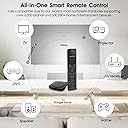
🎮 One Remote to Rule Them All — Upgrade Your Smart Home Command Center!
The SofaBaton X1S is a cutting-edge universal remote control designed for the modern smart home manager. It supports up to 60 devices across IR, Bluetooth, and WiFi, backed by a continuously updated database of over 500,000 device models. Featuring customizable one-click activities, a 360-degree hub with dual IR blasters, voice control compatibility with Alexa and Google Assistant, and a long-lasting 45-day rechargeable battery, it transforms complex entertainment setups into a seamless, intuitive experience. Perfect for professionals who demand efficiency, style, and future-proof tech in their living space.


| ASIN | B0CTGX2LCY |
| Additional Features | Backlit, Glow In The Dark Button, Lightweight, Rechargeable, Universal |
| Battery Type | Lithium-Ion Polymer |
| Best Sellers Rank | #6,797 in Electronics ( See Top 100 in Electronics ) #347 in Remote Controls (Electronics) |
| Brand | SofaBaton |
| Button Quantity | 36 |
| Color | Black |
| Compatible Devices | DVD/Blu-ray Player, Home Theater, Set Top Box, Stereo System, Television |
| Connectivity Technology | Bluetooth, Infrared , Wi-Fi |
| Controller Type | Button Control |
| Customer Reviews | 3.6 out of 5 stars 415 Reviews |
| Manufacturer | SofaBaton |
| Max Number of Supported Devices | 60 |
| Maximum Number of Supported Devices | 60 |
| Maximum Range | 40 Feet |
| Model Name | SofaBaton X1S Universal Remote Control |
| Model Number | X1S |
| Number of Batteries | 1 Lithium Polymer batteries required. |
| Special Feature | Backlit, Glow In The Dark Button, Lightweight, Rechargeable, Universal |
| UPC | 741421609303 |
| Warranty Description | 1 year guarantee |
S**S
One remote to rule them all
7/12/2025 UPDATED Review - It has been a few weeks now and I am upgrading my review to 5 stars. The more I interact with the Sofabaton, the more I like it. In fact, in some ways it is better than my Harmony Hub which I replaced. Yes, there are some intricacies to programming it. But so was the Harmony. In fact the Harmony was actually harder because you had to manually enter in the device and model number. Programming sequences in the Sofabaton is easier. Programming and creating custom commands is easier. I was able to program it to control the volume on the TV and the Bose without switching devices. Very cool for when I switch to my bluetooth headphones. Just make use of the short and long press. If you are looking to buy this and out of the box have it control five or six different devices then you will be sadly disappointed. Of course there are trade offs and nothing is perfect. But, considering my alternative is having 5 remote controls on my nightstand, this is perfect. And no I wasn't paid for this review. I was looking for something to replace my Logitech Harmony Hub which they of course stopped supporting and it stopped working. I have a Roku, AppleTV, FireTV, TV and Bose soundbar. I wasn't able to find anything that could control them all with just one remote. Mostly because FireTV was bluetooth. Once I got this set up, it works perfectly. It isn't as intuitive to set up as the Logitech was. Connecting devices is extremely easy and fast. You don't have to look up codes. Just point the remote at the hub and press buttons and presto it programs that function. One big miss for me in the out of the box settings/button is that there isn't anything for Source/Input to switch between devices. At first it was very frustrating as I didn't know you could add commands. It took me a lot of time figuring out how to program it so it would change inputs. To me that is one of the most important functions if you are going to program activities. Once I figured out how to program it to change the source, setup was a breeze. I also did have trouble connecting it to the Bluetooth of the FireTV, but I am not sure if it was the FireTV or the hub. It eventually connected. Setting up activities is extremely easy. If it weren't so difficult to program Source/Input, I would have given it five stars. I am three days in and it works perfectly. Switches between components seamlessly. If you are looking for a replacement for a Logitech Harmony this will do the trick. You just need to power through the setup.
B**H
A remote that can’t change channels?
This “universal” remote is almost none of the things it claims to be. Despite boasting the ability to connect to IR, Bluetooth, and WiFi devices it struggles to perform the most basic operations. My setup, Sony Bravia, Onkyo AVR, Firestick, and Xfinity X1, defeated the device. It couldn’t control the X1 properly (up and down arrows work but not left and right) and there is no obvious way to change channels! The Firestick also struggled. Some aspects of control work but not others. The same thing for the Sony Bravia. The killer for me was that after playing around with the device for 8 hours I couldn’t even create a “Watch TV” activity. It is astonishing to me that this device continues to be sold as a universal remote when it cannot control one of the most popular TV series, a popular streaming device, and a very common set-top box. The reality is that each of these technologies presents difficulties that the Sofabaton does not address. The sadly discontinued Harmony Hub cleverly worked around most of these challenges, certainly much better than the Sofabaton. With the “right” combination of devices this Sofabaton might have worked, but with my combination (which consists entirely of modern—last two years—devices) it was a total failure. It may be that no option for controlling my setup from a single device exists, except going the $$$ system integrator route. The other approach would be to buy a Sony AVR and go totally down the Bravia Sync route, but I’m not there yet. And would that control the Xfinity XG1? Meanwhile, I have reverted to my Harmony Hub, which at least covers 95% of my needs, and am returning the Sofabaton.
S**.
Best available activities-based universal remote control - but only for the tech-savvy
Pros: Slick Remote with intuitive interface Unlimited device control Able to control complex activities Stellar customer service Cons: Programming can be exasperating No ability to transfer setup to another remote Hub compatible with only one remote at a time If you need a replacement for a Harmony remote or otherwise have a complex home theater setup with multiple devices, SofaBaton is really the only game in town when it comes to universal remotes. I’ve owned several Harmony remotes over the years and their products evolved to the point that they could literally program themselves. SofaBaton’s remotes aren’t nearly as simple to set up and programming requires a lot of patience. Ultimately, that patience is rewarded with an exceptionally functional remote without any of the limitations of Harmony’s last-produced models. Before purchasing the X1S, I’d suggest looking at the U2 remote, which is adequate for most people. It incorporates IR and Bluetooth control, but not WiFi, and can control virtually as many devices. It lacks the ability to control activities, but with a little macro programming, it can effectively switch all of the necessary inputs to initiate a given activity. One can use multiple U2 remotes simultaneously, giving multiple users control. What it can’t do is control IR components inside a cabinet, nor can it keep track of the existing state of all of the devices and seamlessly switch between activities. Switching activities must therefore be done manually. The extra time and effort needed to program the X1S is well worth it if you have a more complex setup. The biggest drawback is that the hub can only be paired with one remote at a time. I keep an older U1 remote handy so that others can control the volume, pause playback and so on. A second major drawback is that there’s no way to share device and activity setups between SofaBaton remotes. The U1/U2 and the X1/X1S don’t even seem to share the same online code library, which is crazy. I’ve found that functions that are available for the U1/U2 for one device may be unavailable or function differently on the X1/X1S remotes. It’s evident that SofaBaton uses a crowdsourced code database, but I can’t fathom why they haven’t consolidated them into a single database to use with all of their remotes. Given that nearly all modern home theater components have associated smartphone apps and a voice control API compatible with Alexa, Siri and/or Google, I can’t fathom why more effort hasn’t gone into WiFi control. Harmony’s hub-based models were literally able to scan one’s entire WiFi network and identify all connected devices that it was capable of controlling. They downloaded all of the control codes and set themselves up, leaving the user to identify devices not on the network and to program the activities. With SofaBaton, one must enter each brand and model of each device manually for each and every remote. When a button doesn’t function as intended, SofaBaton does have a “Fix” procedure that allows one to use alternative code sequences from their database, and that usually works, but Harmony did a much better job of refining their database to match individual models within a brand. Perhaps SofaBaton just doesn’t have a large enough user base to support that yet. When all else fails, there is a learn function that allows one to program a button with the IR signal from the original remote. That approach isn’t available for Bluetooth or WiFi devices, however. The one area where SofaBaton outshines all other companies is in their customer service. You can live chat with a technical support person, or send a text to tech support, or initiate a support ticket, all from their website or right from the SofaBaton app. The response time in answering a text or email request has never exceeded a few hours - not days or weeks. I cannot emphasize enough what a revelation it is to get rapid, competent tech support on the fly. Contrast that with Logitech Harmony, where one must first search through the FAQ, then post a question to the user community, and even then, it can take days to get a response to simple question about a feature that doesn’t seem to work as intended. In summary, the X1S remote can be frustrating to set up and it’s not nearly as polished a product as similar Harmony remotes. With Logitech pulling out of the universal remote business, SofaBaton is now the only real game in town. Although I’ve yet to find a function that Harmony could do that the SofaBaton X1S cannot, programming it can be exasperating. That said, customer service is exemplary. For the tech-savvy individual, the X1S is well worth the time and effort put into it.
K**D
RIP Logitech Harmony -- So, get this remote instead!
I am a very long time user of Logitech Harmony Remotes. And I was really bummed when they announced they left the remote control business because there is really nothing else like them for those of us with complex systems. I set up a new system and needed a remote to replace the growing stack of remotes that my wife was juggling. I found this SofaBaton X1S and I am impressed so far after a couple days of use. I will give more details, but overall, I can't find anything with this remote that I can't do, and seems to have all the same functionality as my trusty Logitech Harmony Elite. FYI: there are currently TWO product listings for this remote on Amazon, from similar named sellers, for the same price. I can't tell what is different between the two based on those product pages. DESIGN - Albeit a simple design, I really like this remote. It has the basic buttons necessary, feels good in the hand. Not premium, but definitely not cheap. It does not have any of the soft rubber material that some Logitech remotes had, which are prone to rotting and feeling sticky over time. - The LCD screen is basic, but I like it and there is some customization (renaming and re-ordering devices and activities, ability to add a few icons, etc.). - There is a rolling button (for lack of a better description) that is separate from other buttons, controls use of the remote itself (by scrolling through the screen). This is intuitive and feels solid. - The remote and the hub use USB-C which is welcome. - The hub does have a light that is quite bright, which I had to put some tape over since it's being used in a bedroom. - Comes with two USB-A to USB-C cables, but only one power brick; so you'll need a second one to charge your remote (or unplug the hub while charging the remote). - Comes with breakout IR leads, which I have not needed to use, but absolutely appreciated for situations where you might need them. - The room I am using this has a basic set of devices, but I browsed some other options, seems like a wide range of devices are supported. - You can learn remote commands for devices which are not working correctly (I had to do this with the power commands for my TV) or for legacy devices which may not be in the library. PERFORMANCE - After setting up 5 devices and 4 activities (which took about 1 hour, to include troubleshooting), I have this remote working as solidly as my other set ups using Logitech remotes with similar, or bigger setups. - I had no problems pairing via Bluetooth to a Sony TV (although I find that using IR for this TV works better, which I think is a function of Bluetooth being buggy, nothing to do with this remote) - I have not used any WiFi components (I do use Philips Hue, but have not set that up yet) - I don't use Amazon Alexa or Google Home, so I cannot comment on that functionality VALUE - For $150 (with the current deal), not a bad deal compared to the original Logitech Harmony Elite price (I paid $250 in 2017 -- now they go for MUCH more than that) - Given this reasonable price, and seemingly able to do everything the Logitech Harmony Elite does (which is now unavailable) this seems like a great deal. CONS - I wish there was a charging cradle for the remote. - I would appreciate a second charging brick, and I would prefer the bricks were USB-C instead of USB-A since all my stuff is going full USB-C nowadays. - I wish there was a way in software to dim or turn off the light on the hub. - Syncing the hub with the remote is slow, but TBH, it's just as slow as my Logitech Harmony Elite. - I think other reviews have commented on difficulty programming the remote; from my experience, it is no less cumbersome than using any of the Logitech remotes. Which is to say that it is hard. If you are not savvy with these things, and have no patience, then you will be frustrated. But, TBH, I don't know how the interface could be any easier given how complex of a job you are asking these devices to do. - It would be a nice touch to have a colour screen, but not necessary. - You won't be able to use voice commands & searches for things like with Xfinity or Apple TV, but the Logitech remotes (and probably every one else) don't support that either. - I am not certain, and I am not sure if it makes a difference, but I "think" the hub connects directly to your phone for setup, and not through WiFi (and then to your phone), which I wonder if that might be a problem under some circumstances that I can't predict right now. - It would be nice to support Apple HomeKit. - No customizable wallpaper for the LCD screen, but this isn't really necessary.
G**P
Over promissed, under delivered.
1. The X1S is difficult to program, complex, and has inadequate instructional resources. I am quite technologically skilled, but after having a difficult time I hired a professional, highly skilled AV technician that I have used in the past. After a time, he just shook his head and said he would never sell this product to any of his customers. We gave up programming and testing after 4 hours with configurations being dropped, macros not working as designed, and sketchy/inconsistent transmission and response time from the handheld remote. 2. Admittedly I have a robust AV setup with numerous AV components . . . Cable Box, LG TV, Apple TV, Blue Ray player, 5 disk CD player, Two Yamaha Amplifiers (1 not in their database), a Combo VHS and DVD player (Also not in their database) and a Bluetooth long range receiver. My set-up called for programming 8 different activity options. The product is marketed as capable of handling such robust set-ups. 3. Customer support consists of what seems like an AI response with links to a bunch of videos that offer nothing beyond what is in the minimal detail that's in the user guide that arrived with the X1S product. The videos seemed like they were AI produced based on the computer-generated voice in the instructions. The customer service chat feature on their website was unmanned for three days while working on this project. There is no phone number to call. You just email their customer service dept. with a promise to respond in 24 hours, which was the response I mentioned above. 4. I am used to the simplicity, the thorough programing guidance, the reliability, and the quality of the old Logitech Harmony hub-based system which I have in another home. Sadly, Harmony has dropped their remote products which were the best available in a price range similar to the X1S system. I am returning this product this week and will look for other options. 5. If you have a simple set up with only one or two activities to manage, perhaps the X1S will work for you. Hopefully the configurations will not drop or modify after you set them as they did for me; the product will me more responsive; you will have fewer activities; and any macros you set up will not fail like they did for me. 6. As a final note, when the X1S arrived, there were scratches on the top of the Hub. It's possible that this was a previously returned item that was either faulty, or unusable as it was for me. However the hub and the remote have an extremely shiny piano like finish, so the hub may have just been scratched in the packaging or handling phase. I considered asking for a replacement, but I feared it would be claimed that the 30 day return time frame began with my original order. I didn't want to chance a repeat bad product experience and then be stuck with a substandard item that couldn't be returned. 7. I hope this review saves others from enduring the same frustrations that I have gone through. UPDATE April 9, 2024. I have updated my rating because the customer service department has actively stepped up to help with the product difficulties I experienced. My closed door configuration was creating a challenge for the hub to receive adequate connectivity. They have worked with me on figuring out a workaround and I am going to give this product another try with the addition of some IR repeater vs blaster equipment in order to operate the numerous AV equipment in my closed door cabinet. If this all works out as we are both hopeful, I may modify this rating even further. In all fairness, Sofabaton is probably the only alternative to the discontinued Harmony remotes.
A**P
A Universal Remote That Truly Replaces Them All (If You’re Tech-Savvy)
Despite seeing a number of negative reviews, I decided to take the plunge and purchase the SofaBaton X1S—and I’m glad I did. After spending some time with it, I can confidently say this remote is fantastic once you get it set up and running. To be fair, some of the criticisms are valid. The app and activity setup process can be confusing, and it’s not exactly beginner-friendly. If you’re not comfortable tinkering with apps, menus, and device configurations, you may find the initial setup frustrating. For that reason, I would strongly recommend this product only if you (or someone in your household) are at least somewhat tech-savvy. A guided demo or preloaded setup example directly on the remote would go a long way in making the process smoother for everyday users. That being said, once it’s configured, the X1S really shines. The level of customizability is outstanding. You’re not just limited to basic power and input commands—you can actually build activities that chain multiple actions together seamlessly. For example, with one button press I can have the remote power on my devices, navigate to a specific app, and open it automatically. That level of automation is incredibly convenient and really makes the system feel modern and polished. The hardware itself feels solid and well thought out. The remote is comfortable in the hand, and the hub connectivity works reliably with my devices. It’s a true “all-in-one” solution that has eliminated the clutter of multiple remotes on the coffee table. In short: if you want a powerful universal remote and don’t mind investing some time into the setup, the SofaBaton X1S is absolutely worth it. It’s not perfect—the app could use refinement—but the payoff in convenience and control once it’s dialed in is huge.
D**.
Two stars for the attempt and the device list, but …
Like other commenters I bought this to replace my Harmony remote that crapped out. My Harmony was a low end model and was outstanding. Alas Logitech no longer produces them, and Sofabaton looks like the only “affordable” alternative. First, the positives: (1) The device list is excellent. My stereo and dvd/dvr are 15+ yo but I easily found the make/model numbers. (2) You can program “activities” like the Harmony. I gave 2 stars for these reasons. However: 1. The hub is a nuisance and essentially unusable for my system setup. The cord is way too short making it impossible to position it properly. 2. The remote itself is awful. There are very few control buttons and no touch screen. The only way to select devices or activities is via a scrolling ball. So unlike Harmony where you can push a button (ie “TV”) and have all the devices act as programmed, This remote requires scrolling to select “device” or “activity” then pressing the center of the scroller, then an arrow to take you to the activity and pressing again. There are no number buttons on the remote so to change channels you need to scroll to each number , press it, scroll to next etc. The remote also has limited control buttons such as play, ffwd etc, so again you have to csroll to find the command, which creates more headache. First you need to go to the specific device and then scroll to the command. Since the remote contains every possible command it’s a huge hassle finding the command 2. Set up is Very User unfriendly and way too complicated. you can “customize” the few buttons to a specific command but as far as I could tell you can only customize a button for a single activity. (ie ffwd work for dvr or dvd but not both. Programming activities is a very complicated process. 3. The whole process is very complicated and time consuming and requires shifting to a specific device in order to access every command. Final thoughts: (1) It may be possible to program the system to make it easier to overcome the problems I mentioned. However, it’s a complicated and time consuming process esp for the price point. I don’t have the time, patience or desire to spend figuring it out; (2) I’ve seen in comments that customer service is excellent and they have links to videos to help with setup. Personally I have no interest in watching videos or calling customer service for help just to set the thing up. (3) I returned the product and replaced w a cheap basic phillips remote. I can’t set up activities and it works just like the device remotes, but I can’t set use 1 remote instead of 4. I find it’s easier and faster to use than the sofabaton for a fraction of the cost. Frankly the sofabaton isn’t worth anywhere close to $200.
T**R
Way Overpriced For Such Poor Performance
I've used a Harmony remote and hub for years. It was amazing and did everything I needed, then Logitech killed it, my hub died, and I had to find a replacement. On the surface, this seems like a Harmony clone, but it's just a highly inferior product that is ridiculously overpriced considering the poor support for devices. With Harmony, I could directly select inputs on my TV in the software. With Couchstick I'm forced to set up input changes by counting the number of clicks to get to the desired input. This is asking for trouble and I found it the very first day I owned this sad remote. Some of my TV's input listings will gray out when the device attached to it is removed and this then changes the count for input switching and everything gets "off track" with NOTHING going to the correct input. Just about everything you try to do is difficult and not at all easy since so much is lacking. Also, barely any Non-IR compatibility. OH yeah, it constantly has to be reconnected to Google Home. I've scoured forums and found this is a KNOWN PROBLEM but Couchstick doesn't seem to care. I guess they want the product failures to be comprehensive. Mission accomplished. I wouldn't get another one of these amateur hour garage projects or any other products from SofaBaton (it just sounds like a terrible name) because I'm not fond of wasting money. If Logitech can include all inputs directly, these clowns could if they did a thorough, proper job. Instead, they've put out a very inferior product. I hope a competitor arrives soon, I'll throw this stick out the window. These guys ought to be in the "Gofundme" stage, not passing this incomplete project off as a truly functional device, which it is not. Not even close.
Trustpilot
2 days ago
1 month ago