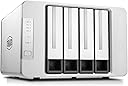
🚀 Elevate your home network with power, speed, and style — your private cloud just got smarter!
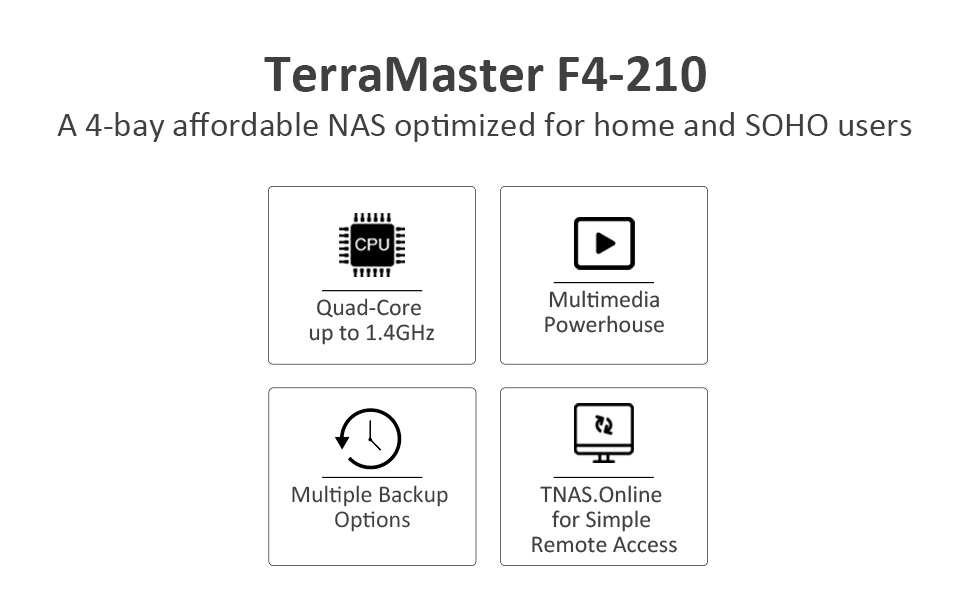
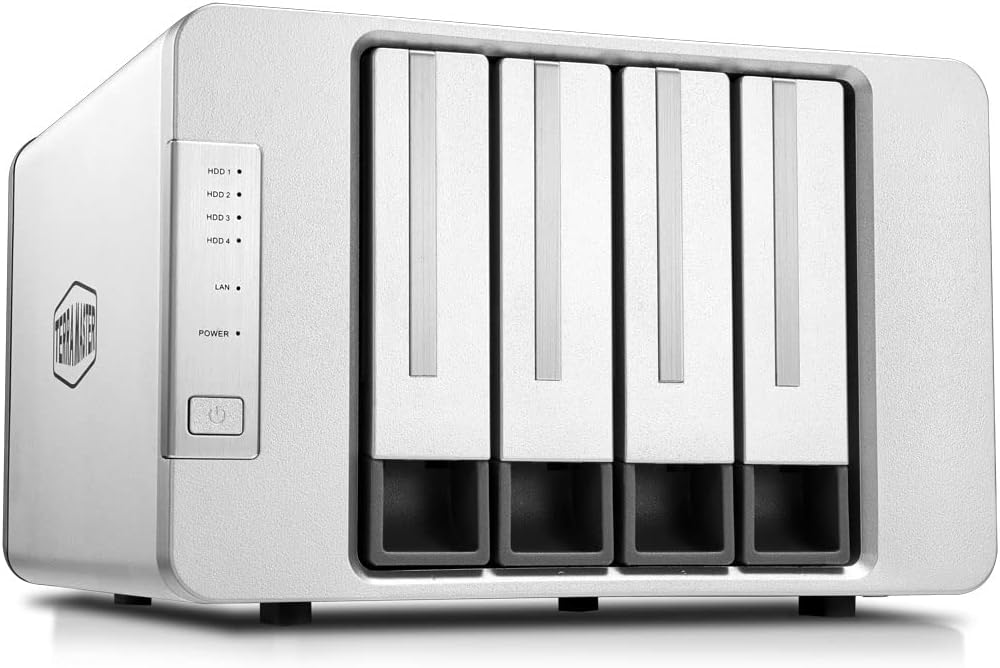
The TERRAMASTER F4-210 is a sleek 4-bay NAS designed for home and small office users, featuring a quad-core 1.4GHz ARM CPU and 1GB RAM. It supports up to 88TB of storage with ultra-fast SATA III drives, hardware encryption, and runs the latest TOS 4.2 OS. With native Plex and Emby media server compatibility, Docker support, and remote access via mobile apps, it offers a versatile, secure, and user-friendly private cloud solution.


| ASIN | B07ZV7K7GX |
| Best Sellers Rank | #94 in Network Attached Storage (NAS) Enclosures |
| Brand | TERRAMASTER |
| Color | 4-Bay, Quad-Core, F4-210(1GB), TOS4.2 |
| Compatible Devices | Android, Linux, Mac, Windows, iOS |
| Customer Reviews | 3.8 out of 5 stars 2,431 Reviews |
| Enclosure Material | Aluminum |
| Is Assembly Required | No |
| Item Dimensions D x W x H | 8.9"D x 8.86"W x 6.06"H |
| Item Weight | 2.5 Kilograms |
| Manufacturer | TERRAMASTER |
| Material | Aluminum |
| Mfr Part Number | F4-210 (1GB) |
| Model Number | F4-210 (1GB) |
| Product Dimensions | 8.9"D x 8.86"W x 6.06"H |
| Size | 4 Bay |
| Warranty Description | 2 Years |
R**.
Simple NAS for anyone to use
Getting frustrated on having my Wi-Fi losing signal every 2 days with a USB drive attached, I went with this option seeing it receiving a full 5 stars and wanting to set up an NAS for my home. Installation and set up was relatively simple; install the hard drive, hook it up to your network, add power, run the setup program, and you're good to go. Transferring files is easy; you can either transfer from your computer to the TNAS (through the Terramaster OS, or TOS) or, if you have the files you want to transfer on a USB hard drive or flash drive, you can use the USB 3.0 connectors on the back of the unit to transfer the files over via the TOS. Couldn't be simpler to get things up and running out of the box. However, there's some things I'd nitpick at. 1. The program that you need to install isn't verified by Microsoft. The app is in the same state, where your phone/tablet warns you that the app isn't verified in the Google app store. There *shouldn't* be any problem with it, just a caveat for future purchasers who are leery of what they install on their computers and devices. 2. As convenient as it is, I really dislike the web interface for file transfer. As mentioned, you can use a USB drive as well to transfer your files, but I personally would like to be able to drag and drop from my Windows desktop without needing to have a web browser open. Again, I'm nitpicking, but it's all preference. (I'd really give this a 4.5 stars just for this.) The TOS interface looks and works familiar with Linux users. There are TNAS/TOS specific apps available to install. I mainly use it as a multimedia server for my home and, since remote access to the NAS is possible, from my phone or tablet when I'm out. Honestly, for what it is, it works great. Simple enough to set up and use for any user. Worth getting if you just need a simple NAS for your home.
T**I
A good choice for home storage
I bought this NAS to use as mass storage for a home media server. My impression is that it has been a workable solution, but did not act in quite the way I was hoping. I eventually landed on 2 enterprise grade Gold Western Digital drives for my storage needs. This was after I initially set up the NAS using an old laptop drive. This worked, but operated very slowly. I also set up the drive(s) as single volumes when I installed the second drive (the first of the two ent. drives) which turned out to be a big mistake. I could only access the first drive, and could never figure out how to map or access the other drive. I then had to reconfigure the drives in JBOD, but then I was left with a poor old laptop drive as the first x-amount of data space. I eventually landed on adding the second enterprise drive, much sooner than anticipated. After all was said and done, with days of shuffling files and getting the NAS configure, everything has been running very smoothly. I went this route after first purchasing an external HDD sled that worked, but kept stalling the drive out over time. This NAS has operated without issue and offers the user a few different choices of data redundancy, one being TerraMasters proprietary RAID. I wish I could have had two separate partitions that were manageable and accessible, but running as JBOD, I can create and manage folders as needed.
L**.
The money you spend on a more reliable unit will be worth it.
I got this unit 1 day shy of a week ago. Out of the box it looks nice. The setup and install were easy enough except both the install of the OS and the drive format screen stopped at around 90% and stayed there for hours. Eventually I closed both and was able to launch the web Gui regardless but 90% failure is a theme with this drive. Background: I worked in IT for 16 years. I am not in IT any longer but I can still follow directions and troubleshoot fairly well. I used 2, 4 terabyte iron wolf drives per the manufacturers recommendation. I did my research and knew this was not a top of the line unit; I was skeptical that it would run Plex or Emby well, though hardware wise it looks like it should. What I needed it to do was back up a few thousand pictures across a number of devices. If it could backup images, short videos and documents I would have kept the device. ( I have a 3 year old and the pictures and videos I have of him are very important to me) The drive gets to 60-90% on any backup task and then just stops. It works ok as a networked drive to as long as you move files in small batches. The problem all seems to be software. The drive will chug along on an update then just spike to 99% memory and processor usage and just stop with no error on the app. The extremely annoying part is if I restart the backup it does not pick up were it left off, overwrite existing files, or check for duplicates. It starts over from the beginning and creates multiple copies of each file on the drive. The drive isn't compatible with most of the backup software options out there so I was using the OEM software. The software is terrible. Its literally 2 options. On/off switch for automatic backup but no options such as schedule, or start when on network. It was unclear to me when backup would occur and as far as I saw it never attempted to backup unless I went in an manually hit the start button. On my brand new Predator laptop I mapped the drive as a network drive and used the Windows backup and recovery option to try and backup my laptop. My thinking was that it was just a crummy app for Android and possibly I could find a way to make the drive work with other software solutions. Windows backup failed also. Got to about 90% and stopped. The drive stayed on and I was monitoring it while the backup ran. It spiked processor usage then just went non responsive. I couldn't access the GUI or access the mapped drive. It wasn't my network, I could still access other devices and internet on my home network, but just in case I swapped out my Gateway with the ISP. After spending about 2-3 hours after work each day trying to get this thing to work and today I just gave up. The drive is now at 10% full with multiple copies of about the same 600-800 files from the failed backups. I tried different, though admittedly lesser drives to make sure the iron wolf drives I just bought were not the issue. Same thing. I did try to get Plex working and that was a complete failure. Also, I was unable to access this drive remotely at all. Neither of these failures would be a deal breaker for me but the item is advertised as capable of running plex or emby and being remote accessible so if that's what you need look elsewhere. I had low expectations for this drive and it failed to even meet those. I decided to just spend the money and go with a more reputable NAS drive. I thought since I didn't need it to do much I could go with the cheaper option hopefully I can save you from some frustration. Maybe mine was just a dud, but I wouldn't risk it.
T**A
Works Great 👍
Decided to run my Plex server and phone back up on a separate NAS (this one) vs my 2 others I built and works great with zero connectivity issues. Keep in mind, be weary of reviews under a 4 / this in my experience is generally user knowledge issues: Wrong Hard Drives installed, personal computer issues, operating system issues are just a few. Take your time and read as much as you can - knowledge is everything when it comes to NAS. This one is very simple to setup and get running. For the price, it’s very very good. Yes, there are a few software updates they can (and sure they will) do - every device on the market can be improved, obviously. 1) Saw some comments Plex did not work, but it certainly does if you set it up properly and you have good internet. 2) You can “drag and drop” on any nas server when you connect through any computer, you just have to connect to the drives. Some mentioned you have to do this through a webpage, but this is not correct. Very simple once you know how. 3) Had no issues backing up my phone with separate user folders for family. Kids all say it works perfect - literally just clicked a few buttons and it just runs. You MAY have an issue installing TOS initially with an Apple product - if you do, have someone come over with a Windows laptop to get you up and running. Once installed, connecting Apple or Windows is fine.
N**N
Awesome Product for the Price!!!! I love this 4 bay NAS!!!
it was hard for me, to find a 4 bay NAS, I have had a 4 BAY Qnap NAS, WHICH I ABSOLUTELY LOVE! running as my Power-Horse. but throughout the years, have not been efficient with my data storage, so I wanted something to transfer my Archived data to. so I got a less flashy, CERTAINLY LESS PRICEY F4-210 4-Bay NAS. IT FAR EXCEEDED MY EXPECTATIONS!!! yes, it has a plastic, less quality feel to it, but everything fits in snug, solid, it feels very well made. it certainly does what I wanted it to do, and can do far more, certainly far more than I needed it to do. downside, 1 gb of ram, (the model that I got, and I will research and upgrade to the highest possible RAM that I can) probably sucks for TRANSCODING for applications like PLEX. (I am not sure, I am a rookie in that area) but overall, I AM BEYOND PLEASED WITH THIS PRODUCT. its a good feeling when you believe you got so much more than what you paid for, almost like a Black Friday deal. but its been less than 24 hours, so I will learn more about the shortcomings of a $200.00 4 bay NAS, but running it for maybe the last 18 hours, I so far... ABSOLUTELY LOVE THIS PRODUCT!!!! ***side note, a confusing thing to me I have 4x 4TB Western Digital RED Hard Drives in this TerraMaster F4-210 4-Bay NAS Running in RAID 5, where I would expect to have started with 12TB and the NAS is only seeing that I have 10.6 TB, missing 1.4 TB seems to be quit a bit, and maybe it has to do with the calculations of bytes counted in terrabytes, but it started the Calculations seeing 12TB during the set-up, and after the set-up, it shows I have (x) used of 10.61 TB. at the moment, it feels as if it would take forever to use up 10.61 TB, until I get to that point, in a few years(I felt that way about my Qnap, also running 4x 4TB western digital Red, and then started to get to the Limit of my Capacity)
W**L
Worked good for two days.
It was a pain in the a@@ to set up. It would not initialize drives, there were two images or icons on the setup page that were just placeholders, I clicked one by accident, and the drives initialized. I had the unit on my desk for a couple of days, and when I was sure it was working I went to move it next to my router. Kiss of Death plugged into my router and outlet. It then proceeded to ask me for the admin password I never was asked to set, the IP address was also changed and wanted that password to confirm the change. I spent 1.5 hrs with tech support doing the same stuff over and over again. He said he would consult an engineer and email me back. I figured I had a defective unit and requested a replacement from Amazon. Removed my drives and dropped off at Whole Foods, had my replacement by 6 pm that same day. That is what I love about Amazon, thanks, Stevy. The replacement went smoother just popped the drives back in the new NAS and was Basically up and running once the software located the NAS on the network. I will re-review it once it's been running awhile as it seems to have a few quwirks I have not figured out yet.
D**.
Easy for first time building a NAS
I very computer literate, but I've never built a NAS from scratch before, even though I've built probably hundreds of PCs over the years. My only experience with a NAS so far was a ready to go WD unit, which I had no issues with just outgrew the size. That said, I think anyone that can read and follow directions and has ever swapped a hard drive out could easily set one of these up. Purchased this one over the WD primarily because of the price vs memory size when comparing the two. Twice the memory on this one in the same price range. Also bought two Seagate refurbished 16TB enterprise drives here on Amazon. Just followed the directions and this NAS set everything up just fine. I really like how easy it is to change out the drives without having to take the box apart. Everything needed came in the box. I do like the web interface vs the old WD one I have, which is pretty limited. But truth is, I just want this as a copy and paste backup source for a worst case scenario so both work equally well in that regard for me. Not trying to do anything fancy. I'm using Backblaze for an off site backup as well. I'd certainly buy another of these if I needed one. If something changes for the worst in the future I'll come back and update this.
M**S
Powerful NAS for SOHO, beautiful hardware design, and UI administration!
The Terra Master F2-210 is a powerful NAS. It has plenty of power for sharing files in a SOHO environment. The price is excellent and has great reviews throughout the internet. The design is clean, minimalistic and uses aluminum case and plastic front & back. It looks beautiful, but the drive tray handles feel a bit cheap and and the tray does not slide well back to complete the installation of the drives, and needs fiddling to re-insert. For me, it is used in a small office with 8 computers networked and small Office files (1-10MB) shared. My setup is with two new WD 1TB 7200rpm drives, setup as RAID-1. NAS Setup was easy to understand. The walk-through instructions were very handy. But there were a couple of issues. 1. the drive initialization/format failed so I had to reformat again. 2. the RAID format failed so I emailed Support but after an hour of googling I saw that other people just rebooted the NAS and that’s what I did. After restart the system was running perfectly, so the error message was false. After that, everything is running perfectly, the included apps are very useful for a variety of functions. The remote administration works fine but the interface is slow (even with a 100Mbps internet connection). Finally, it’s a great NAS and apart from a few problems runs perfectly. Tech support should have a 30-day live chat. That’s why 4-stars. Thank you Terra Master.
V**O
Ottimo per famiglie e small office
E' un buon prodotto. Ho preso il nas che mi sembrava più economico nel rapporto qualità/Prezzo. Ho acquistato il modello F2-210 senza dischi; ho aggiunto successivamente due HD WD Red da 3 TB ciascuno e configurati in Raid 1. La configurazione del nas non è difficile, anche utenti non esperti possono fare tranquillamente le impostazioni di base, l'interfaccia si può configurare in italiano. La guida fondamentale per l'installazione e le configurazioni di base è in italiano e la procedura è abbastanza semplice. Adopero il nas soprattutto come file server in modo che io e la famiglia di mia figlia possiamo archiviare e condividere fotografie e documenti in sicurezza: configurare gli utenti e le condivisioni è semplice. L'accesso al nas tramite Tnas PC presenta un interfaccia pulita e ordinata da cui si può accedere a tutte le configurazioni del Nas. Anche la configurazione del Nas come Server Web multihosting è semplice; comunque è una funzionalità che io non uso. Le impostazioni di sicurezza oltre ai certificati di sicurezza gratuiti e la protezione DoS, opzionalmente, prevede anche la configurazione di un firewall, cosa comunque non semplice nel definire le regole. Gli aggiornamenti software del sistema operativo TOS non sono fastidiosamente frequenti ed è raccomandato l'aggiornamento online: finora è stato solo necessario dare il consenso all'aggiornamento e tutto è filato liscio. Si può programmare l'orario di accensione e spegnimento del Nas: suggerisco di mettere il Nas a valle di un piccolo gruppo di continuità, comunque non dedicato al solo Nas. Oltre alle configurazioni di base di un Nas: RAID, gruppi, utenti, impostazioni di condivisione, di rete, Backup, Antivirus ecc. per gli appasionati si può utilizzare il Nas come server web, si può installare joomla o wordpress, e sql server come MariaDB e innumerevoli altre applicazioni. Unico difetto: la guida per l'installazione e configurazione iniziale e l'interfaccia è anche in italiano, mentre la guida online è in inglese, ben documentata e di facile comprensione. C'è in Tedesco, e addirittura anche in Ungherese, sarebbe bene ci fosse anche in italiano. Comunque buon acquisto.
C**D
Very easy setup and out-performs expectations
My existing 2 bay NAS (not TerraMaster) was running low on disk space (configured with 2x2TB HDD in Raid1 format) so I looked at options for expanding. Rather than buy 2 4TB hard disks, for about the same price, I opted to purchase a TerraMaster F4-210 4-bay unit plus an additional 2TB HDD - which would allow me to set up a 4TB Raid5 with a spare bay for future expansion. In addition to a faster cpu and twice as much RAM compared to my old NAS – the TerraMaster also comes with many more apps especially a couple of fully-featured media servers which I was eager to experiment with for all my movies, music and photos stored on the NAS. My other NAS offers a good basic DNLA server and I’m hoping to implement one with a “glossy” front-end like the on-demand websites provide. So, unit was ordered on Monday – arrived the following day (thanks Amazon). Setup was very easy, just log into the website noted on the leaflet included in the box and follow the stepwise, very clear, instruction screens which walk you through installing your drives and turning on your NAS, then automatically downloads the latest TOS operating system and walks you through setup pretty much like Windows does. As mentioned above, I have 2TB hard-disks. They’re actually Desktop models (not optimised for 24/7 NAS use) and NOT in TerraMaster’s compatibility list but I figured I’d give it a try. I pulled one from my old NAS and mounted it in one of the F4-210’s slots during setup. At the appropriate point, the NAS tested the HDD and reported it “good” (phew). As expected, although in EXT4 format, the TerraMaster NAS needed to reformat the drive – so I’d have to copy all my data across from the disk still in the old NAS. I opted initially for a non-Raid ‘single disk’ configuration as my ordered HDD was still awaited with a view to upgrading to Raid 1, and thence to Raid 5 once I’d got all 3 drives installed. So, couple of days later, I’ve replicated my share-folders and users, and have transferred all my data across and checked. I’ve also installed one of the Multimedia servers and linked in all my multimedia folders – it’s proven simpler and better than I expected. The F4-210 NAS, with 2 large cooling fans, is virtually silent. You could easily have it sat on your desktop I guess. The most noise encountered was the chattering of the hard-drives when copying the masses of data across. Overall, massively impressed. Next steps to upgrade my configuration to Raid 5, investigate setting up my own email server (another app new to me) and also investigate encryption of shared folders...
Z**R
Sure it 's cheap plastic but....so are other NAS
Much of the hate for this NAS is not supported. Well.....maybe some of it is. SIMPLIFICATION TIME: The F4-212 is a solid working, reliable (for the time I have owned it) and predictable NAS, TOS 5.x is workable, provides plenty of options, flexibility and information. The only major flaw is shipping the NAS with a 1gbe port. I plugged a generic Realtek USB3 2.5gbe adapter in, configured & rebooted and my thruput jumped from 115MB\s to 220MB\s, a substantial jump and more than adequate to handle moderate duty storage needs. ETA: I bumped the review up to 5 stars. Why? I'm now into week 3 using this. I have not discovered any major flaws and I much prefer using it to my Thecus N5550, a costly device in the day, 2.5X the F4 price. I had a need to do some major juggling of drives, NAS units and files and I had the easiest time of all of that using the F4. There are more than a few people who think the F4-212 is junk. Ok, it's mainly plastic with a steel skeleton. Nothing wrong with that. Tool less drive mounting (only for 3.5" hdd). Again, nothing wrong with that. I had all 4 drives inserted and ready to go in 5 minutes. I have not yet swamped the CPU nor RAM even running 2 parallel rsync feeds to it and hitting 220MBs thruput. I grant the F4 feels cheap compared to my ancient Thecus and Zyxel NASes. All lighweight plastic screams disposable. Heck, my Maiwo hardware 4 bay RAID unit (1/2 the F4 price) is made like a tank. @ $200 for the F4 is half the price of the next 4 bay NAS and will likely handle 80% of what that more expensive NAS can do. MAKE certain you download the newest client package from TerraMaster. I had some unpleasant issues with older versions. New releases just work. I haven't the courage to install TOS 6-7 beta. I will wait for others to try it and write it up on Reddit.
R**D
La facilidad de montaje
Los discos se montan muy fácilmente, y además viene con tornillería suficiente y herramienta. La conexión y configuración es muy fácil. Sin embargo un manual de instrucciones mas elaborado seria muy útil, con explicaciones de los diferentes menús, y a que hacen referencia exactamente.
A**R
Good Build, Neat Design, Garbage software
This NAS software is quire buggy and you can't pass the wizard without checking YouTube and Reddit tons times.
Trustpilot
1 month ago
1 month ago