❄️ Cool performance meets next-level style — don’t just build a PC, build a statement.
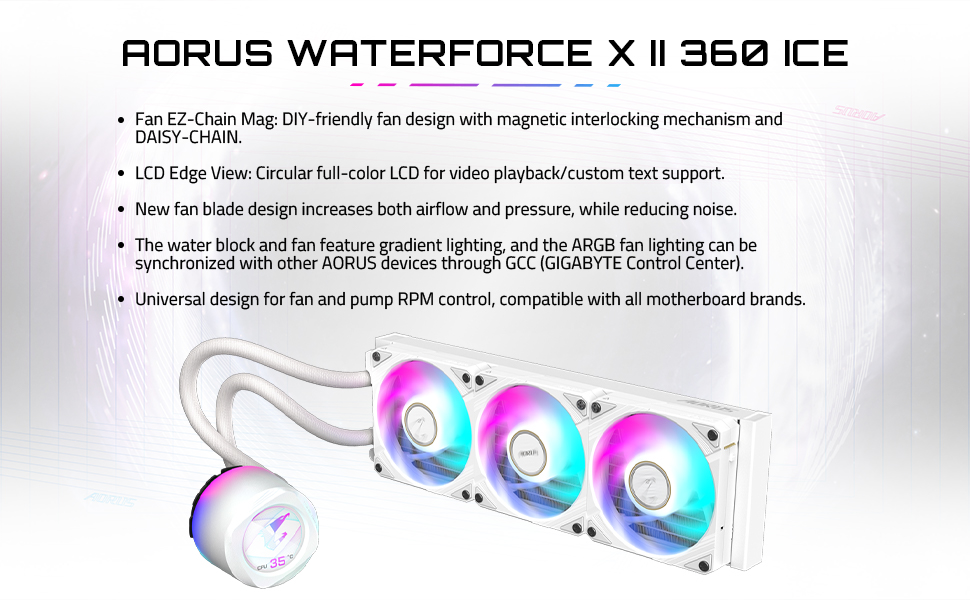
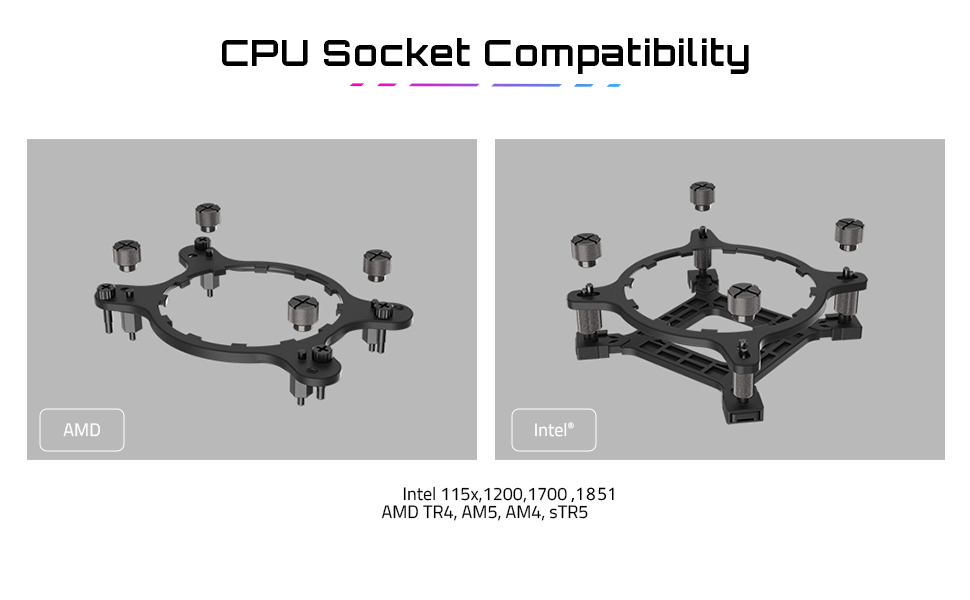
The Gigabyte AORUS WATERFORCE X II 360 ICE is a high-performance all-in-one liquid CPU cooler featuring a 360mm radiator and three 120mm low-noise ARGB fans. Compatible with Intel LGA1700 and AMD AM5 sockets, it offers broad platform support. Its standout feature is a 60x60mm full-color LCD capable of video playback and custom text, complemented by magnetic EZ-Chain fan design and synchronized ARGB lighting for both superior cooling and personalized aesthetics.


| Brand | Gigabyte |
| Product Dimensions | 42 x 14.5 x 21.5 cm; 2.85 kg |
| Item model number | GP-AORUS WATERFORCE X II 360I G2 |
| Manufacturer | GIGABYTE |
| Color | White |
| Voltage | 12 Volts |
| Wattage | 100 watts |
| Are Batteries Included | No |
| Item Weight | 2.85 Kilograms |
J**S
Le premier que j'ai reçu était défectueux..mais le deuxième fonctionne parfaitement.Jamais mon ryzen 7 7800x3d a été aussi bien refroidir avec de la artic 6.le seul bémol les tuyaux sont trop cours
ع**ه
ممتاز وتبريده حلو وسهل تركيبه لكن فيه عيب في شاشته الصغيره وانها م تشتغل اذا حاولت تشغلها لازم تطفى rgb حق المراوح وتشتغل الشاشه الصغيره يعني م يمديك تشغل rgb حق مراوح المبرد والشاشه الصغيره بنفس الوقت لازم تختار واحد منهم لانك اذا شغلت الاول الثاني يطفي
T**J
Aorus 360X II Ice is a top of the line Gigabyte product at the moment. It may not be better than some other new and more expensive coolers, but it is reasonably priced and integrates well with Gigabyte ecosystem through Gigabyte Control Center (GCC). Firmware updated without issues. Built in display presets work great for me. Display can be rotated in the software. Fans are reasonably quiet on low and relatively loud on high similar to other fans, speed is adjusted in GCC if desired. Pros: Great features, magnetic fan connectors, good looking, easy to install, bags are clearly labeled, provides decent cooling. Cons: support bracket (under MB) installation on 1851 (and probably all others) is a little loose, but does not affect cooling. Instructions are a little short. Other thoughts. You can only install fans one way, as the magnetic connector from fans to MB interferes with the charging port. In my case, this prevents installation with the goal of avoiding negative pressure by allowing fans to suck the air in rather than blow it out. A lot of installation/review videos feature a slightly different version. Uses internal USB connector and SATA power connector. I think this is a pro, because it makes it more compatible with other motherboards. Connectors were long enough for a large case/EATX MB. The power to the fans runs inside the sleeving together with tubes, which makes it neat. You still have to connect two short fan and ARGB connectors together once they come out from the sleeving. I would prefer not to have those extra connectors, but they do allow additional flexibility to connect more fans (for example front fans) if needed. Very good looking setup! 100% recommended for Gigabyte systems, and at this price point it has a good combination of features/performance to be used for other builds.
K**R
This thing not only looks awesome, it works great to boot. I'm usually an i9-14900K which is known for running hot, this thing keeps it completely cool. I did add Corsair fans to this to make all my fans look the same, i'm using it in a push/pull configuration purely for looks as you can see the fans through the side of my case. Was easy to load the photos in it. Highly Recommended!
S**E
As someone that wants to have as little RGB software as possible, I went with this AIO as I needed to have Gigabyte's Control Center loaded for other Gigabyte products. So far, it has worked well and keeps my 9950X3D cool, even during long gaming sessions. While I am using Phanteks fans instead of the included ones, it is worth noting that if you wish for the AIO screen to show fan speed, you must use the fan connector built into the radiator that does not seem to be moveable/removable, so I double-sided taped it to the side of the radiator along with the fan cable as I used Phanteks daisy-chain out the other side of the radiator. The pump is way quiter than my previous Liquid Freezer III along with better/more mounting adjustment. For me, the biggest downside so far has been that I can't turn the AIO screen off like I can on my Gigabyte GPU, which is why I removed one star. If they add that along with more screen customizations, I would give it 5/5.
Trustpilot
1 month ago
2 months ago