We remain fully operational. Our teams are working around the clock to ensure your deliveries continue safely.

DOWNLOAD THE APP


Copyright © 2025 Desertcart Holdings Limited
DOWNLOAD THE APP




Buy anything from 5,000+ international stores. One checkout price. No surprise fees. Join 2M+ shoppers on Desertcart.
Desertcart purchases this item on your behalf and handles shipping, customs, and support to Thailand.
⚡ Power, speed, and triple displays — the ultimate Mac docking revolution!
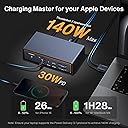
The iVANKY 23-in-1 FusionDock Max 2 is a premium Mac docking station engineered for professionals demanding triple 6K@60Hz display support, ultra-fast 120Gbps Thunderbolt 5 data transfer, and 140W power delivery. Featuring a hybrid cooling system and extensive port selection including 10 USB ports, 2.5GbE Ethernet, and SD/TF card readers, it transforms your MacBook M1 to M5 series into a powerhouse workstation with stable, high-speed connectivity and charging.


| ASIN | B0FNMQ6S65 |
| Additional Features | Hybrid Cooling System, Full Speed Charging, Fast Data Transfer |
| Best Sellers Rank | #16,835 in Computers ( See Top 100 in Computers ) #131 in Laptop Docking Stations |
| Brand | IVANKY |
| Color | Midnight blue |
| Compatible Devices | Laptops |
| Customer Reviews | 4.3 4.3 out of 5 stars (450) |
| Data Transfer Rate | 120 Gigabits Per Second |
| Enclosure Material | Aluminum |
| Hardware Interface | Ethernet, Thunderbolt |
| Manufacturer | Shenzhen Velocity Technology Innovations Co., Ltd. |
| Minimum Required Operating System Version | Mac OS 10.15 Catalina |
| Number of Ports | 23 |
| Operating System | macOS |
| Total Usb Ports | 10 |
M**A
Good quality and as advertised.
Good quality and as advertised, but missing DisplayPort to Thunderbolt cable, had to buy that separately.
V**F
It works well with the M1 MacBook Pro MAX. The Thunderbolt components are well-designed and work great. The card readers are OK, but there is nothing to write home about. The readers are older design Type 1. The front RCA headset plug is not working, at least for me. I have not tried a different headset yet. What I like about it is the speed of the T-Bolt ports. That makes for the RCA. As a designer, I would switch some ports for better cable management. Overall, it is a great product, albeit a bit expensive, but it offers a lot of ports and high standards.
A**N
Vorab: Ob ein M1 Pro MacBook in der Lage sei, 2 externe Bildschirme zu betreiben. Die richtige Antwort ist ja, das geht! Dieses Dock hat soweit ich weiß keinen Support für Displaylink Software, also ist auch nur möglich soviele Monitore anzuschließen wie das MacBook selbst erlaubt. Das sollte man vor dem Kauf bedenken. Zum Produkt: Pro's: - sieht gut aus. Sowohl die silberne als auch schwarze Variante. - Lüfterloses Design führt zu angenehmer Stille - im Winter gekauft, kann ich sagen, dass es warm wird, aber nicht zu warm. Das Design erlaubt eine rundum Kühlung und das Produkt selbst ist der Kühler... Wie das im Sommer ist, kann ich noch nicht sagen. - Das Laden des MacBook und alle Anschlüsse haben bei mir super funktioniert. - Die meisten Anschlüsse, auch der Laptop Anschluss befinden sich auf der Rückseite! Sehr aufgeräumt, wirklich Klasse! Cons: - ich finde die zwei getrennten Kabel die in den zusammengefassten Doppel USB Anschluss der in den Mac geht vorhanden sind, hätten auch zu einem zusammengefasst werden können. Das sähe deutlich aufgeräumter aus! Oder man trennt diese ganz zu zwei TB Steckern und erlaubt auch Nicht-Mac-Usern den Betrieb der Station... - Die Kratzanfälligkeit des Docks gilt es zu bedenken. Es gibt vorinstalliert keine Gummierung, die z.B. das zerkratzen des Bodens verhindern würde, da man es ja auf verschiedene Weise aufstellen können soll. Ich empfehle, so wie ich es gemacht habe, dies nachzuholen (siehe Fotos). Um verkratzen zum Beispiel durch Reibung auf dem Tisch zu vermeiden! - Ein Displayport Anschluss wäre auch noch wünschenswert gewesen, schließlich hat ja auch das MacBook bereits einen HDMI Stecker... - Preislich kann es sich lohnen auf ein Angebot zu warten. Insgesamt kann man nur sagen, ist das Dock eine Tolle Erweiterung des Schreibtisches. Praktisch, schick und super schnell mit insgesamt 80Gbits Leistung die da rein gehen durch den Doppelstecker!
D**I
This FusionDock max2 is a game changer in respect to number of connections, the speed transfer among devices and the stability of the unit. I do a lot of data transfer among hard-disk, ssd's and M.2 and also to microSd. The speed is exceptional. The performance with the Macbook pro is exceptional. I recommend this to all Mac users to benefit on the speed of the Thunderbolt connection.
N**T
Update 5/2025 Customer service took care of issues very promptly. Says will work with the MAC Mini M4 but USB C cable that they sent has one end of the cable with the two USB C connectors together, and it cant be used on the Mac Mini M4
M**N
I recently acquired this docking station that feels like it could have been designed by Apple itself, given its superior build quality and aesthetic appeal that perfectly complements Apple products. Setting up the docking station was a breeze; it truly embodies the plug-and-play spirit. Within minutes, I was up and running with a triple display setup, alongside multiple other devices connected seamlessly. The performance has been flawless, with no lag or connectivity issues. Each component, from my keyboard and mouse to external hard drives and monitors, integrates smoothly, making it an essential accessory for anyone looking to enhance their workspace efficiency. Overall, this docking station is a must-have for Apple enthusiasts looking for a reliable and stylish solution to expand their connectivity. It makes the multitasking experience effortless and efficient, which is a testament to its excellent design and functionality.
Trustpilot
1 week ago
1 month ago