Desertcart purchases this item on your behalf and handles shipping, customs, and support to Thailand.
🚀 Upgrade your WiFi game — connect faster, smarter, everywhere!
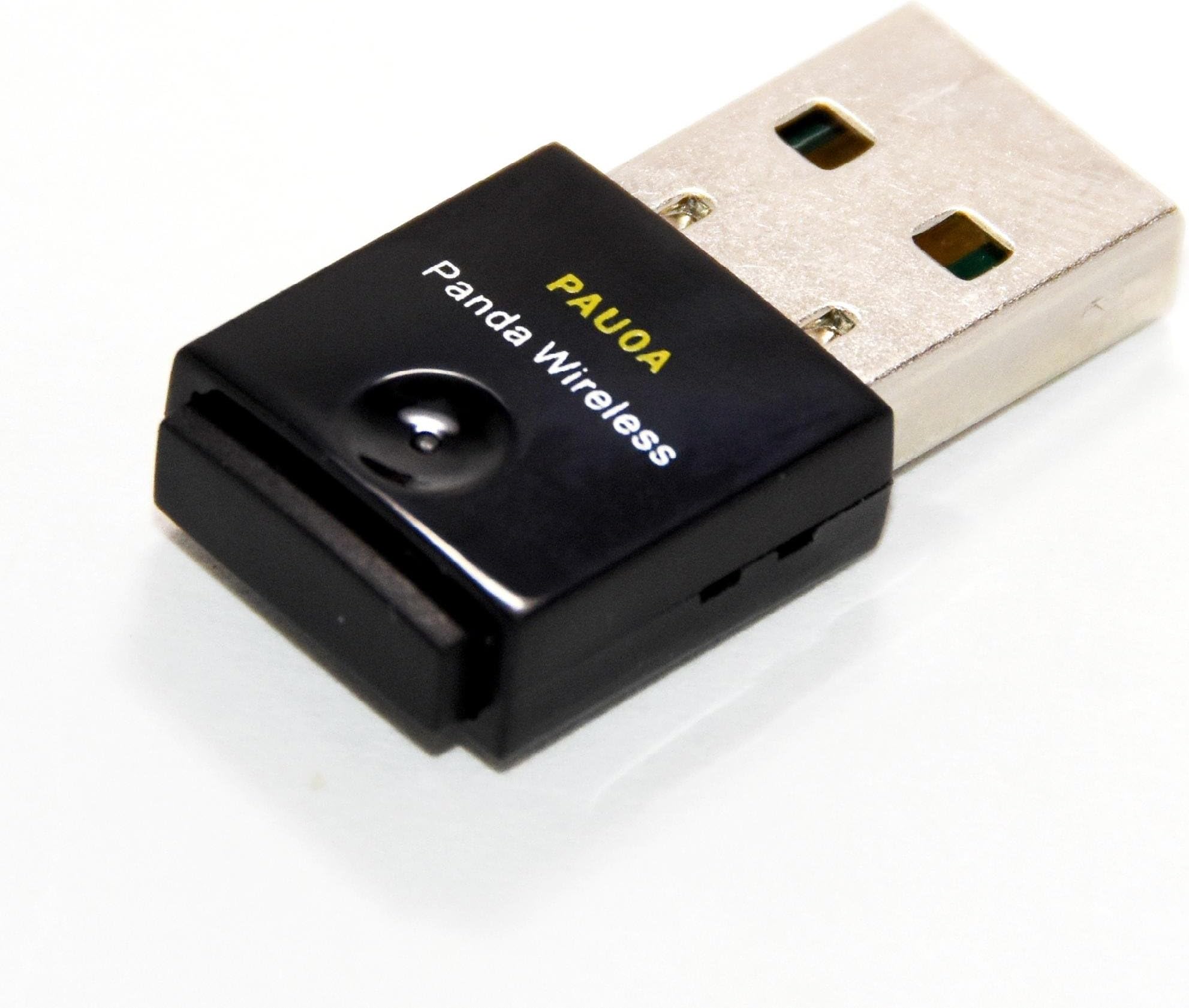
The Panda Wireless PAU0A AC600 is a compact dual-band USB WiFi adapter delivering up to 433Mbps speeds on 2.4GHz and 5GHz networks. It supports a broad range of Windows and Linux operating systems, making it ideal for professionals and developers using Intel/AMD PCs or Raspberry Pi devices. With robust security standards and plug-and-play ease, it’s a reliable upgrade for seamless wireless connectivity in demanding environments.


| ASIN | B07C9TYDR4 |
| Best Sellers Rank | #179 in USB Computer Network Adapters |
| Brand | Panda Wireless |
| Color | Black |
| Compatible Devices | Desktop, Laptop |
| Compatible Operating System Family | ChromeOS, Linux, MacOS, Windows |
| Customer Reviews | 4.4 out of 5 stars 197 Reviews |
| Data Link Protocol | IEEE 802.11ac |
| Data Transfer Rate | 433 Megabytes Per Second |
| Hardware Interface | USB |
| Item Dimensions L x W x H | 5.6"L x 4"W x 0.75"H |
| Item Weight | 0.05 Kilograms |
| Manufacturer | Panda Wireless |
| Minimum Required Operating System Version | Windows 7 |
| Model Number | PAU0A |
| Product Dimensions | 5.6"L x 4"W x 0.75"H |
| UPC | 851860007018 |
| Warranty Description | 1 Year Manufacturer |
R**R
Works great with piCorePlayer 11.1.0
One of my Raspberry Pi music streamers had a on-board WiFi device give up the ghost, so needed a USB replacement. This works perfectly with piCorePlayer 11.1.0, and doesn't require any external drivers with Linux kernel 6.12.67. Wireless performance is miles better with a USB dongle.
T**.
Compatible with the MacBook Pro (Retina, 13-inch, Early 2015) (A1502) running Chrome OS Flex.
Compatible with the MacBook Pro (Retina, 13-inch, Early 2015) (A1502) running Chrome OS Flex. No drivers, no rituals, no yelling at the computer - just plug it in and pretend you’re an IT genius.
J**E
Good Linux Modem
Two of my older USB modems stopped working and were no longer supported by my Linux systems. I picked the PAU0A because I read that the driver was built into the latest kernal and it has a particularly small footprint. It worked with both my Ubuntu 22.04 and Qubes 4.3 systems, so I bought a second one with equal success.
D**S
Panda does not disconnect WIFI like the Lenovo does every few minutes.
Best news is, the Panda Wireless® PAU0A AC600 arrived the next day. Bad news is, no instructions on installing on a Linux system. Guess they just assume we all know what we are doing. Tried the plug and play. Maybe it worked. Let me explain. Looks like there is a light on the Panda Wireless. Don’t know. No light came on. So I searched the Internet for Instructions. Nothing much on the Panda website. Does have a download for the driver. A set of instructions but the terminal comes back with files and directories do not exist lines. Tried the CD that was no help. It refused to open. Then onto the Internet again. Found some instructions along the lines of plug and play. Instructions said lower right, choose network. Mine is on the top right. Pull down for the battery, sound, power, restart, and power down. Which also has a WIFI option that now shows (2). Clicked on that and my WIFI network is now listed twice. Went over to settings where is now shows my laptop adapter and the MediaTek WIFI which is the Panda. Now I can switch between the 2. I opened a WIFI speed test. On both it hit a 1 time high of 90Mbps and usually between 10-20Mbps. Really poor. Tried 4 different browsers. All the same results. Upload is 10-20Mbps. I also tried my phone which hit a consistent 90Mbps. So what’s the problem with the speed? Not sure. The problem I was facing is with a Lenovo IdeaPad with the AMD Ryzen™ 7 3700U with Radeon™ Vega Mobile Gfx. It kept on disconnecting and I had to open WIFI and reconnect. You can find info on WIFI driver updates for other processors, but AMD does not offer a driver for Linux. Keep that in mind when ordering a new laptop. The good news is the Panda does work. The speed on the laptop is something internal. Good enough for what I do with a few hang ups. WIFI lingers between starting fast and at times hangs up. I am sure it is the laptop. The Panda appears fine. I would buy it again. The PAU0A AC600 is compact and does not stick out of the side much more than the mouse USB. Which is nice. After a few hours the Panda is not disconnecting every few minutes like the Lenovo did. I call that a success.
S**N
Works with Redhat Linux 10
This installed easily on RHEL10. I find that it has signal limitations regarding distance connectivity, but otherwise it works fine.
M**B
Supported out of the box on Linux kernel 5.0.0
I was mainly interested in a USB WiFi dongle that would work out of the box in Linux. I don't often need a wifi dongle, but when I do I don't want to have to worry about finding, compiling, and installing a driver. The good news is that this meets that criteria with Linux kernel 5.0.0 (according to the Internet, it should be supported on 4.19 and later, but 5.0.0 is what I personally tried). The not so good news is that due to the small antenna (I'm guessing), the 802.11ac connectivity isn't great. I had trouble connecting to a 5GHz router in the next room (1 wall) and when I did the throughput was mediocre (for download) to poor (for upload) compared to a Windows machine using a Qualcomm QCA9377 802.11ac Wireless Adapter (whatever it is that came in the Dell computer). However, connecting to a 2.4GHz router with the same wall intervening got a nice clean connection with throughput that was comparable to the Qualcomm QCA9377. All in all, I'd say it was worth it for $20 to be able to plug-n-play with Linux for those times I need Wifi. Plug-n-play as long as the kernel is new enough. I'm giving it 5 stars for that. Some details in case anyone needs them: - chipset: MediaTek MT7610U - driver: mt76x0u $ uname -a Linux ubuntu 5.0.0-15-generic #16-Ubuntu SMP Mon May 6 17:41:33 UTC 2019 x86_64 x86_64 x86_64 GNU/Linux $ lsusb | grep Med Bus 001 Device 005: ID 0e8d:7610 MediaTek Inc. $ lsusb -t | grep mt |__ Port 1: Dev 5, If 0, Class=Vendor Specific Class, Driver=mt76x0u, 480M
S**R
Works with RPI openwrt
use the two mediatek drivers with the RpI image builder (openwrt), and you're off and running!
F**.
Very weak signal reception
This wifi dongle is on a Jetson device with a Linux 4.9 kernel. Got the latest tarball from the Panda website and successfully built the drivers for it. Spent more time than I should have troubleshooting why it was not connecting the 5G radio and sometimes after connecting it would not stay long and would disconnect. The top advice on the web is weak signal if a wifi device behaves in this manner. I could not believe this to be case because the wireless router was in the next room separated by two back to back closets. Other devices in this same room have no problem and in fact some are much further away. Finally I moved the Jetson to the router's room and put it 2 feet away from the router. Now it works fine. Running: nmcli -f SSID,BSSID,CHAN,FREQ,RATE,ACTIVE,SIGNAL,BARS,SECURITY,DEVICE dev wifi list produced: SSID BSSID CHAN FREQ RATE ACTIVE SIGNAL BARS SECURITY DEVICE AtHome_5G D4:6E:0E:8C:E8:E6 36 5180 MHz 270 Mbit/s yes 75 ▂▄▆_ WPA2 ra0 The signal strength should be around 100, not 75. I recommend to NOT buy this device. Ridiculously weak signal reception.
C**N
Panda wifi wireless adapter
Works great with Kali Linux. Had install the driver though.
Q**C
Good buy
Small form factor. Compatible with linux machines for monitor and injection mode.
M**Z
Funcionamiento regular en lInux
Lo quería para redes 5G con 50 MBs y solo toma como 28 MBs, un día antes me llegó un tplink que si toma los 50MBs. Lo bueno del Panda es que es plug and play. Lo malo del tplink es que hay que instalar el driver, lo cual es algo complicado.
C**N
Tel que décrit
Excellent. Fonctionne parfaitement avec min 22.1
T**Y
Working as described
Excellent
Trustpilot
4 days ago
1 day ago