🚗 Elevate your drive with CarpodGo T3 Pro — where sleek meets smart!
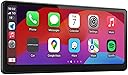
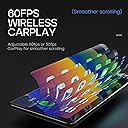
The CarpodGo T3 Pro is a portable 8.9-inch fully laminated IPS touchscreen car stereo featuring a 1920x720 retina display with 700nit brightness and 16.7 million colors. It offers ultra-smooth 60fps wireless CarPlay powered by a multi-core Linux system, connecting in just 12 seconds. The device supports display-only Bluetooth mode with steering wheel controls, and its ultra-thin body mounts magnetically with an 8KG hold, compatible with various mounts for seamless dashboard integration. Designed for easy installation and compatibility with iOS and Android Auto, it delivers premium in-car entertainment and navigation without the hassle or cost of full stereo replacement.


| ASIN | B0CKXF3RST |
| Audio Output Mode | Stereo |
| Audio Output Type | Speakers |
| Best Sellers Rank | #41,485 in Electronics ( See Top 100 in Electronics ) #482 in Car Audio Receivers |
| Brand | CarpodGo |
| Built-In Media | wireless CarPlay Display screen,bracket,cable |
| Color | Black |
| Compatible Devices | Smartphone |
| Connectivity Technology | Bluetooth |
| Connector Type | USB Type-C |
| Control Method | Touch |
| Controller Type | iOS |
| Customer Reviews | 4.4 out of 5 stars 618 Reviews |
| Format | WMA |
| Item Dimensions D x W x H | 0.75"D x 8.94"W x 3.98"H |
| Manufacturer | CarpodGo |
| Model Number | CarpodGo T3 Pro |
| Number of Channels | 4 |
| Other Special Features of the Product | Portable |
| Output Power | 50 Watts |
| Output Wattage | 50 Watts |
| Smart Home Compatibility | Not Smart Home Compatible |
| Special Feature | Portable |
| Supported Internet Services | Maps |
| Surround Sound Channel Configuration | 4.0 |
| Total HDMI Ports | 1 |
| Total Number of HDMI Ports | 1 |
| Unit Count | 1.0 Count |
| Video Encoding | H.264, H.265/HEVC |
| Warranty Description | 1 Year |
| Wattage | 50 watts |
| Wireless Technology | Bluetooth |
A**R
Great Carplay Screen
I've been using this thing for about 2 weeks now and especially for the money it really is a great product. Just before buying it I had a Pioneer Carplay receiver installed in my 2018 Subaru Forester and I ended up returning it because it kept glitching and the visibility was terrible between the screen's low brightness and glare. I was skeptical of the CarpodGo, especially for the low price, but figured I would give it a try. I have been very impressed so far. The screen definition is very high and it is bright enough to see during the day. Although this screen also falls victim to glare (as any would), the fact that it is not built into the dashboard means you can turn it / angle it to minimize this. It is very easy to use and I haven't had any issues with glitching so far. All this for about 1/5th of the price of the Pioneer unit I tried. Having to come up with a solution for the exposed charging wire is a very small price to pay for the rest of the experience.
L**E
So easy to install, and works PERFECTLY
I have a 2016 VW Passat, I had already tried to replace my head unit 3 times with an aftermarket, and couldn't get any of them to work. This was about $100 more expensive, but totally worth it. It set up so easily through my phone's and car's Bluetooth. I didn't have to use the aux cord or the radio station. It somehow connects car play wirelessly to my phone, and then through Bluetooth to my car. I was able to feed the power cord through the dash, so it's mostly inconspicuous. I didn't use the backup cam since I already have one that works with my original head unit. I retained full steering wheel functionality except for activated Google voice(Android user). I think since the wireless carplay is being sent through Bluetooth to the car, the car doesn't realize carplay is on, so my talk button activates the car talk system instead of the carplay. Minor issue. I can just say "ok Google". Music quality seemed a little different, but I tweaked the equalizer and it was fine. I was using a USB wireless carplay dongle before, so maybe it sounds fuller now because the Bluetooth signal is better, but not sure. Bummer that there isn't screen mirroring, but it's perfect besides that. Feels high quality, screen is great and responsive. Definitely recommend to anyone that wants to elevate their infotainment interface!
V**N
Decent Carplay
The CarpodGo T3 Pro [2026 Fully Laminated Screen] has been a great addition to my car setup. The design is sleek, the size is just right, and it doesn’t obstruct my view while driving. The display quality is excellent—crystal clear, smooth 60fps performance, and no lag or audio issues. The automatic night‑time dimming works reliably, which I really appreciate on late drives. Connection stability has been generally good. I did experience intermittent dropouts in one specific area, which the company attributed to Wi‑Fi interference and currently doesn’t have a solution for. Outside of that zone, it’s been stable and fast. I haven’t tested the rear‑view camera, so I can’t comment on that feature. Given the premium price, I do wish a built‑in dash cam had been included—it feels like a missed opportunity for an otherwise well‑rounded device. Customer support has been responsive and helpful. They sent me extra mounting bases when I mentioned the adhesive wasn’t very strong. I may reinforce it with Gorilla construction glue if it loosens again, but the support experience itself was positive. Overall, despite a few minor drawbacks, I’m happy with the T3 Pro and think it delivers a strong, polished CarPlay/Android Auto experience.
S**N
Fantastic for CarPlay
Using this in a 2009 Toyota Venza. I did not want to replace the built in stereo system, but wanted CarPlay. I also own an older radio in another car that has CarPlay for comparison. The new device is awesome. When I turn my car on, it pairs with my iPhone in 12 seconds. My other system does not have wireless - it takes about 30 seconds. The screen is beautiful and crisp. Using navigation on the wide screen is very nice. Reminds me of a modern iPad in how nice it looks. Rear view camera was not too bad to install. I took my time to hide the cables. The backup camera has a large FOV and is higher resolution than the one on my other vehicle. I initially had a scrambled screen when I put the car in reverse - had to unplug, plug in the cable. Have not seen in since. It has options for bluetooth, aux, or radio tuner. Just about any car should work with it. The different mounts also seem pretty good. You get a shorter one and a telescoping one. The device uses a magnet (which is strong) to hold it in place. Had I gone the other route and bought a new receiver with CarPlay, I would have had to buy the radio, mounting panels, wiring, and maybe a few other components. I figure I would have easily spent between $600-800 if it was installed professionally. Since my 2009 is not worth a lot of money, I did not want to spend 1/5 the value of the vehicle. This device solves the problem and looks great. Would definitely recommend. Note - I do not have an Android phone so did not test out Android Auto.
C**T
Fabulous CarPlay for my 2012 Infiniti
NOTE: I read the instructions and since lowered the monitor to rest on the dash, please ignore the incorrect installation shown in the photo. That being said, I am one of the 1% of users that needs to connect through radio. My cars blue tooth is too old to find the device, and I figured there was a high percentage of the dual Bluetooth not being compatible. But the fm responder works perfectly for my needs and I can now listen to my favorite audiobooks, podcasts and Apple Music flawlessly through my speakers. I looked into adding an aftermarket unit that would have cost $1200 for me to have replace my existing nav in my Infiniti. I share this because price wasn’t an issue for me, but the install guy refused to do the aftermarket adaptations because he knew the dash was going to inevitably break when removing the council and reordering parts was not gonna be easy given the age of my vehicle. I was so upset about not being able to modernize my car with CarPlay that I started researching other options. The majority of the CarPlay devices looked like crap. They were very bulky or just had terrible lag time on them. I rode in a car with a friend who had one and it would constantly disconnect and I just hated the idea of a third screen (after my phone and nav) that was inferior quality to both. So I continued for a couple years on my cheap cigarette lighter fm transmitter that paired with my phone so I could hear podcasts through my speakers. Cest la vie. I knew I’d have Apple CarPlay in my next vehicle, but I love my car and will run it till it dies, so that may be another 7-10 years off. On Amazon prime day I looked back at options on the market for CarPlay devices to see how they have improved. And for the most part, they hadn’t. But alas, I found this unit and ordered after prime days since I still wanted to research and compare with a few models out there. No worries, price was about the same when I ordered. What I was looking for in a review was someone who had success using the fm transmitter option for pairing. I didn’t find that review, so I felt obliged to write it. This unit gives me a classy Apple CarPlay feel without the risk of a destructive factory install. If this continues to work for the life of my car I will be ecstatic, but I am already over the moon just having everything integrated through my cars audio. I purchased a cd mount holder for my phone and it works great to keep my phone in a nearby place without overcrowding my center council area. For those of you with older cars, buy with confidence as the fm station is a reliable option for all the incredible features CarPlay has to offer, at your fingertips with a fast display change, solid connectivity and sleek quality that this device has to offer! So happy I waited to get this gem and not be turned off by other inferior quality CarPlay’s on the market.
S**Y
Works great for Android Auto and Carplay
Works great for my wife's iPhone 17 and my Galaxy S23. Connects quite quick and UI is intuitive. I like that you can put your own car brands start up image to make it feel more OEM. I also love that this comes with a backup camera and the filter for the backup camera. Camera quality is great too Highly recommended
B**O
Great display, easy to install, lacking some features, intimately connectivity issues.
I was very excited for this Apple CarPlay solution for my Tesla Y and 3. I bought 2 as it resolves the missing apple CarPlay feature Tesla refuses to implement. The display looks nice, and does not require integration with the car or any special modifications or disassembly to install. After owning 2 for some time now, I realized I might prefer an integrated solution better, but CarPodGo is probably the best option for people who don't want to perform a complicated install. It's a lot of bang for your buck for sure! Pros: - wireless carplay - great looking high resolution display - responsive touch interface - no vehicle integration required - several mounting options included - camera included - cabling and power adaptor included - Apple CarPlay settings allow voice control, hands free control of CarPlay interface - connects audio to car via bluetooth, including transport controls (play, pause, next, etc) - removable, take it anywhere, to any car, plug and play Cons: - mounts: the included mounts are suction and/or stick on. For me a more solid firm mount is preferred for bumpy rides with no wiggle. Luckily the mount attachment style is ball joint based, so very compatible with many third party mounts specific to your car. - Tesla model 3 mount: the mount they suggest for model 3 highland (not included) didn't place the screen at an optimal position relative to the steering wheel, so I bought a 3rd party mount that put the screen in a better viewing position, although the steering wheel can bump it when at the highest setting... if I set the wheel height a bit lower (for both driving and "easy entry") I can still get out of the car without bumping the display when the steering wheel retracts. A bit more difficult to get out of the car for a big guy like me, but manageable. - Tesla model Y mount: I bought theirs (not included) but couldn't figure out how to install it, they said you had to push it down hard into the vents. Ideally IMO the mount would have a locking mechanism, rather than a "tight fit" attachment style. The stand is also 3D printed plastic, which they say is heat resistant (which is good) but 3D printed plastic tends to be brittle in my experience, perhaps it will be fine. I tried several Model Y compatible mounts for this display, even ones that lock into the vents, but the angle of the display was not ideal. In the end, their Tesla Y mount was the best option. - AC: mounting the display directly behind the steering wheel does block AC from blowing directly in your face, but with the mounting option I chose for my Tesla Y, I can easy mount the display over to the left of the steering wheel so I can avoid blocking AC. - USB-C input: display's 2nd USB port does not deliver power, it only functions as a firmware updating port for thumb drives. Would be cool if could supply power for your phone, that in my case is mounted next to the screen. - Wired CarPlay is not supported: Wireless CarPlay uses your phone's wifi connection, which in turn disables your phone's hotspot feature for internet sharing (to kids devices). If you want hotspot sharing from your phone, you'll have to find a wired CarPlay option. - Camera can't be used in the front of Telsa's: as Tesla's already have a backup camera, I'd love to use the included camera in the front so I can see when pulling into parking spots (a feature coming on the new model Y). However the unit only supports the camera as a "back up" camera as you have to connect a wire to the car's 12v reverse wire... I suppose you could manually trigger the camera to show on the display if you wire up a switch to a 12v supply. Feature Request: allow the camera to be trigger via the touch screen so users can position the camera in front if they want. - Firmware Updating: firmware requires PC formatted USB stick that must be used with their USB extension cable since the USB ports are tucked in with minimal clearance. Other units have wireless updating of firmware via wifi. There's also no way of knowing when firmware updates are available, you just have to keep manually going back to the website and checking. Perhaps they can allow users to submit their email address on the firmware update page to be notified when a new version is available? - 12v power supply (included) slowly charges my iPhone 16 via MagSafe QI mount. The USB port on the adaptor doesn't seem to support PD fast charging. - settings lost after firmware update: every time I updated the displays firmware, all my CarPlay settings were lost. I suppose because the phone must re-pair with the display? Wish the settings were retained after firmware updates. - wireless connection: if your phone fails to connect to CarPlay for any reason, there is a red power button on the 12v cigarette adaptor you can press to restart the display, this has worked for me every time. - multi user support: I sometimes drive my wife's car, who also has the CarPodGo installed. When multiple phones have been connected to the display, I think it just chooses a phone to auto connect to, I can't specify which phone should be the "priority device". Then it would auto connect to my wife's phone (since it's her car) even when my phone was near. Else you can disconnect a phone via the display settings, then connect to your desired phone. In the end, I think a more integrated solution for my Tesla might be a better option for me, but even those devices have other issues where Tesla software updates can break the integrated features, which is not the case for CarPodGo... since it's a stand alone unit. CarPodGo is a great option for low tech people who want a plug and play experience! That for sure is its super power. For those with more high tech desires, perhaps keep looking, but you will PAY MORE thats for sure. --- Update: after further problems connecting I decide to give-up on carpodgo. It sometimes would not reconnect to my phone and no amount of toggling wifi/bluetooth settings would reconnect it. Restarting CarPodGo or Phone didn't even work... I was tired of having to pull over to the side of the road so many time to troubleshoot it. I just gave up. I can not recommend anybody buys this product, it just isn't reliable. My wife also gave up on hers as well. If a product is going to interface with driver it MUST BE STABLE! ALWAYS!!
A**G
Awesome stereo
Purchased this stereo and putted it up in late September. EASY INSTALLATION SERIOUSLY! Get used to it for awhile and now I can really say that’s awesome. Break down to a few points: 1. Great compatibility. My Prius is not regular 2 din and common 2 din stereo looks horrible on it. This is easier to install and looks great. My pilot also doesn’t come with regular 2 din and I am sure I will choose this stereo again to avoid troubles. No fancy wiring needed. 2. Great sound system compatibility. This can connect to original car sound system through Bluetooth and hook up my phone through another Bluetooth channel. Never had such fancy connection before and can really save great hustle when installing. Everything can be super easy, not wiring is required. 3.overall quality. Finally I am not getting cheap product. This stereo is packed safely and no wonder it came with no damage. (Of course!) Screen is clear and lag is low. Quick response made the experience good. Also, I used to have overheating issue on my phone and old cheap gps when it is mounted on the dash. Tried this for two weeks and most of those days are sunny. No problem. Finally something that actually works! 10/10, would be back for my another car.
P**M
Great upgrade to car system
Installed it in a 2013 MDX. The unit feels very high quality, the screen is crisp, and very responsive. Android auto syncs and works well. The backup camera with this display was better that I thought and a huge improvement over the stock one. I do wish there was a way to adjust the lines to match my cars dimensions but that's a small issue overall. Hope its durable and stays supported.
S**8
منتج ممتاز
منتج ممتاز يأتي مع أغلب القطع اللازمة
J**S
Excelente pantalla CarPlay 👍👍👍
Excelente gran calidad de imagen es rápido no se traba y muy fácil de usar e instalar 👍👍👍👍
O**N
The BEST CarPlay display in the market
Ever since I tried a few slightly newer cars. I fell in love with CarPlay. It’s quite simple really but solves big problems. It’s basically a remote display for your phone so you don’t have to have it in front of you when you are driving. Which feels a bit dangerous. I personally drive a slightly older car. A basic model Volvo V40 from 2015. It has no CarPlay nor any way to retrofit it with original parts. This is why I came across this product. After watching some videos on the internet, I decided to pull the trigger and purchase it. There are a few reasons why I chose this product over the competitors. 1. It has the best display I have ever seen on a CarPlay display. I am not willing to sacrifice display quality for lower price. 2. I can use it together with my existing Bluetooth audio in my car. My car is old but not old enough to not have Bluetooth. With Bluetooth connectivity I can still use the buttons on the steering wheel to skip song and pick up phone call – Just like this car is designed to. This is not possible through aux and FM as far as I know. 3. It has wireless CarPlay, and it can run @ 60 FPS!!! Upon arrival, this device came with all the necessary parts. Screen mount, aux to Bluetooth adapter which I did not use, a reverse camera which I didn’t use either. I chose to install the device only because I don’t like extra parts on my car. I was worried about the mounting, so I prepared a few extra mounting methods, but I didn’t use any of them. The mount that came with the display is more than enough and it hides very well behind the screen. The installation took me 10 minutes or so, mostly just trying different locations and adjusting the angle. It’s plug and play so I didn’t have to do anything. I was a little bit worried about the magnetic mounting but it’s really solid. I had to yank it off when I needed to take it off. It’s also a good feature. If I ever go to a sketchy neighborhood, I can remove it and hide it. The only setup I had to do was connect the Bluetooth and that’s about it. Overall, I would highly recommend this to some who’s looking for a high resolution, silk smooth, quality CarPlay display. The only thing I regret is I didn’t buy it earlier before my road trip lol.
M**M
Very good quality display and and smooth
Very good!
Trustpilot
2 days ago
2 months ago