Buy anything from 5,000+ international stores. One checkout price. No surprise fees. Join 2M+ shoppers on Desertcart.
Desertcart purchases this item on your behalf and handles shipping, customs, and support to Thailand.
🚀 Upgrade your WiFi game—because buffering is so last decade!
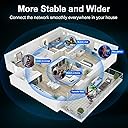
The QGOO AC1300Mbps USB 3.0 WiFi Adapter delivers ultra-fast dual-band wireless connectivity with high-gain 5dBi antennas, ensuring stable, long-range internet for desktops and laptops. Compatible with Windows 11/10/8, it offers plug-and-play convenience and seamless switching between 2.4GHz and 5GHz bands, making it an essential upgrade for professionals craving reliable, high-speed internet.


| ASIN | B0CXT8WJ6L |
| Best Sellers Rank | #113 in USB Computer Network Adapters |
| Brand | QGOO |
| Built-In Media | wifi adapter |
| Color | black |
| Compatible Devices | Desktop, Laptop, Printer |
| Compatible Operating System Family | Linux, Windows |
| Customer Reviews | 4.3 out of 5 stars 7,376 Reviews |
| Data Link Protocol | USB |
| Data Transfer Rate | 1300 Megabits Per Second |
| Hardware Interface | USB |
| Item Dimensions L x W x H | 7.6"L x 4.45"W x 0.67"H |
| Item Weight | 0.09 Kilograms |
| Manufacturer | SHEN ZHEN XIN HUA TIAN TECHNOLOGY CO., LTD |
| Mfr Part Number | 1616 |
| Model Number | XHT-6B16-01 |
| Product Dimensions | 7.6"L x 4.45"W x 0.67"H |
| UPC | 641837950641 |
| Warranty Description | 2 Year Manufacturer |
C**U
WiFi 6 USB Adapter - A True Life Saver!
### WiFi 6 USB Adapter - A True Life Saver! I recently purchased the WiFi 6 USB Adapter, and I couldn't be happier with it. Here’s why it has been a complete game-changer for me: **First and foremost, it’s a lifesaver.** My old WiFi setup was giving me endless trouble, with constant dropouts and slow speeds. This adapter arrived just in time to save me from the frustration. **Timely delivery was a huge plus.** It came right on schedule, which was a relief because I was desperate for a solution to my internet woes. The prompt delivery meant I could get back to my online activities without a long wait. **Performance is outstanding.** This adapter works great! The connection is stable, and the speeds are impressive. I’ve noticed a significant improvement in my internet performance, with faster downloads and smoother streaming. It’s also handled multiple devices without any issues, which is fantastic for my busy household. **Ease of installation** deserves a mention too. Setting it up was a breeze. Just plug it in, install the driver, and you’re good to go. No complicated steps or technical know-how required, which is perfect for someone like me who isn’t super tech-savvy. **Compact and convenient design.** The adapter itself is small and unobtrusive, making it easy to use with my laptop without it being in the way. It’s also great for travel, ensuring I have reliable internet wherever I go. **In summary,** the WiFi 6 USB Adapter is a fantastic investment. It arrived on time, works flawlessly, and has truly been a life saver for my internet connectivity issues. If you’re in need of a reliable, high-performance WiFi solution, I highly recommend giving this adapter a try. You won’t be disappointed!
L**H
Great adapter
This works very well and is so convenient to use. It's easy to set up, and I haven't had any issues with it whatsoever. I'm a university student so I often move my setup around between my dorm and my childhood home, but I haven't had any issues with it connecting to any network. I appreciate how it's wireless, and it's very good and staying connected even thought it's so small I barely notice it.
M**R
Jam
Works ok. If ya need one
1**N
A Game-Changer for Wireless Connectivity - QGOO AC1300Mbps USB 3.0 Network Dongle
I recently upgraded my desktop setup with the QGOO AC1300Mbps USB 3.0 Network Dongle, and I must say, it's been a revelation. Here's why this little device deserves every bit of its five-star rating: 1. Blazing Fast Speeds: The dual-band capability (2.4GHz and 5GHz) offers up to 400Mbps and 867Mbps respectively, which translates to incredibly fast internet speeds. Streaming, gaming, and large file downloads are now smoother than ever. The 5G band, in particular, has been a game-changer, providing a stable connection with minimal interference. 2. High Gain Dual Antennas: Equipped with 5dBi high-gain dual antennas, this dongle ensures a strong, stable connection even in areas where the signal might be weak. The range improvement is noticeable, making it perfect for larger homes or office spaces where routers might be far away. 3. Ease of Use: Setting up the QGOO dongle was a breeze. Plug and play functionality meant I was up and running within minutes. The included software for Windows is intuitive, allowing for easy network selection and management without needing to dive into complex settings. 4. Build Quality and Design: The build quality is impressive for a USB dongle. It feels sturdy, and the dual antennas give it a professional look. The design ensures that it doesn't obstruct adjacent USB ports, which is a thoughtful touch for those with limited space on their desktops. 5. Compatibility and Versatility: This dongle works seamlessly with my desktop, but its compatibility extends to laptops and other computers, making it a versatile solution for anyone needing to upgrade their wireless connectivity. It's backward compatible with 802.11 a/b/g/n standards, ensuring it can connect to a wide array of networks. 6. Performance in Real-World Scenarios: In practical use, whether it's for video conferencing, online gaming, or streaming 4K content, the QGOO dongle performs admirably. There's been no noticeable lag or dropouts, which is crucial for maintaining productivity and entertainment without interruptions. 7. Value for Money: Considering the performance, build quality, and the features packed into this device, the price point is incredibly competitive. It offers high-end functionality at a fraction of the cost of integrated solutions or higher-end network cards. Conclusion: The QGOO AC1300Mbps USB 3.0 Network Dongle has significantly enhanced my computing experience. It's reliable, fast, and easy to use, making it an essential accessory for anyone looking to upgrade their wireless network capabilities without the hassle of internal hardware changes. If you're on the fence about improving your desktop's internet connectivity, this dongle is a no-brainer. Highly recommended!
S**N
Works well, with some tweaks
Please read this review to avoid a potential return. I almost returned this product and had a 3-star review ready thinking I had been scammed, but after looking for solutions online it turns out that this product is perfect for my needs. I bought the AX5400 version as a way to replace a PCIe Wifi card and the installation was fast and painless; quite literally plug into a USB port and done. The reason for my near-miss was because of the default adapter settings which had 2.4G Wireless Mode enabled. This led to some frustrations because the 2.4G band is only one-fifth the speed that I was paying for. I disabled the 2.4G Wireless Mode to force the product into using the 5G Wireless Mode and everything ended up great again. My PC located about two bedrooms away from the router and separated by two walls, but the wifi adapter is able to maintain a seamless and stable connection. I hope this review helps! I hope this review helps.
W**S
Nice WiFi
Very nice item
J**N
Worked for a couple days, then completely unreliable
I bought two of these WiFi 6E adapters, and unfortunately, both ended up being a waste of money. When I first set them up, I didn’t realize the drivers were included on the device itself. The first one didn’t recognize the driver file at first, but after reinserting it, I was able to install and connect. For the first day or two, it seemed fine, with decent WiFi 6E speeds. However, it quickly started dropping the internet—sometimes multiple times during a single Fortnite match. It would stutter, cut out, then reconnect, which made it very unreliable. The second adapter was even worse. It worked for maybe two days and then completely stopped providing internet. My PC would connect to the router, but no internet access at all—I couldn’t even ping the router. I went through every troubleshooting step (rebooting, checking IP/DNS, running ping tests), but nothing fixed it. After spending way too much time trying to get them to work, I ran ping tests on both units and found far too many dropped packets in just an hour to be usable. Unfortunately, I no longer have the packaging and am outside the return window, so now I’m stuck with two useless dongles. When they worked, they delivered the speeds I expected from WiFi 6E, but both devices failed almost immediately. I thought I had done enough research before buying, but in hindsight, I should have gone with a more reputable brand. Bottom line: Save yourself the frustration. These might work for a short while, but in my experience, they won’t last.
B**L
Works on Ubuntu 22.04 as an RTL88x2bu chipset
This is a screenshot of an Ubuntu 22.04 install running speedtest.net off of the 1200Mbps QGOO device. The download speed on this thing is in the 155-160Mbps range, which is a little over half of what I see on my Mac (225Mbps). My Ubiquity Wifi gear does 300 Mbps each way, so 225 is approaching line speed. 140, not so much. Installing this on Linux can be a little daunting for someone inexperienced, but it's not really black magic, just some tools you may not have come across. If you don't understand the stuff below, then make sure you're using a box for nothing but experiments; that is, you are willing and ready to wipe it clean and start over at any time. Then just take your time. Read the man pages. Duck for examples. It's a good learning experience. The big picture is that we need to install a kernel module (a .ko file), which is a chunk of code that supports certain functionality (like a network card) and can operate at a privileged level (sometimes called, "kernel mode"). Normally, you might use modprobe, which is a handy tool for installing modules live, among other things. (I hate to do a "back in the day," but in the late 1990s, you had to reconfigure kernel parameters to add a module and then recompile the kernel; always a little nerve wracking). Stick the dongle in a USB port and run lsusb (list the USB devices). I get "003 Device 005: ID 0bda:b812 Realtek Semiconductor Corp. RTL88x2bu [AC1200 Techkey]" on one of the lines. "RTL88x2bu" is your chipset. Other devices have other chipsets. Searching for the chipset and linux and driver will probably take you to a github or git site. Download the software from the git site (green button in the upper right lets you download the zip file). Unzip and then run make. Again, if you haven't done this, make is a very primitive software tool chain configuration system. The instructions telling make how to build and deploy software are in a file called Makefile (capital M). A typical cliche for using make is make clean ; make ; make install; make clean Clean removes any temporary and previously built files. "make" does the compilation (and a ton of error checking usually). "make install" does what you'd expect. Some folks don't run make clean twice. You'll have to use sudo for make install since it's going into the system area. Depending on the driver and Makefile, some code will install the module as part of make install. Some drivers require you to use a tool called dkms (which is part of the source code payload). Some will create a kernel module and leave you to use modprobe to install it (something like 'modprobe <module name>' where the module name is the file name without the .ko extension. In the case of the RTL88x2bu driver code, make install puts the kernel module in place (lsmod shows the loaded modules). One last step: Edit (sudo) /etc/modules and add the name of the module (88x2bu in this case). That will guarantee that the module will be loaded at boot time.
Trustpilot
3 weeks ago
1 day ago