We remain fully operational. Our teams are working around the clock to ensure your deliveries continue safely.

DOWNLOAD THE APP


Copyright © 2025 Desertcart Holdings Limited
DOWNLOAD THE APP





Buy anything from 5,000+ international stores. One checkout price. No surprise fees. Join 2M+ shoppers on Desertcart.
Desertcart purchases this item on your behalf and handles shipping, customs, and support to Thailand.
💼 Secure your digital world on the go — speed, space, and safety in one sleek drive!
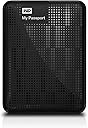
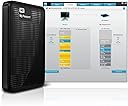
The WD My Passport 1TB Portable External Hard Drive combines a compact, stylish design with powerful USB 3.0 connectivity delivering up to 5 Gbps transfer speeds. It features automatic backup software and robust hardware encryption with password protection to safeguard your data. USB-powered and compatible with USB 2.0 and 3.0 ports, it’s the perfect reliable companion for professionals needing fast, secure, and portable storage.
| ASIN | B006Y5UV4A |
| Additional Features | Operating temperature range: 5 - 40 °C, Plug and Play, Yes |
| Best Sellers Rank | #793 in External Hard Drives |
| Brand | Western Digital |
| Built-In Media | USB Cable |
| Cache Memory Installed Size | 1 |
| Color | Black |
| Compatible Devices | USB 3.0 / Formatted NTFS for Windows XP, Windows Vista, or Windows 7 / Requires reformatting for Mac OS X Leopard or Snow Leopard, or Lion |
| Connectivity Technology | USB |
| Customer Reviews | 4.5 4.5 out of 5 stars (8,960) |
| Data Transfer Rate | 5000 Megabits Per Second |
| Digital Storage Capacity | 1 TB |
| Enclosure Material | Aluminum/Glass |
| Form Factor | Portable |
| Global Trade Identification Number | 00718037784595 |
| Hard Disk Description | 2.5-inch Portable Hard Disk |
| Hard Disk Form Factor | 2.5 Inches |
| Hard Disk Interface | USB 3.2 |
| Hard-Drive Size | 1 TB |
| Hardware Connectivity | USB 3.0 |
| Installation Type | External Hard Drive |
| Item Weight | 0.43 Pounds |
| Manufacturer | Western Digital |
| Media Speed | 625 MB/s |
| Model Name | My Passport |
| Model Number | WDBBEP0010BBK-NESN |
| Number of Items | 1 |
| Read Speed | 5000 Megabits Per Second |
| Specific Uses For Product | Personal |
| UPC | 080050260432 043396332096 718037784595 745449860937 718037804545 151903626757 033584008483 |
| Warranty Description | 6 Month Western Digital |
D**8
Good quality, WD external hard drive.
This is my first external hard drive. Good quality and decent speeds. I’ve had it for quite a while, many years. Hasn’t failed yet.
D**E
The hardware works fine!
This external hard drive does what it is supposed to: write, store, and read back large quantities of data at high speed. It must also do so reliably for a period of years, but at this early stage I cannot vouch for that. Ease of installation is also essential; a mass storage device should be completely plug-and-play; and it is helpful for it to be preformatted--this one is formatted NTFS for Windows XP and above. These are all the qualities that I want in such a device, but this drive also provides a couple of bonuses: portability and backup software. Although I use the drive with a desktop, portability, i.e. small size and ability to be powered from a USB port, are nice to have anywhere; not having to have an extra cable with a transformer plug that takes up a lot of space on a power strip is a convenience to cheer. As to reliability over a period of years, I have only had my new drive for a week, so I cannot speak to that; however, I will try to make it a point to update this review should the drive fail prematurely (I expect about a five-year lifespan--knock on wood). Thus far, I have written 340 GB of data to it; and from it I have played back HD video (full-frame-rate, full-HD mpeg-type, not just Flash) without a hitch or a glitch Among these reviews I noticed a lot of complaints about the backup software. They may very well true; and this is not to excuse WD; but I have to say that I have never met a backup program that I liked. Most, including some top-rated, have vital functions that simply don't work. I currently use Windows 7's own backup program; it isn't great--not much flexibility and control; but it's free, and it works (so far). My main motivation for writing this review is to try to provide a little help with installation, which should reassure prospective buyers disturbed by the experiences reported by some other customers. I said above that installing mass storage should be a simple matter of plugging it in, and under the right conditions that is all that this drive requires. But "under the right conditions" can be a big "if"; and a variety of issues can plague the installation of this drive as a USB 3.0 device. In my case, I had never attached a USB 3.0 device to my system before; and I found that Windows would not recognize the device when plugged into a USB 3.0 port. As a search on "WD Passport USB 3.0 Installation Problems" reveals, there are several problems that can occur; and dealing with all those is not the purpose of this review; however, I simply want to do two things: (1) reassure you that this device does in fact come with a good USB 3.0 cable, and that it transfers data at a considerably higher speed over USB 3 as compared with USB 2; and (2) to warn the buyer that (s)he may require a driver update for his/her PC. Regarding the first point, I am getting better than 2.5 times the data transfer rate with USB 3.0 versus USB 2. Regarding the second, the updated driver required will most likely be the one associated with the USB hardware on the motherboard of your PC; if you have problems using your WD passport on a USB 3 port, but not on a USB 2 port, visit either your PC vendor's website, or that of the maker of the motherboard, and do a search on USB 3 drivers. WD also provides firmware updates for its drives; but in my case at least, the Passport's firmware was already up to date as received. While I am in the business of giving tips related to the purchase of an external HD, be aware that if you want a hassle-free installation you might want to avoid drives with over 2TB of capacity. I, and others, have had issues, especially with Windows Backup, with 3TB drives. It turns out that the solution is fairly simple: use the WD Quick Formatter tool (available on WD's website) *before* attempting to use the drive (reformatting will wipe out any data you've already put there). As long as you're willing to take that extra step, it's fine to get a 3TB drive; and I have had no further problems with a 3TB drive. To be clear, the drive I am reviewing here is a 2TB drive; but I just thought I'd throw in this extra tip for people who are reading these reviews and are still undecided about what size to get.
J**I
Amazing Drive!
Having recently purchased the WD My Passport (2TB) I was immediately impressed with it's size, weight, speed, and usability. On my self-built Windows 7 PC, set up time was hardly (3) minutes. Shouldn't be much more for an beginner-to-intermediate PC user. I use this drive between three different computers (especially for travel) and it's been a superior device. As an artist who depends on the Adobe Creative Suite, an interesting fact is that in Adobe Bridge I can allocate the My Passport drive (or any of it's folders) to my Bridge's favorites - and the files load and operate at exactly the same speed as my internal drives. I've attempted everything from transfers to copy, paste, and deletion - both through other software and on the drive itself- and it's kept solid speed and functionality. I opted for the 2TB model, which lacks SSD in favor of a traditional drive. No complaints. I do hear it spinning (as I expected) but it's surprisingly quiet. Certainly not audible enough to be distracting. In fact It's quieter than most of the other ambient noise in my office. On the negative side: I don't care for is the included software. The software interface is a little clunky and offers functionality I really don't need. That said, some of you out there may want to use it. I do like using the WD Quick View that asserts itself into the Notification area of your Windows Taskbar. I find it easier to eject the drive using this than the natural "Windows USB" icon, simply because it's easier to see in every aspect. So while I don't use the actual software that aspect of it I use nearly daily. Last, can't help but to wish that the LED light was positioned in a place more easily seen. It's currently to the right of the USB port (which I refer to as the back)... leaving the only sure way to see if the drive is working/thinking is by watching the LED glow on whatever it's laying on. Considering the LED is a bit bright, it's better where it is; but a a more subtle light on the top or the side which faces me would have been a bit more convenient for monitoring. Even so, if I was going to recommend a portable HDD to anyone, I'd definitely recommend this one. It's convenient, light, small, and utterly amazing!
P**O
Have a problem connecting to main PC but no problem with laptop. Great for shareing video and pics. No brainer for that price
S**S
Does exactly what it's supposed to do and has given me more space when I travel. Easy to install, just follow the instructions, although you'll find with the inbuilt software that you'll need to do upgrades straight away. However, this is no problem, again just follow the instructions.
A**O
This is the second external Western Digital hard drive I've bought for myself, and I've also bought a couple for other people as gifts. Their hard drives are no nonsense, easy to use and reliable. I also love these little Passport drives for being so compact and not requiring a separate power cord. Great portability. I bought this one for use with my new MacBook Pro, and am very happy with the speed offered by USB 3.0. If you don't want to spend the money on Thunderbolt, go with USB 3.0 - just check to make sure your PC supports it. Of course, these are backwards compatible with USB 2.0, so if you just want to be a little future proof, you can't go wrong here. It's a product that'd work with PC, too. Highly recommended, whether you need a backup drive, or just something to ferry around larger files.
M**O
My previous 1.5 To portable hard drive was full (a very good Seagate USB 3) and I was looking for a bigger one. The choice was very limited but I found this WD 2 To in UK (I leave in France). Received it quickly and very easy to use : just plug and play. My comments : Pros - it's 1.8 To and not 2 To but it's the same for all hard drives and it's a pretty high storage capacity - there is a password protection : good when you're traveling a lot - the USB 3 works well and is a plus for transfering big files - the device is very compact, even smaller than my previous 1.5 To drive Cons - the drive is not protected by any soft/silicone part. Could be an issue for the hard travelers - the plug on the drive side is thin and looks fragile. No issue after one month of use but will see after extensive use. In summary, very happy with this drive : fast transfer and seems to be the biggest storage capacity at that time. Looking for a 3 To now :-)
G**W
I purchased this hard drive to store video from my GoPro camera. So far its worked well its nice and slim looks like its well made. I don't know to much about the technical side of it, but it was easy to use and I'm happy with it. I've made a few purchases from Amazon now and have never been disappointed, when I ordered this hard drive I got free delivery and it arrived less than 24 hours after placing the order.
Trustpilot
1 week ago
1 month ago