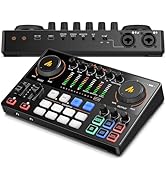
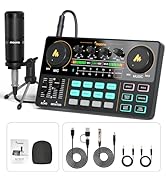
🎙️ Elevate your sound game — because your creativity deserves studio power!
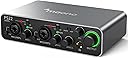
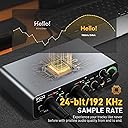
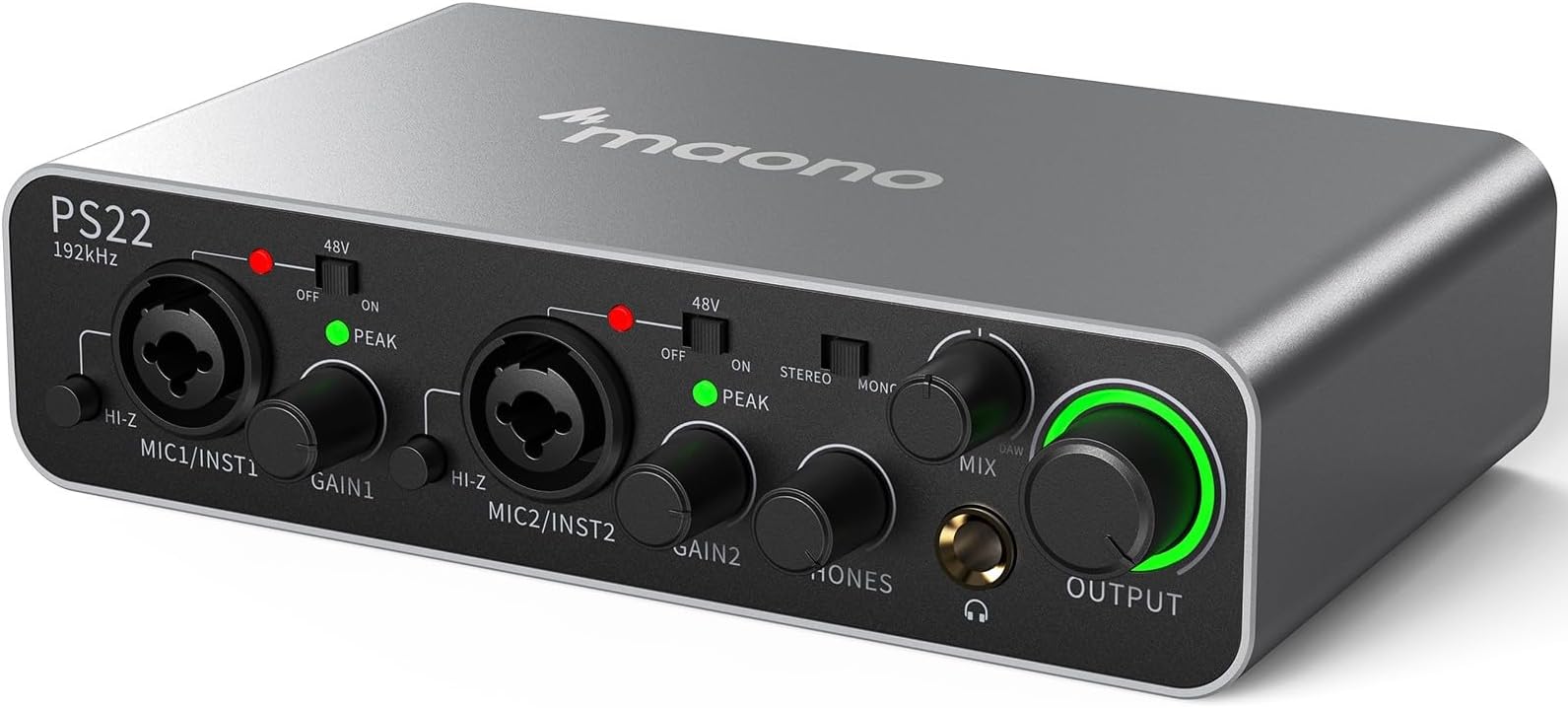
The MAONO PS22 USB Audio Interface delivers professional-grade audio with 60dB mic preamps and 24bit/192kHz resolution. Featuring dual USB-C ports for PC and smartphone compatibility, it supports multi-channel input/output and comes with ProStudio routing software for seamless home recording, podcasting, streaming, and music production.


| ASIN | B0CS3K2S7X |
| Compatible Devices | Laptop, Personal Computer |
| Customer Reviews | 4.2 4.2 out of 5 stars (76) |
| Date First Available | 22 February 2024 |
| Item Weight | 871 g |
| Item model number | PS22 |
| Operating System | Linux, Windows, macOS |
| Product Dimensions | 12.5 x 17.78 x 4.6 cm; 871 g |
| Supported Software | Avid Pro Tools, Ableton Live, Steinberg Cubase, studio one, logic pro , nuendo, reaper, Audacity, Adobe Audition |
N**G
N UAE
This is a very clear sound...
G**N
Thank you it's my first time trying out but so far it looks good 👍😃
D**D
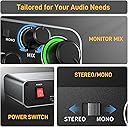
For the features it has, it's a great value. What I find most useful about this Maono unit vs a similar and also nice Tascam 2x2 unit I purchased a couple of years ago: it has a true power switch. Unlike the Tascam or any other USB audio Interface device I've seen, it can be bus-powered by the computer or tablet to which it's attached, or by a separate 5V power cube, using a USB-C cable. Most others are either powered exclusively through the USB connection (draining the battery of the attached device faster) or require a conventional brick or wall wart power supply as an alternative, purchased separately. The Maono is slightly smaller and lighter than the Tascam and matches up feature for feature, with the additional bonus of the power supply flexibility and on/off switch. It's hard to find those design elements in other USB Audio Interfaces regardless of cost. The Tascam has a slightly higher quality feel to it but lacks these useful features. If you use Simply Guitar, Yousician, Fender Play or any of the other iOS apps on an iPad with a guitar, the Maono also provides a separate knob to adjust the mix of volume coming from the iPad app and from your instrument before sending to an external amp or headphones (so does the Tascam, but some otherwise high-quality USB audio interfaces do not have this Mix adjustment, just a large global Gain knob).
T**H
I’ve experimented with various audio interfaces over the years. Recently, I decided to try out the MAONO PS22 USB Audio Interface, and it has been a revelation in my audio production journey. From the moment I unboxed it, I was impressed by its sleek design and compact footprint—perfect for my limited workspace. Setting up the MAONO PS22 was a breeze. The interface connects to my PC via USB, and I was pleasantly surprised that I didn’t need to install any complex drivers. Just plug it in, and it’s ready to go! This simplicity is crucial for someone like me who often feels pressed for time. The interface features two combo XLR/TRS inputs, making it versatile for different types of microphones, whether they’re dynamic or condenser. I was able to connect my favorite condenser mic with no issues, and I appreciated the **phantom power** option that allowed me to get the best performance out of my gear. Let’s talk about the most important aspect: sound quality. The MAONO PS22 has exceeded my expectations in this department. The preamps deliver clean, transparent audio that makes my voice sound rich and full, whether I’m recording a podcast episode or laying down vocals for a song. The low noise floor ensures that I capture every nuance without unwanted hiss. I also love the **zero-latency monitoring** feature. It allows me to listen to myself in real-time without any delays, which is essential for vocal accuracy and confidence during recordings. The headphone output has a dedicated volume knob, making it easy to find the perfect level for monitoring without interrupting the flow of my session. What impressed me even more are the added features that come with the interface. The signal indicators are clear and easy to read, giving me visual feedback on my recording levels. The gain controls for both channels are thoughtfully placed and allow for precise adjustments, ensuring that I can dial in the perfect level without distortion. I’ve also tested the MAONO PS22 with a variety of other gear. I connected it to my digital audio workstation (DAW) and used it for both recording and mixing. The compatibility with different software has been seamless, and I didn’t experience any latency issues while tracking multiple tracks. It’s fantastic for someone who often juggles different projects, as I can switch between recording, editing, and mixing without missing a beat. The design of the MAONO PS22 is both functional and aesthetically pleasing. Its compact size makes it easy to transport, so I can take it with me to record in various environments. The sturdy build gives me confidence that it will withstand the rigors of travel and regular use.
J**O
This is my first audio mixer and it works very well. It supplies phantom power to my xlr mic and sounds very good! It's a good value, my only concern is the third party software it requires for use. You have to install their software to have the drivers and I don't like that. Knocks off stars for me, seeing is you have to download non reputable software to utilize.
B**R
No tengo quejas, desde que lo saqué de la caja sentí que era un producto de calidad, no me esperaba algo así a ese precio
Trustpilot
3 weeks ago
2 months ago