Buy anything from 5,000+ international stores. One checkout price. No surprise fees. Join 2M+ shoppers on Desertcart.
Desertcart purchases this item on your behalf and handles shipping, customs, and support to Thailand.
🚀 Compact Powerhouse: Mini PC, Mega Performance!
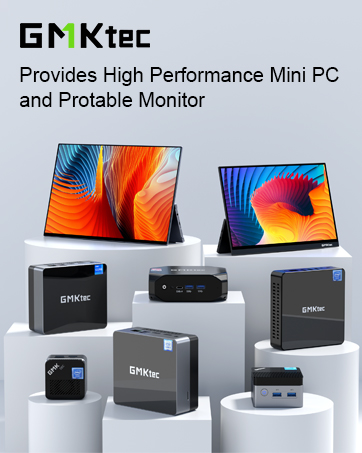
The GMKtecMini PC K9 packs the latest Intel Core Ultra 5 125H processor with 14 cores and 18 threads, paired with Intel ARC 112EU graphics, 32GB DDR5 RAM, and a 1TB PCIe 4.0 NVMe SSD. Designed for professionals and creators, it supports triple 4K displays, dual 2.5Gbps LAN, WiFi 6, and Bluetooth 5.2 in a sleek mini form factor, delivering desktop-level power with ultra-fast connectivity and expandability.
| Additional Features | AI Local Workstation Running on Gemma-4-E4B & E2B - enhanced privacy, zero latency, and offline capability, DUAL HDMI 2.1 TMDS & USB4 Full Function Ports: Speed 40GB/S,PD3.0 100W Input/DP1.4 4K@60Hz, Dual M.2 2280 SSD Slot Expansion. Gen5x4, Gen4x2 Each Slot 8TB Max. (Total 16TB), Gaming PC with Intel ARC 130V GPU rivaling the GTX 1650, Portable Size (5.02 in × 5 in × 1.75 in) |
| Asin | B0CZJFZJFG |
| Aspect Ratio | 16:9 |
| Brand | GMKtec |
| Built In Media | GMKtec Nucbox K17, HDMI Cable, Power Supply & Cable, User Manual, VESA Mount with Screws |
| Cache Memory Installed Size | 6 MB |
| Color | Deep Black(K17) |
| Compatible Devices | Headphone, Keyboard, Monitor, Mouse, Television |
| Connectivity Technology | Dual NIC 2.5GbE LAN, HDMI 2.0, USB 3.2, USB4 (Thunderbolt 4 Compatible), WIFI 6 & BT 5.2 |
| Cooling Method | Air |
| Cpu Model Number | Intel Core Ultra 5 226V (3.50GHz base, 4.50GHz boost) |
| Cpu Model Speed Maximum | 4.5 GHz |
| Customer Reviews | 4.5 4.5 out of 5 stars (426) 4.5 out of 5 stars |
| Display Resolution Maximum | 4096x2160 |
| Display Type | LED or LCD |
| Global Trade Identification Number | 00469613094255 |
| Graphics Card Interface | Integrated |
| Graphics Card Ram | 16 GB |
| Graphics Coprocessor | Intel ARC 130V Graphics 1.85GHz |
| Graphics Description | Integrated |
| Graphics Ram Type | Shared |
| Hard Disk Description | PCIE Gen5x4 & PCIE Gen4x2 M.2 2280 NVME SSD DUAL SLOT |
| Hard Disk Interface | PCIE x 16 |
| Hardware Interface | PCI Express 4.0 |
| Human Interface Input | Mouse |
| Item Dimensions | 5.07 x 5 x 1.88 inches |
| Item Weight | 10 Grams |
| Keyboard Description | standard QWERTY keyboard |
| Keyboard Layout | QWERTY |
| Manufacturer | Shenzhenshi Jimokekejiyouxiangongsi |
| Memory Clock Speed | 5600 MHz |
| Memory Slots Available | 2 |
| Memory Speed | 8533 MT/s |
| Memory Storage Capacity | 32 GB |
| Model Name | K17 |
| Model Number | Nucbox |
| Model Year | 2026 |
| Native Resolution | 4096 x 2304 |
| Number Of Component Outputs | 3 |
| Operating System | Windows 11 Pro |
| Personal Computer Design Type | Mini PC |
| Power Consumption | 28 Watts |
| Power Plug Type | Type B - 3 pin (North American) |
| Processor Brand | Intel |
| Processor Count | 8 |
| Processor Series | Intel Core Ultra 5 125H |
| Processor Socket | TSMC N3B |
| Processor Speed | 4.5 GHz |
| Ram Memory Installed | 32 GB |
| Ram Memory Maximum Size | 96 GB |
| Ram Memory Technology | DDR5 |
| Ram Type | DDR5 RAM |
| Resolution | 4096 x 2160 |
| Screen Size | 0.4 Centimeters |
| Speaker Type | External Speakers Required |
| Specific Uses For Product | Business, Video Editing, Creator, Home Theater, Digital Signage, Video Conference, Education, Everyday Use, Multimedia |
| Specification Met | Yes |
| Style Name | Ultra 5 226V |
| Total Expansion Slots Quantity | 4 |
| Total Number Of Hdmi Ports | 2 |
| Total Thunderbolt Ports | 1 |
| Total Usb Ports | 4 |
| Upc | 469613094255 |
| Video Output | HDMI, DisplayPort, Type-C |
| Video Output Interface | DisplayPort, HDMI, USB4 Type-C |
| Video Processor | Intel |
| Warranty Description | 1 Year Manufacturer Warranty |
| Wireless Compability | 2.4 GHz Radio Frequency, 5 GHz Radio Frequency, 802.11a/b/g/n/ac, Bluetooth |
| Wireless Network Technology | Wi-Fi |
| Wireless Technology | Bluetooth, Wi-Fi |
User
Outstanding Performance and Resources For a Mini Computer
GMKTEC K9 Mini ComputerBASIC SPECS:Intel Core Ultra 5 125H up to 4.5Ghz 14 Core 18 threads.Intel Arc Graphics Meteor Lake IGPU Enhanced Graphics32GB of DDR 5 5600 Dual channel RAM configured in 2 x 16GB laptop sized modules.(Upgradeable to 96GB)M.2 Lexmar NVMe PCIe 4.0 1Tb SSD drive with heat sink. (Upgradeable to 4Tb in two NVMe slots.)2 x 2.5 Gigabit LAN PortsOne HDMI and one Display Port video outUSB 3.2 10Mbs x 4 (2 in front-2 in back)USB 4.0 Type CMy set up uses a 30 inch Samsung monitor, and an HP 25 inch monitor each 1920 x 1080 60hz.I use this for business, word processing, internet and audio processing of larger files, typically Wav files 90 to 180 minutes long.(600Mb to 1500Mb)as well as VST virtual instruments and music composition.INSTALLED APPS BY ME:1) ATTO (Disk Benchmark Utility)2) CrystalDiskInfo9_3_1 (Disk Benchmark Utility)3) Office 2021 Pro Plus (Excel Word Power Point etc)4) Firefox (Web Browser)5) Nuance PaperPort Professional.14.5.15168.1450 (Scan and Document App)6) Thunderbird (Email Client)7) WinRAR 6.3 x64 (File Compression and Archiving)8) Stardock Fences (Desktop Organizer)9) VLC (Media Player & More)10) Adobe Audition 3 (Audio Multitrack Recording)11) Virtualbox 7.0.18 (I use a Virtual XP 32 Bit to run archaic 16 Bit Apps)12) 7-Zip (File Compression and Archiving)13) Shadow Protect 3.5.0.3570 (Archaic 20 year old backup software)14) Team Viewer (Remote View Other Computers)15) Auto Hotkey (Script writing tool to automate functions in Windows and in other programs)16) jv16 Power Tools (A Suite of Admin Tools for Registry, Uninstalling, File management, Performance Monitoring, and much more)17) Canon MG600 Printer-Scanner18) Scan Utility From Microsoft19) Speedtest (Utility to test internet bandwidth speed)20) Adobe Acrobat Reader21) Coretemp (CPU Temperature Monitor Utility)22) Macromedia Fireworks MX 2004 (Old Graphics Program)23) Macrium Reflect (Modern Current Backup Software)24) Easeus Partition Manager Free Version 18.5.025) Cubase 5.1 (Older MIDI Music composition software)UNBOXING:5in x 5in x 2in (approx.)120W power supply. (A little bulky but still OK...like a typical laptop power supply)Power supply seems to have adequate head room to power all my peripherals (i.e. mouse / keyboard / External Drives etc.)HDMI cable and mounting bracket included.Upgrading is easy...The top cover pries off. Then 4 screws on each corner allows removal of the chassis fan. (Be careful to note the fan has a power cable that can be inadvertently yanked.)This exposes the NVME and RAM slots.SEE Photo #1 / Photo #2 / Photo #3BOOT TIME AFTER ALL INSTALLS:Initially, boot time from pressing power button to fully loading all processes was 19 seconds. 14 sec to desktop fully revealed.This settled into a consistent 17 seconds and 12 seconds to fully revealed desktop.See Video #1 and Photo #4 / Photo #5BIOS:An interesting BIOS feature that I could not figure out to configure was RAM disk.The high performance of this computer and the large amount and speed of RAM would make a RAM disk likely not worth the effort for most people.Researching RAM disk issues on line shows a significant number of computer enthusiasts with this sentiment.The Power Mode parameter in BIOS on the Advanced tab has 3 settings: Quiet / Balance / PerformanceI chose performance.Other BIOS categories are shown in photos.See Photo #6 / Photo #7CPU THERMAL:My CPU temperatures rarely got above 60C to 65C and on a very few occasions into the 70's.Typical idle temperatures are between 35C and 40C.Fan cooling seems to be dynamic so that fan speed ramp up as temperature rises.My chassis fan never ramped up enough for me to even hear it. I had to open the case to confirm it was spinning at a low RPM.See Photo #8NVME DISK BENCHMARK Lexmark 1TB PCIe 4.0 :I did two benchmark tests with ATTO and CRYSTAL DISK utilities.ATTO scores were slightly lower overall but it is safe to say this drive reads at 4.8 - 5 GB/s and reads at 4.3 to 4.5 GB/sec.This is a reasonable exploit of PCIe 4.0 potential.See Photo #9 / Photo #10PRACTICAL TESTS:To give you an idea of just how fast this computer can be:I have a 2TB NVMe drive in an enclosure as an external drive for computer backups. I use Macrium Reflect backup software. On the USB 4.0 Type C port, my Macrium Reflect backup of this computer took 1 minute and 3 sec to create a 53GB backup image. Keep in mind though that the data transfer here is from an NVMe drive to another NVMe drive on a USB 4 port.I also tried opening 15 Excel spreadsheets at once and they all loaded in less than 10 seconds.GRAPHICS:I do no gamimg so I cant say too much but the Display Port supports 4K @ 144Hz so some gaming is definitely possible. There are certainly sufficient computing resources here for gaming though.I streamed 1080p for long periods with absolutely no problems.CONCLUSION:When travelling (which I do frequently) I used to bring a copy of all desktop files with me on an external drive and then work from a laptop where I would migrate email and internet browser profiles to the laptop and then resync everything from laptop back to desktop when I got home but I can now just bring this computer with me and a small monitor. Furthermore, I used to have a desktop in my office and one in the bedroom. Now I just carry the K9 from room to room as needed since I have keyboards and monitors in both places.With the fast NVMe drive and the huge amount of fast RAM I can't find any downside to this machine. Its performance rivals any desktop that I've ever used and it's portability means that I can pack it up and bring it with me anywhere. There are enough USB Ports to cover peripherals like printers, portable optical drives, hard drive docks etc. It is a completely adequate full desktop replacement..... a mini power house. Whether it is audio or video editing, music composition and multitracking, VST instruments, a gazillion internet tabs opened at once, there are adequate resources to do anything I can think of.I can't think of a downside to this computer with regard to performance. You may need USB extenders to provide clearance when using many peripherals because it can get a little crowded with some ports configured close together but it isn't any worse than what you would find in a laptop.This machine shows an impressive performance for a computer of any size.I am very happy with it and do not regret this purchase.
User
Small, powerful, FAST!
My wife’s laptop is old and SLOW. I decided to buy a better unit, not bigger, to handle some additional tasks and “gift” my other unit to her. The older unit is a GMKtec also and is still working well and still does all the basic things and is 10 times faster than her laptop which is all she needs. I am moving to do some video editing and picture manipulation and some CAD drawing, so I wanted something with a little more “kick”. This unit seemed to fit the bill and the price was reasonable considering the extra speed, storage and expansion capabilities, and after putting it through its paces – it fits better than expected! As always, my goal is to try everything I can as quickly as I can to try to see if I can find any issues that would cause me to return it or to have to contact the manufacturer. The harder I tried the more I liked the unit, I tried things like playing 4K Video (need to get more of that). 3D modeling and rotating the objects, standard CAD drawings, picture editing and storage, all without any issue and I noticed a distinct increase in the speed from my other units. This will be the third GMKtec unit I have purchased. Because of that I can heartily recommend their products and service. I had one issue with my first unit, and they took care of it quickly and answered all my questions.The unit came nicely packaged in a clean box. Everything came out easily and I have a picture of all of the components attached to this review. I followed the startup instructions and plugged everything in and turned it on, went through the startup process with windows and was on my way. One thing to consider with a minicomputer is that it doesn’t come with peripherals, specifically a monitor and keyboard and mouse. I already have a minicomputer, so I already have these. When my wife moves to the older box we will need to get replacements for her. I will buy a Bluetooth keyboard and mouse to minimize USB port use.This unit comes with 32 GB of RAM and a 1 TB SSD, and the unit is expandible to 4 TB. On my other units I quickly upgraded the RAM and Storage to what this one comes with so at this time I don’t see the need to add more which is a savings in time and money. I am now a fan of disconnected peripherals, keyboard, mouse, screen, portable drives, etc. it gives me the flexibility to disconnect and move them as I see fit or carry them with me while I travel.After I got the unit up and running, I started loading software and setting it up the way I like. There were no difficulties and it seemed to load and execute the installations faster than I am used to. I did do some speed tests and I know the modem has a lot to do with speed, but I was getting 96 mbps upload and download connected to the LAN with a cable and 94 mbps upload and download using the Wi-Fi connection. Plenty fast for my needs.I hooked up a pair of older speakers that use usb power and the earphone jack and they worked fine. Shows that it is downward compatible with older equipment.I left the computer on overnight to ensure there were no problems. It went to sleep and woke up without any issues. Earlier models had an issue with this, and I wanted to make sure it wasn’t there.I played avatar on the computer monitor and it worked great no lag no hesitations beautiful color. I figured 4K would test its graphics capability and my living room TV is 4K compatible. I hooked it up to the TV using the HDMI and found some 4K sample videos to play. They worked without a hitch, no hesitation, no buffering, and beautiful color, quite stunning I should add. I might start looking for more 4K stuff to play on the TV.I Downloaded Freecad which is a 3D modeling software, again flawless. I was able to reorient the 3D picture as fast as I could, and it looked like a movie. Along those lines I used a CAD drawing program also with no issues.Decided to do some graphic manipulation for a sales project I’m working on and edited pictures and moved them around again. It worked beautifully.Lastly as a graphics / speed trial I downloaded the starcraft game and played for a while. No issues.Other software I downloaded and used: Quicken, iTunes, Sonos (we have a system in the house), DropBox, Microsoft 365, PumbleSo, this computer will take me to the next level I am looking for with speed, processing power, graphics and more. I had no trouble setting it up, using it and there were no manufacturing defects or problems. Since I have 3 GMKtec units now I can wholeheartedly recommend their products, and based on the interactions I have had they stand behind their products and provide support as needed to help. They are based out of China, so email has been my communication tool of choice even though there is a delay due to the time difference, but they have been very quick and responsive to my questions as their literature says “no question to big or small”
User
This Speedy Little Machine is Perfect
GMKtec found a way to package a powerful machine, with great connectivity, into a cool (literally) and silent little, well-made box. I've been using this as my main computer for about two weeks now (primarily office productivity, software development, and of course some gaming) and these are my initial impressions. TL;DR - This is a great machine, and if you're looking for a mini PC at this price point, you can't go wrong with this.When you unbox the machine, you'll notice how well it's packaged, and that it comes with everything you need, including an HDMI cable and mounting bracket. The device itself is clearly sturdy and well constructed out of a heavy duty aluminum and the venting on the sides and the rear of the machine keep it cool even when under heavy demand. There's plenty of connectivity with USB-A and USB-C, DP and HDMI ports, and 2(!) 2.5gbps(!) ethernet ports.GMKtec built this for speed and they delivered. I ran Geekbench and the results (in the photo) show a single core CPU score of 2198 and a multi core CPU score of 9993. The Intel Ultra 5 processor that's in this shows a standard benchmark of 2026 and 8115, respectively. They've beaten the benchmarks, which put it in line with the i9-11900KF and Ryzen 9 3900XT on the multicore side and i7-12700E on the single-core side. The 32gb of DDR5 memory also helps make this machine feel nimble, with quick loads. The embedded Intel GPU works great for any productivity software and for many games.I also own another older GMKtec machine (which is still running great!), and I bought this one as another one because I was so happy with the first one. I had a question about the BIOS on the first machine and emailed support and quickly received an extremely helpful and detailed response.Whether you're a content creator, office worker, or just a budget-minded consumer, at this price, this little machine can't be beat! If you're on the fence, jump off--you won't regret purchasing this machine.
User
The GMK K10 is an excellent, peppy machine.
WOW!My new GMK Core i9-13900HK (NucBox_K10) has put a smile on my face. It's replacing an outdated Win 7 machine for our everyday use: research, email, entertainment, surfing, and some gaming. It came preloaded with Windows 11 Pro, which includes New Outlook. For sure, I was immediately very impressed with the K10's performance.Specifics:Device name NucBox_K10Processor 13th Gen Intel(R) Core(TM) i9-13900HK 2.60 GHzInstalled RAM 32.0 GB (31.8 GB usable)System type 64-bit operating system, x64-based processorPen and touch No pen or touch input is available for this displayEdition Windows 11 Pro Version 24H2Installed on 5/1/2025OS build 26100.4202Experience Windows Feature Experience Pack 1000.26100.107.0First, I updated the OS using Windows Update. The update took perhaps 2 hrs (typical given other users' comments re: Win11 updates). Next order of business was to install my security software and run a full scan: pleasantly, no issues.Bios access was simple using the esc key, though I had no reason to change anything.The machine runs extremely quiet and was very fast at all the tasks I performed. I'm currently using WiFi and the GMK K10 is equally distant from my router and an Access Point in the lower level. I tested performance on 4 local networks I had defined: Router(2.4 and 5.0) and AP(2.4 and 5.0). No matter the network, the GMK K10 was impressively snappy.The wi-fi antennas are clearly a plus. Web pages appear in a flash, and every task I perform delivers at turbo-speed.I ran multiple applications simultaneously with numerous tabs open and everything ran flawlessly.I plan to add a second SSD and the easy access panel on the underside should make things easier.Additionally, the Kensington Lock capability provides for a layer of physical security if that's an issue.On the flip side, the power button could use better illumination. Depending on ambient lighting, it can be difficult to tell if the machine is on or off (a tribute to how quiet it is). When I ran the OS update the screen went blank multiple times and, judging from the power button, I didn't know if the K10 was asleep, in the middle of a reboot, shutdown, or even if the update was complete.In sum, the GMK K10 is a great machine. Big shout out to GMKTec, I'm impressed.If you're looking for a low cost, up-to-date upgrade to replace your present pc, you should consider the new GMK NucBox_K10.
User
Excellent small form computer. Highly recommend!
I’ve been a fan of this brand for a while now—so much so that I’ve equipped my staff with multiple units over the years. Their previous models consistently delivered solid performance and reliability in our busy office environment. When it came time to upgrade my own setup, I knew I had to try the new Nucbox M3 Plus mini PC.Using the Nucbox M3 Plus has been a real treat. It’s impressively fast, handling everything from everyday tasks to more demanding projects without breaking a sweat. One of the features I appreciate most is its support for a triple monitor setup, which has made multitasking and productivity a breeze. The compact design is both stylish and practical, fitting neatly on my desk while still packing plenty of power.Overall, this mini PC has proven to be a perfect blend of performance and convenience. Whether you’re looking to outfit your team or upgrade your personal workstation, I highly recommend giving it a try.
User
Powerful Mini
I have been using the K9 for about a week now and it works great for my purposes. I needed a better computer to use with my pen display to do graphic design and create digital art. I also have limited space, so wanted something small. This fits the bill.First of all, this thing is fast. It loads up in about 20 seconds and I am able to work on Clip Studio files with dozens of layers with no slow down or lag at all, even if I have other programs running at the same time. There is some fan noise, but it is low enough that for the most part I don’t notice it. There is also a quiet mode but I have not felt the need to use it.One thing that I was not expecting is that I can power the mini through my USB-C monitor. My monitor only outputs 90W, which is less than the power supply that came with the mini, but the mini works great just being plugged into the monitor without needing to be plugged into the wall. I won’t be using this feature because I was unable to daisy chain my pen display from the monitor when attaching the mini through the USB4 port (I had to use the DisplayPort to get this to work), but this is a really nice feature for someone who wants fewer cords and doesn’t need to daisy chain monitors. I attached photos showing both setups.I also really like the look of this mini. Very simple and clean with a silver finish, which fits in perfectly with the rest of my setup. It looks metal but feels plastic and I assume it is. My (non-expert) understanding is that metal is better for heat dissipation but plastic is better for Bluetooth and wireless reception. I use wireless internet, so my preference is for plastic, assuming there are no heat issues. I did not run any tests, but I have not run into any overheating issues with this computer.As far as gaming is concerned, I was able to play at 2k 120fps (the maximum settings for my monitor) no problems. I’m not a huge gamer and don’t have any AAA games, so can’t comment on that, but I do like playing games with my kids and the k9 worked great for everything I threw at it.Overall, this has been a great computer for me so far. It’s small, fast, looks good, and not too loud.
User
I9, 32/1TB, Sweet PC, Performs well. Support is non-existent.
Device works exceptionally well, support is non-existent. I wanted to replace the 1TB NVMe drive with a 4TB, and ran into issues because their website instructions and files didn’t work. Tried their website support, tried their support number, no joy. Gave up, cloned their drive and used the remaining 4TB as a second drive on the same NVMe. A+ for the i9 and its performance. F for their support. What worries me is if I have a problem in the future… where do I get parts or support? Is this a disposable lighter PC?
User
Wow what a great machine, great price, some great features.
This machine came in great packaging and was super easy to open and setup. The plugs and everything were quite easy to get and use. the cords were long enough, I would have liked to have about 2 more feet of power cord but that is just my preference, as always cords are either too long or to short or won't work if they are the right length, LOL.The startup was easy and pretty self-explanatory. The using of your Microsoft login that you might already have on other machines makes it nice. I have it configured with 3 monitors so had to use the only usb-c plug available. I ended up having to buy a usb-c 3.o hub to allow a couple of external hard drives to hook up (and that comes with a hard drive read write speed penalty, but it all has worked out well). The one thing I do have to say about these small units is usb ports are scarce and like I said 1 only thunderbolt 4/usb-c port. But the port issue isn't hard to resolve with proper equipment selection and all the hubs that are out there.The graphics are pretty good It has worked on several different monitor configurations, but it is surprising how well it does this as 2 of my smaller screens are touch screens and 1 is just a standard large display.The onboard sound works well and easy to configure but is limited as many this computer this size do. It is a combined microphone, sound port so you might need a splitter. It works well with just a set normal desktop speakers.The computer has plenty of power and super fast it is noticeably faster from my intel I5-12450H and my Rayden7 7735HS. All have the same ram size of 32 gig. And ram speeds are right about 1 speed difference.The hard drive is name brand and works well. read write speeds were consistent and pretty identical. I do have some externals that i move around that all were well managed and did well.The WI-fi and ethernet work very well and maintain speed easily. The wifi 6 works well with the St*rlink router too. I was surprised at the range it has on.The best is how quiet this one is it is so much quieter then my 12450H. You can play with the fan speed in the BIOS but was un-necessary. The BIOS was easy to manage and came out pretty well setup. I did not have to go into bios to get the 3 monitors to play well with each other either. Some of these little boxes you have to go in and adjust to get the cpu speed at full settings but this nididn't.The GPU works great especially with the intel arc software, which has a great system monitor built into it by the way.Now to the only serious caveat I have but it isn't GMK's fault in any way is the AI chip. I was hoping to see it do some work but at the current time unless you want to build some specialty software don't expect the system monitor to graph more than a flat line. Right now benchmarks is the only was to ascertain the AI. Now that Micros*ft has released fully integrated CO-Pilot in a couple of their machines I believe they will allow it to be turned on as this Intel AI is supposed to meet the requirements. I hope that to be true as copilot in online only is slower then i would like to see but i believe if it goes offline with the built in AI we will see it be much better performing.All in all, this is a great Machine with great features and even might be a little feature proof. Great performance, great components, nice and quiet, full of some great features and a dang good value.Only bad is lack of usb-c ports and usb ports in general, but common in machine's of this configuration, I still would like to see at least 1 more usb-c not with video out but data out and in would be great for external storage and such.I took some pics of it beside the 12450H and it is just slightly larger but with 2 fans i would expect that actually.There are some pics of the different screens showing what it shows on install and such. It was a pretty quick initial startup
User
Fast and quiet
Fast, cool and quiet. Im not a gamer and I also didn’t use the pre installed windows. I use NixOS and it’s was a breeze to get it going. Compile times are day and night difference as compared to my older 8th gen i7. The disk drive is fast enough but can be improved with a later purchase.
User
أداءه فاق توقعاتي
منذ الشراء حتى هذه اللحظة كل شيء يعمل بكفاءة وأداء عالي اكثر من ما توقعت، استخدامي للكومبيوتر في الأعمال اليومية والمكتبية بالإضافة الى القليل من برامج التصميم، الأداء كان وما زال اكثر من ما توقعت قبل الشراء، أداءه اكبر من حجمه الصغير ويمكن تثبيته بشكل مخفي، أنا قمت بتثبيته تحت سطح الطاولة، انصح به و ربما قريباً أقوم بشراء جهاز آخر،
User
GMKTEC mini PC
It is very good and fully satisfied. Many thanks to Amazon in general and to the main manufacturer GMTec in particular and great thanks to Ms Lara for her prompt response and detailed feedback back on the product specifications
User
Nice little machine
This little machine is perfect for a home office.It was effortless to setup, and very easy to connect to a tv through HDMI or a screen with display port. It runs all applications, even light games. It does struggle with heavier games.I had to contact tech support for an issue downloading the image for the machine from their site, they where both extremely responsive and helpful - I now have both the Image and drivers for my M3 Plus.
User
Actually surprised
I use this for 3D modelling and printing, as well has drawing. Zero difficulty setting up and fast!! Haven't tried any gaming on it yet but the video quality is outstanding. My only thing. Needs more USB ports
Trustpilot
5 days ago
1 month ago