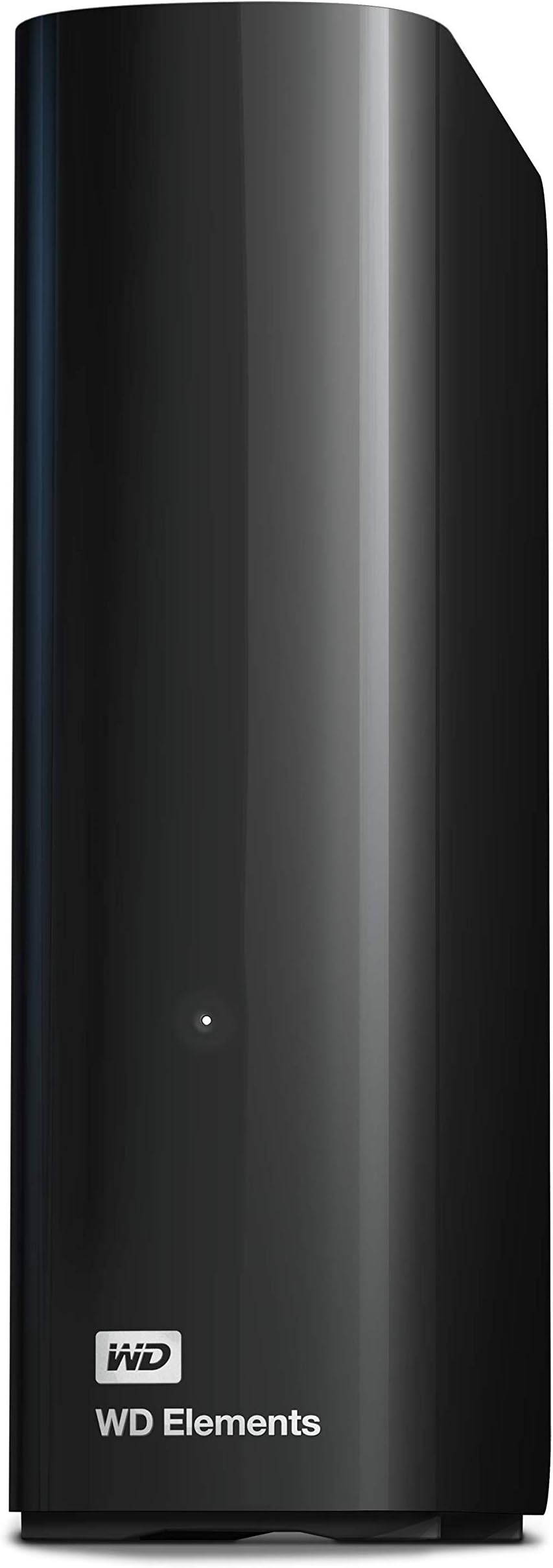
💼 Elevate your data game with 24TB of unstoppable storage power!
The Western Digital WD 24TB Elements Desktop External Hard Drive delivers massive, reliable storage with true CMR technology and USB 3.2 Gen 1 connectivity. Designed for professionals needing effortless plug-and-play expandability, it offers consistent high-speed transfers and quiet operation in a compact form factor—ideal for archiving large media libraries and critical files with confidence.


| ASIN | B0D7N5XRSV |
| Best Sellers Rank | #2 in External Hard Drives |
| Brand | Western Digital |
| Color | Black |
| Customer Reviews | 4.5 4.5 out of 5 stars (27,431) |
| Date First Available | July 10, 2024 |
| Hard Drive | 24 TB Mechanical Hard Disk |
| Hard Drive Interface | USB 3.0 |
| Hardware Platform | WD |
| Item Dimensions LxWxH | 5.31 x 5.31 x 1.89 inches |
| Item Weight | 1.98 pounds |
| Item model number | WDBWLG0240HBK-NESN |
| Manufacturer | Western Digital Technologies, Inc. |
| Product Dimensions | 5.31 x 5.31 x 1.89 inches |
| Series | Elements Desktop |
B**D
Lots of space, has been quite reliable.
I've been using this for a media server's storage for over a year now and it has been pretty flawless. It just sits on the floor next to my little mini-pc that runs linux and several docker containers for serving media. It's quiet for the most part and it has been on for over a year straight and has been pretty heavily used and so far no issues. 12TB is a fair amount of space for my use case and I'm quite happy with this purchase.
T**G
Massive capacity, true CMR reliability, and excellent sustained performance
The WD 20TB Elements Desktop drive is exactly what a large‑capacity external should be: simple, quiet, and built around a proper CMR hard drive that delivers consistent performance across the entire 20TB span. In an era where many high‑capacity externals quietly use SMR, it’s refreshing to see Western Digital stick to a full CMR design that maintains stable write speeds, predictable behavior, and long‑term reliability. Real‑world performance is strong for a drive of this size. Sequential transfers remain steady without the drop‑off or cache exhaustion issues common in SMR‑based units. The enclosure runs cool, the USB bridge is stable, and the drive behaves exactly as expected during large file moves, backups, and long‑duration workloads. For anyone dealing with multi‑terabyte datasets, this consistency matters far more than peak numbers. The 20TB capacity is a game‑changer. It consolidates what would normally require multiple smaller drives into a single, clean volume, making organization and backup workflows far easier. For the price — especially when purchased renewed — the cost‑per‑terabyte is outstanding. If you need a high‑capacity external that prioritizes reliability, sustained throughput, and no‑nonsense operation, the WD 20TB Elements is an easy 5‑star pick. It’s a workhorse drive with real CMR performance and the kind of long‑term stability Western Digital is known for.
C**D
A Tale of 2 drives (WD 20TB Elements Desktop & WD 2TB Elements Portable)
Well, I have to edit this review to include a NEW western digital drive I recently ordered (because amazon doesn't let you leave separate reviews for different drives made by the same company. My reviews here are for VERY different products and we should be allowed to review them separately, but... ¯\_(ツ)_/¯ ------------------------------------------------------------ REVIEW for the "WD Elements Portable External Hard Drive for Windows, USB 3.2 Gen 1/USB 3.0 for PC & Mac, WDBU6Y0020BBK-WESN": Anyway, the TWO terabyte WD drive I bought on January 1, 2026 for $79.99 had obvious signs of use. There was a small but noticeable 'ding' on the right side of the drive, and the CrystalDiskInfo utility software showed that the drive had been used for 3 hours. That's far more than any drive that's fresh & straight from the factory will have accrued for simple testing. I kept this drive because I needed it immediately, but I'm not happy about it having been USED and the 'ding' chipped off on the side that shows it had been dropped. Even so, it's performing wonderfully (so far) on a new Mac & an old Windows computer, but time will tell the true tale. ------------------------------------------------------------ REVIEW for the "WD 20TB Elements Desktop External Hard Drive, USB 3.0 drive, WDBWLG0200HBK-NESN" I ordered the WD 20TB Elements Desktop External Hard Drive in early May 2025, wiped it and re-formatted it as NTFS for Windows, and then transferred a ton of backups to it. (A little note: 20 TB drives have an *actual* capacity of 18.19 TB). This WD drive is reliable, sturdy, and a winner by every metric. It's a very quiet drive (I only ever hear a very soft & short 'brrr' when it's waking up, but then it falls silent and remains quiet for the rest of the time that it's active). My drive is on all day, yet I never hear any sounds while it's working. I actually forget that it's on until I need to search it for something! Even with my ancient PC, this WD drive had smooth transfers of up to 180 MB/sec. When that PC died and I connected the WD drive to a new mac laptop, the transfer speed was even faster. This drive has been in use every single day for almost 8 months and it's still just as quick and quiet as the first day I used it. Of course, if you format any drive as NTFS like I did, and then you use that drive with a Mac, you can only copy files FROM the drive while it's connected to the mac device, and you can't can't copy files TO the drive. I thought I'd only use this with my old windows comp and didn't forsee its overdue demise so I used the NTFS format... but since I can access those files, it's no biggie. I'm about to order another WD drive and I'll format it as ExFat so that it'll have full read & write abilities on both mac & windows. This is a great drive and if you're a dual-OS user like me, just format your drive accordingly. It's nice to be able to have the best of both worlds. :)
M**S
Great for backup, not for daily use.
I have several Elements drives ( three 20TB, this new 14TB and an old 8TB )that, when on sale, are a great value per GB/TB, although I would avoid anything below 8TB because those drives use cheaper, less reliable SMR technology ( web search " SMR vs CMR " for details.) I use them only to backup large video files which they're perfect for and remain unplugged otherwise. The reason is that Elements drives enter sleep mode after only 30 seconds of idle, and the firmware doesn't allow for use of WD Utilities software so the sleep time cannot be adjusted, which makes them inadequate as a second or third drive for constant daily use. If all you need is lots of space for backups, these are perfect. However, if you're looking for an hdd that you can leave plugged in and use it as an additional drive, there are better options such as the WD My Book drives for which you CAN use WD Utilities to adjust the sleep timer so it stays awake and ready. I have a couple of those as well, but they're more expensive. A third option is my go to. I purchased a 10tb WD Black and put it in a Startech enclosure. With this, I get great performance ( for an HDD ) and it acts exactly like an internal drive inside my pc. Of course, not even this high performance drive can match the speed of an SSD ( 4 of which populate the inside of my pc and are used for all of my video rendering and editing,) but once again, for the price per GB/TB, and the total amount of storage, it's worth it. In conclusion, if all you need is storage for backups, you can't go wrong with the Elements series, but if you need something to act more like an internal drive for regular use and don't have space inside your computer, the options I mentioned are far better!
L**Z
Gran capacidad y calidad 100% recomendado
F**O
excelente producto, mejora aun mas con sus herramientas y aplicaciones de su sitio web de soporte
E**R
Functions super!
M**N
Items arrived per schedule and works. This 20TB unit is 7200rpm class product.
B**O
A devolver, no quiero comprar adaptador .
Trustpilot
1 month ago
2 days ago