

Desertcart purchases this item on your behalf and handles shipping, customs, and support to Thailand.
🔥 Stay cool, game hard, and never settle for less!
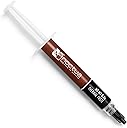
Noctua NT-H1 is a premium, award-winning thermal compound trusted by enthusiasts worldwide for its exceptional heat transfer, easy application, and long-lasting stability. Compatible with a wide range of CPUs, GPUs, and cooling systems, this 3.5g paste offers up to 20 applications and guarantees up to 5 years of reliable performance without electrical conductivity risks.


| Are Batteries Included | No |
| Asin | B002CQU14A |
| Best Sellers Rank | #4,471 in Computers & Accessories (See Top 100 in Computers & Accessories) #20 in Thermal Paste |
| Brand | Noctua |
| Colour | As Shown in Image |
| Country Of Origin | China |
| Customer Reviews | 4.5 4.5 out of 5 stars (31,123) 4.5 out of 5 stars |
| Date First Available | 7 August 2012 |
| Generic Name | Thermal Paste |
| Importer | Acro Engineering Company, Z-41, Sanjay Colony II, Pocket Y, Sanjay Colony, Okhla Phase II, Okhla Industrial Estate, New Delhi, Delhi 110020 |
| Included Components | Thermal Paste |
| Item Dimensions Lxwxh | 21.6 x 15.2 x 1.3 Centimeters |
| Item Height | 0.5 Inches |
| Item Model Number | NT-H1 |
| Item Width | 6 Inches |
| Manufacturer | NOCTUA |
| Net Quantity | 1 Count |
| Operating System | Windows 7 Professional |
| Packer | Rascom Computerdistribution Ges.m.b.H. Huttengasse 71-75 A-1160 Wien Austria |
| Processor Brand | Intel |
| Processor Speed | 3.6 |
| Processor Type | Core i5 5300U |
S**U
Very Good Option as a thermal paste.
Purchased the product after checking various comparison reviews. there are not too many available and some are very old reviews. Found Noctua NT-H1 to be one of best though may not be THE Best. However the few that are better than this have too big a price difference for a very small change in performance or are not readily available in the market in India. Though not accurate I would say the comparisons found this at a relative score of 8.5 out of 10 approx. Following are the features as I noted or experienced while using the product: (Note: I own a HP DV7T early i7 from HP, And it used to heat up very badly and giving blue crash screens too often. Please also look at cleaning the fan and its ducts to see if that solves your problem first before using the thermal pastes. Also you may also think of installing a software that will show you the exact temp difference before and after the use of paste which I have not done.) 1. It was non conducting to electricity (important as I know I would be very clumsy and make mistakes while applying) 2. It was very well priced. and was also the best of the lot and also readily available on Amazon. 3. It was easy to apply. (You can keep a dot of it on the surface and just press on the heat sink or you may also use a plastic card of some kind to spread it. It should not be too thick a layer as its only purpose is to remove air gaps and at the same time conduct heat. 4. I could sense that it brought down the heat considerably (I however do not have a software to measure it before-after). (Note: cleaning of the fan and ducts also helped. But overall it removed my heat related errors and now allows me to use the laptop)
N**A
Lives up to its name. [UPDATED: Good for laptops too]
UPDATE: Used it to re-paste my old laptop. Considering it gives out more heat now during load operations, I'm assuming it's working great. But then again, my laptop is more than a decade old so....yeah. Summer temperatures update: Alright. Summers are here in full effect. Ambient temperatures here in Dehradun are around 38° C average. Nowadays, the idle temperatures range between 50° to 55° C. Under full load when stress testing, maximum obtained temperatures were always around 80° to 82° C. When rendering videos in both Adobe Premiere Pro and After Effects, it averages around 75° to 80°C. And during gaming, temperatures never go past 72° C. Yeah....the temperatures have risen considerably now, compared to winters and spring, however I'm just using a budget air cooler, so it is still decent. Also, it's still better than what I used to get with the stock cooler and paste (+95° C on full load and +82° C when gaming). Also, my only exhaust fan died too, so there's that as well. I'll be upgrading my cooler, fans and maybe cabinet too, sooner or later, so maybe I'll post a third temperatures update here. This thermal paste lives up to its name. I personally used it for repasting my desktop. The processor is AMD Ryzen 5 3600, paired with a Cooler Master Hyper H410R RGB CPU Cooler. Even in the heaviest benchmark loads, temperatures never crossed 69° C (nice 😀). On idle, I get around between 30° to 40° C and between 55° to 63° C at the most when gaming. These are winter season temperatures, by the way. I'll update the summer season temperatures too. As for applying the thermal paste, it might get a little difficult first time, so I'd recommend watching some good application tutorials. The paste, in good conditions, is neither too liquidy nor too solid. Simply put, make sure to clean off the old thermal paste using +90% isopropyl alcohol, then just apply a dot of the thermal paste in the middle of your processor's TIM: around 2-3mm in diameter for Intel processors and around 4-5 mm in diameter for AMD processors, then mount your cooler. DON'T PUT TOO MUCH THERMAL PASTE. It's easy to get overboard. Don't be alarmed if the temperatures, immediately after repasting, aren't desirable or even higher than before. Thermal pastes have a specific cure-in time to spread and set properly, so continue using your PC as normal and the temperatures should normalise eventually; considering if you were sure the paste was in good condition and you didn't mess up both repasting and cooler mounting procedures. In my opinion, it's worth the Rs. 617 I paid for.
T**N
Overpriced but really great Thermal paste
Using this on AMD 9800X3D along with AK620. Load Temps are good. Was able to see 3-5 C different when compared to H1.
A**S
Good performance
1. Good thermal conductivity. 2. Reduced high load temperature. Good functionality. Good for gaming. 3. No need for settling the paste. 4. Good package. 5. Considering the effect, value is justified.
Y**R
Great Product worth its price
Its been a few weeks since i used noctua thermal paste, it was recommended by my brother and this thing is dope guys. I have predator helios 300 and its been over 1.5 years since i bought it. This was the first time its thermal paste was changed and it improved the performance by good amount earlier on normal usage my temps would be 60-65 C and above 80 C during gaming, if there was some heavy load then temps would even reach 95-98 C. After applying thermal paste temps have improved a lot now its stay 38-45 on normal usage and stays around 70 during gaming even during heavy load temps are around 82 average, there are sometimes spikes in temps but happens rarely. Its a great product for its price. Its important to know how to apply the paste properly. Don't use too much of it as it will just go to waste and not even work properly. You just need to apply a small amount that just enough that it covers the cpu and gpu completely when you put the heat sink back on. There are many guides on youtube, look for one that shows changing for your laptop model. Pea drop and line method are best depending upon the shape of component i.e. if its square or rectangle. Don't spread it yourself chances are you might leave an air bubble which is not good, just apply the paste and then put the heat sink on gently, after which just leave it for 20-30 minutes. Don't remove heatsink again to check the spread. Oh an important that i almost forgot before applying new paste properly remove older one from cpu/ gpu and also the heatsink.
K**A
Nice useful
Good product
V**U
Cost effective compared to the kryonaut
Ran these as this is a much more cost effective option than buying thermal grizzly’s solution and is working as expected. Although not as amazing as the kryonaut paste,imo, its worth making the tradeoff for the price difference based on your current temps.
H**O
Best product
Best thermal paste ever. Got a total 20°C diffrence after applying it
N**O
great compound and strongly recommended.
Excellent. I wish this for all my component cooling setup. Excellent delivery as well.
Z**E
Cheapest way to cool down a computer
Fast delivery and it’s good quality my laptop no longer overheats
L**U
Otimo
Produto otimo, eu fiz a troca da pasta termica do meu notebook. A decipação de calor está otima.
P**0
Marknadens mest prisvärda och pålitliga kylpasta!
Noctua NT-H1 sviker aldrig. Jag har använt denna till flera datorbyggen och resultatet är alltid detsamma: betydligt lägre temperaturer på processorn (CPU) jämfört med standardpastan som följer med kylare.
R**N
Reliable, Easy to Use, and Consistently Effective
I've used a variety of thermal pastes over the years, and Noctua NT-H1 continues to be one of the most dependable options for both personal builds and client repairs. The application is straightforward, no need to spread manually, and cleanup is just as simple, requiring only a dry paper towel. Performance-wise, it delivers excellent thermal conductivity. I’ve seen noticeable temperature drops compared to stock paste, especially on Ryzen and Intel CPUs paired with aftermarket air coolers. It’s also safe to use across a wide range of devices, including GPUs, consoles, and laptops, thanks to its non-conductive and non-corrosive formula. The 3.5g tube provides enough for multiple applications, roughly 15 to 20 depending on the CPU size, and the compound holds up well over time. Noctua recommends up to five years of usage on the CPU, and I’ve never had to reapply prematurely. For anyone looking for a high-quality, no-nonsense thermal paste that performs reliably and is easy to work with, NT-H1 is a solid choice. It’s not flashy, but it gets the job done right.
Trustpilot
2 months ago
5 days ago