Buy anything from 5,000+ international stores. One checkout price. No surprise fees. Join 2M+ shoppers on Desertcart.
Desertcart purchases this item on your behalf and handles shipping, customs, and support to Thailand.
⌨️ Elevate your typing game with silent power and ergonomic precision!
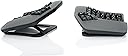
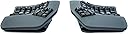
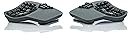
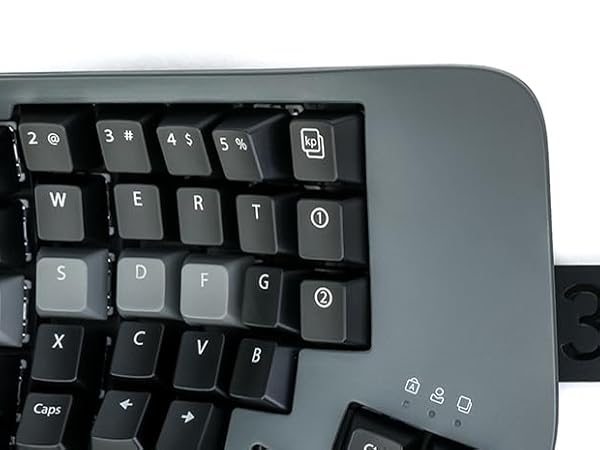
The KINESIS Advantage360 Professional is a Bluetooth-enabled, split ergonomic keyboard featuring whisper-quiet Kailh Box Pink mechanical switches rated for 50 million presses. It offers a contoured shape with adjustable tenting for superior comfort, fully programmable open-source firmware for ultimate customization, and vibrant RGB backlighting. Designed for professionals who demand durability, wireless freedom, and ergonomic excellence in one sleek package.


| ASIN | B0CT444BH6 |
| Additional Features | Backlit, Ergonomic, Hotkeys and Media Keys, Split Keyset Design |
| Antenna Location | Business, Everyday Use, Multimedia, Programming, Student |
| Best Sellers Rank | #27,650 in Computers ( See Top 100 in Computers ) #704 in Computer Keyboards |
| Brand | Kinesis |
| Built-In Media | Additional keycaps, Bridge connector, Keycap Puller, USB charging cable (two) |
| Button Quantity | 108 |
| Color | Dark Gray |
| Compatible Devices | PC, Smartphone, Tablet |
| Compatible Operating System Family | Windows |
| Compatible Tablet Computer Models | Samsung Galaxy Tab S7 FE 12.4" |
| Connectivity Technology | Bluetooth |
| Customer Reviews | 4.2 4.2 out of 5 stars (39) |
| EU Spare Part Availability Duration | 3 Years |
| Enclosure Material | Metal, Plastic |
| Generation | 1 |
| Hand Orientation | Ambidextrous |
| Item Dimensions L x W x H | 38.1L x 20.3W x 7.6H centimeters |
| Item Weight | 1.45 kg |
| Keyboard Backlighting Color Support | RGB |
| Keyboard Description | Mechanical |
| Keyboard Layout | QWERTY |
| Manufacturer | Kinesis |
| Mfr Part Number | KB360-PRO-KLQ |
| Model Name | Advantage360 PRO Linear Quiet |
| Model Number | KB360-PRO-KLQ |
| Number of Keys | 76 |
| Number of Sections | 2 |
| Power Source | Corded Electric |
| Series Number | 360 |
| Style Name | Professional (Bluetooth) | Quiet Switch |
| Switch Type | Linear |
| Theme | Ergonomic Keyboard |
| UPC | 607998360408 |
| Unit Count | 1 Count |
H**N
- Feels very comfortable in my hands. - The build quality is decent (nothing extraordinary) but good enough. - It is NOT small keyboard it takes up noticeable desk space and has more height than you’d expect. also you’ll probably spread the halves apart for a better fit Heads up: there is a steep learning curve. im still getting used to it, but enjoying the process. I just wish there were a wired version running ZMK
T**R
Great product, learning curve is 1-2 weeks before getting back to your pre-kinesis typing speed, build quality is very high, Bluetooth connectivity is great w Apple products (using MacBook Pro M1-M4), curiously kinda sucks with windows though with random intermittent disconnects (easily fixed by plugging in USB cables) I purchased these in a last ditch attempt to help my carpel tunnel and was pleasantly surprised with almost immediate relief. Even w the weight and size of these I find myself making excuses to bring this with me on business trips due to how much they help/correct my wrist and finger pain and numbness. The only downside is as a coder you will feel the unavoidable draw to NeoVim..
A**O
This is an excellent product, the build quality aligns with its price and surpasses it. The typing experience is incredible once you get used to it. You can achieve a "flow state" typing that is so pleasant is incredible. Not to mention my wrists pain got away from two weeks of using it. The Bluetooth problems are a thing of the past and the programability is super easy with clique and the latest update which already came with the shipped product from the factory. The pink switches are amazing, I was afraid that they would be too easy to press but they are not.
C**M
I really liked this keyboard overall. It was extremely comfortable to type on and I had basically zero hand or wrist discomfort using it. That part absolutely lived up to the hype. My biggest issue was the reach to the upper pinky letter keys. I have pretty average-sized hands for a man in the US, maybe even slightly above average at around 7.8 inches, and I still could not comfortably reach those keys with my pinkies when my hands were sitting where my palms naturally wanted to rest. If my palms got even a little sweaty, they would kind of stick, and I would have to peel my hand up to reach those keys. A lot of the time I ended up using my ring finger instead. I did not buy the optional palm rests, so I can’t say whether those would have helped. I also was not a huge fan of the Kinesis Clique software. It felt a little too limited for what I wanted, so I ended up going the older route and manually flashing the firmware so I could set up combos and custom timings. That process was not great. The documentation was not very clear, and it took me a while to figure out that you have to use the “no Clique” firmware version. If you use the Clique version for manual flashing, it does not seem to work right. Until I figured that out, the whole experience felt kind of buggy. The other downside for me was gaming. For regular typing this keyboard was great, but for gaming it felt basically unusable unless I wanted to remap a ton of keys. If you play WASD games in the usual way with your ring, middle, and index fingers, the layout just does not feel natural. Aside from those issues, I really did love the keyboard. I ended up returning it because the price is high, and for that kind of money I needed it to fit my needs a little better. Still, for pure typing comfort, I can absolutely see why people love it.
M**G
Key feel and arrangement are very good as expected. Adjustability is good, wish it had more degrees of freedom. Expensive, but excellent build quality. Bought this bc I get severe wrist pain when typing, and this does genuinely help
Trustpilot
4 days ago
1 week ago