Desertcart purchases this item on your behalf and handles shipping, customs, and support to Thailand.
🖱️ Elevate your workspace game with precision, comfort, and wireless freedom!
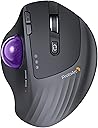
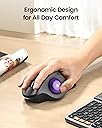
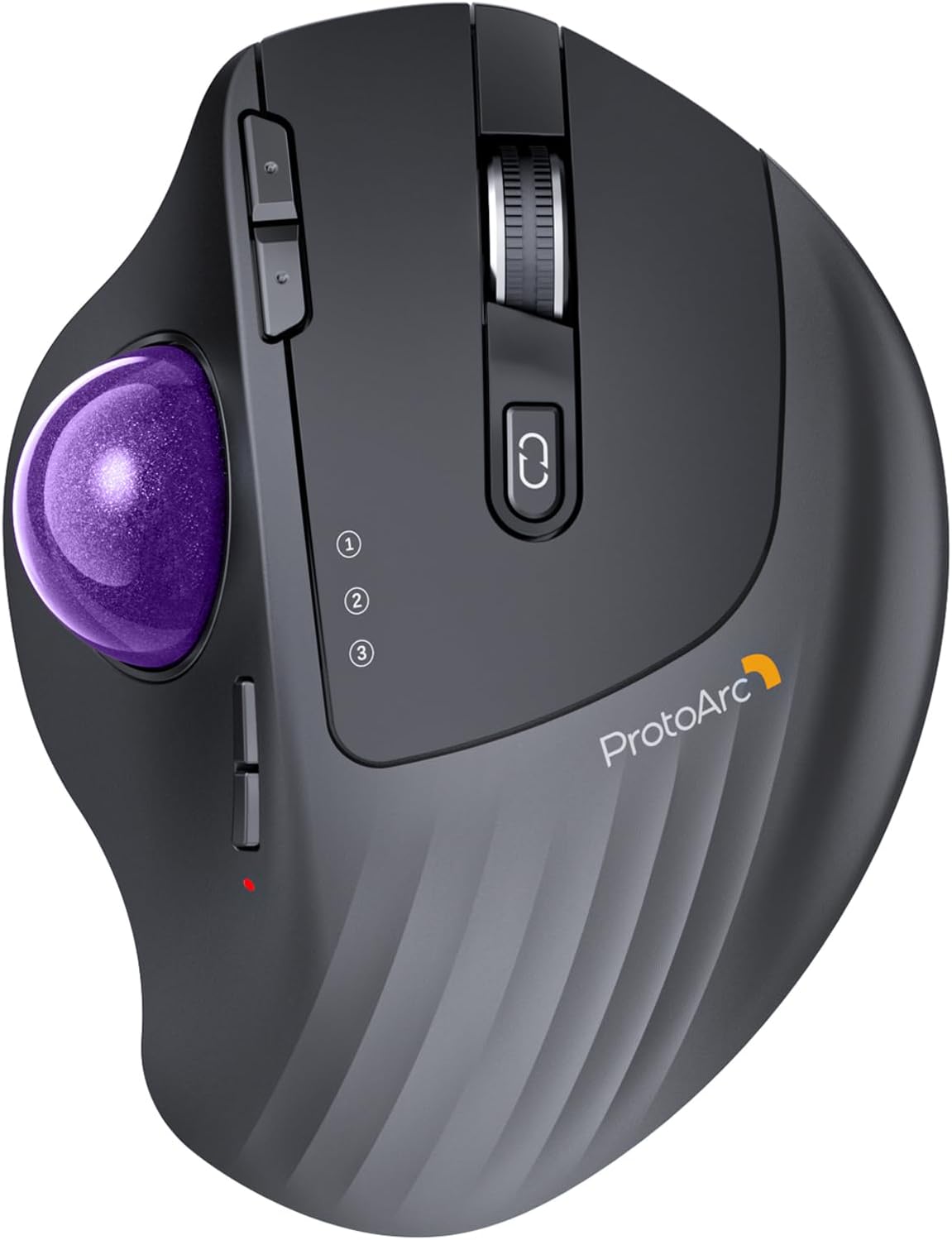
The ProtoArc EM01 NL is a rechargeable, ergonomic wireless trackball mouse featuring a thumb-operated rollerball, adjustable angle hinge (0-20°), and 5 DPI settings (200-1600) for customizable precision. It supports triple device connectivity via Bluetooth and 2.4G wireless, compatible across Windows, Mac, Android, and more. Designed for tight workspaces, it offers up to one month of battery life per charge and reduces wrist strain for professionals seeking comfort and efficiency.


| ASIN | B0CWV4X9ZZ |
| Antenna Location | Office |
| Are Batteries Included? | No |
| Are Batteries Required | Yes |
| Battery Average Life | 0.98 months |
| Best Sellers Rank | 6,171 in Computers & Accessories ( See Top 100 in Computers & Accessories ) 3 in Trackballs |
| Box Contents | A Type C Charging Cable, A USB Receiver, A User Manual, An Ergonomic Trackball Mouse |
| Brand | ProtoArc |
| Brand Name | ProtoArc |
| Button Quantity | 8 |
| Colour | Purple Roll |
| Compatible Devices | Laptop, Personal Computer, Tablet |
| Connectivity technology | Bluetooth, USB |
| Country of Origin | China |
| Customer Reviews | 4.2 out of 5 stars 3,608 Reviews |
| Enclosure Material | Plastic |
| Hand Orientation | Right |
| Hardware Platform | Laptop, Personal Computer, Tablet |
| Item Dimensions L x W | 11L x 7.5W centimetres |
| Item Weight | 0.31 Kilograms |
| Manufacturer | ProtoArc |
| Manufacturer Part Number | EM01 NL |
| Model Name | EM01-NL |
| Model Number | EM01 NL |
| Mouse Maximum Sensitivity | 1600 Dots per Inch |
| Movement Detection | Trackball |
| Movement detection technology | Trackball |
| Network Connectivity Technology | Bluetooth, USB |
| Number of Batteries | 1 Lithium Ion batteries required. |
| Number of buttons | 8 |
| Operating System | MacOS, iOS, iPadOS, Win, Android |
| Power Source | Battery Powered |
| Product Features | Ergonomic Design, Portable, Rechargeable, Soundless, Wireless |
| Product Finish Type | Glossy or Matte |
| Product Warranty | 1 year |
| Range | 10.0 meters |
| Special feature | Ergonomic Design, Portable, Rechargeable, Soundless, Wireless |
| Style Name | Modern |
| Theme | Video Game |
| Unit Count | 1.0 count |
D**E
Logitec MX Ergo Relacement!!
I bought this to replace my Logi Mx Ergo as it was suffering from the dreaded left click fault.. I can honestly say this is a worthy replacement at less than half the cost. truly brilliant Trackball mouse, every ergonomic in fact it feels just like the Logi MX Erco it replaced .. 5 Stars all round and highly recommended
M**S
Best for small hands, if that is you, then it will be good for you.
I would say a good trackball device. This was a quick purchase because my logi mx buttons are now prone to bounce with tragic in some cases accidental double clicks. Would say this is lighter and the tilt angle seems to be less. I would recommed as a good product at the price. Things I miss from the far more expensive Logitech model. The DPI settings steep up and down with two buttons on this trackball but the logi has a instant button to drop the DPI right down when you need to make a very precise movement. It would be good to be able to change the response of the wheel as it is great for Windows but far too slow for Macs which are tailored for the touchpad scrolling on the top surface of the mouse. Also what makes this less than perfect for me is that the tackball is shaped for smaller hands. If this is you then it could be the perfect device, for me though the wheel is about 1cm too far back for me to use, I have to change my grip to do so, not good for all day use.
S**R
I really like this mouse, said Sylvester.
This is a brilliant mouse. The ball has a nice smooth glide action coupled with accurate pointer movements. It is very comfortable to use and the tilt action makes it even more comfortable. I thought it was a bit of a gimmick when I read it in the advert, but having used it for a month or three now, the tilted angle is the most comfortable way to use the mouse. The connectivity is good and you can still use the mouse whilst charging. So there shouldn't be any down time.
B**9
A really nice comfortable mouse replacement.
I've been using this daily now for almost a year and I find it much more comfortable to use and easier on the wrist than a regular mouse. I bought it to try because I was feeling strain from clicking and holding the middle mouse button whilst also moving the mouse which you have to do a fair bit in Blender and other 3D software. This type of mouse solved my problem as I'm no longer fighting my own grip. It's also a space saver as you no longer need to move the mouse around the desk. This is my first trackball mouse but I quickly adapted and within a couple of days I was just as accurate at moving the ball as I was pointing with a regular mouse. I don't have much to compare to but the build quality feels solid. I've not had any connectivity issues or issues with glide or smoothness, and it works well switching between different devices. The battery lasts a few months between charges and you can use it while charging too. The buttons are all nice to click in both orientations (flat or tilted) and the sensitivity is just set once and forget. You do have to pop the ball out to remove dust occasionally but it appears that's just expected maintenance with this kind of mouse. There's a handy hole you can push something through to help with popping it out. I'm really happy with this purchase and it has become part of my every day setup. I'm not sure how it weighs up against more expensive models but I'm happy enough and not looking to upgrade any time soon.
A**K
Nice trackball, but not perfect
I had high hopes for this trackball and when it arrived, I wasn't dissappointed. The packaging, as one comes to expect with ProtoArc products, was robust with a well made exterior box. Once opened, contained within the box was the usual product, in this case the trackball mouse, an envelope containing warranty and quick reference/installation guide along with a peel off contact sticker to stick on the underside of the mouse, and a further box which contained the 2.4Ghz USB receiver, a more complex manual and a USB lead for charging. As specified within the items description, the trackball has 7 buttons and a mouse wheel, which I presume also acts as a middle mouse button. There's the primary and secondary, back and forward, DPI plus and minus and the connection button which you click to switch between one of 3 connections; 2.4Ghz wireless, BT1 and BT2. Placing the mouse on a smotth table top, the mouse had a tendancy to slightly, very slightly slip such that every few minutes you needed to bring it back to where it started. This I'm sure would easily be solved by a cheap, rubber based mouse mat. The trackball moves smoothly and freely, perhaps a little too freely, but with the numerous DPI settings (5 if I recall, not 3 as it says in the description), more on this later, you can adjust the movement speed to your liking. Personally, I found a mid setting to be the most comfortable and manageable. The primary and secondary buttons are comfortable to click and you can actually "feel" them, rather than "hear" them with very little to no click sound. I'm not one for using back and forward buttons as I prefer the keyboard shortcuts so I can't really comment on them except to say that they also had this definitive "feel" rather than "hear" scenario, although a little less perfected than the primary and secondary buttons. The mouse wheel, which I never tested for "middle mouse button compatability" is nice to the touch although I found it to be a little too far down the mouse (too close to the palm) to be comfortable to use in relation to the primary and secondary buttons. This maybe due to my hand shape, I don't know, but I'm sure, once I'd been using it a while, I wouldn't notice it. Now those pesky little DPI buttons, and I do mean little. The position of them is probablly about right but, as they are so small, with my chubby hands I had a job to feel whether I was clicking the plus or minus one. Sure, there is a light which flashes a set number of times each time you changed DPI setting, but this light, which also acts as a charging indicator which goes out when fully charged, is under the thumb so, unless you move your thumb and/or head, you can't see which setting you're on until the mouse goes shooting off in an arbitrary direction. Now comes the main reason for me only giving this trackball 3 stars. For one, I'm not a pushover so, unless everything is perfect and I can't find any flaws with a product, you wouldn't get 5 stars and on this occasion it falls short of 4. "Don't keep us in suspense, what is the one thing that you're not happy with?" I hear you ask. Well, maybe not, but the thing I have to draw your attention to is the... and we'll be right back after these important messages from our... Whoops! That's for commercials. No, seriously, the one thing I have to draw your attention to, and the only thing I don't think I've covered, is the adjustable angle of the mouse. Firstly, when I read it I thought it was 0 to 20° but it's not. You can set it at 0° or 20° but nothing in between. Apart from this there is no locking mechanism to lock it in place. Rather it relies on, from what I can see look like magnets and, although there is a definite feel to when you change the angle, the angle was being changed much more than I liked. I may be a little heavy handed, but without this locking mechanism, I found I was having to move it to the angle I found most comfortable, which, if I'm honest was 0° so there was no need for this at all for me. Remember, this review is based on my own utilitzation of the **ProtoArc EM01 NL Wireless Bluetooth Trackball Mouse** and your own experiences might be different. Would I recommend the product? That's a difficult one to answer but I would probably say yes; unless you're heavy handed with short and stubby (but not that short and stubby) hands. In this case, I would say you'd have to try it for yourself and see how you get on. As the saying goes, "One man's onions is not necesarily the other man's bird in the bush".
W**D
Great Quality, and value - would recommend.
I have to say, I love my Logitech MX Ergo. I have one at home and in the office. But when I saw this, and it was on Prime Day deal. I had to try it. ProtoArc have taken the MX Ergo and made some subtle but very good improvements. The Logitech is paired with my favourite K860 keyboard, but there's a slight design flaw. The keyboard can switch to 3 devices, the mouse only 2. The ProtoArc mouse not only solves this, it provides a nice way of doing so. Use option 1 with the 2.4MHz Wi-Fi dongle it comes with, or use option 2 or 3 with Bluetooth. This is awesome. Bluetooth switches so easily that it's pretty much an infinite selection, but with two favourites. Then there's a very simple but overlook feature on the Logitech. You have to take it off the magnetic plate to pop out the ball to clean it. ProtoArc made a simple change, put a hole in the plate aligned with the ball removal hole - genius. There is ONE thing I don't like. The roller has teeth, feels a little to rough on my baby smooth fingertips. But other than that, I can't fault it. For the £28 it cost me, a big saving over the £89 Logitech it's a great bit of kit.
M**Y
Terrible.
I had high hopes for this, but after 2 month's it's crap. The first month it was perfect, then the trackball started to feel notchy, & didn't move smoothly as I did when new. I've tried cleaning it ect, but no joy. This is more of a pain then you'd think it would be. The a few days ago, the scroll wheel started playing up. You'll be scrolling down /up & the wheel would scroll, but nothing on the screen would move. Or it would jump up & down a few lines while slowly scrolling. Very, very annoying. I'm past the returns date, so it's back to logitech
M**.
Solid Performance, But Falls Short of the MX ERGO
The ProtoArc EM01 NL Wireless Bluetooth Trackball Mouse pairs easily with Windows and looks great next to the ProtoArc keyboard, creating a cohesive, stylish desk setup. The trackball itself isn't bad and provides decent control, but it does require frequent cleaning to maintain a smooth experience. I got it as an alternative to the Logitech MX ERGO, but unfortunately, it doesn't quite match up in terms of precision and overall smoothness. While it’s a good option for basic use, if you’re looking for something that can rival the MX ERGO’s performance, this may not be the best fit. Still, for its price, it’s a solid choice for casual use.
Z**6
bonne aide quotidienne
avec clavier virtuel car arthrite +++++ aux mains
ま**ー
高級感があって操作性も抜群のトラックボールマウス🖱️✨
非常に使いやすいです😊 以前は別メーカーのトラックボールマウスを使っていましたが、こちらはBluetooth接続を複数設定でき、ボタンひとつで切り替えできるのが便利です。 操作性も良く、トラックボールの動きもスムーズで使いやすいです🖱️ 特にPCとスマホなど、複数の端末で使う時に真価を発揮すると思います。 端末間の切り替えでストレスがほとんどなく、作業がかなり快適になりました✨ 見た目も高級感があり、デザインもかっこいいので満足しています👍
N**N
Great trackball without LED lights
Nice stylish black trackball with (I choose) a red ball. Luckily no fancy LED lights, and connects to PC and MAC. Great!! What could be improved is a small storage area in the trackball for the dongle (wifi/bluetooth)
G**L
Buena calidad, cumple con lo que se espera.
Es un mouse de trackball de muy buena calidad. Yo estaba usando el Logi ERGO M575 por casi 5 años, pero empezó a dar problemas con sensibilidad de los botones, mala recepcion y se empezó a pelar la parte donde se apoya la muñeca. Desgaste normal. Cuando busque el reemplazo, me decidi por este ProtoArc, principalmente por precio. En casi todo lo demas son muy parecidos. PROS: es de buena calidad. Se puede conectar por 4G USB (adaptador incluido) o por Bluetooth. Botones silenciosos. Puede conectarse a 3 dispositivos. Se siente muy similar al Logi ERGO, si es que lo venian ya usando. Puede configurarse a distintos DPI, por lo que no solo funciona para trabajo, sino que puede dar batalla en juegos tambien. Se puede angular a 0º o 20º para mas ergonomia. La carga es via USB 3.0, que practicamente es ya un estandar para todo. El empaque es como de producto premium... no importa mucho, pero desde ahi se ve calidad. Diseño: se ve bien y no se siente "barato". En general, es un muy buen trackball. CONTRAS: la base no es removible fácil como la del Logi ERGO, eso podria ser un problema a la hora de limpiarlo. Los botones no son configurables mas allá de lo que permita Windows (o el sistema operativo que usen)... gran diferencia del Logi ERGO que permitia incluso perfiles de botones por aplicacion. En general es muy buena alternativa al Logi ERGO a un precio mas bajo, salvo que busquen configurar botones de una manera muy particular para distintas aplicaciones. YO si lo recomiendo bastante por la relacion calidad/funcion/precio
A**X
Perfect Alternative to the MX Ergo series
I have been an MX Ergo user since 2018. I purchased this mouse as an alternative to the Ergo, due to a notable decline in their overall quality and the length of their service life. In previous years, the MX Ergo could be expected to last 1-2 years of near constant use before replacement, but over time, this figure has decreased to roughly 3-4 months. Given its high price point, the value proposition no longer makes sense. I stumbled on this product in my search for alternatives, and given its lower price point, I decided to take a chance. Below are my observations so far: 1. The build quality of the ProtoArc EM01 NL is outstanding. It is lightweight, it feels robust in your hand, and it is not coated in the same rubberized coating that inevitably decays with use and becomes sticky. 2. The outer dome on which you rest your palm is comfortable, and the vertical ridges on its surface help keep your hand from sliding from side to side. 3. The trackball itself is on par with the MX Ergo, despite being a bit lighter. The ball's rotation within the enclosure isn't as smooth as the Ergo, but it is acceptable nonetheless. 4. Having the ability to switch between DPI settings via physical buttons on the mouse itself is extremely useful. The fact that this can be done without installing additional software makes this feature even more useful. 5. The left and right click buttons are smooth and quiet, which offers a more "premium" feeling than the alternatives I've tried. 6. The scroll wheel functions in a consistent manner, without any jumps or similar annoyances. 7. The battery life has been great so far, and charging times are more than adequate. 8. The device can be charged through a USB-C port, which is a clear upgrade over micro USB, as it reduces the total amount of cables you need to have on hand. 9. The mouse can pair with up to 3 devices. Although a USB receiver is provided, I primarily use Bluetooth, and the experience has been flawless. I have had no issues with pairing across all devices and operating systems I've used it with. 10. The price simply can't be beat. For the price of one MX Ergo, you can purchase multiple EM01s, which are, in my opinion, a better quality product than the Ergo. Overall, I am delighted with this device. If you're looking for an alternative to the MX Ergo series, I would highly recommend you try this product instead. It is a high quality item, and the user experience is better in almost every way.
Trustpilot
1 day ago
2 months ago