Desertcart purchases this item on your behalf and handles shipping, customs, and support to Thailand.
🎯 Elevate your PC gaming with wireless precision and pro-level control!
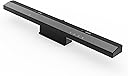
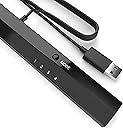
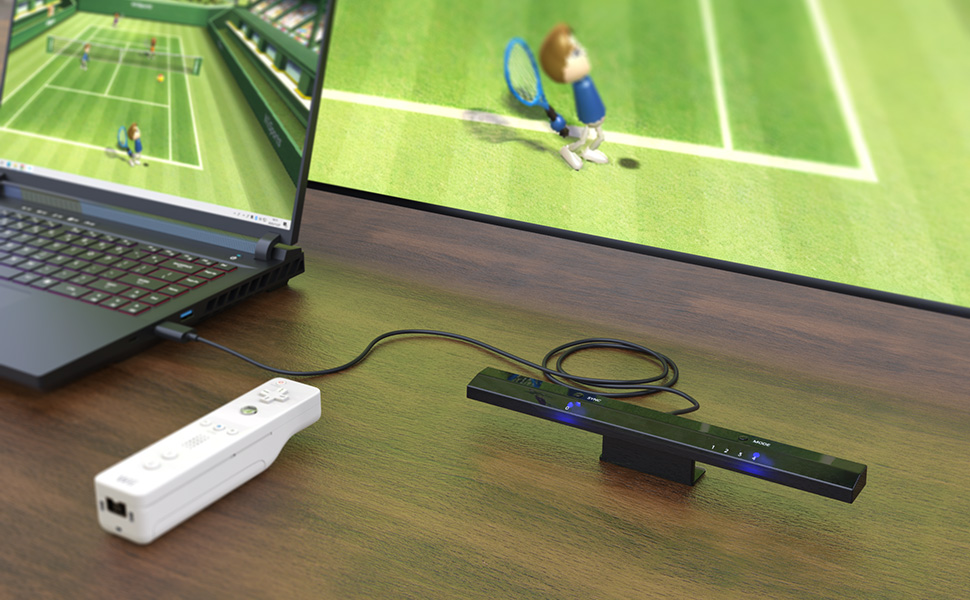
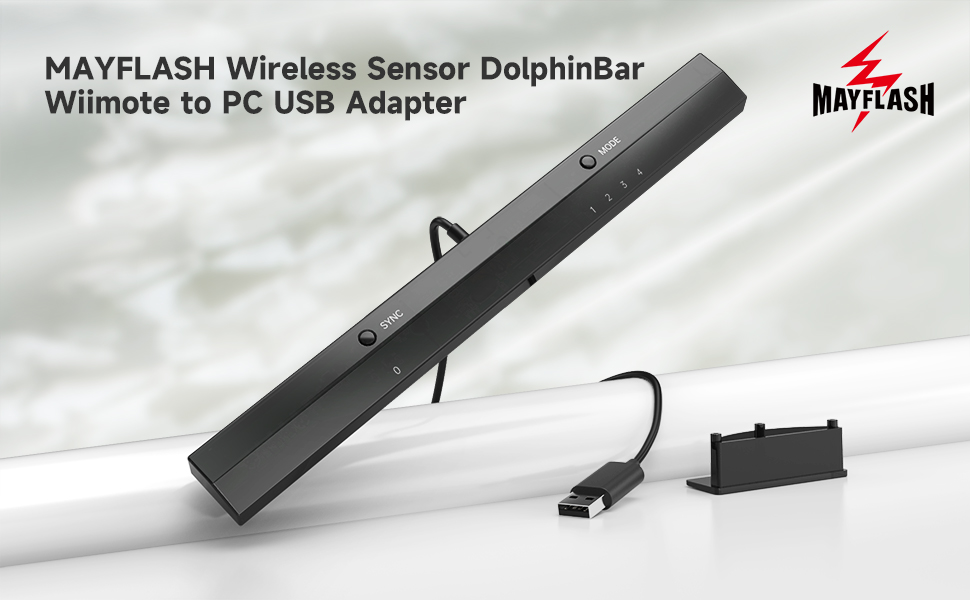
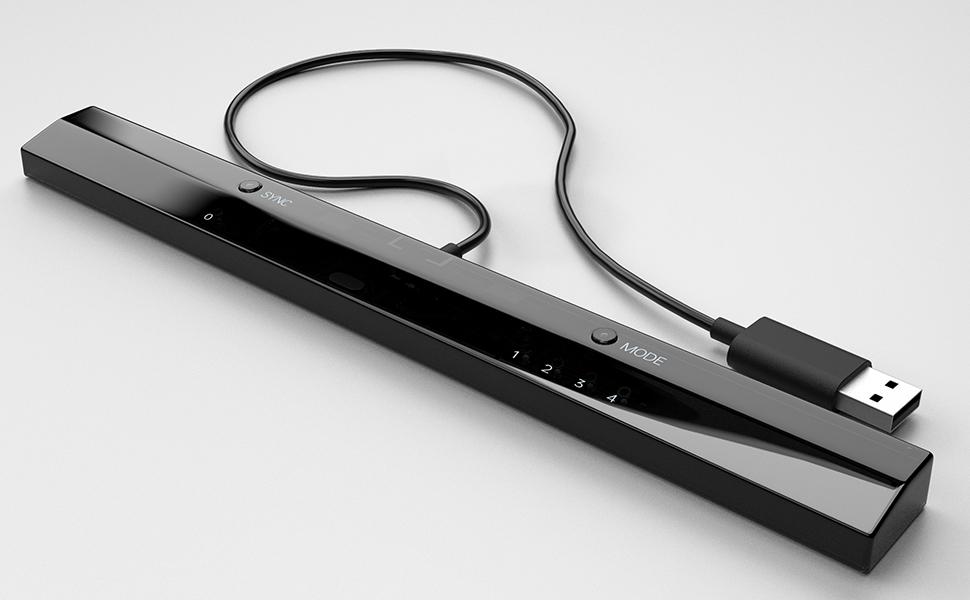
The MAYFLASH W010 Wireless Sensor Dolphinbar is a Bluetooth adapter that connects Wii Remotes and compatible controllers to your PC, supporting up to 4 devices simultaneously. It offers four distinct modes—including keyboard, mouse, and game controller emulation—plus advanced features like cursor anti-shake, vibration feedback, and G-sensor support for immersive racing and shooting gameplay. Designed for easy plug-and-play use without extra dongles, it’s the ultimate tool to transform your PC gaming experience with precision and versatility.


| Asin | B00HZWEB74 |
| Best Sellers Rank | #565 in Video Games (See Top 100 in Video Games) #1 in Wii Sensor Bars #171 in PC Accessories |
| Brand | MAYFLASH |
| Color | black |
| Compatible Devices | PC |
| Connector Type | Bluetooth |
| Customer Reviews | 4.6 4.6 out of 5 stars (5,634) 4.6 out of 5 stars |
| Global Trade Identification Number | 06902201312255 |
| Item Dimensions | 10 x 1 x 0.7 inches |
| Item Weight | 68 g |
| Manufacturer | May Flash |
| Mfr Part Number | W010 |
| Model Number | W010 |
| Number Of Items | 1 |
| Number Of Ports | 1 |
| Package Quantity | 1 |
| Power Plug Type | No Plug |
| Specific Uses For Product | PC |
| Unit Count | 1 Count |
| Warranty Description | 30 DAYS |
User
This is what you want--just be sure to download the right version of Dolphin and set to mode 4
I lost my Wii in a divorce back in 2011, though at times I missed it. I didn't miss having another power brick; I didn't miss finding a home for another gizmo; and I didn't miss component cables. I've been HDMI only since then, and while there are some adapters that let you use a Wii via HDMI, this allows me to use my HTPC to run the Dolphin emulator. Dolphin is free (as in speech), works very well, and though it works with any controllers (can emulate Wiimotes or GameCube controllers using anything that works on your PC), it allows you to use authentic (or knock off) Wii controllers. Wii sensor bars are a misnomer, as the bar does no sensing (the Wii remote does that), but they need power for their USB emitters. Wireless sensor bars work, as do any number of other solutions, but this is among the best. That's not the magic bit, the reliable Bluetooth connection for Wii remotes is what's special. There are other solutions, but not cheaper nor easier. This is what you want.Setting it up is kinda easy once you know what to do. It took a bit long to figure out what to do, so let me help you. Note I didn't bother with the included CD for a variety of reasons (notably I don't have a built in drive on my machine).* there is no driver required nor available. Try as I might to find one, it doesn't exist.* there is a firmware update, and as it's tiny and easy to install, we'll start there.1) Download the firmware update at http://www.mayflash.com/support/download/ (look for W010Wireless Sensor DolphinBar MAYFLASH DolphinBar)2) Unrar it (need to do this twice) and run updater (note sensor bar not plugged in)3) while holding synch, plug sensor bar into usb port (a good quality extender should work, but unpowered hubs not recommended)4) after plugging in and releasing synch, option to install firmware will pop up; Update firmware (take a second, as it's tiny)5) there's a hardware switch for above and below TV placement on the back of the bar (never seen one of those), so fill that out. Also change to mode 46) Make sure your copy of Dolphin is a recent one from dolphin-emu.org (not dolphin-emulator.com--that caused hours of issues!)7) Pair Wiimote(s) and everything should work with default settings. You may want to verify "continuous scanning" is enabled on the controller settings (I believe it was defaulted to on).* note that the Wii Remotes will automatically turn off in time, but using the power button will turn it off sooner.* all accessories (classic controller, nunchuck, etc...) should work* four controllers should work* I got 90-95% OEM Wii sensor bar performance (it has a harsher cut off than I recall, but when pointed at the screen, it works great).* remember that Dolphin like a Wii has a software setting for above/below TV placement* the cable is disgracefully short, though it does kind help in cable routing, as you basically run the extender cable to the TV and plug this in there. I had no issues with a quality (though only $6-8) USB 2.0 extension cable. There are reported issues with unpowered hubs.My biggest hardware issue came from not knowing what mode to use (If everything else wasn't so good I'd deduct a star). 1&2 aren't really for gaming. 3 kinda works, but it's not what you want. Choose mode 4. Note you can change modes with the Wiimote (press home and the D pad--each direction corresponds to a different mode). The biggest issue overall is downloading from the wrong site. It's latest version wasn't recent and simply wouldn't work. Use mode 4 and a recent version from dolphin-emu.org, and you should be fine!
User
IF YOU PLAY WII AND GAMECUBE GAMES WITH THE DOLPHIN EMULATOR THEN YOU NEED THIS!!
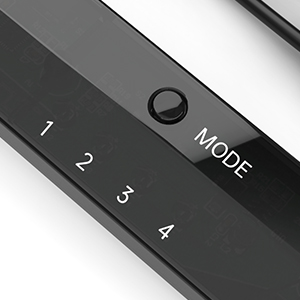
I just bought one of these and I found that it is exactly what is needed when you use Dolphin emulator to play your Wii or Gamecube games on the PC. It makes using the Wii remote easy which is a big change from before when you spent hours getting the Wii remote to detect with Bluetooth. And once the Wii remote is detected it stays detected, even when you turn off your PC and then start it up again, Dolphin will see your Wii remote immediately, no need to go through reconnecting it.The Wireless Sensor DolphinBar had some earlier compatibility problems when Dolphin released dolphin 3.5 but they are fixed now so if you are still having any troubles then just go to their site and get the latest drivers and make sure you are using the latest Dolphin Emulator version. In fact, As of 4.0-2241 and that DolphinBar firmware update, all of the DolphinBar's compatibility issues have been resolved!You can get the latest updated drivers from Mayflashs sitehttp://www.mayflash.com/products/nintendowiigc/w010.htmlAnd you can get the latest Dolphin Emulator version for Windows, MAC and Linux here:https://dolphin-emu.org/download/I found that this sensor bar is much more sensitive to my Wiimote than the Nintendo sensor bar and that is a plus for sure.Also this Sensor bar acts as a Bluetooth detector!!! So you don't need a bluetooth adapter to use it. In fact, I think it works better than the Azio I was using. It detects and properly recognizes the Wiimote within seconds and you will see it correctly identified and working in Windows which, I am sure you already know, is a problem if you are not using this Dolphinbar.This Dolphinbar has a small blue LED light that glows steadily when the Wiimote is connected and it will blink if the Wiimote gets disconnected for any reason.Here is some information from the Mayflash site:W010 Upgrade Firmware Ver04 Updates on February 10, 20151. The SYNC LED (LED 0) will be off if NO Connecting with the Wiimotes. The SYNC LED (LED 0) will stay lit if connecting with the Wiimotes.2. The DolphinBar will not enter into the sleep mode while in the Mode 4 (Dolphin Mode) with Windows 8.1 (Some customers feedback this problem before)Description:Wireless Sensor DolphinBar can connect your Wii Remote Plus Controller to your PC by Bluetooth. Support Nunchuk Controller and Wii Classic Controller. Support four working modes: Keyboard and Mouse Mode (LED1), Keyboard and Mouse Game Mode (LED2), Game Controller Mode (LED3) and Wii Remote Controller Emulator Mode (LED4).Features:- Wireless Sensor DolphinBar can connect your Wii Remote Plus Controller to your PC by Bluetooth.- Easy and simple operation, no need extra Bluetooth dongle.- Supports Cursor Anti-Shake function.- Allows you to play more quicky and precisely with your Game Controller, Light Gun or Racing Wheel.- Works as a normal keyboard and mouse.- Works as a PC Remote Controller. You can return or skip to the beginning of the current, previous or next chapter, and supports Fast reverse, Fast forward, Pause playing, etc.- Works as a Game Light Gun. You can play all kinds of PC Shooting Games, and PC or Wii Light Gun is well supported.- Works as a wireless Game Controller. Connects your Wii Remote Controller, or Wii Remote Controller + Wii Nunchuk, or Wii Remote Controller + Wii Classic Controller to your PC. Supports the G-sensor function that is the best choice for the Racing Games. Supports the Vibration Feedback.- Compatible with the Wii Emulator Dolphin. Supports up to 4 of the Wii Remote Controllers.- Compatible with Windows XP, Vista and Windows 7, Windows 8 ,32 bit and 64 bit.Supports TR WiiMotes and the newest Dolphin 4.0-2241(Please download the newest Dolphin version from the official website https://dolphin-emu.org) by installing the updated firmware on MAYFLASH website download page1.Download and run the firmware (MAYFLASH DolphinBar Upgrade Firmware Ver03) on WINDOWS (XP, WIN7 or WIN8).2.Press and hold the “SYNC” button on the DolphinBar, and plug the DolphinBar into the PC USB ((Your Windows will find the new firmware, wait until the recognization is completed).3.Release the SYNC button, and you'll find the Update Firmware button becomes available. Click this button to update.4.Please don’t unplug the DolphinBar when it’s upgrading.
User
Wonderful Product
Pros:This is a really great product for those looking for a simple solution to use their wiimote on the computer for a variety of tasks. Syncing wiimotes to the DolphinBar is as simple as pressing a button! The other modes are also useful, such as being able to use the wiimote + extensions as a direct input controller or even as a mouse. There is no need for a bluetooth dongle, the wiimotes connect straight to the DolphinBar. Plug it in, sync a wiimote, you're ready to go! The best part about this bar is that it works with Dolphin for the notorious -TR remotes. On top of all this, it looks really sleek sitting in front of my monitor.Cons:For an average user, this is all they need. If you are not the average user (like me), then this falls short on a few features. The mouse cursor is very jittery in mouse+keyboard mode, so I am still using a GlovePIE script with a bluetooth dongle for when I want remote access with my wiimote ( I have various scripts here: http://bhemuhelp.co.nf/wiiscripts.html ). The controller mode is nice, but there is no additional configuration options to lets say, turn the analog into a digial input. For controller inputs I still prefer GlovePIE + PPJoy because my script is just better than the built in mode of the DolphinBar. The cord on it is short, which is not a problem for me, and there is no on/off switch on it so I modded one into mine. The reason for the switch is, sometimes I just want the sensor bar feature when using GlovePIE. As long as its in Mode 1, the sensor bar will not turn off. So for those times, I keep it in Mode 1, and use the on/off switch to toggle power states.Final Thoughts:This is a great product for everyone whether or not you are the average user or a more complicated one such as myself. I picked one up even though I didn't technically need it, and I don't regret my purchase. I basically bought one to future proof myself against the -TR wiimotes, and I'm even considering picking up another one just for the heck of it.
User
Works perfectly with Android right out of the box
Works great! Using it with my Ayn Thor docked to my TV. After changing it to option 4 and syncing my OEM Wii remote I was ready to play. Was up and running within 10 minutes of unboxing it and dolphin recognized the dolphin bar in android instantly.
User
For its intended use, it's great, but far from perfect.
I bought this after making a backup of my dying Wii console so I could preserve it forever with emulation. For its intended use case, it's pretty great, but as much as I wanted to love it, it's far from perfect.I must say that I enjoyed the plug-and-play simplicity of the device. Plug it in, switch it On, set the bar to Mode 4, press the Sync button on both the bar and your Wii Remote, and there you go; it's all ready and it is really just that easy. Configure the emulator to accept input from a real Wii Remote and you'll be up and running. Sometime ago, there was a firmware update required to prevent these devices from burning up, but I'm pleased to report that mine came shipped to me with the latest firmware update already applied.While I praise the simplicity of this device, it's not without flaws:> For one, which was the primary reason I returned it, is the accuracy issues I had with the sensor bar itself. Technologically speaking, the IR pointer sensor system that the Wii Remote uses is really simple, so such basic functionality shouldn't be so troublesome, but with this bar, the cursor was jumping all over the screen, no matter my configuration, no matter the Wii Remote I used, no matter the distance or position- nothing solved it.While all of the other inputs, such as gyro readings and button presses, all had great latency and responsiveness, the sensor bar and thus the pointer were pretty inaccurate, which is one of the bigger things that a lot of Wii games use. If you only intend to use the pointer functionality for just navigating around your games or the System Menu, it will get you by, but for games that actively depend on it, you'll have a hard time.> Secondly, which is mostly a nitpick, but this device is pretty much designed exclusively to be used with the Dolphin emulator on Windows, and that's it. It is not a Bluetooth radio; even though it employs Bluetooth to connect with Wii Remotes, that's all it can communicate with; you cannot connect other Bluetooth devices with it, which is a shame because it has fantastic range compared to other Bluetooth radios I have used in the past.> Lastly, all functions of Wii Remotes work great with the emulator...except for speaker features. The sound quality is not good, it comes in late, it's choppy and cuts out often, sometimes repeating itself until it receives new sound data. I would disable the Wii Remote Speaker features in the emulator if you intend to use this product.-Overall, while I greatly appreciate how quick I was able to get up-and-running on the emulator with my Wii Remotes, it's not a perfect feature-complete experience. It's great at what it's capable of, but I would not recommend this for an authentic experience, like what I was seeking out to accomplish. The price is also kind of mid-range to high for such a niche use-case. If they made an improved version that would take into account all of my feedback above, I wouldn't mind spending $30 on such a device.
User
Works Perfectly
This product works great with Dolphin. Setup is fairly easy:- Connect Dolphinbar to computer (I used a USB hub but other people have reported issues with those but none for me)- Make sure the Dolphinbar is set to Mode 4- Press "Sync" on your Wii remote and the Dolphinbar. Now your Wii remote is paired with your computer. You do not need to go into bluetooth settings on your computer at all.-Open Dolphin emulator. Click the "controller" icon in Dolphin. Set "Emulate the Wii's bluetooth adapter" under the Wii Remotes section. Select "Real Wii Remote" from the dropdown and you should be all set! (I also clicked continuous scanning and enabled the Wii remote speaker).Long story short, it worked fine for me with little fussing about. The only issue I ran into was having to adjust its placement in my entertainment console.Two minor gripes: First, the unit has two prominent LEDs that are on. I don't think there's a way to turn them off. They're fairly noticeable sitting right underneath the TV. Second, the range is only about 10 feet or so before the Wii remote cursor starts wobbling and jittering on screen. It may not work well for use cases farther than that. This might be a limitation of the Wii remotes themselves rather than the sensor bar though.All in all, this product works exactly as advertised.Update: Several days later and this thing just continues to work flawlessly - it's fantastic. One thing I have learned is that the Wii remotes stay connected and powered on indefinitely - they will not automatically turn off (I've left them on overnight twice now). The solution is simply to hold the power button on the Wii remote, causing the controller to turn off but having no effect on your computer.
User
Easy to Use with Authentic Wii Controllers
Easy to set up and it works great! I recommend using authentic Wii controllers with Dolphin emulator and the Dolphin bar. I could not get replica controllers to work.
User
Great for PC or Android Wii emulation
This is the real deal if you want Wii emulation on your computer or phone (I used my old Android device that was just laying around - Galaxy S10). I tried other cheaper, knock off product but they don't have the full wiimote functionality that Mayflash has.
User
Perfect solution for Wii on PC
I'd been struggling to get a Wiimote connected to my PC over Bluetooth for a while and was considering getting a USB adapter to see if it would help. Then I stumbled across this and with it being advertised as an all in one solution I thought I'd risk the higher price and give it a go. Honestly though, I'm so glad I did. Plug and play, no drivers to install, and connected my Wiimote without a hitch. The added controller modes are a nice bonus but honestly having setup be so simple and everything running so seamlessly is more than enough to make it worth my money.
User
Valeu a compra
O produto é excelente. Tem BT próprio, é robusto e bem construído. No Windows, plug-and-play. No Linux, não esqueça de autorizar o acesso do seu usuário aos HIDs criados (os 4 wiimotes), senão a barra é reconhecida e sincroniza com os wiimotes, mas não aparece nada na tela. Funciona tão bem como no wii original, e em um computador Gamer os filtros deixam a imagem dos jogos muitos melhores do que no próprio console. Fica um pouco caro para entrega no Brasil, mas vale a compra. Entrega demorou em torno de 15 dias após a compra. Esqueça aquelas barras genéricas que tem somente os emissores infravermelhos; essa foi feita para funcionar.
User
Works with Wii remote
It’s working fine except the IR it’s working with lots of issuesthat’s why it’s 4 stars
User
! Good !
Product received in good condition . Thks
User
Plug and play
Got today. Played wii games with kids. Plug and play. Also very nice with techno parrot!
Trustpilot
4 days ago
2 months ago