Buy anything from 5,000+ international stores. One checkout price. No surprise fees. Join 2M+ shoppers on Desertcart.
Desertcart purchases this item on your behalf and handles shipping, customs, and support to Thailand.
⚡ Elevate your game with precision that’s just a keystroke away!
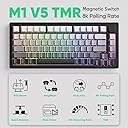
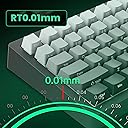
The MONSGEEK M1 V5 TMR is a premium aluminum mechanical keyboard featuring an ultra-precise 0.01mm adjustable rapid trigger, 32K scan rate, and 8K polling rate for unparalleled responsiveness. It supports both magnetic and mechanical switches, allowing gamers to customize their tactile feel. Its quick-release chassis with a sleek gradient finish and advanced ARGB lighting system offers both style and performance, making it a top-tier choice for competitive gamers and professionals seeking precision and aesthetics.


| ASIN | B0FCS4JS2V |
| Additional Features | Ultra-Precise Rapid Trigger, High precision TMR sensor, 8K Hz Polling Rate, ARGB with individually controlled LEDs |
| Antenna Location | Gaming |
| Best Sellers Rank | #262 in Computer Keyboards |
| Brand | MONSGEEK |
| Built-In Media | USB Cable, Keycaps |
| Color | Black-AstroAim Magnetic Switch |
| Compatible Devices | PC, Laptop, Tablet |
| Connectivity Technology | Wi-Fi |
| Customer Reviews | 4.0 out of 5 stars 31 Reviews |
| Enclosure Material | Aluminum |
| Hand Orientation | Ambidextrous |
| Keyboard Description | Ergonomic |
| Keyboard Layout | QWERTY |
| Keyboard Plate Material | Aluminum |
| Manufacturer | MONSGEEK |
| Mechanical Keyboard Switch Model | AstroAim Magnetic Switch |
| Number of Keys | 104 |
| Power Source | Wired |
| Recommended Uses For Product | Gaming |
| Special Feature | Ultra-Precise Rapid Trigger, High precision TMR sensor, 8K Hz Polling Rate, ARGB with individually controlled LEDs Special Feature Ultra-Precise Rapid Trigger, High precision TMR sensor, 8K Hz Polling Rate, ARGB with individually controlled LEDs See more |
| Switch Type | Mechanical |
| Unit Count | 1.0 Count |
J**L
Monsgeek m1 v5 TMR - Amazing, tons of features, premium build, satisfying typing at a great price.
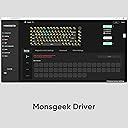
Monsgeek m1 V5 TMR. I'm never been big on keyboards, but I do play a lot of PC games. This blows everything I have used so far out of the water. The feel of it, the sound it makes is satisfying yet not too loud or obnoxious or too clicky (especially while playing games). I can't imagine it feeling any better honestly. The software is good, works well enough for me although a little bit buggy sometimes. The analogue key features did make a noticeable difference for me in responsiveness in my games, but do require tweaking to get right. It feels very premium The only gripes I have with it is how heavy it is and how high it sits. I feel like I am reaching for keys a little bit more than my previous low profile keyboard and I tend to move my keyboard around my desk a lot so it's weight makes that slightly annoying but not all that bad. This is largely also a preference thing that a keyboard wrist wrest and more getting used to will fix. I was also a little bit worried about how it comes with south facing lettering on the keycaps, however once I had it set up I can see the lettering perfectly fine as I am sitting in front of the keyboard and not directly on top of it after all. I can't figure out how to save specific RGB settings to different layers through the software as it won't let me select different layers to adjust the RGB settings in the web driver or desktop application but I could be doing something wrong or maybe there is some sort of driver conflict. Amazing especially for it's price.
C**R
Great Keyboard With Just a Slight Issue
Great Board been using the AstroAim (TMR) Version. Smooth typing experience and I enjoy the sound, but that will vary from person to person. Performance in games is top tier thanks to the Snap Tap and Hall effect tech. Weight wise this comes in around 4lb so built like a tank. Software has also gotten a revamp so it is much easier to use than its previous versions. All in all, I do recommend this keyboard as one of the best TMR keyboards on the market especially if you are like me and dont vibe with 60% keyboards. Only problem I do have with this is when you boot it up the RGB on the D key is de-synced from the rest of the RGB on the board. For example the Key would be stuck on breathing while the rest is on pulse. This does however fix itself after using the keyboard for a while until you shut down the PC again. Now a lot of ppl make say it's not too big of a deal but once you are spending between $130 to $160 for one item small details matter. Which is why I give this a 4 star instead of 5.
T**N
Amazing Choice
Huge upgrade from my Razer Huntsman in terms of performance and feel. Love the weight and build quality. Like that it can be wireless or wired (also Bluetooth if needed). Love that the software is browser based and stores the setting on the keyboard. I switch between Windows and Bazzite(Linux) and everything works great on both.
U**A
Disappointing Experience — Great Hardware Held Back by Poor Software and Usability Issues
I really wanted to like the Monsgeek M1 V5, but my experience was disappointing from the moment I plugged it in. The hardware looks solid on paper, but the actual user experience falls short in several ways. 1. Software is extremely frustrating The magnetic switch features require Monsgeek’s software and a separate “driver plugin,” but the software constantly failed to detect the keyboard. I spent far too long troubleshooting HID devices, uninstalling drivers, and trying different ports and cables. Nothing worked. For a modern keyboard, this should not be so complicated. 2. Out‑of‑box feel is not impressive Despite the aluminum case, the sound profile is more chatty and clacky than the deeper “thock” I expected. The typing feel is stiff and not very refined unless you plan to mod it heavily. 3. Very chunky and hard to handle The board is thick and heavy, which is fine, but the design has no good grip points on the sides. It’s surprisingly awkward to pick up, move, or reposition on a desk. It feels bulky without offering ergonomic benefits. 4. Not beginner‑friendly at all If you just want a keyboard that works out of the box, this is not it. Between the software issues and the clacky sound, it’s hard to recommend unless you enjoy deep tinkering. Overall, the M1 V5 has potential, but the poor software experience and the clacky, unrefined sound made it a bad fit for me. I’m returning it and going with a NuPhy/ Keychron instead, which offers a much smoother experience in both hardware and software.
V**M
Decent build, love mag-mech features, not enough foam to dampen sound, clacky
Let me start by saying I do like this keyboard and will keep it as my main board (for now). I have a KiiBOOM Moonshadow V2 which is the best sounding keyboard I've ever had (with the matcha switches), but it has firmware problems and KiiBOOM just doesn't seem to keep up with things like others. I was going to get another Keychron HE (like their sound, feel, and build quality, but I just hate that they are so limited on switch options and are always out of the switches if you want to change. What's the point of a replaceable switches then? And I LOVE the idea of mag-mech and it seems Monsgeek has done it right with their approach (basically using any darned switch you want!). The software is decent and works. I know folks said it didn't before, but it does now, at least for me. But the sound. OMG. It's soooooo bad. It's super plasticy sounding and clacky as can be. It's not the switches as I put them in my Moonshadow V2 (can't use the keyboard but can sound test) and they were OK. The cheap keycaps, the lack of decently placed foam, and just the case don't lend themselves to deep, thocky sound if you like that. It sounds worse than most $50 keyboards I've tried. I've replaced the switches (went with the AstroLinks at their suggestion) and they don't help. They feel better but sound still stinks. I tried 1.7 mm and 1.8 mm keycaps. Not much help. A little, but not much. Even my Moonshadow V2 keys (which sound great on their own keyboard) don't help. They recommended tape mod, but in my experience that doesn't deepen, it makes it pingy. They suggest no added foam, but I have to try something as the sound is driving me insane. The other think that isn't great is the finish on the case. It's gritty and collects dust like a magnet! Yuck! I only have a few more days to decide if I want to send it back because it is just so annoying sounding. And BTW... it has zero flex even though it is gasket mounted.
A**O
Feels amazing
Love the MonsGeek M1 V5, been using it for about two weeks and I haven’t touched my Wooting since. Only problem was some double clicking, like it would register 4–5 presses from one press, but the software fixes it. Feels amazing and sounds great, just a little loud.
S**A
Love it
I love this keyboard, built like a tank, the sound is thocky but I think there’s a slight hollowness (like with all HE boards) on downstroke, but I think it could be alleviated if placed on a desk mat. However it’s a very subtle hollow sound so don’t let that deter you from it. Disassembly is incredibly fast on this, remove the volume knob, lift the bottom side up, and you’re in. Software is similar to another brand I tried out previously, so I’m familiar enough that it was easy to learn. Currently I’m having some issues saving the SOCD setting to my board through the software while wireless, I haven’t had time to troubleshoot as I learned it wasn’t active until before I went to bed, it could be user error? In closing, if you want HE, TMR is the next step up and I can’t recommend this board enough, I think the board latency was like 0.7ms??? Which is pretty impressive! Buy it!
A**N
A great but flawed experience.
Ah the TMR M1 V5... not much unique to say about this keyboard. I really really like the hardware. The heft, the finish, and the typing experience were all great. That said, I returned the keyboard. Two issues- Software. TKL layout. The software is frustrating, this was known going in but I couldn't do the simplest thing... bind lighting to a specific profile so you visually know which profile you're using. Seems basic, but couldn't seemingly do it. No amount of searching online revealed how either. And, I missed my 10 key num pad. So between the two, I decided this has to go back - which is a shame because the typing feel was 10/10.
A**E
Physically VERY Solid and heavy. That is the only 'good' thing.
First off, device is not recognized by the software SPECIFICALLY INTENDED for this keyboard. Simply searches forever. You CAN run the 'web' version via chrome and get most of the functions, but are limited to 6 led 'modes' (and most of those 6 they are off unless a key is pressed) - not 16 like the manual says. Also del key is in wrong spot(it is where print screen is, which is actually the print screen key) - home key is where the actual keycap for 'del' is(And is actual delete key not home) 2nd thing, had a close look and the foam covering the switchplate has no holes for a 3 or 5 pin mechanical switch, either u have to risk damage to switches to 'force' though this foam, or remove it completely? idk, I never bothered. I pulled back edge of it to see under and still could not see holes for mechanical switches, so put foam back and wrapped it back into box(This was after being unable to detect it with it's own dedicated software so.... ya.. good job that..?) Seriously guys, 300+ bucks for something and.. well u should make sure it works. Quite disappointed, and will await for the next nice board to drop, for now what I got will do me fine. (Seller hopefully does not try to refuse return, cuz that will not be fun)
Trustpilot
1 month ago
1 month ago