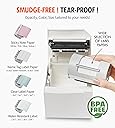
🖨️ Print Smart, Label Fast, Stay Ahead!
The MANGOSLAB Nemonic AI is a portable, inkless Bluetooth thermal label printer designed for small businesses and professionals. It supports label sizes from 1 to 4 inches, offers dual connectivity (Bluetooth and USB), and delivers sharp 203 DPI prints without ink. With a rechargeable battery lasting up to 35 hours and a user-friendly app featuring templates and ChatGPT integration, it streamlines labeling tasks across devices and environments while reducing costs and environmental impact.


| ASIN | B0D97N8HWR |
| Additional Printer Functions | Print Only |
| B&W Pages per Minute | 79 pages_per_minute |
| Best Sellers Rank | #381,161 in Office Products ( See Top 100 in Office Products ) #916 in Desktop Label Printers |
| Brand | MANGOSLAB |
| Built-In Media | Label Printer |
| Color | White |
| Color Depth | 24 bpp |
| Color Pages per Minute | 79 pages_per_minute |
| Compatible Devices | PC, Smartphones |
| Connectivity Technology | Bluetooth |
| Control Method | App |
| Controller Type | Android, iOS |
| Customer Reviews | 3.2 out of 5 stars 37 Reviews |
| Duplex | Simplex |
| Hardware Interface | USB |
| Ink Color | black |
| Item Weight | 1.68 kg |
| Manufacturer | SAGASYSTEM co.,ltd |
| Maximum Copy Resolution Black and White | 203 x 203 DPI |
| Maximum Copy Resolution Color | 203 x 203 DPI |
| Maximum Copy Speed Black and White | 79 pages_per_minute |
| Maximum Media Size | 3x4 |
| Maximum Print Resolution Black and White | 203 x 203 DPI |
| Maximum Sheet Capacity | 50 |
| Maximum print Resolution Color | 203 x 203 DPI |
| Model Name | Nemonic AI |
| Model Number | MIP-201 |
| Model Series | Nemonic |
| Number of Drivers | 1 |
| Other Special Features of the Product | Mobile Printing Capability |
| Output sheet capacity | 50 |
| Paper Size | 0.5x2, 3x1, 3x2, 3x3, 3x4 |
| Print media | Labels |
| Printer Connectivity Type | Bluetooth |
| Printer Output Type | Color |
| Printer Type | Thermal |
| Printing Technology | Thermal |
| Processor Count | 1 |
| Resolution | 203 x 203 DPI |
| Scanner Type | Portable |
| Special Feature | Mobile Printing Capability |
| Specific Uses For Product | Label Printing, Sticky Note Printing |
| Total Usb Ports | 1 |
| Unit Count | 1 Count |
| Warranty Type | Limited Warranty or Full Warranty |
B**G
Labels Unavailable
They don't sell the labels I use anymore so I am completely stuck with this and no labels for my business.
G**O
Very effectuve small bluetooth inkless label printer!
This is a compact, heavy duty label printer for small business or home use. It prints in black and white on thermal paper, producing a crisp and readable printout on labels that come pre-cut with an adhesive on the back that sticks to about anything. And stays stuck! It being no ink, toner or ribbons are required, the prints are inexpensive to product, and you don't have to buy anything but paper. I tested it out, but I didn't want to use up the included labels. I tried cutting a letter sized thermal sheet of paper, and it did produce a print, but it didn't like my strip of paper, which got hung up inside the printer. Live and learn! It is very portable, but hefty enough to stay where ever you put it. It communicates with your PC via a USB-C cord. It communicates with your smartphone via Bluetooth. You can print anywhere with your smartphone. It of course has an app you download that opens up all the features of this printer. It works with Office products seamlessly. A 3,500 mAh battery is built in so you can use it where you don't have easy access to power. A good selection of papers are available on Amazon, including colored and adhesive notes. It is perfect for printing shipping labels, making it a great printer for small businesses that ship a lot of items.
E**Y
almost great
So far it works reliably with my iPhone, and the post-its have remained adhered to metal surfaces reliably. It does seem like every post-it comes out with an ugly kink in the middle, due to how the paper feeds internally in the printer.
N**N
New Connect Features Unusable
The main reason I sprung for the new version was Nemonic Connect and the ability to integrate with my other applications. The site to operate Connect does not work and my emails to support have gone unanswered. Unless they do something to fix this I can’t recommend this product for anyone looking for that feature. Update: No response from support after nearly 30 days. The AI feature sounded cool but it tries to print long AI responses that don’t fit on a sticky.l. Also, this requires multiple apps to use different features which isn’t a dealbreaker but a frustration to me.
K**G
Labeling Made Easy !!
The Nemonic AI Label Printer is a game-changer for anyone looking to streamline their labeling needs, whether for a small business or personal use. This inkless Bluetooth thermal label printer is incredibly portable, making it easy to take anywhere—from your office to your kitchen. The included starter kit provides everything you need to get started right away, ensuring that you can begin labeling your tech accessories and various items around your home without any hassle. Its compact size allows it to fit comfortably in a bag or even a pocket, a significant advantage for those who value mobility. I’ve been using the Nemonic printer primarily for labeling all my tech accessories, and it has exceeded my expectations. The labels come out crisp and clear, making it easy to identify cables, chargers, and devices at a glance. Additionally, I’ve found it equally useful in the kitchen for organizing spices, food containers, and pantry items. This versatility makes it an indispensable tool in my home, saving me time and frustration when searching for things. The battery life is also pretty good, allowing for extended use without frequent recharging. One of the standout features of the Nemonic AI Label Printer is its ease of use. The seamless Bluetooth connectivity allows for quick pairing with my smartphone, and the accompanying app provides a user-friendly interface for designing labels. The thermal printing technology means I don’t have to worry about running out of ink, which not only saves money but also simplifies maintenance. Overall, this label printer has proven to be an excellent investment, enhancing my organization and efficiency in both my personal and professional life.
D**E
Small Footprint; Quick Set-Up; Too Many Apps
This is my first foray into trying a thermal printer. I’m a teacher and I live by sticky notes plastered all around my desk and wall. I picked this up to spruce up that process, as well as for labeling various items for my students. While I’ve enjoyed using the printer, I’m not yet convinced it's worth the price tag. The unit itself is very small and lightweight and has a minimal footprint on my desk space, which I like. Set-up out of the box was extremely easy. It took about an hour or so to charge enough the first time. If you turn it on when the battery is low, it will make the most obnoxious beeping sound imaginable, so don’t do that. Aesthetically, the design is sparse and there’s just a simple status light to show the printer is on and ready to go (or not). The print quality on the notes is nice. Not brilliant, but certainly good enough for sticky notes and labels. I have been printing via the mobile app, but you can also download the drivers for PC or Mac. Printing is generally quick and I love that the machine self-tears. The notes have decent adhesive, too. Speaking of the app, there are actually multiple apps. The primary one you’ll want to use is ‘Nemonic’ and it is referenced in the instruction manual. The app is fairly intuitive and offers a range of pre-designed options for printing different kinds of notes, calendars, games, shapes and more. You can add text and other elements to the pre-made templates, but honestly I found this extremely clunky and hard to do on my phone. The preset tools include a to-do list, which I loved and was much easier to use. Moving on from there, we also have the Nemonic Scanner app (allows you to scan and print) and Nemonic AI app (allows you to generate AI images and print). As you might expect, the AI generation is based on a credit system. For all three apps, the time from hitting print to printing is around 10-20 seconds. My biggest annoyance is having three apps. Only the Nemonic app is mentioned in the instruction guide. The scanner app was advertised on a banner in the Nemonic app, and the AI one I had to find via internet search. This printer is fun for sprucing up my classroom and adding some style to my notes and labels, but I’m not sure I will get enough regular usage from it to make it a must-have and worth the price tag.
T**A
not chatgpt compatible
This printer is advertised as ChatGPT-compatible, but it absolutely is not. Using it is frustrating and pointless. The printer is hard to get in the first place, and on top of that, you must constantly buy overpriced paper. Definitely not recommended.
S**Y
Where has this been all of my life?
While this is a wee bit expensive at around $170 at the time of this review, I'm in love with it. Order yourself the available sticky note paper to go with it and you have the ability to print sticky notes all day long. For me, this is amazing!! My house is now adorned with sticky notes everywhere with neat, easy to read messages like "CLOSE THE DOOR!" and "DON'T FORGET YOUR KEY!" This is super simple to set up and use with your computer or phone (I've used it with iPhone and Pixel). Since it is inkless the only cost is for the label papers which are reasonably priced and come in a variety of options including one that is water resistant (I will try that one next). Also great for nametags but for me this is going to be the sticky note generator since I personally rely on sticky notes a ton.
Trustpilot
3 weeks ago
1 week ago