We remain fully operational. Our teams are working around the clock to ensure your deliveries continue safely.

DOWNLOAD THE APP


Copyright © 2025 Desertcart Holdings Limited
DOWNLOAD THE APP
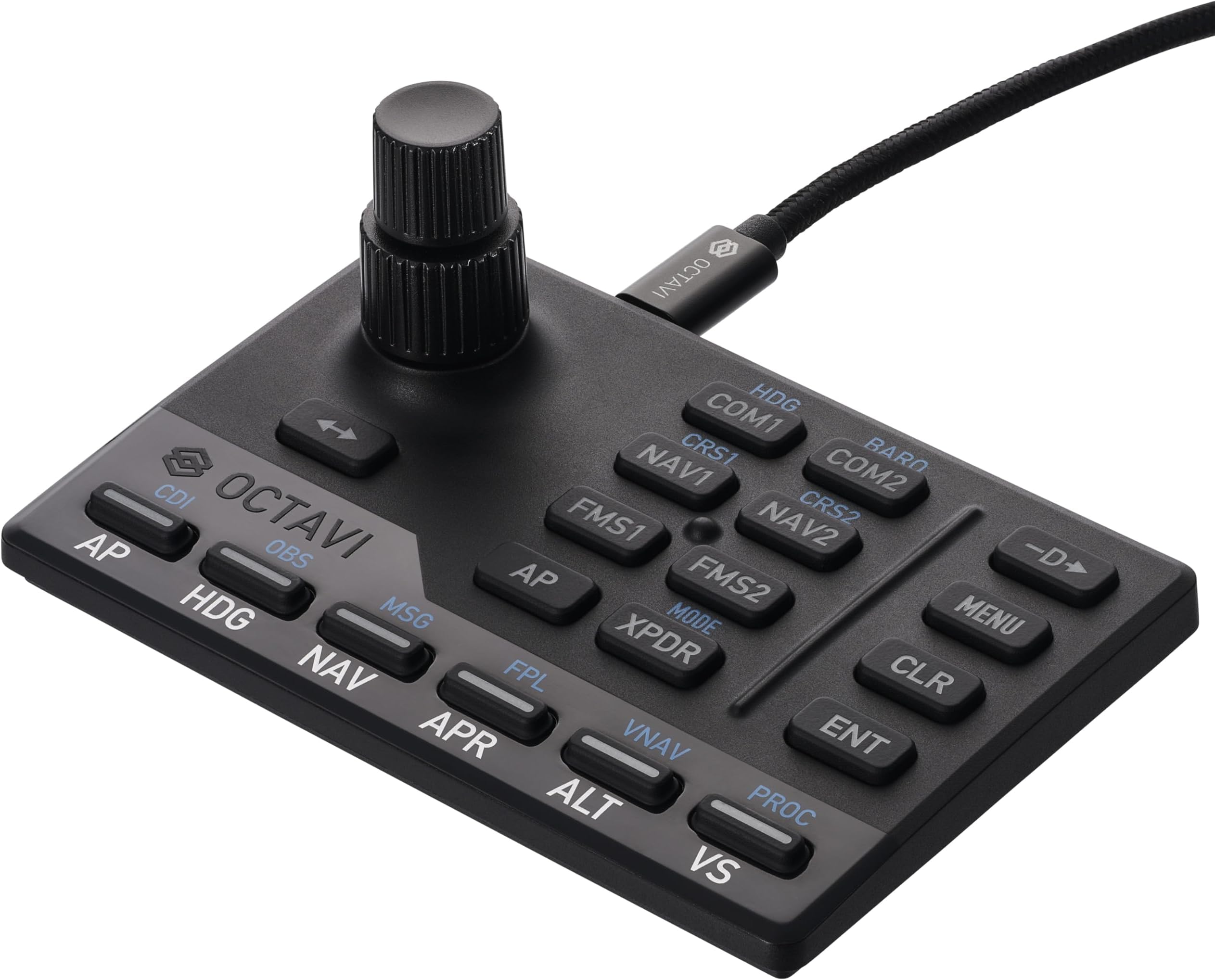



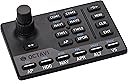

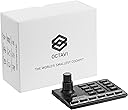
✈️ Elevate your sim game — fly smarter, not harder!
The Octavi IFR-1 is a compact, German-engineered all-in-one cockpit controller designed for flight simulation pros and enthusiasts. Featuring a high-precision dual-axis rotary encoder, LED-backlit tactile buttons, and seamless USB-C plug-and-play compatibility with Microsoft Flight Simulator 2020/2024 and X-Plane 11+, it delivers an immersive, realistic IFR experience in a space-saving design. Trusted for its durability and versatility, the IFR-1 transforms any desk into a professional-grade flight deck.
| ASIN | B0BZTBCHQD |
| Additional Features | Compact, Cost-Effective, Customizable, Ergonomic, Multi-Instrument |
| Best Sellers Rank | #7,292 in Video Games ( See Top 100 in Video Games ) #23 in PC Game Flight Controls |
| Brand Name | OCTAVI |
| Button Quantity | 20 |
| Color | black |
| Compatible Devices | Windows, Mac |
| Connectivity Technology | USB |
| Controller Type | Gamepad, Keyboard |
| Customer Reviews | 4.7 4.7 out of 5 stars (85) |
| Hardware Platform | Laptop, PC |
| Item Dimensions | 4.4 x 2.9 x 1.8 inches |
| Item Dimensions D x W x H | 4.4"D x 2.9"W x 1.8"H |
| Item Weight | 0.6 Pounds |
| Manufacturer | OCTAVI |
| Model Name | Octavi IFR-1 |
| Package Quantity | 1 |
| Power Source | Corded Electric |
J**S
!
If you are even marginally into flight sim, get this after you buy or with your flight stick/throttle/rudder pedals. If you already have those, what are you waiting for? Get this handy little thing, you will not be sorry! Plug and play for FS2024 (don't know about others, sorry). I fly the 172 G1000 and the 208B G1000 in career mode and have no idea what I did before. Now this doesn't "look" like a panel for a specific aircraft because it isn't suppose to be. it works with all aircraft in MS2024 (not sure about marketplace addons though I don't know why it wouldn't). This is an interface so you can easily Change freq's like the real thing. The knob is a 2 part knob with base turning for big numbers and top for small numbers and a "click" push down just like the real thing. This is far better than dragging your mouse across the screen! And honestly, I got this because dragging the mouse across the screen is scream worthy. I almost quit ms2024 because I hated it so much. but this thing is a dream! Not only can you change comm and nav freq's as well as switch to active or not, you can change the altimeter setting by selecting Com2 and push down (click) on the knob, then rotate the bottom knob until desired setting is in, so easy! You can change pages on the left and right screen, change the transponder, select procedures, and of course full auto pilot control! Each button lights up when selected so you know if its active or not and which comm or nav you are on as well as your AP settings. Adjust Auto Pilot Alt setting by selecting "AP" then Alt and rotating knob until desired setting is in. Honestly this has more buttons and uses than I have described here. Now, I fly in VR so I don't look at this when using it. It's easy to memorize most buttons and function. Plus this has a raised "line" between the left buttons and the right ones. Also has a raised "bump" in the middle of the left buttons so you can easily feel where your fingers are in VR and without looking. Soft keys but firm. Construction of this thing is wonderful! Very durable and small size, easy to store or set aside when not in use, takes up virtually little room. As for value, The Octavi-IFR is well worth the money. Heck, id be happy to pay more for it for what joy and functionality this brings to my sim! What I am truly surprised by is the price, this is easily a lot cheaper than many "dedicated" or "specific aircraft" only panels cost. and this can be used on all the planes, not just the glass panel ones. or specific models like other panels. I truly love this thing. I hope that the company does well and produces other plug ins like this. Though honestly, I am not sure what I would add as what I don't have buttons on my flight stick and throttle programmed for, I just use the on screen mouse to "click" the switches like lights etc. But this manages my comms, nav, screens and AP! Thanks Octavi! P.s. I have been using the Octavi-Ifr now for 10 months and it still works like a charm!
E**N
Just get it
It’s good. Really good. It does what it says it does, and the build quality is fantastic. Out of the box functionality w/the plugin is acceptable. I don’t really use the stock aircraft in MSFS, but I tested the controls on the 172 (non-G1000 version), and things behaved as expected. Autopilot behavior on all the different button presses and combos definitely has a learning curve to it. I use the WBSim 152 as my main GA aircraft, and there are definitely issues w/ functionality with the standard plugin. But, Octavi very clearly says to expect issues with third-party aircraft. To remedy this, I downloaded MobiFlight and Octavi’s provided C172 profile. After a few tweaks to the inputs, I am able to get MobiFlight to have the controls do exactly what I want them to do. All said and done, it was about 30 minutes of trial and error. I cannot recommend this thing highly enough. The combo of being able to set all your steam-guage instruments, radios, and NAV headings, is just so darn cool. This thing is barely bigger than a credit card, super sleek looking, and well-made.
H**I
Works great and makes IFR tasks much more natural
Very well made product works as described.., Highly recommended if you are looking to practice approaches in your Xplane simulator (11) Works very smoothly and makes the tasks much more natural and easier to manage. A little bit of a learning curve but easy enough
K**S
Very useful and a quality design and build
This is a great little device, and makes flying so much more fun. Rather than having the frustration of trying to fidget with knobs and buttons in the simulator, this device brings it to the fingertips. I use it with the Linux version of X-Plane 12 via the FlyWithLua plug-in and some Lua scripts that Octavi sent me directly (they don't have them for download). They don't "officially" support Linux, but are making these available to at least be able to work with common aircraft, such as the Cirrus planes... basically, anything with a Garmin unit, for the most part. You *will* have to do a little homework with getting FlyWithLua working before you can use the scripts Octavi has. FlyWithLua isn't that difficult to get installed and working, but it's not "plug-and-play". Some searches on flight simulator forums and a little reading, and you should be fine. (Special tip for Ubuntu 24.04 users... the commonly-available FlyWithLua download as of December 2024 is built with an older library that Ubuntu 24.04 has a newer version of, and FlyWithLua won't work, initially. There is a download of a newer build that someone in the community made that is copy/paste over the original one... or, if you're so-inclined, you can clone the Git repo of FlyWithLua and build it yourself. That's what I ultimately did.) In any case, it's a great little life-upgrade device for flying. I give it 4 out of 5 stars because it really is that nice. It'd be 5 stars if their Linux support was a bit better, even if they just had a well-written step-by-step page. Highly recommend.
C**.
This item is truly remarkable with lots of features crammed into one compact console, making all my flight simming easier. The Germans have always designed and made great products for centuries and this I would say is one such product!
A**R
Many functions in a very small panel is great. Works with the plug in supplied for X plane 12 on my Mac M3. No configuration required for a Cessna 172. Apparently Mobi Flight is needed to configure for airliners. A third party mounting plate is available separately.
J**D
Arrive 1 semaine en retard mais l’attente en vaut la peine.
Trustpilot
1 month ago
4 days ago