Buy anything from 5,000+ international stores. One checkout price. No surprise fees. Join 2M+ shoppers on Desertcart.
Desertcart purchases this item on your behalf and handles shipping, customs, and support to Thailand.
🚀 Elevate your workspace: Power, speed, and style in one sleek dock!
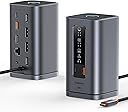
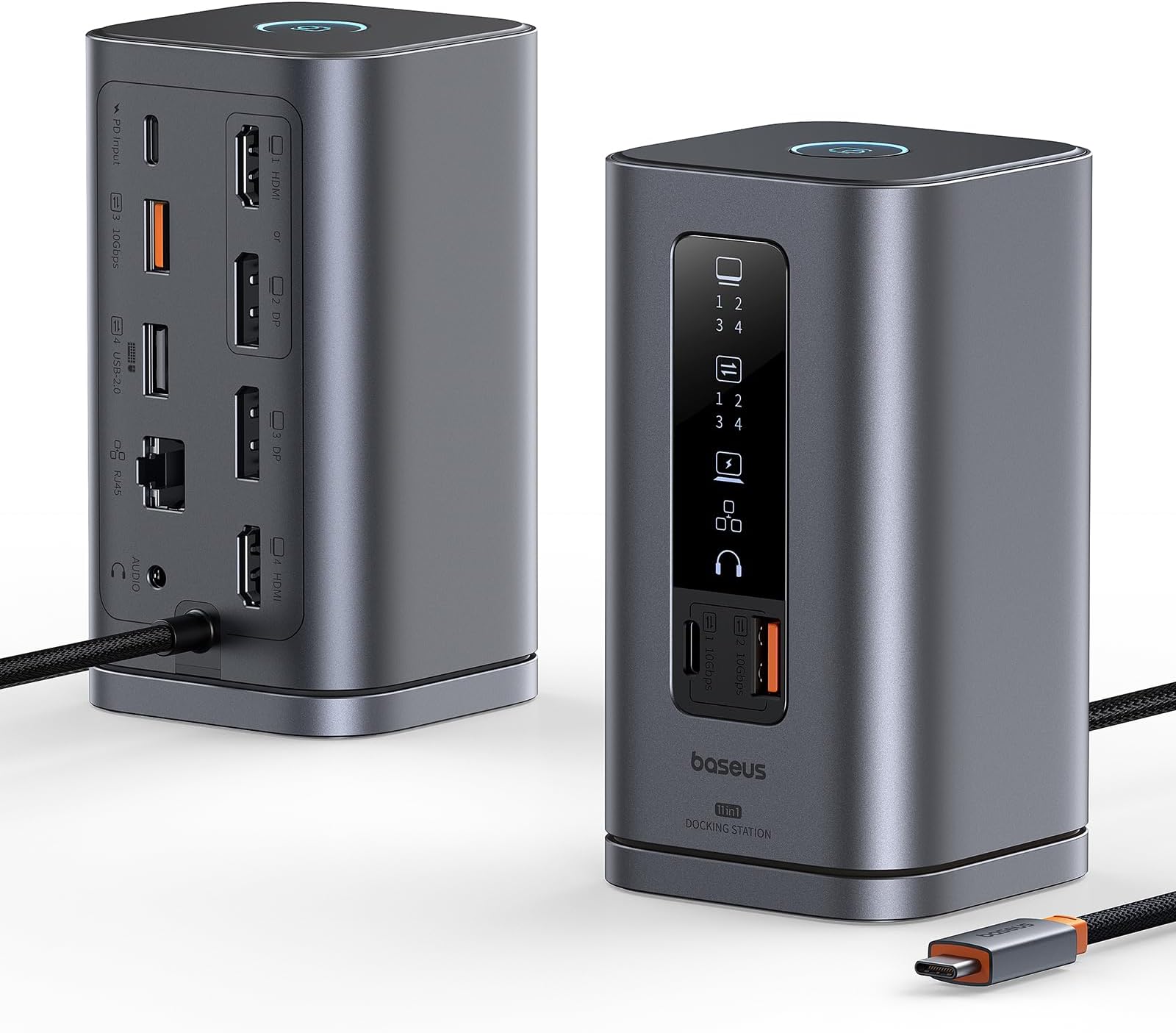
The Baseus Spacemate 11-in-1 Docking Station transforms your laptop into a powerhouse workstation with support for up to three 4K monitors at 60Hz via 2 HDMI and 1 DisplayPort, ultra-fast 10Gbps USB-A/C ports, 1 Gbps Ethernet, and 100W power delivery for rapid charging. Its innovative upright design with a magnetic base saves desk space while a smart LED display and screen lock button enhance security and usability. Recommended by Forbes, this compact, plug-and-play dock is perfect for professionals seeking a clean, efficient, and high-performance multi-device setup.


| ASIN | B0DKSW84YD |
| Best Sellers Rank | 13,577 in Computers & Accessories ( See Top 100 in Computers & Accessories ) 139 in Docking Stations |
| Brand Name | Baseus |
| Colour | Gray |
| Compatible Devices | Laptops, smartphones, tablets and other portable devices with standard ports |
| Country of Origin | China |
| Customer Reviews | 4.2 4.2 out of 5 stars (42) |
| Hardware Interface | 3.5mm Audio, DisplayPort, HDMI, USB 3.2 Gen 2, USB Type C |
| Item Dimensions L x W x H | 6.6L x 6.6W x 12.3H centimetres |
| Item Weight | 485 Grams |
| Manufacturer | Baseus |
| Number of Ports | 11 |
| Product Warranty | 24-Month Warranty. Lifetime customer service. 45-day money back guarantee. |
| Total HDMI Port | 2 |
| Total USB Ports | 4 |
| UPC | 850068772377 |
| Unit Count | 11.0 count |
| Wattage | 100 watts |
J**S
Excellent product
Excellent bit of kit
A**R
Great at first glance but needs some fine tuning
I was super excited for this dock as I have a work laptop, uni laptop and PC on one desk with only two monitors. I wanted an easy solution for switching between them all without having to swap over a hundred cables each time. The instructions are minimal but its easy enough to figure out. There are lots of ports, which is fantastic. It's sleek, well made and fits the overall look of my office. However... I've plugged in both monitors using HDMI cables and only one monitor is connecting. I've used different cables but still only one monitor. I've ordered a HDMI to DP cable to see if that works. But I'm still quite disappointed I only have one monitor available at the moment. I will update in a few days when I've troubleshooted some more. Overall a good product for single monitor
R**O
Good!
Fits the purpose and is good looking. Great quality
N**.
Charging wire way too short RETURNED
Loved this design all I wanted but sadly the charging wire is WAY TOO SHORT returned
N**K
Tidy
Good, keeps desk tidy. Functional
L**A
Tiny footprint, huge functionality
This 11 in 1 docking station is deceptively compact, standing only 12cm tall with a footprint of 6.5cm square it takes up hardly any space on your desktop. Despite it's small size it has plenty of ports, allowing up to 3 displays to be connected simultaneously, as well as several USB ports including a USB-C and USB-A port on the front for quick access. As well as the ports there is a very handy lock button on the top of the dock, a single press will put your computer into it's locked state to prevent unwanted access or accidental key presses. The base is great for keeping the dock in one place with the sticky pad on the bottom, but being magnetic you can still lift the dock up to get easy access to its ports, you can even rotate it and place it down any orientation you want. The dock doesn't come with a power supply and the instructions recommend using a 100w power supply, so if you don't have one this may be an additional expense. Talking of the instructions the ones supplied with the dock are very small and not very informative, you get more info from the product page. I have used this dock with a couple of different devices and both worked perfectly, like all docks of this nature, a lot of the performance, when it comes to attached displays, is reliant on the USB-C port on the connected device, but the limitations are fully explained on the product page. Overall, a very impressive dock, especially for the size, but beware of the limitations of your device's USB-C port when connecting displays, and the power requirements.
S**E
Great compact design, good collection of ports, works well
First up, I really, really like the design of this dock. Where the standard branded dock from my office laptop is just another plain boring black brick that looks more like a power adapter, this is a smart little mini tower which takes up much less space on a desk, and keeps far more of the sockets on the rear so it looks neat and tidy too. The slate grey look will match (closely enough) the current Apple-influenced vogue for laptop colours, and overall it looks really smart. Even the thick grey braiding on the built-in cable looks pretty cool, compared to the usual dull blacks. And secondly, and probably more importantly, it works really well too. My HP laptop is a few years old now so it’s not the most intensive workout this dock could’ve faced, but it handles anything I’ve tried to throw at it. It will run two monitors as part of a triple monitor display, with one of them USB-connected as a touchscreen as well, alongside handling the network traffic through the ethernet port, all of it feeding into the laptop through one single USB-C-sized cable, without any complaints or blips. I’ve yet to notice it getting hot or having any problems. Different lights with clear icons light up to indicate when certain things are happening- one indicating that the laptop is charging, another when there’s a second monitor attached and so on. At first I thought that might be a bit distracting in my line of sight while working, but because it’s constant and not too bright, it’s fine. One thing to note is that if you’re leaving the dock plugged in overnight, the lights are constantly on, but as I’ve got my whole desk on a smart switch to power everything off, that doesn’t bother me- it could be a problem for others though. The lock button on the top of the dock is a bit inessential, as I’m in the habit of pressing Windows+L whenever I’m stepping away from my desk, which is essentially what this dock is doing via that button. It’s not a bad idea, though if it had been possible for the lock button to change colour to indicate when it was or wasn’t locked (which would need more interaction with Windows), I think that would have been even better. The button is there in place of the power-on-off button on the branded dock, but ultimately I think having the power button there is probably more useful than having a lock button. But having both would’ve been extra nice. When I originally ordered this base station it was priced at twenty quid, which must surely have been a listing error, as twenty quid was an absolute bargain and it’s now priced at the more realistic-sounding ninety quid. Even at ninety quid I’d say this is a good value dock, cheaper than the branded ones from most laptop manufacturers but just as capable, and with a good form factor and small-desk-friendly design too. Baseus isn’t a brand I’d heard of before, but based on this, the first impressions are very good. It’s nicely presented, and most importantly, it works well.
D**.
Did not work as advertised. Only 2 ports actually worked. To make matters worse, the user manual was tiny, and there was no online videos to help with setup/troubleshoot. The item looks great, felt sturdy, but the actual functionality was executed poorly. Returned immediately.
Trustpilot
1 month ago
2 weeks ago